
MECOOL KM9 PRO
MECOOL KM9 Pro Classic Android TV Box User Manual
Model: KM9 PRO
1. Uvod
Welcome to the user manual for your MECOOL KM9 Pro Classic Android TV Box. This guide provides essential information on setting up, operating, maintaining, and troubleshooting your device. Please read this manual thoroughly before using the product to ensure optimal performance and safety.
2. Sadržaj paketa
Provjerite jesu li svi dolje navedeni artikli uključeni u vaš paket. Ako neki artikli nedostaju ili su oštećeni, obratite se prodavaču.
- 1 x MECOOL KM9 Pro Classic ATV TV Box
- 1 x Power Adapter (EU version, 110V-240V universal)
- 1 x Voice Remote Control (2 AAA batteries not included)
- 1 x HDMI kabel
- 1 x korisnički priručnik

Image: Contents of the MECOOL KM9 Pro Classic package, showing the TV box, voice remote, power adapter, HDMI cable, and user manual.
3. Proizvod je gotovview
3.1 Priključci uređaja
Familiarize yourself with the various ports on your KM9 Pro Classic TV Box for proper connection.

Slika: Stražnja i bočna strana view of the MECOOL KM9 Pro Classic TV Box, highlighting its ports including TF Card slot, USB 3.0, USB 2.0, DC 5V power input, HDTV (HDMI), LAN (RJ45), and AV output.
- Utor za TF kartice: For inserting a MicroSD card to expand storage.
- USB 3.0 priključak: Za brzi prijenos podataka s kompatibilnim USB uređajima.
- USB 2.0 priključak: For connecting USB peripherals like keyboards, mice, or flash drives.
- DC 5V priključak: Ulazna snaga za uređaj.
- HDTV (HDMI) Port: Connects to your television for video and audio output.
- LAN (RJ45) priključak: Za žičanu Ethernet mrežnu vezu.
- AV priključak: For connecting to older televisions using an AV cable.
3.2 Ključne značajke
- Operativni sustav: Certified Android 10.0 TV OS.
- Procesor: Amlogic S905X2 64-bit Quad-core ARM Cortex-A53 CPU and Mali-G31 MP2 GPU for high performance.
- Memorija: 2GB RAM and 16GB ROM for smooth operation and ample skladište.
- Povezivost: Built-in Dual-band 2.4G/5G WiFi (802.11ac) and Bluetooth 4.0+HS.
- Video izlaz: Supports 4K Ultra HD (4K*2K@30fps, 4K*2K@60fps) with HDR 10, HDR+/HLG, and HDCP 2.2.
- Glasovno upravljanje: Integrated Google Assistant and voice-activated Bluetooth remote control.
- Ugrađeni Chromecast: Jednostavno emitirajte sadržaj s mobilnih uređaja na televizor.
- OTA ažuriranja: Supports Over-The-Air software updates for continuous improvement.

Slika: Dijagram prikazujeasing the high-performance Amlogic S905X2 Quad-core CPU and Mali-G31 MP2 GPU, which power the device for smooth operation and gaming.

Image: A television screen demonstrating the visual difference between Standard Dynamic Range (SDR) and 4K HDR (High Dynamic Range) content, highlighting enhanced color and contrast.

Image: A graph illustrating the speed advantage of USB 3.0 over USB 2.0, showing USB 3.0 offers up to 10 times faster transfer rates. Below the graph are illustrations of a USB flash drive and an external HDD, indicating their compatibility.
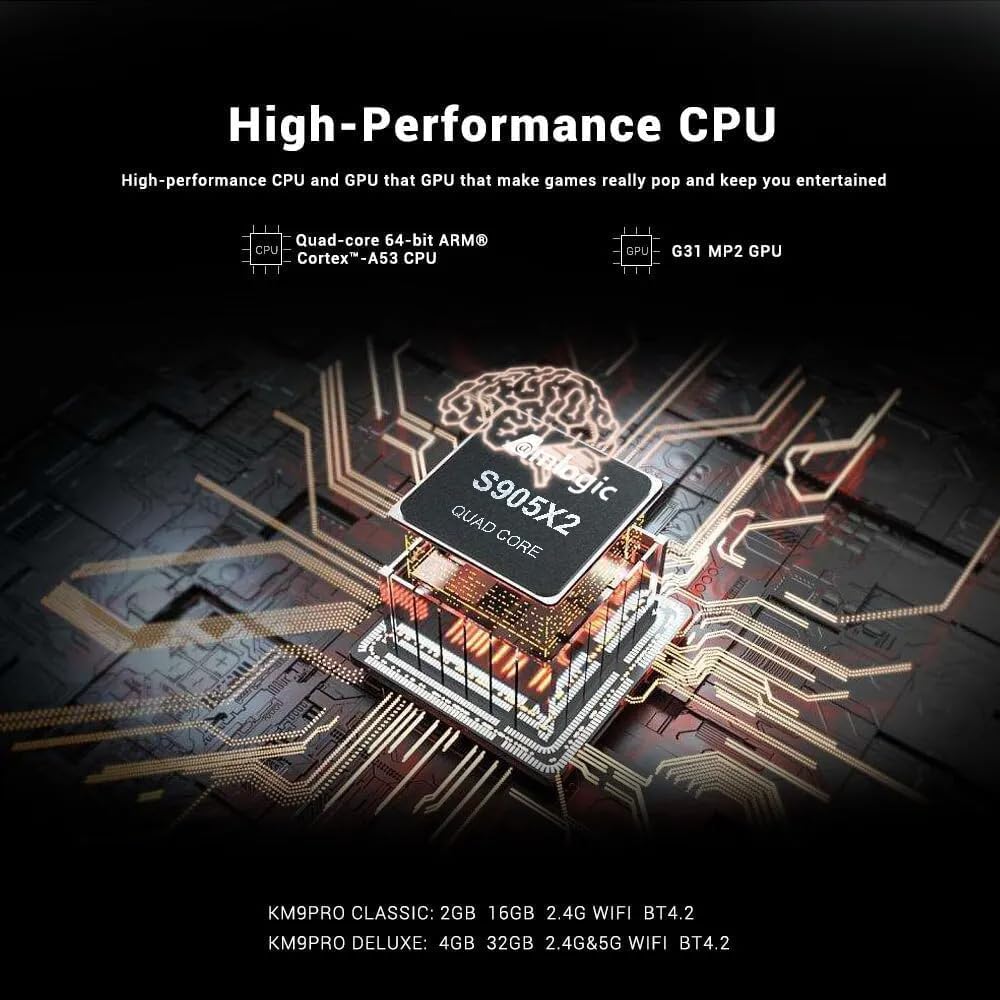
Image: A visual representation of Chromecast functionality, where a smartphone is wirelessly casting content to a television screen through the MECOOL TV box, displaying the Google Play Store interface.
4. Vodič za postavljanje
Follow these steps to set up your MECOOL KM9 Pro Classic Android TV Box.
- Spoji se na TV: Connect one end of the HDMI cable to the HDTV port on the TV Box and the other end to an HDMI input port on your television. Note the HDMI input number (e.g., HDMI 1, HDMI 2).
- Priključite napajanje: Plug the power adapter into the DC 5V port on the TV Box, then plug the adapter into a wall outlet. The device should power on automatically or show a power indicator light.
- Odaberite unos: Turn on your television and use its remote control to select the corresponding HDMI input source you connected in step 1.
- Postavljanje daljinskog upravljača: Insert 2 AAA batteries (not included) into the voice remote control. Follow the on-screen instructions to pair the Bluetooth remote with your TV Box. This usually involves holding down specific buttons on the remote near the device.
- Mrežna veza: Once the initial setup screen appears, follow the prompts to connect to your network. You can choose between Wi-Fi (select your network and enter the password) or Ethernet (connect an Ethernet cable from your router to the LAN port on the TV Box).
- Prijava na Google račun: Sign in with your Google account to access the Google Play Store, Google Assistant, and other Google services.
- Dovršite postavljanje: Follow any remaining on-screen instructions to complete the initial setup process.
5. Upute za rad
5.1 Osnovna navigacija
Use the directional pad (up, down, left, right) and the 'OK' button on your remote control to navigate through the Android TV interface. The 'Back' button returns to the previous screen, and the 'Home' button takes you to the main home screen.
5.2 Korištenje glasovnog daljinskog upravljača
The MECOOL KM9 Pro Classic features a voice-activated Bluetooth remote. Press the dedicated Google Assistant button on your remote and speak clearly into the microphone to:
- Tražiti movies, TV shows, or apps.
- Control smart home devices (e.g., "Turn off the lights").
- Ask questions or get information.
- Otvorene aplikacije.
5.3 Instaliranje aplikacija
Access the Google Play Store from the home screen to browse and install a wide variety of apps, games, and streaming services compatible with Android TV.
5.4 Funkcionalnost Chromecasta
With Chromecast built-in, you can cast content (videos, photos, music) from compatible apps on your smartphone, tablet, or computer directly to your TV via the TV Box. Ensure your mobile device and the TV Box are connected to the same Wi-Fi network.
5.5 External Storage
Connect USB flash drives or external hard drives to the USB 2.0 or USB 3.0 ports, or insert a TF card into the TF card slot, to access media files or expand storage for apps and games.
6. Održavanje
- Čišćenje: Za čišćenje uređaja koristite meku, suhu krpu. Nemojte koristiti tekuća sredstva za čišćenje ili abrazivne materijale.
- Ventilacija: Osigurajte da je TV prijemnik postavljen u dobro prozračenom prostoru kako biste spriječili pregrijavanje. Ne prekrivajte ventilacijske otvore.
- Ažuriranja softvera: The device supports OTA (Over-The-Air) updates. Regularly check for and install available system updates to ensure optimal performance, security, and access to new features. You can usually find this option in the device settings under "About" or "System Update."
- Ciklus snage: Ako uređaj prestane reagirati, isključite adapter za napajanje, pričekajte 10 sekundi, a zatim ga ponovno uključite kako biste izvršili ciklus napajanja.
7. Rješavanje problema
If you encounter issues with your MECOOL KM9 Pro Classic, refer to the following common problems and solutions:
| Problem | Mogući uzrok | Otopina |
|---|---|---|
| Nema struje | Adapter za napajanje nije spojen ili je neispravan. | Provjerite je li adapter za napajanje sigurno spojen na uređaj i ispravnu utičnicu. Pokušajte s drugom utičnicom. |
| Nema signala na TV-u | Odabran pogrešan HDMI ulaz ili labav HDMI kabel. | Verify your TV is on the correct HDMI input. Check that the HDMI cable is securely connected to both the TV Box and the TV. Try a different HDMI cable or port. |
| Daljinski upravljač ne radi | Batteries are dead or remote is not paired. | Replace batteries. Re-pair the Bluetooth remote control by following the on-screen instructions during initial setup or in the device settings. |
| Problemi s Wi-Fi vezom | Netočna lozinka, slab signal ili problem s usmjerivačem. | Double-check your Wi-Fi password. Move the TV Box closer to your router or try connecting via Ethernet. Restart your router. |
| Aplikacije su spore ili se ruše | Too many apps running, low storage, or outdated software. | Close background apps. Clear cache for problematic apps (Settings > Apps). Check for and install system updates. Free up storage space. |
8. Specifikacije
Detailed technical specifications for the MECOOL KM9 Pro Classic Android TV Box:
| Značajka | Detalj |
|---|---|
| Marka | MECOOL |
| Naziv modela | KM9 Pro |
| Broj modela | KM9 PRO |
| Operativni sustav | Android 10.0 (Certified Android TV OS) |
| CPU | Amlogic S905X2 64-bit Quad-core ARM Cortex-A53 up to 2.0 GHz |
| GPU | Mali-G31 MP2 (Penta-core up to 750MHz + DVFS) |
| OVAN | 2 GB DDR3 |
| ROM | 16 GB eMMC |
| Wi-Fi | Built-in 2.4G/5G Wi-Fi, supports IEEE 802.11 a/b/g/n/ac 2T2R |
| Bluetooth | Bluetooth 4.0+HS |
| LAN | 10/100M Ethernet |
| Video izlaz | 4K*2K@30fps, 4K*2K@60fps, HDR 10, HDR+/HLG, HDCP 2.2 |
| luke | 1x USB 3.0, 1x USB 2.0, 1x TF Card Slot, 1x HDMI, 1x DC 5V, 1x LAN (RJ45), 1x AV |
| Napajanje | DC 5V/2A |
| Podržane internetske usluge | YouTube, Amazon Prime Video, Disney+, HBO Max, Sling, Peacock, Stars, ESPN, Tubi, Google Play Store, etc. |
| Kompatibilni uređaji | televizija |
| Posebne značajke | Chromecast Built-in, Voice Control, OTA Update Support |
9. Jamstvo i podrška
9.1 Informacije o jamstvu
The MECOOL KM9 Pro Classic Android TV Box comes with a jednogodišnje jamstvo from the date of purchase. This warranty covers manufacturing defects under normal use. It does not cover damage caused by misuse, accidents, unauthorized modifications, or natural disasters.
9.2 Korisnička podrška
For technical assistance, troubleshooting beyond this manual, or warranty claims, please contact your original retailer or the MECOOL customer support team. Please have your purchase receipt and product model number (KM9 PRO) ready when contacting support.
Ask a question about this manual
Ask about setup, troubleshooting, compatibility, parts, safety, or missing instructions. Manuals+ will review the question and use this page’s manual context to help answer it.