
1. Uvod
This manual provides essential information for setting up, operating, maintaining, and troubleshooting your Acer Aspire Lite AL15-41 laptop. Please read this guide thoroughly to ensure proper use and to maximize the lifespan of your device.
2. Postavljanje
2.1 Raspakiranje i početni pregled
Pažljivo izvadite sve komponente iz pakiranja. Provjerite jesu li sve dolje navedene stavke prisutne i neoštećene.
- Prijenosno računalo Acer Aspire Lite AL15-41
- Kabel za napajanje
- Adapter
- Korisnički priručnik (ovaj dokument)

Slika 2.1: Prednja strana view prijenosnog računala Acer Aspire Lite AL15-41.
2.2 Spajanje adaptera za napajanje
Connect the power adapter to the laptop's power input port and then plug the power cord into a wall outlet. The laptop can be used while charging.
2.3 Početno uključivanje i postavljanje sustava Windows
Pritisnite gumb za uključivanje/isključivanje da biste uključili prijenosno računalo. Slijedite upute na zaslonu da biste dovršili postupak postavljanja sustava Windows 11 Home. To uključuje odabir regije, jezika, povezivanje s Wi-Fi mrežom i stvaranje korisničkog računa.
3. Upute za rad
3.1 Tipkovnica i dodirna podloga
The laptop features a 100-/101-/104-key keyboard with an independent numeric keypad for efficient data entry. The touchpad supports multi-touch gestures for navigation.

Slika 3.1: Detaljno view tipkovnice i dodirne ploče.
3.2 Portovi i povezivost
The Acer Aspire Lite AL15-41 offers various ports for connecting external devices:
- 2 x USB 2.0 (tip A)
- 1 x USB 3.2 Gen 1 (Type A)
- 1 x USB 3.2 Gen 2 (Type C)
- 1 x HDMI port for video output
- Audio priključak
For wireless connectivity, the laptop supports Wi-Fi 5 and Bluetooth 5.1.

Slika 3.2: Bočna strana view illustrating the available ports.
3.3 Značajke zaslona
The laptop features a 15.6-inch Full HD (1920 x 1080) TN display with a 16:9 aspect ratio. The ultra-slim design enhances the viewiskustvo.

Figure 3.3: The 15.6-inch Full HD display.
3.4 180-Degree Hinge Mechanism
The screen can be rotated 180 degrees, facilitating collaboration and flexible viewing angles. To activate this feature, press the Function + R key combination.

Figure 3.4: Laptop demonstrating the 180-degree hinge.
3.5 Upravljanje baterijom
The laptop is equipped with a 3-cell Lithium Ion battery with 36 Watt Hours of energy content, providing up to 7 hours of battery life under normal usage conditions. For optimal battery health, avoid frequent full discharges and keep the laptop in a cool environment.
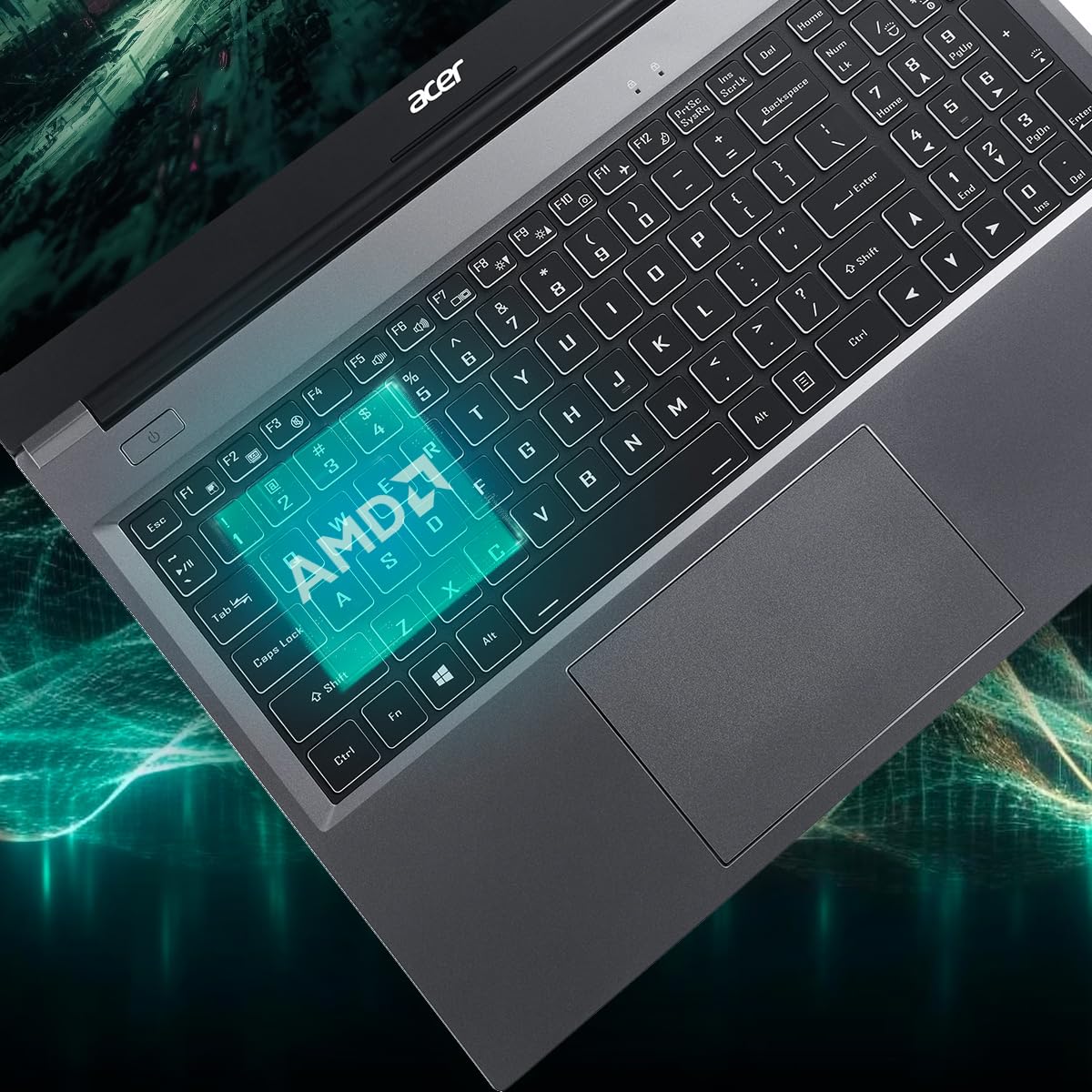
Figure 3.5: Laptop design emphasizing portability and battery life.
4. Održavanje
4.1 Čišćenje prijenosnog računala
Koristite mekanu krpu koja ne ostavlja dlačice dampened with water or a specialized screen cleaner to clean the display. For the keyboard and chassis, use a soft brush or compressed air to remove dust. Avoid harsh chemicals or abrasive materials.
4.2 Ažuriranja softvera
Regularly update your operating system (Windows 11 Home) and drivers to ensure optimal performance and security. Check the Acer support website for the latest driver updates for your AL15-41 model.
4.3 Nadogradnje pohrane i RAM-a
The laptop's 8 GB DDR4 RAM is upgradable up to 32GB across two SODIMM sockets. The 512 GB PCIe Gen3 NVMe SSD storage is upgradable up to 1 TB. For upgrades, it is recommended to consult a qualified technician or refer to Acer's official service guidelines to avoid voiding your warranty.
5. Rješavanje problema
Ako imate problema s prijenosnim računalom, razmotrite sljedeće osnovne korake za rješavanje problema:
- Bez napajanja: Provjerite je li adapter za napajanje sigurno spojen i na prijenosno računalo i na ispravnu utičnicu. Pokušajte s drugom utičnicom.
- Problemi s prikazom: If the screen is blank, try connecting an external monitor to determine if the issue is with the laptop's display or graphics output.
- Spora izvedba: Close unnecessary applications, check for malware, and ensure your operating system and drivers are up to date. Consider the recommended maintenance steps.
- Problemi s povezivanjem: For Wi-Fi or Bluetooth issues, try restarting your laptop and your router/Bluetooth device. Check device manager for driver status.
For more complex issues, refer to the online support resources available on the official Acer webweb-mjesto ili se obratite korisničkoj podršci Acera.
6. Specifikacije
Detailed technical specifications for the Acer Aspire Lite AL15-41 laptop:
| Značajka | Specifikacija |
|---|---|
| Marka | Acer |
| Naziv modela | Aspire Lite |
| Broj modela | AL15-41 |
| Procesor | AMD Ryzen 3 7330U Processor (2.3 GHz, up to 4.3 GHz) |
| Grafika | Integrirana AMD Radeon grafika |
| OVAN | 8 GB DDR4 (Upgradable up to 32 GB) |
| Skladištenje | 512 GB NVMe SSD (Upgradable up to 1 TB) |
| Prikaz | 15.6 Inches Full HD (1920 x 1080) TN LCD |
| Operativni sustav | Windows 11 Home |
| Boja | Čelično siva |
| Težina | 1.6 kilogram |
| Dimensions (L x W x Thickness) | 23.9L x 36W x 2Th Centimeters |
| USB priključci | 2 x USB 2.0 (Type A), 1 x USB 3.2 Gen 1 (Type A), 1 x USB 3.2 Gen 2 (Type C) |
| HDMI priključak | 1 |
| Bežično povezivanje | Wi-Fi 5, Bluetooth 5.1 |
| Trajanje baterije | 7 Hours (36 Watt Hours Lithium Ion) |
| Tipkovnica | Chiclet with numeric keypad |
| Touchpad | Clickpad, Multi-touch |
| Webkamera | Yes (Front) |
7. Jamstvo i podrška
7.1 Informacije o jamstvu
Your Acer Aspire Lite AL15-41 laptop comes with a 1-Year Manufacturer Warranty. Please retain your proof of purchase for warranty claims. The warranty covers manufacturing defects under normal use conditions.
7.2 Manufacturer and Importer Contact
Proizvođač: Acer
Uvoznik: ACER INDIA PRIVATE LIMITED
Embassy Heights, 6th Floor, No. 13, Magrath Road, Next to HOSMAT Hospital, Bangalore, INDIA – 560025
Paker: ACER INDIA PRIVATE LIMITED
RS No.38/2, Sedarpet Village, Villanur Commune, Poducherry - 605111.
7.3 Korisnička podrška
For technical assistance, driver downloads, or service requests, please visit the official Acer support website or contact their customer service directly. You can find contact details and support resources on the Acer India webmjesto.