
Uvod
Thank you for choosing the VTech ES2051 Digital Cordless Phone. This manual provides comprehensive instructions for setting up, operating, and maintaining your new phone system. The ES2051 is designed for ease of use, featuring a digital answering machine, call blocking capabilities, volume amplification, and an antibacterial plastic construction for enhanced hygiene.
Please read this manual thoroughly before using your phone to ensure proper operation and to take full advantage njegovih značajki.
Sigurnosne informacije
Uvijek slijedite osnovne sigurnosne mjere pri korištenju ovog proizvoda kako biste smanjili rizik od požara, strujnog udara i ozljeda osoba.
- Ne koristite ovaj proizvod u blizini vode ili kad ste mokri.
- Avoid using the phone during a thunderstorm. There may be a remote risk of electric shock from lightning.
- Ne koristite ovaj proizvod za prijavljivanje curenja plina u blizini mjesta curenja.
- Use only the power adapter and batteries provided with this product.
- Do not dispose of batteries in a fire. They may explode. Check with local codes for special disposal instructions.
- Isključite ovaj proizvod iz zidne utičnice prije čišćenja. Nemojte koristiti tekuća ili aerosolna sredstva za čišćenje. Koristite oglasamp krpa za čišćenje.
Sadržaj paketa
Provjerite jesu li svi artikli prisutni u vašem paketu:
- Main Base Unit with Digital Answering Machine
- Cordless Handset(s) (typically two for this model)
- Handset Charger(s) (for additional handsets)
- Adapter(i) za napajanje
- Telefonski kabel
- NiMH AAA Rechargeable Batteries (4 included)
- Korisnički priručnik (ovaj dokument)
Postavljanje
1. Spajanje osnovne jedinice
- Uključite manji kraj adaptera za napajanje u utičnicu za napajanje na stražnjoj strani bazne jedinice.
- Plug the large end of the power adapter into a wall outlet not controlled by a wall switch.
- Uključite jedan kraj telefonskog kabela u telefonsku utičnicu na stražnjoj strani bazne jedinice.
- Uključite drugi kraj telefonskog kabela u zidnu telefonsku utičnicu.
2. Ugradnja i punjenje baterija
- Otvorite poklopac pretinca za baterije na stražnjoj strani slušalice.
- Insert the supplied NiMH AAA batteries, observing the correct polarity (+ and -).
- Zatvorite poklopac odjeljka za baterije.
- Place the handset in the base unit or charger to charge. The handset will beep, indicating it is charging.
- Prije prve upotrebe, ostavite slušalicu da se puni najmanje 16 sati. Za optimalne performanse baterije, držite slušalicu u punjaču kada se ne koristi.

Image: The VTech ES2051 Digital Cordless Phone system, showing the main base with one handset and a charging cradle for the second handset, ready for setup.
Upute za rad
Upućivanje i primanje poziva
- Za upućivanje poziva: Pritisnite RAZGOVOR / Bljesak or ZVUČNIK, a zatim birajte telefonski broj.
- Da odgovorite na poziv: Pritisnite RAZGOVOR / Bljesak or ZVUČNIK kad telefon zazvoni.
- Za završetak poziva: Pritisnite ISKLJUČENO/IZBRIŠI ili vratite slušalicu u bazu/punjač.
Digitalna telefonska sekretarica
The integrated digital answering machine can record up to 30 minutes of messages. It automatically answers calls when you are unavailable.
- Reproduciranje poruka: Pritisnite IGRAJ/ZAUSTAVI na osnovnoj jedinici.
- Brisanje poruka: Pritisnite IZBRISATI tijekom reprodukcije poruke.
- Snimanje obavijesti: Follow the instructions in the full manual for custom outgoing message recording.

Image: A woman interacting with the VTech ES2051 phone, highlighting the digital message counter on the base unit, which indicates the number of new messages.
Blokator poziva
The selective call blocking feature allows you to block up to 100 unwanted numbers, preventing them from ringing your phone.
- Za blokiranje broja: Tijekom poziva ili iz zapisnika ID-a pozivatelja pritisnite POZIVNI BLOK button (often represented by a specific icon) and follow the on-screen prompts to add the number to the blacklist.
- Upravljanje blokiranim brojevima: Access the call block list through the handset menu to review or remove blocked numbers.

Image: A visual representation of the call blocker feature, showing a family in a kitchen setting with an icon indicating unwanted calls are being blocked.
Volumen Amplifter
Volumen amplification feature enhances incoming sounds and voices, improving clarity and volume in the handset earpiece. This is particularly useful for users with hearing impairments or those who prefer a louder audio experience.
- Activating/Adjusting: Tijekom poziva pritisnite namjensku tipku POJAČANJE VOLUMENA button (often indicated by a speaker icon with a plus sign) or use the volume up/down keys to increase the earpiece volume.
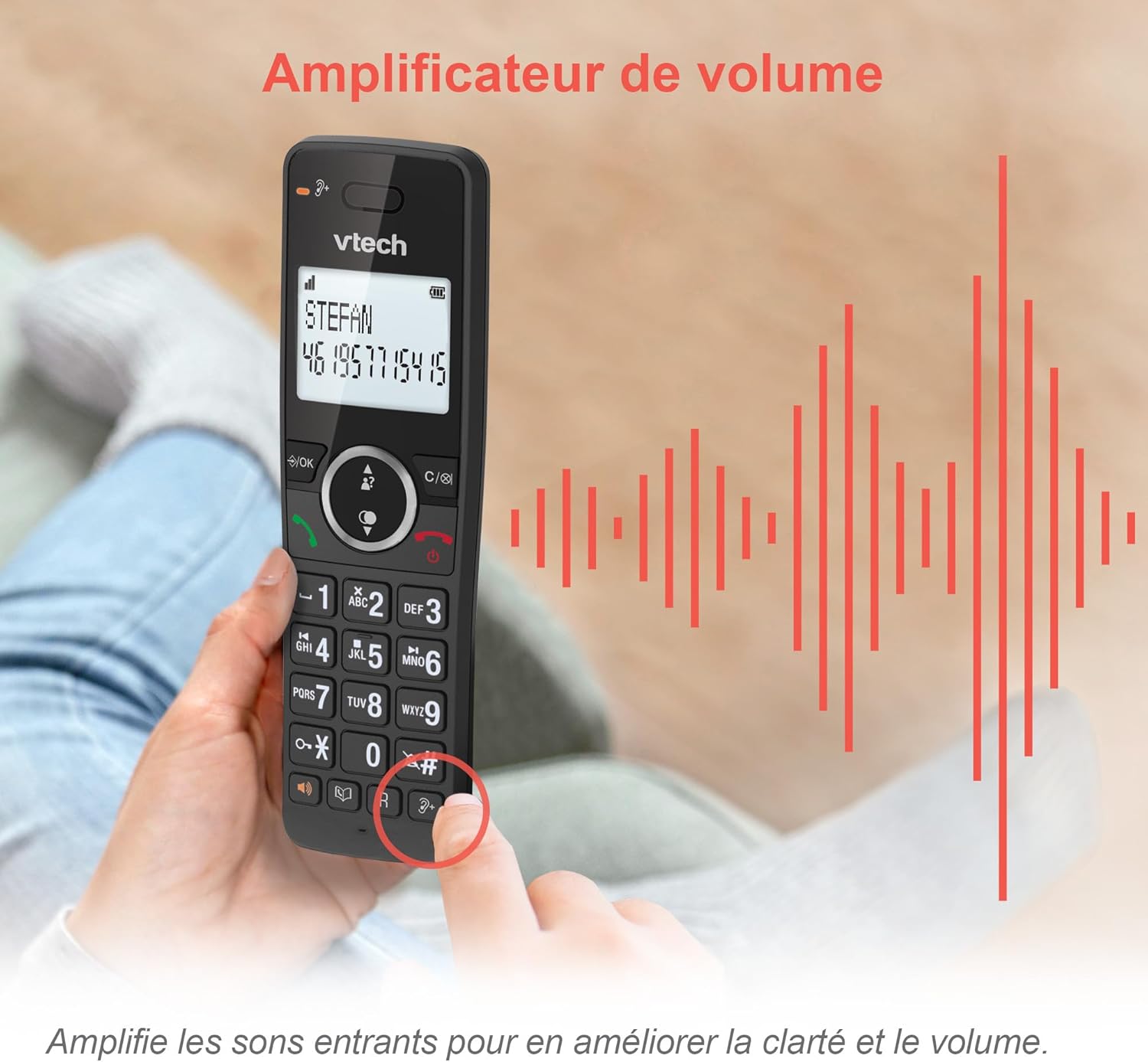
Image: A hand holding the VTech ES2051 handset, with graphic sound waves emanating from the earpiece, illustrating the volume ampznačajka lifikacije.
Conference Function
The conference function allows multiple users to participate in a single conversation. You can set up a three-way conference call with two internal callers (handsets) and one external caller.
- Pokretanje konferencijskog poziva: Refer to the detailed instructions in the full manual for specific steps on how to add a third party to an ongoing call.

Image: Three people engaged in a conversation, visually representing the three-way conference call capability of the VTech ES2051 phone system.
Funkcija interfona
The intercom feature allows you to communicate between handsets within your home without using the landline. This is useful for calling family members in different rooms.
- Korištenje interkoma: Pritisnite tipku INTERFON button (if available) or access the intercom function through the handset menu, then select the desired handset to call.
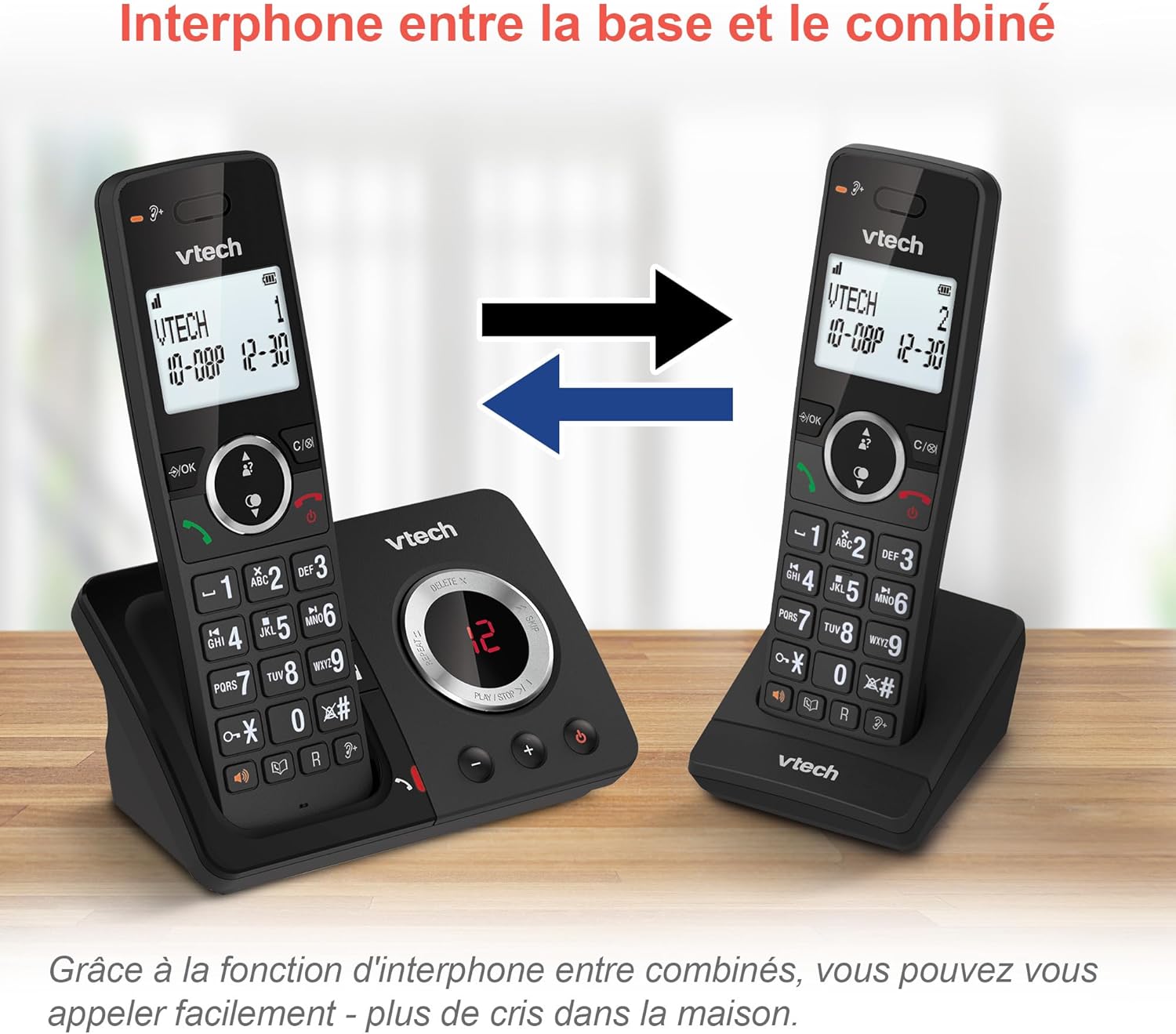
Image: A diagram showing two VTech ES2051 handsets with arrows indicating communication between them, illustrating the intercom feature.
Phonebook and Call Features
The phone includes a 100-name and number phonebook, 8 speed dial keys, and a backlit screen and keypad for easy visibility.
- Pohranjivanje kontakata: Navigate to the phonebook menu to add, edit, or delete contacts.
- Brzo biranje: Assign frequently called numbers to the 8 speed dial keys for quick access.
- Zapisnik ID-a pozivatelja: Review the last 20 incoming calls with Caller ID information.
- Ponovno biranje: Access the list of the last 10 dialed numbers for quick redialing.

Slika: Kolaž slika prikazanihasing various VTech ES2051 phone features, including the 100-entry phonebook, call display, redial function, and an 18-hour talk time battery life indicator.
ECO način rada
The ECO mode automatically adjusts and minimizes the radio frequency power based on the distance between the handset and the base unit. This feature helps conserve energy and reduce power consumption.
Održavanje
Čišćenje telefona
The VTech ES2051 is made with antibacterial plastic and features a seamless, easy-to-clean design. To clean your phone:
- Unplug the base unit from the wall outlet and telephone line.
- Obrišite površine telefona mekom,amp tkanina. Nemojte koristiti tekuća ili aerosolna sredstva za čišćenje.
- Ensure the phone is completely dry before plugging it back in.
Briga o bateriji
- Use only the supplied rechargeable NiMH AAA batteries.
- Ne bacajte baterije u vatru.
- Ako se telefon neće koristiti dulje vrijeme, izvadite baterije kako biste spriječili curenje.
Rješavanje problema
If you experience any issues with your VTech ES2051 phone, try the following troubleshooting steps:
| Problem | Otopina |
|---|---|
| Nema tona za biranje | Ensure the telephone line cord is securely plugged into both the base unit and the wall jack. Check if other phones on the same line are working. |
| Ne mogu upućivati ili primati pozive | Check the power connection to the base unit. Ensure the handset batteries are charged. If using a DSL service, you may need a DSL filter. |
| Handset displays "Out of Range" or "No Power at Base" | Move the handset closer to the base unit. Ensure the base unit's power adapter is securely plugged in. |
| Telefonska sekretarica ne snima poruke | Check if the answering machine is turned ON. Ensure there is enough recording time available (max 30 minutes). |
| Loša kvaliteta zvuka ili statički zvuk | Move the handset closer to the base unit. Avoid placing the base unit near other electronic devices (e.g., microwaves, Wi-Fi routers) that may cause interference. |
If the problem persists after trying these steps, please refer to the VTech support webstranicu ili se obratite korisničkoj službi za dodatnu pomoć.
Tehnički podaci
| Značajka | Detalj |
|---|---|
| Marka | VTECH |
| Broj modela | ES2051 |
| Boja | crna |
| Vrsta telefona | Bežični |
| Vrsta sustava sekretarice | Digitalni |
| Vrijeme snimanja telefonske sekretarice | Do 30 minuta |
| Kompatibilni uređaji | Landlines, Answering Machine |
| Baterije | 4 AAA baterija - uključena |
| Sastav baterije | NiMH |
| Izvor napajanja | Napajanje na baterije |
| Materijal | Plastika (antibakterijska) |
| Vrsta birača | Jednostavna tipkovnica |
| Dimenzije predmeta (D x Š x V) | 18.3 x 13.5 x 11 centimetara |
| Zemlja podrijetla | Kina |
Jamstvo i podrška
VTech products are manufactured to high-quality standards. For information regarding warranty coverage, please refer to the warranty card included with your product or visit the official VTech webmjesto za vašu regiju.
For technical support, frequently asked questions, or to download the full user manual, please visit the VTech support section online or contact their customer service helpline. Contact details can typically be found on the VTech webmjestu ili na pakiranju proizvoda.