
1. Uvod
Thank you for choosing the VRURC Portable Charger T01. This 10000mAh power bank is designed for convenience, featuring built-in charging cables and an integrated AC wall plug. This manual provides essential information for safe and efficient use of your device.
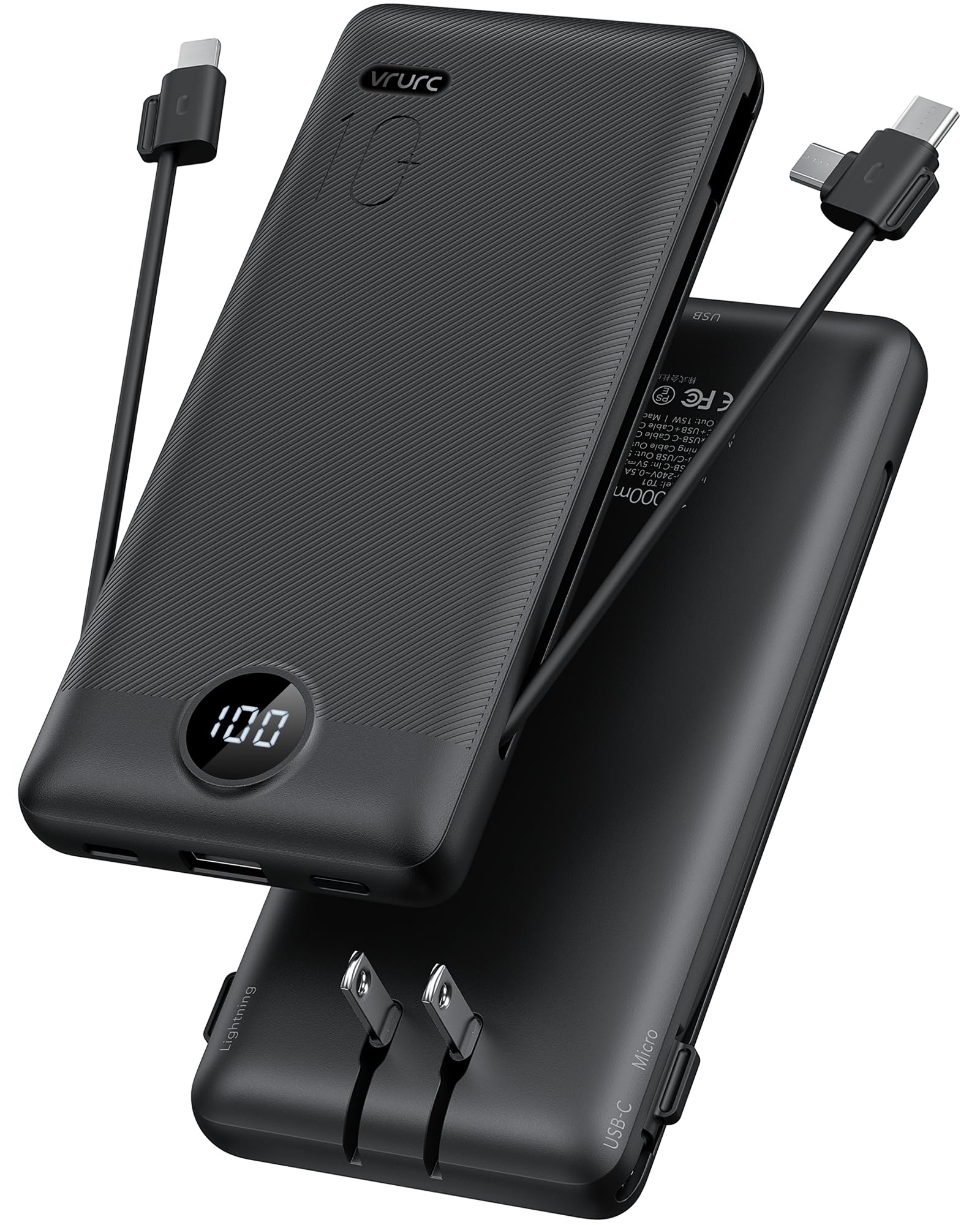
Image 1.1: VRURC Portable Charger T01
2. Proizvod je gotovview
Ključne značajke
- All-in-One Charging Solution: Includes built-in Micro USB, USB-C, and Lightning cables, plus an extra USB-A port and USB-C port.
- Integrirani AC zidni utikač: Charges directly from any wall outlet without additional cables.
- Tanak i lagan dizajn: Compact and portable for travel and daily use.
- Pametni LED digitalni zaslon: Clearly shows remaining battery power.
- 3D Textured Grip: Ensures a secure hold.
- Široka kompatibilnost uređaja: Supports most smartphones, tablets, and other mobile devices.
Komponente

Slika 2.1: Gotovoview of VRURC Portable Charger T01 components, showing the USB-C cable, Micro cable, foldable AC plug, and cable for iPhone (Lightning).
The VRURC T01 Portable Charger is equipped with the following components:
- Ugrađeni USB-C kabel: Za punjenje uređaja kompatibilnih s USB-C priključkom.
- Ugrađeni mikro USB kabel: For charging Micro USB compatible devices.
- Ugrađeni Lightning kabel: Za punjenje Apple uređaja.
- Sklopivi AC zidni utikač: For recharging the power bank directly from a wall outlet.
- USB-A izlazni priključak: For connecting external USB-A charging cables.
- USB-C ulazno/izlazni priključak: For charging devices or recharging the power bank with an external USB-C cable.
- LED digitalni zaslon: Indicates the remaining battery percentage.
3. Postavljanje
Punjenje Power Banka
Before first use, fully charge your VRURC Portable Charger. There are two primary methods to recharge the power bank:
- Korištenje ugrađene utičnice za izmjeničnu struju:
- Fold out the integrated AC wall plug.
- Uključite power bank izravno u bilo koju standardnu zidnu utičnicu.
- The LED display will show the charging progress. A full charge via AC plug typically takes approximately 6 hours.
- Using an External USB-C Cable:
- Spojite USB-C kabel za punjenje (nije uključen) na USB-C ulazni priključak powerbanka.
- Drugi kraj kabela spojite na USB adapter za zidnu utičnicu (nije uključen) ili na USB priključak s napajanjem.
- The LED display will show the charging progress. A full charge via 5V/2.6A USB-C input typically takes approximately 5 hours.

Image 3.1: Charging the power bank using its built-in AC plug or an external USB-C cable.
Video 3.1: Demonstration of charging the VRURC Portable Charger T01 using its built-in AC wall plug and cables.
4. Upute za rad
Punjenje Vaših uređaja
The VRURC T01 Portable Charger can charge up to four devices simultaneously using its various output options:
- Korištenje ugrađenih kabela:
- Pull out the appropriate built-in cable (USB-C, Micro USB, or Lightning) for your device.
- Spojite kabel na priključak za punjenje vašeg uređaja.
- Power bank će automatski početi puniti vaš uređaj.
- Using External Cables (USB-A or USB-C ports):
- Connect your device's charging cable to either the USB-A output port or the USB-C input/output port on the power bank.
- Drugi kraj kabela spojite na uređaj.
- Power bank će automatski početi puniti vaš uređaj.

Image 4.1: The power bank charging multiple devices at once using its various ports and built-in cables.
LED digitalni zaslon
The integrated LED display shows the remaining battery percentage of the power bank. This allows you to monitor the charge level at a glance, ensuring you know when to recharge the power bank.
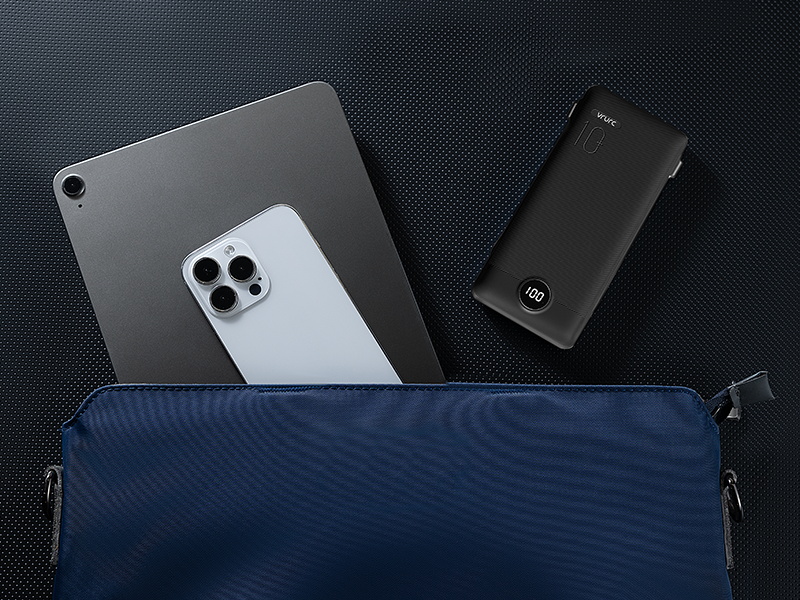
Image 4.2: Close-up of the LED digital display showing the battery percentage.
Prolazno punjenje
The VRURC T01 supports pass-through charging, meaning you can recharge the power bank while it simultaneously charges your devices. Simply plug the power bank into a wall outlet using its AC plug or a USB-C cable, and then connect your devices to the power bank's output ports or built-in cables.

Image 4.3: The power bank plugged into a wall outlet, simultaneously charging a smartphone.
5. Održavanje
To ensure the longevity and optimal performance of your VRURC Portable Charger, follow these maintenance guidelines:
- Čišćenje: Za čišćenje vanjske strane power bank-a koristite meku, suhu krpu. Izbjegavajte upotrebu jakih kemikalija ili abrazivnih materijala.
- Skladištenje: Power bank čuvajte na hladnom i suhom mjestu, dalje od izravne sunčeve svjetlosti, ekstremnih temperatura i vlage.
- Njega baterije: For best battery health, avoid fully discharging the power bank regularly. Recharge it when the battery level is low. If storing for extended periods, charge it to about 50-70% every three months.
- Izbjegavajte fizičku štetu: Protect the device from drops, impacts, and excessive pressure, which can damage internal components.
6. Rješavanje problema
If you encounter issues with your VRURC Portable Charger, refer to the following common troubleshooting steps:
- Uređaj se ne puni:
- Provjerite je li powerbank dovoljno napunjen (provjerite LED zaslon).
- Verify that the charging cable (built-in or external) is securely connected to both the power bank and your device.
- Isprobajte drugi kabel ili priključak na power banku.
- Confirm your device is compatible with the power bank's output.
- Power Bank se ne puni:
- Ensure the AC wall plug is fully inserted into a working wall outlet.
- If using a USB-C cable, ensure the cable and wall adapter are functional and properly connected.
- Try a different wall outlet or USB adapter.
- Sporo punjenje:
- Ensure you are using appropriate cables for fast charging, if supported by your device.
- Istovremeno punjenje više uređaja može smanjiti pojedinačne brzine punjenja.
- Check if your device's battery is nearly full, as charging slows down past 80% to protect battery health.
Ako se problem nastavi nakon što ste isprobali ove korake, obratite se korisničkoj podršci.
7. Specifikacije
Tehnički detalji
| Značajka | Detalj |
|---|---|
| Naziv modela | T01 |
| Kapacitet baterije | 10000 Miliamp sati |
| Vrsta baterije | Litij polimer |
| Vrsta konektora | USB Type C (built-in), Micro USB (built-in), Lightning (built-in), USB-A (port) |
| Broj priključaka | 5 (3 built-in cables, 2 external ports) |
| Voltage | 5 volti |
| Ampdoba | 2.4 Amps |
| Izvor napajanja | AC & Baterija |
| Težina artikla | 8 unci (otprilike 227 grama) |
| Item Dimensions (L x W x Th) | 151.2 x 70 x 18.2 mm |
| Kompatibilni uređaji | Smartphone, Tablet, Headphone, Gaming Console |
| Kompatibilni modeli telefona | Google, Samsung, iPhone |

Image 7.1: Package contents and physical dimensions of the VRURC Portable Charger T01.
Kompatibilnost

Image 7.2: Visual representation of device compatibility, including iPhones, Android phones, and tablets.
8. Jamstvo i podrška
Informacije o jamstvu
The VRURC Portable Charger T01 comes with a Jamstvo 24 mjeseci od datuma kupnje. Ovo jamstvo pokriva proizvodne nedostatke i probleme nastale normalnom uporabom. Ne pokriva štetu uzrokovanu nepravilnom uporabom, nesrećama, neovlaštenim preinakama ili prirodnim katastrofama.
Korisnička podrška
For any questions, technical assistance, or warranty claims, please contact VRURC customer support. Refer to the contact information provided with your product packaging or visit the official VRURC webmjesto za detalje podrške.
VRURC is committed to providing 24-hour friendly customer service and a 30-day exchange service.