
1. Uvod
The Spigen Classic C1 MagFit Wallet is a transparent card holder designed for secure attachment to MagSafe-compatible devices and cases. It offers convenient storage for essential cards while maintaining a slim profile.
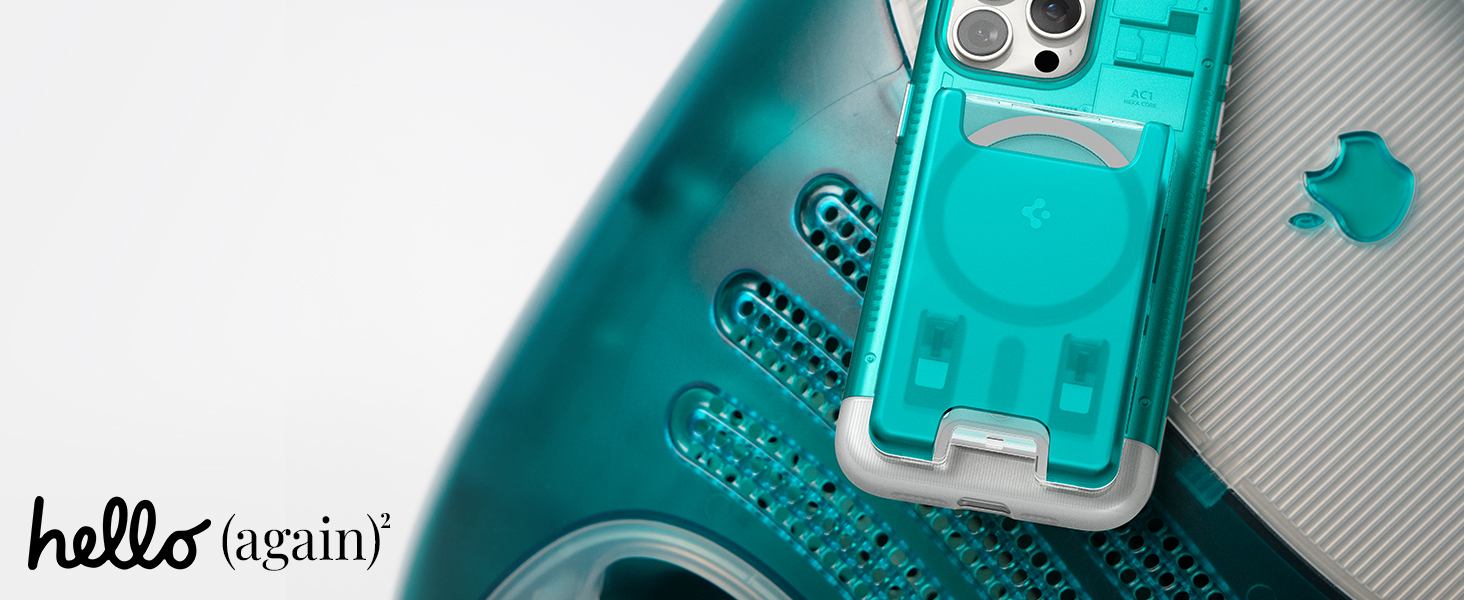
Image: The Spigen Classic C1 MagFit Wallet in Bondi Blue, securely attached to the back of a smartphone, highlighting its transparent construction and retro-inspired design.
2. Sadržaj paketa
- Spigen Classic C1 MagFit Wallet (Card holder)
3. Kompatibilnost
This MagFit Wallet is compatible with the following devices when used with a magnetic compatible case:
- iPhone 17 Pro Max / 17 Pro / 17 / 17e / iPhone Air
- iPhone 16 Pro Max / 16 Pro / 16 Plus / 16 / 16e
- iPhone 15 Pro Max / 15 Pro / 15 Plus / 15
- iPhone 14 Pro Max / 14 Plus / 14 Pro / 14
- iPhone 13 Pro Max / 13 Pro / 13 / 13 Mini
- iPhone 12 Pro Max / 12 Pro / 12
- Pixel 10a / Pixel 10 / Pixel 10 Pro / Pixel 10 Pro XL / Pixel 10 Fold
- Serija Pixel 9
Bilješka: The magnetic feature will not function with other iPhone or Pixel models, or with non-MagSafe & Pixelsnap cases.
4. Postavljanje
4.1 Attaching the Wallet to Your Device
- Ensure your smartphone has a MagSafe-compatible case or is a MagSafe-enabled iPhone model.
- Align the Spigen Classic C1 MagFit Wallet with the MagSafe ring on the back of your device or case.
- The strong silicone-coated magnets will securely attach the wallet to your device.

Image: A visual representation of the MagFit Wallet magnetically attaching to a smartphone, illustrating the strong magnetic grip and silicone lining for secure mounting.
4.2 Inserting Cards
- Locate the card slot opening on the top of the wallet.
- Gently slide up to 3 standard-sized cards into the slot.
- Ensure cards are fully inserted for secure storage.
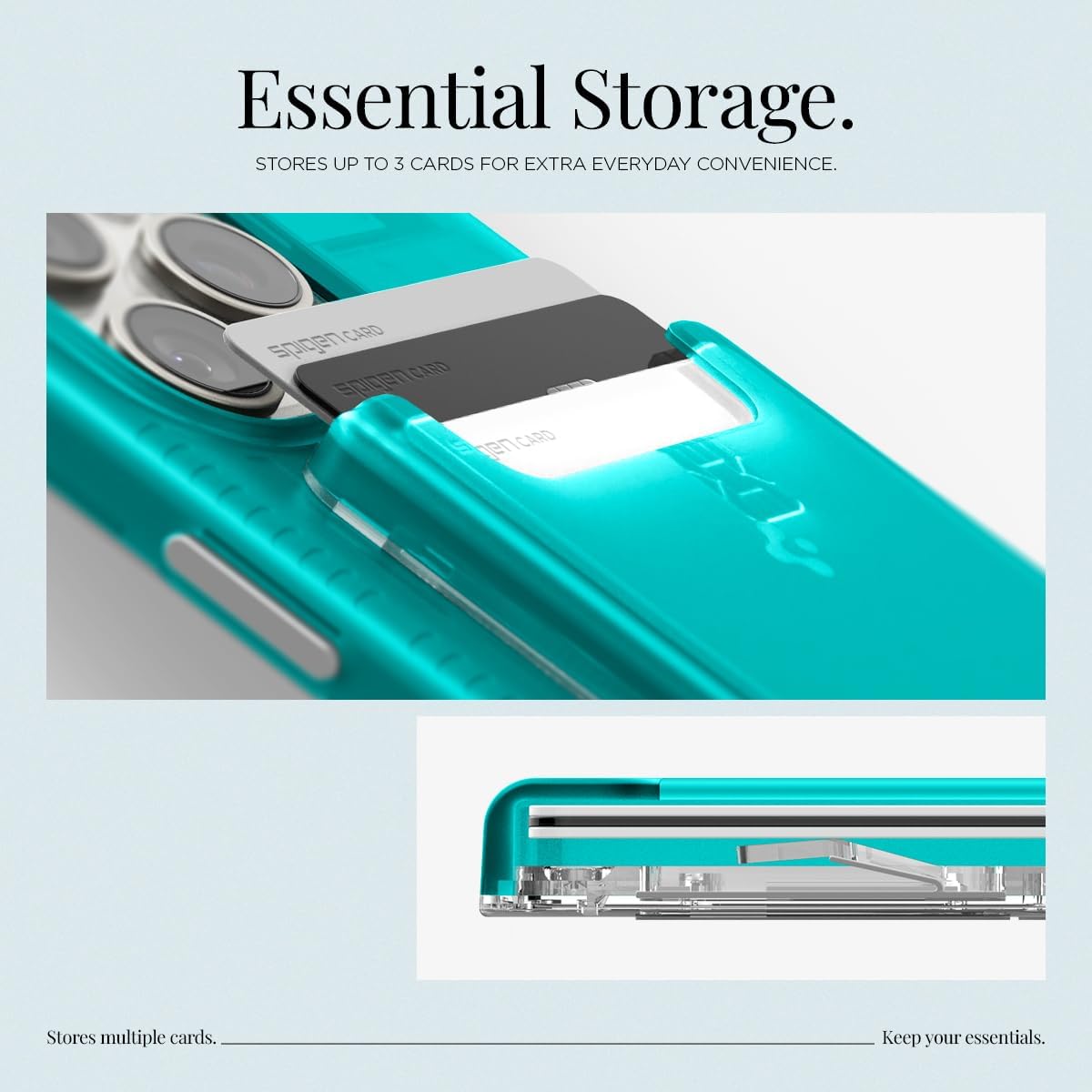
Slika: Detaljna view of the wallet holding three cards, demonstrating its capacity for essential storage.
5. Operacija
5.1 Accessing Cards
The wallet features a unique finger cutout at the bottom for easy card access.
- Place your thumb or finger into the cutout at the bottom of the wallet.
- Gently push upwards to slide the cards out for easy retrieval.

Image: An illustration detailing the 'Easy Accessibility' feature, showing the finger cutout and the upward motion to retrieve cards from the wallet.
6. Održavanje
6.1 Upute za čišćenje
To maintain the appearance and functionality of your Spigen Classic C1 MagFit Wallet, follow these cleaning guidelines:
- Use a dry, soft cloth to wipe the surface of the wallet.
- Avoid using abrasive cleaners, solvents, or harsh chemicals, as these may damage the material or finish.
- Ensure the wallet is completely dry before reattaching it to your device or inserting cards.
7. Rješavanje problema
7.1 Wallet Not Attaching Securely
- Check Device/Case Compatibility: Ensure your device or case is genuinely MagSafe-compatible. Non-MagSafe cases or devices will not provide a strong magnetic hold.
- Uklonite prepreke: Make sure there are no foreign objects or debris between the wallet and your device/case that could interfere with the magnetic connection.
- Provjerite poravnanje: Ensure the wallet is correctly aligned with the MagSafe ring on your device or case.
7.2 Difficulty Inserting or Removing Cards
- Kapacitet kartice: The wallet is designed to hold up to 3 standard-sized cards. Attempting to insert more than 3 cards may cause difficulty.
- Vrsta kartice: Embossed cards may take up more space than non-embossed cards. Adjust the number of cards accordingly.
- Ispravna tehnika: Use the designated finger cutout at the bottom to push cards out. Avoid pulling cards directly from the top without using the cutout.
8. Specifikacije
| Značajka | Detalj |
|---|---|
| Marka | Spigen |
| Naziv modela | C1 (Magfit) |
| Broj modela | AFA07397 |
| Boja | Classic C1 Bondi Blue |
| Materijal | Polikarbonat (PC) |
| Dimenzije predmeta (D x Š x V) | 3.7"D x 2.4"Š x 0.38"V |
| Težina artikla | 42.5 gram |
| Card Slot Count | 3 |
| Vrsta zatvaranja | Magnetski |
| Upute za njegu proizvoda | Dry Cloth Clean |
9. Jamstvo i podrška
Spigen products are designed for durability and performance. For specific warranty information and customer support, please refer to the official Spigen webweb-mjesto ili se izravno obratite njihovoj korisničkoj službi. Sačuvajte račun za slučaj reklamacije.
Za dodatnu pomoć posjetite: www.spigen.com