
Uvod
Thank you for choosing the HyperGear Halo Waterproof LED Wireless Speaker. This manual provides essential information for setting up, operating, and maintaining your speaker to ensure optimal performance and longevity. The Halo speaker combines powerful HD sound with a vibrant 360° multicolor LED light show, designed for both indoor and outdoor use. Its IPX6 waterproof rating makes it suitable for various environments, from poolside parties to everyday listening.
Što je u kutiji
- HyperGear Halo Waterproof LED Wireless Speaker
- USB-C kabel za punjenje
- 3.5mm Aux Cord
Vodič za postavljanje
1. Punjenje zvučnika
Before first use, fully charge your Halo speaker. Connect the included USB-C charging cable to the speaker's charging port and the other end to a USB power adapter (not included). The LED indicator will show charging status and turn off when fully charged.
2. Uključivanje/isključivanje
Press and hold the Power button on the speaker's top panel to turn it on or off. A sound prompt will indicate the power status.
3. Bluetooth uparivanje
- Provjerite je li zvučnik uključen i u načinu rada za Bluetooth uparivanje (što je naznačeno trepćućom LED lampicom).
- Na svom uređaju (pametnom telefonu, tabletu, računalu) omogućite Bluetooth i potražite dostupne uređaje.
- Select "HyperGear Halo" from the list.
- Nakon uparivanja, zvučnik će ispustiti zvuk potvrde, a LED će prestati treptati.
Zvučnik će se automatski ponovno povezati s posljednjim uparenim uređajem kada se uključi, ako je unutar dometa.

The top panel of the HyperGear Halo speaker, showing controls and its connection to a smartphone via Bluetooth.
Upute za rad
Osnovne kontrole
| Gumb/funkcija | Akcijski |
|---|---|
| Gumb za napajanje | Press and hold to Power On/Off |
| Reprodukcija/Pauza | Press once to Play/Pause music |
| Pojačavanje glasnoće (+) | Pritisnite jednom za povećanje glasnoće |
| Smanjivanje glasnoće (-) | Pritisnite jednom za smanjenje glasnoće |
| Sljedeća pjesma | Press and hold Volume Up (+) |
| Prethodna pjesma | Press and hold Volume Down (-) |
| Odgovori/prekini poziv | Pritisnite tipku Reproduciraj/Pauziraj jednom |
| Odbij poziv | Pritisnite i držite tipku Reproduciraj/Pauziraj |
| Gumb za svjetlosni način | Pritisnite za kruženje kroz 6 načina LED svjetla |
Party Mode (Stereo Pairing)
To achieve immersive stereo sound, you can pair two HyperGear Halo speakers together:
- Ensure both Halo speakers are powered on and not connected to any other Bluetooth device.
- On one speaker (this will be the primary speaker), double-press the Power button. It will enter pairing mode for Party Mode.
- Dva zvučnika će se automatski povezati jedan s drugim. Zvuk potvrde označit će uspješno uparivanje.
- Now, connect your device to the primary speaker via Bluetooth as described in the 'Bluetooth Pairing' section. Both speakers will play synchronized audio and light shows.

Two HyperGear Halo speakers paired together for Party Mode, offering synchronized audio and light effects.
Alternative Playback Modes

The side panel of the HyperGear Halo speaker, revealing the AUX, microSD, and USB-C ports for versatile connectivity.
- Pomoćni ulaz: Connect your device using the included 3.5mm Aux cord to the speaker's AUX port for a wired audio connection.
- microSD kartica: Insert a microSD card loaded with audio files into the designated slot. The speaker will automatically play music from the card.
Značajke Prekoview
- IPX6 ocjena vodootpornosti: Designed to withstand splashes, rain, and spills, making it ideal for outdoor adventures and poolside use.
- Powerful 5W Front-Firing Sound: Equipped with a 52mm full-range driver for rich, dynamic audio with pulse-pounding bass. The front-firing design ensures clearer sound projection.
- 360° Multicolor LED Lights: Features a vibrant light ring that synchronizes with your music, offering 6 different lighting modes to enhance your listening experience.
- Ugrađeni mikrofon: Allows for convenient hands-free calling.
- Bluetooth 5.3 tehnologija: Provides a stable, stutter-free wireless connection with a range of up to 33 feet.
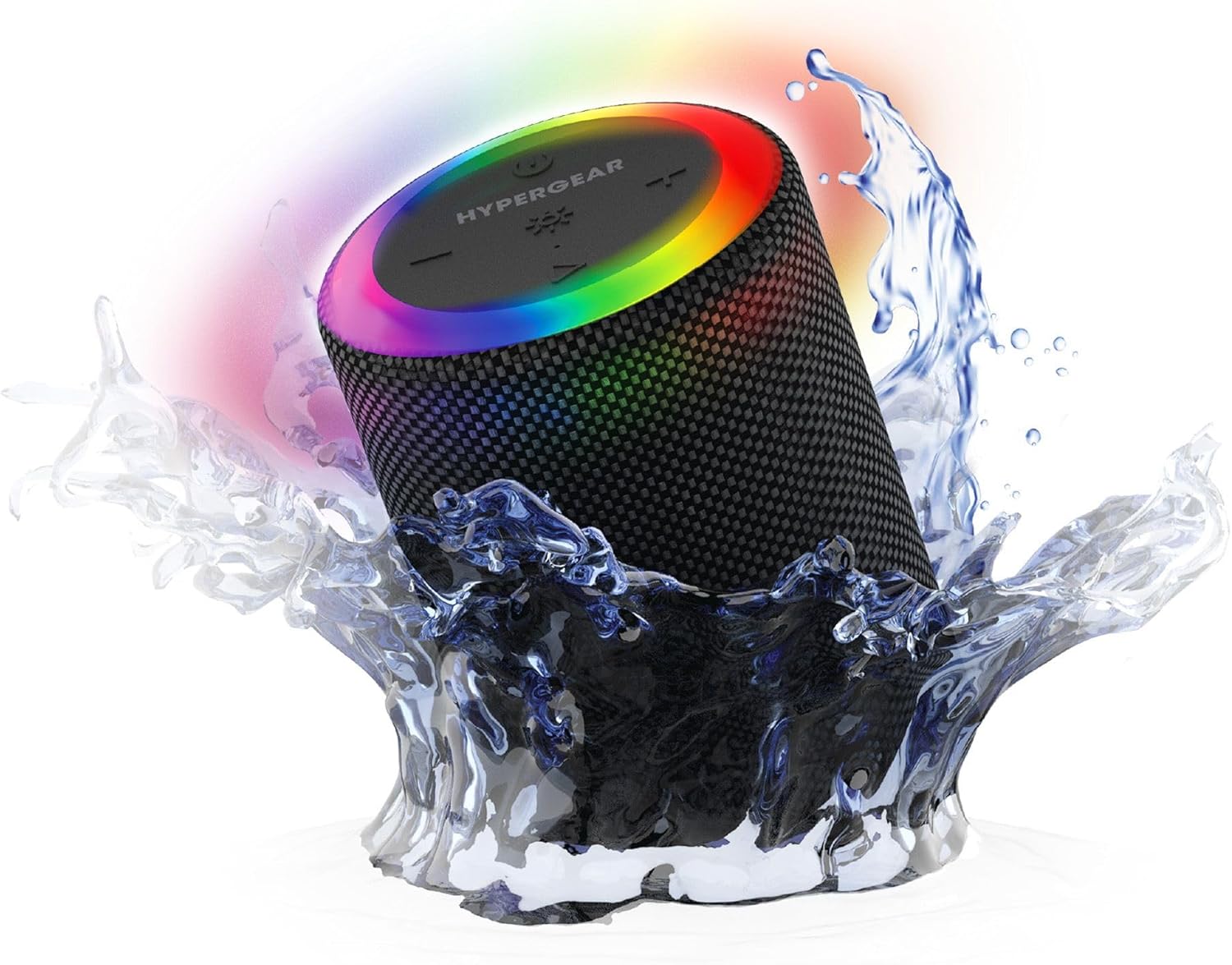
The HyperGear Halo speaker immersed in water, highlighting its robust waterproof design.

Visual representation of the HyperGear Halo speaker's powerful audio features, including its 5W output and 52mm driver.

The HyperGear Halo speaker showcasing its beat-synced 360° multicolor LED light ring with various lighting modes.
Tehnički podaci
| Značajka | Detalj |
|---|---|
| Naziv modela | Halo Waterproof LED Wireless Speaker |
| Vrsta zvučnika | Multimedija |
| Tehnologija povezivanja | Bluetooth 5.3 |
| Način audio izlaza | Mono (Stereo with Party Mode) |
| Maksimalna izlazna snaga zvučnika | 5 vata |
| Veličina audio upravljačkog programa | 52 milimetara |
| Razina vodootpornosti | IPX6 vodootporan |
| Dimenzije proizvoda | 3.27"D x 3.27"Š x 4.13"V |
| Težina artikla | 1.05 funti |
| Izvor napajanja | Napajanje na baterije |
| Uključene komponente | USB-C Charging Cable, 3.5mm Aux Cord |
| Metoda kontrole | Gumb |
| UPC | 633755158858 |
Održavanje
- Čišćenje: Obrišite zvučnik mekom, damp tkanina. Ne koristite jake kemikalije ili abrazivna sredstva za čišćenje.
- Skladištenje: Zvučnik čuvajte na hladnom i suhom mjestu, dalje od izravne sunčeve svjetlosti i ekstremnih temperatura.
- Njega baterije: To preserve battery life, avoid fully discharging the speaker frequently. Charge it regularly, even if not in use for extended periods.
- Vodootporna brtva: Ensure the silicone cover for the charging and AUX ports is securely closed when near water to maintain its IPX6 rating.
Rješavanje problema
| Problem | Moguće rješenje |
|---|---|
| Zvučnik se ne uključuje. | Provjerite je li zvučnik napunjen. Spojite ga na izvor napajanja i pokušajte ponovno. |
| Nije moguće upariti s Bluetooth uređajem. | Make sure the speaker is in pairing mode (flashing LED). Turn off and on Bluetooth on your device. Ensure no other devices are connected to the speaker. Move speaker closer to your device. |
| Nema zvuka iz zvučnika. | Check volume levels on both the speaker and your device. Ensure the correct input mode (Bluetooth, Aux, MicroSD) is selected. If using Aux, ensure the cable is fully inserted. |
| Party Mode not working. | Ensure both speakers are fully charged and not connected to any other Bluetooth devices. Try resetting both speakers by powering them off and on, then re-attempt Party Mode pairing. |
| LED svjetla ne rade. | Press the Light Mode button to cycle through modes. Ensure the speaker is powered on. |
Jamstvo i podrška
The HyperGear Halo Waterproof LED Wireless Speaker comes with a Ograničeno jamstvo. For specific details regarding warranty coverage, duration, and claims, please refer to the warranty card included with your product or visit the official HyperGear website. For technical support or further assistance, please contact HyperGear customer service through their official channels.