
VGN N75BLUE
VGN N75 Gaming tipkovnica Korisnički priručnik
Model: N75BLUE | Brand: VGN
1. Uvod
Welcome to the user manual for your VGN N75 Gaming Keyboard. This manual provides essential information on setting up, operating, maintaining, and troubleshooting your new keyboard. The VGN N75 is a compact, numeric keyless mechanical keyboard designed for an optimal gaming and typing experience.

Figure 1.1: VGN N75 Gaming Keyboard with RGB lighting enabled.

Slika 1.2: Kutno view of the VGN N75 keyboard, highlighting its compact form factor.
2. Sigurnosne informacije
Please read the following safety guidelines carefully before using your VGN N75 keyboard:
- Tipkovnicu držite dalje od tekućina i prekomjerne vlage kako biste spriječili oštećenja.
- Avoid exposing the keyboard to extreme temperatures (hot or cold).
- Do not attempt to disassemble or modify the keyboard. This may void your warranty and cause damage.
- Use only the provided USB-C cable for connection.
- Handle with care to prevent physical damage from drops or impacts.
3. Značajke proizvoda
The VGN N75 keyboard is engineered with several features to enhance your typing and gaming experience:
- Kompaktni 75% raspored: The US82 key numeric keyless design offers a space-saving solution compared to full-size keyboards, providing more desk space for mouse movement.
- Advanced Internal Construction: Features multiple buffer layers and specially tuned stabilizers for a smooth, quiet, and consistent typing experience.
- VGN "Dynamic Silver" Mechanical Switches: Equipped with VGN's original linear mechanical switches, offering a responsive feel and vibrant RGB illumination.
- Prepoznatljiv dizajn: The "Caribbean Blue" model features striking keycap colors, adding a unique aesthetic to your setup.
- Integrated Metal Volume Knob: A conveniently located metal rotary knob allows for quick and precise volume adjustments, useful for both work and gaming.
- Prilagodljiva RGB rasvjeta: Enjoy dynamic and customizable RGB backlight options to personalize your keyboard's appearance.

Figure 3.1: The compact 75% layout of the VGN N75, demonstrating its space-saving advantage over a traditional full-size keyboard.

Figure 3.2: Detail of the VGN N75's unique "Dynamic Silver" mechanical switches, known for their linear feel and RGB compatibility.

Figure 3.3: An exploded diagram illustrating the multiple buffer layers and components within the VGN N75 keyboard, contributing to its smooth and quiet operation.

Figure 3.4: Close-up of the metal volume knob, providing convenient audio control.
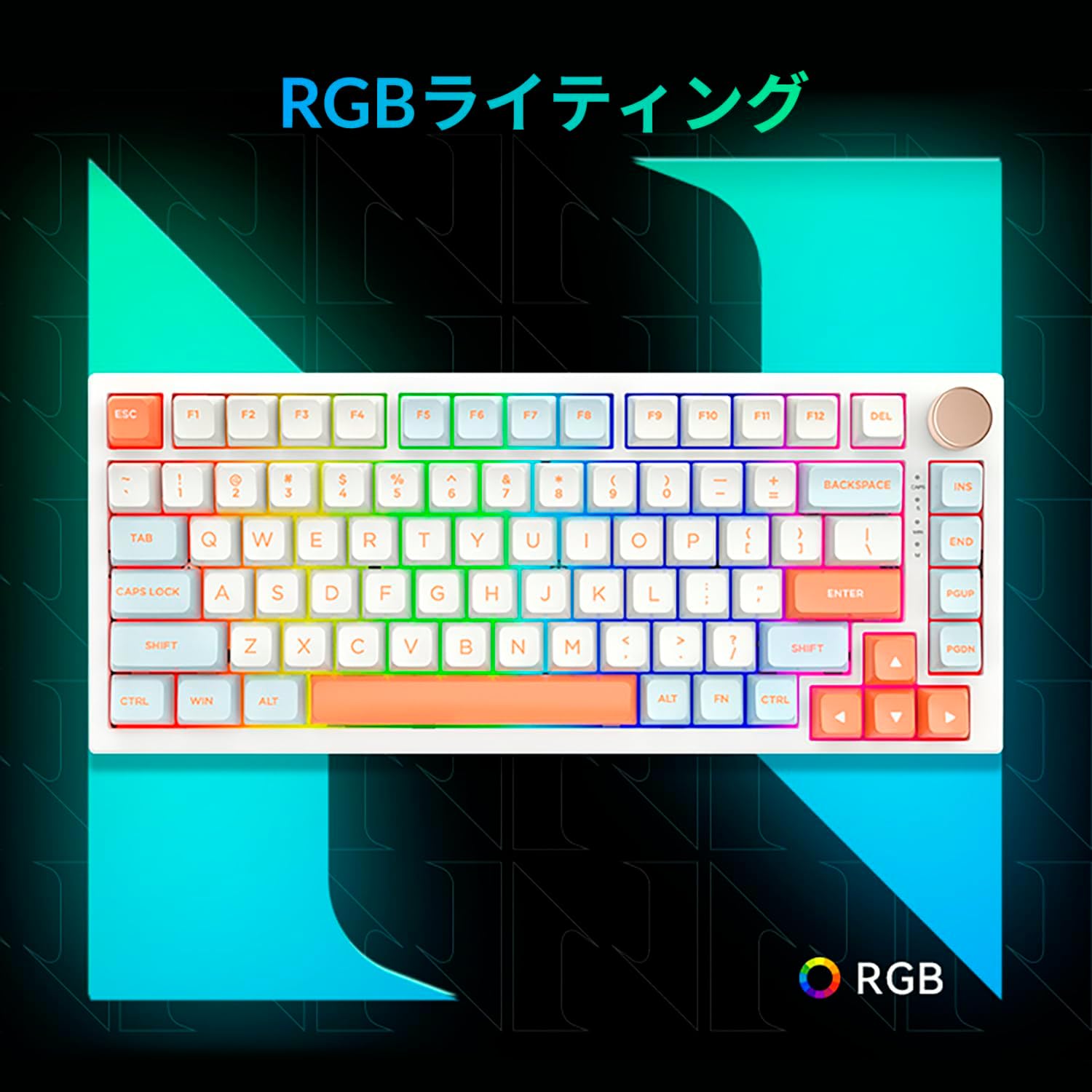
Figure 3.5: The VGN N75 keyboard displaying its customizable RGB lighting, enhancing the visual appeal.
4. Vodič za postavljanje
Follow these steps to set up your VGN N75 keyboard:
- Raspakirajte tipkovnicu: Carefully remove the keyboard and all included accessories (USB cable, keycap puller, replacement key) from the packaging.
- Spojite USB-C kabel: Insert one end of the provided USB-C cable into the USB-C port on the keyboard.
- Povežite se sa svojim uređajem: Plug the other end of the USB-C cable into an available USB port on your computer or laptop.
- Instalacija upravljačkog programa (automatska): Tipkovnica je plug-and-play. Vaš operativni sustav trebao bi automatski prepoznati i instalirati potrebne upravljačke programe. Obično nije potrebna ručna instalacija upravljačkih programa.
- Početni test: Open a text editor or any application to test the keys and ensure all functions are working correctly.
5. Upute za rad
This section details the basic operation of your VGN N75 keyboard:
5.1. Osnovne ključne funkcije
The VGN N75 features a standard US82 key layout. All keys function as labeled. For specific key combinations or software-defined macros, refer to any accompanying software documentation (if applicable, not included in this manual).
5.2. Using the Rotary Knob
- Kontrola glasnoće: Okrenite gumb u smjeru kazaljke na satu za povećanje glasnoće i u smjeru suprotnom od kazaljke na satu za smanjenje glasnoće.
- Isključi/uključi zvuk: Pritisnite gumb za isključivanje ili uključivanje zvuka.
5.3. Upravljanje RGB rasvjetom
The VGN N75 supports RGB lighting. While specific key combinations for lighting modes are not provided in the product description, most RGB keyboards allow cycling through effects using function key combinations (e.g., Fn + F-keys or dedicated lighting keys). Experiment with the 'Fn' key in combination with other keys (like arrow keys or Ins/Del/Home/End/PgUp/PgDn) to discover lighting controls.
6. Održavanje
Proper maintenance will extend the lifespan of your keyboard:
- Čišćenje:
- Prije čišćenja isključite tipkovnicu iz računala.
- Koristite mekanu krpu koja ne ostavlja dlačice dampvodom ili blagom otopinom za čišćenje obrišite tipke i okvir.
- Za prašinu i ostatke između tipki koristite komprimirani zrak.
- Ne prskajte tekućinu izravno na tipkovnicu.
- Zamjena tipki i prekidača:
- The keyboard comes with a keycap puller and a replacement key.
- To remove a keycap, gently use the keycap puller to grip the keycap and pull upwards.
- Za zamjenu tipke, poravnajte je s drškom prekidača i čvrsto pritisnite dok ne klikne na mjesto.
- Bilješka: The VGN N75 features hot-swappable switches, allowing for easy replacement without soldering. To remove a switch, use a switch puller (not explicitly listed as included, but implied by "hot-swappable") to gently pry it out. Align the new switch's pins with the sockets and press firmly until it seats correctly.
7. Rješavanje problema
If you encounter issues with your VGN N75 keyboard, try the following solutions:
- Tipkovnica ne reagira:
- Provjerite je li USB-C kabel sigurno spojen i na tipkovnicu i na računalo.
- Pokušajte priključiti tipkovnicu u drugi USB priključak na računalu.
- Ponovno pokrenite računalo.
- Testirajte tipkovnicu na drugom računalu kako biste isključili problem specifičan za sustav.
- Ključevi se ne registriraju:
- Provjerite ima li fizičkih prepreka ispod tipkovnice.
- If a specific key is not working, consider replacing its switch if you have a switch puller and replacement switches.
- Problemi s RGB osvjetljenjem:
- Provjerite je li tipkovnica ispravno uključena.
- Try cycling through lighting modes using the keyboard's function key combinations.
- Rotary Knob Not Working:
- Check for any physical obstructions around the knob.
- Provjerite je li tipkovnica ispravno spojena.
8. Specifikacije
| Atribut | Detalj |
|---|---|
| Marka | VGN |
| Broj modela | N75BLUE |
| Niz | N75 |
| Boja | Plava |
| Opis tipkovnice | Mehanički |
| Broj tipki | 82 |
| Tehnologija povezivanja | USB-C |
| Vrsta izvora napajanja | USB napajanje |
| Kompatibilni uređaji | Prijenosno računalo |
| Preporučene upotrebe proizvoda | Igre |
| Keyboard Backlight Colour Support | RGB |
| Materijal | Plastični |
| Uključene komponente | Keycap Puller, Replacement Key, USB Cable |
| Dimenzije paketa | 42.1 x 18.8 x 6.5 cm; 1.1 kg |
| Datum prve dostupnosti | 22. ožujka 2024 |
9. Jamstvo i podrška
The VGN N75 Gaming Keyboard comes with a 1-year warranty from the date of purchase, as indicated in the product listing. This warranty covers manufacturing defects under normal use.
For warranty claims, technical support, or further inquiries, please contact your point of purchase or the official VGN support channels. Keep your proof of purchase for warranty validation.
Bilješka: Neovlaštena demontaža ili modifikacija proizvoda može poništiti jamstvo.
Ask a question about this manual
Ask about setup, troubleshooting, compatibility, parts, safety, or missing instructions. Manuals+ will review the question and use this page’s manual context to help answer it.