
1. Proizvod je gotovview
This manual provides instructions for the podofo 9-inch Android Car Stereo, designed specifically for Ford Kuga and Ford Escape models manufactured between 2013 and 2019. This unit features Wireless Carplay, Android Auto, GPS navigation, Wi-Fi connectivity, HiFi audio, Bluetooth, FM radio, steering wheel control compatibility, and includes an HD backup camera.
Primjenjivi modeli
This 9-inch touchscreen car stereo is compatible with Ford Kuga Escape models from 2013, 2014, 2015, 2016, 2017, 2018, and 2019. It includes a Plug and Play wiring harness for simplified installation.
Što je u kutiji
- HD rezervna kamera
- Vanjski mikrofon
- GPS antena
- Priručnik s uputama
- Original USB Cable
- RCA kabel
- Ulazni kabel stražnje kamere
- Kabel za napajanje
- Canbus
- Radio antena
- Alat za instalaciju
- Additional Accessories (as pictured)

Figure 1: Package contents and dimensions of the podofo Android Car Stereo.
2. Vodič za instalaciju
2.1 Provjera kompatibilnosti
Before installation, verify your vehicle's central control panel matches the supported configuration. This product is designed for vehicles with a central control panel similar to Option A shown below. If your vehicle has a central control panel like Option B, please contact customer support for alternative solutions.
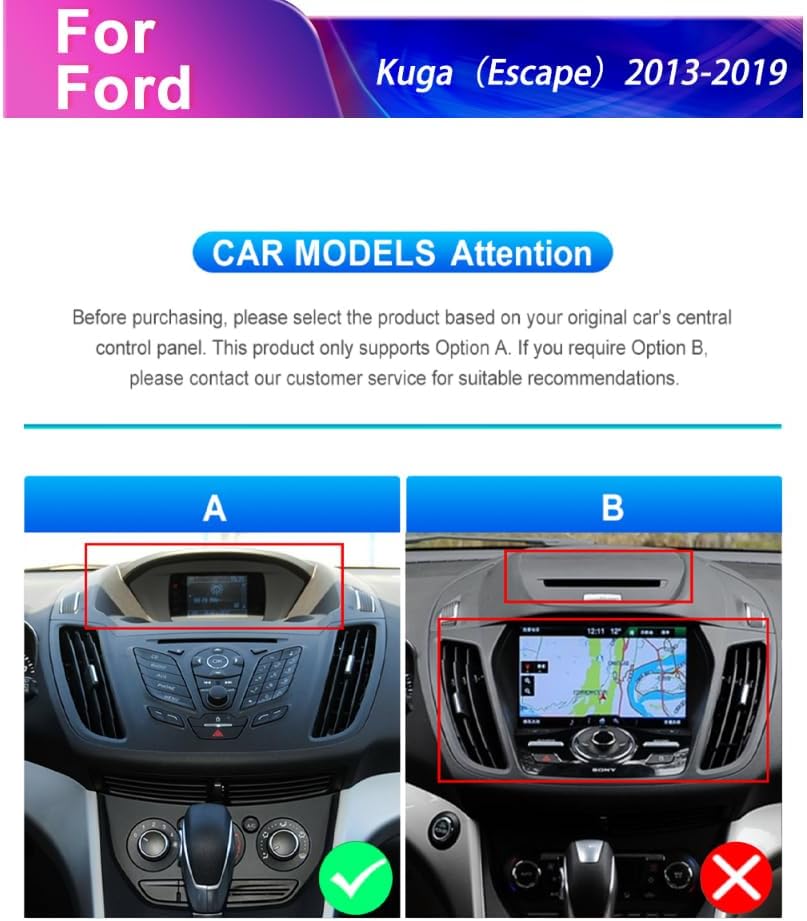
Figure 2: Car model compatibility check for Ford Kuga Escape (2013-2019) central control panels.
2.2 Opći koraci instalacije
- Carefully remove the original car stereo unit and trim panels.
- Connect the provided Plug and Play wiring harness to the vehicle's existing wiring.
- Connect the GPS antenna and external microphone to the new head unit.
- Install the HD backup camera (refer to section 2.3 for camera wiring).
- Mount the new podofo Android Car Stereo into the dashboard opening.
- Secure all connections and reassemble the trim panels.
- Power on the unit and perform initial setup.
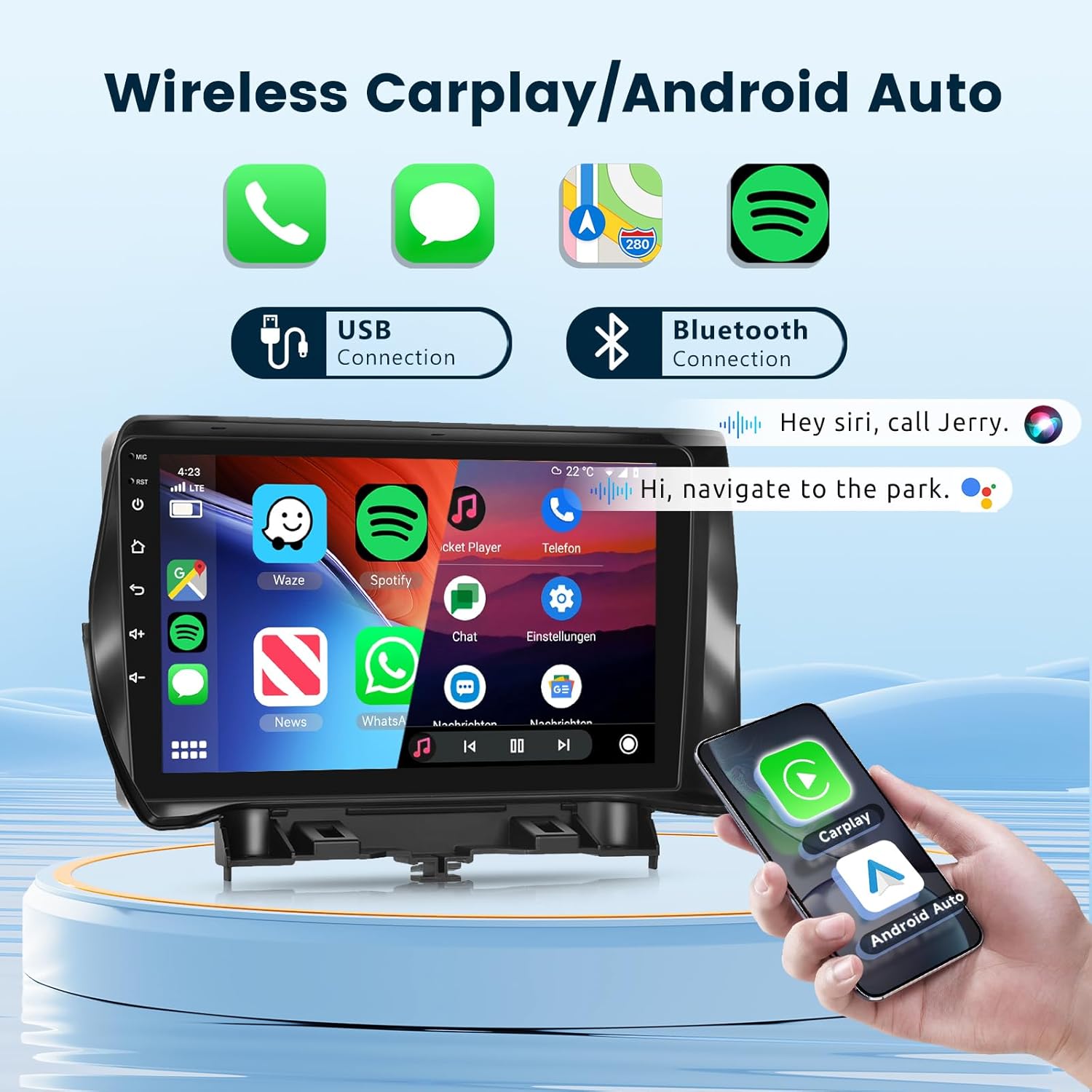
Figure 3: Visual comparison of the dashboard before and after installing the podofo car stereo.
2.3 HD Backup Camera Wiring
Follow these steps to correctly wire the HD backup camera:
- Red wire (+12V in): Connect to the car's reversing light positive terminal.
- Black wire (GND in): Connect to the car's reversing light negative terminal.
- The yellow RCA video cable connects the camera to the head unit's "CAM IN" port.
- The reverse trigger wire (labeled "Reverse/Back") connects to the vehicle's reverse light positive. If this wire is not present in your vehicle's harness, it may not be needed.

Figure 4: Detailed camera wiring diagram.
3. Upute za rad
3.1 Sustav gotovview
The unit operates on Android 13 OS with 2GB RAM and 64GB storage, providing a responsive user experience. It features a 9-inch 1080P 2.5D glass capacitive touchscreen for clear visuals and sensitive touch control.

Figure 5: Smart Android System interface with key specifications.

Figure 6: The 9-inch 1080P 2.5D Glass Touchscreen for enhanced visual experience.
3.2 Bežični Carplay i Android Auto
Connect your smartphone wirelessly via Bluetooth or USB to access Carplay or Android Auto. This allows for seamless integration of navigation, phone contacts, email, music, and voice control features directly on the car stereo display.
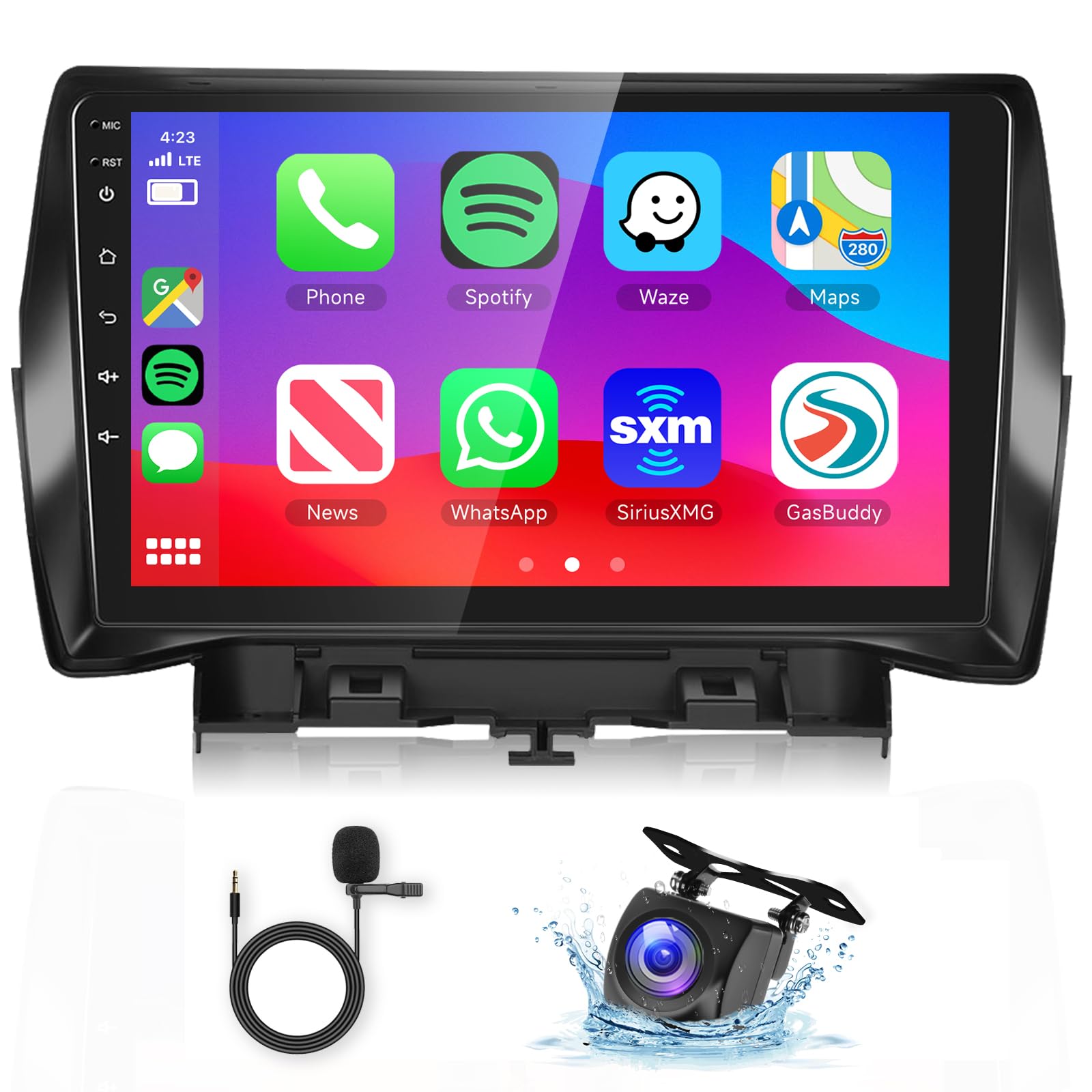
Figure 7: Wireless Carplay and Android Auto interface.
3.3 GPS Navigation & Wi-Fi
The unit includes GPS for both offline and online mapping. Connect to Wi-Fi or a mobile hotspot to access the Play Store, stream online videos, and use real-time navigation services.
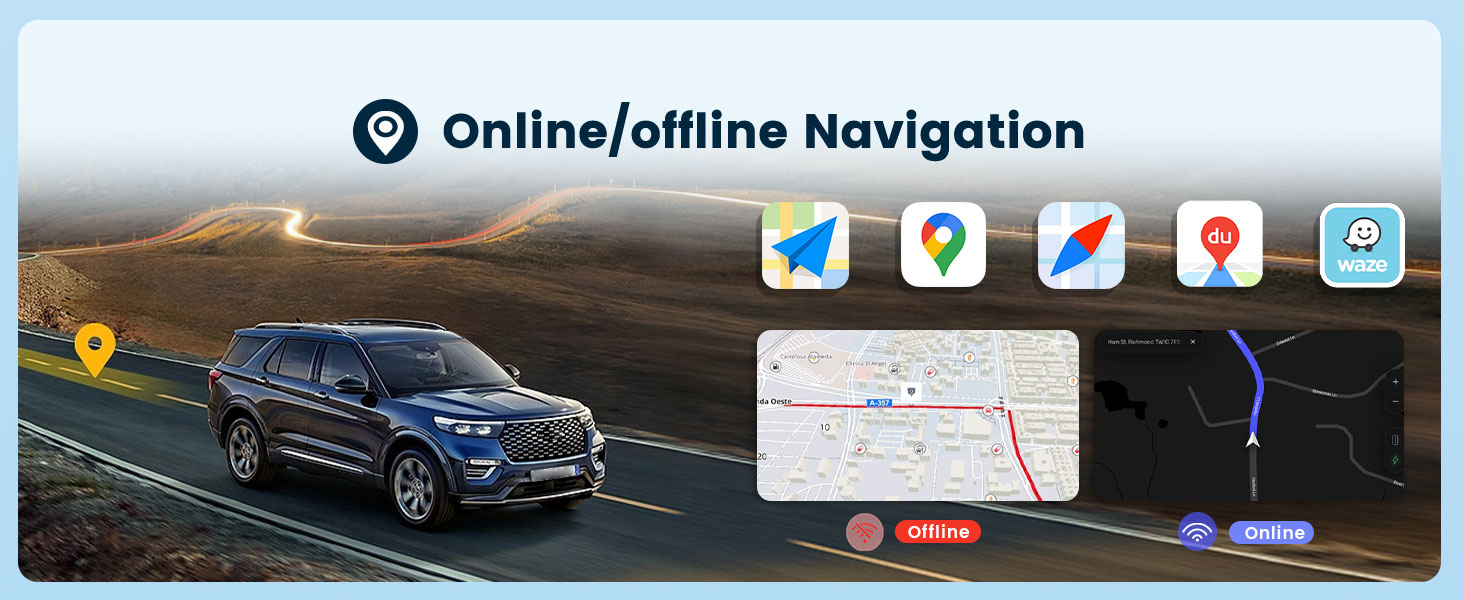
Figure 8: Online/Offline GPS Navigation interface.

Figure 9: Built-in Wi-Fi functionality.
3.4 HiFi Audio
Experience high-fidelity audio with 16-band EQ options. This technology aims to reproduce sound with exceptional clarity and accuracy, providing an immersive listening experience.

Figure 10: HiFi Audio settings with 16-band equalizer.
3.5 Bluetooth Hands-Free Calling & Music
Connect your phone via Bluetooth for hands-free calls and wireless music streaming. The unit supports A2DP for high-quality audio playback and AVRCP for remote control of music.

Figure 11: Bluetooth Call & Music functionality.
3.6 Upravljanje volanom (SWC)
The unit supports your vehicle's original steering wheel controls, allowing you to manage audio, calls, and other functions without taking your hands off the wheel. Configuration may be required in the system settings.

Slika 12: Integracija upravljanja na volanu.
3.7 Mirror Link (Screen Casting)
Mirror Link allows you to cast your smartphone's screen (both iOS and Android) onto the car stereo display via USB or Bluetooth connection. This enables viewing content like videos from YouTube or other apps on the larger screen.

Figure 13: Mirror Link (Screen Casting) feature.
3.8 FM/RDS radio
Tune into your favorite FM radio stations. The unit supports RDS (Radio Data System) for displaying station information, road conditions, and news where available.

Slika 14: FM/RDS radio sučelje.
3.9 Ostale funkcije
- Podijeljeni zaslon: Allows running two applications side-by-side on the display.
- Customize UI Interface: Personalize the user interface to your preferences.
- Dual USB priključci: Za spajanje USB uređaja i punjenje.
- Izlaz za subwoofer: For enhanced bass audio.
4. Održavanje
To ensure the longevity and optimal performance of your podofo car stereo, follow these maintenance guidelines:
- Čišćenje zaslona: Zaslon osjetljiv na dodir nježno obrišite mekom krpom koja ne ostavlja dlačice. Izbjegavajte abrazivna sredstva za čišćenje ili otapala.
- Ažuriranja softvera: Periodically check for and install system software updates to ensure optimal performance and access to new features.
- Uvjeti okoliša: Izbjegavajte izlaganje uređaja ekstremnim temperaturama, izravnoj sunčevoj svjetlosti dulje vrijeme ili prekomjernoj vlazi.
- Kabelske veze: Provjerite jesu li svi kabeli sigurno spojeni. Labavi spojevi mogu dovesti do povremenih problema.
5. Rješavanje problema
If you encounter issues with your car stereo, refer to the following common troubleshooting steps:
- Bez napajanja:
- Provjerite sve priključke za napajanje i osigurače.
- Provjerite je li paljenje vozila uključeno.
- Nema zvuka:
- Provjerite spojeve zvučnika.
- Provjerite razinu glasnoće i postavke isključivanja zvuka.
- Provjerite je li odabran ispravan izvor zvuka.
- GPS ne radi:
- Provjerite je li GPS antena pravilno instalirana i ima li jasan view od neba.
- Provjerite GPS postavke u izborniku sustava.
- Problemi s Bluetooth vezom:
- Ensure Bluetooth is enabled on both the stereo and your smartphone.
- Izbrišite prethodna uparivanja i ponovno uparite uređaje.
- Restart both the stereo and your smartphone.
- Kamera za vožnju unatrag se ne prikazuje:
- Check all camera wiring connections, especially the reverse trigger wire.
- Ensure the vehicle is in reverse gear.
- Zaslon osjetljiv na dodir ne reagira:
- Ponovo pokrenite jedinicu.
- Provjerite je li zaslon čist i bez prljavštine.
For persistent issues or complex problems, please contact podofo professional tech support.
6. Specifikacije
| Značajka | Specifikacija |
|---|---|
| Marka | podofo |
| Vrsta usluge vozila | Automobil |
| Veličina zaslona | 9 inča |
| Posebne značajke | Bluetooth, Wireless Android Auto, Wireless CarPlay |
| Tehnologija povezivanja | Wi-Fi, Bluetooth, Carplay, Android Auto |
| Vrsta karte | Worldwide (Offline/Online) |
| Način audio izlaza | Stereo |
| Rezolucija | 1024 x 600 |
| Operativni sustav | Android 13 |
| Kapacitet pohrane memorije | 64 GB |
| OVAN | 2 GB |
| Vrsta zaslona osjetljivog na dodir | Kapacitivni |
| Vrsta zaslona | LCD |
| Unos ljudskog sučelja | Zaslon osjetljiv na dodir |
| Podržani satelitski navigacijski sustav | GPS |
| Dimenzije artikla D x Š x V | 9 cm D x 9 cm Š x 9 cm V |
7. Jamstvo i podrška
7.1 Informacije o jamstvu
The podofo Android Car Stereo comes with a 1-godišnje jamstvo od datuma kupnje. Ovo jamstvo pokriva proizvodne nedostatke i kvarove pri normalnoj uporabi. Molimo sačuvajte dokaz o kupnji za reklamacije.
7.2 Professional Technical Support
podofo offers professional technical support for any concerns regarding installation, operation, or troubleshooting. If you have questions or require assistance, please reach out to us directly via Amazon. To help us provide suitable recommendations, especially for compatibility, please share your car's model, year, and a photo of the center console.


Figure 15: podofo's commitment to professional support and assistance for wiring harness issues.