
JENABOM B0D49FP524
JENABOM 3.7V Electric Precision Screwdriver Set User Manual
Model: B0D49FP524
1. Uvod
Thank you for choosing the JENABOM 3.7V Electric Precision Screwdriver Set. This manual provides detailed instructions for the safe and efficient operation, maintenance, and troubleshooting of your new tool. Please read this manual thoroughly before first use and retain it for future reference.
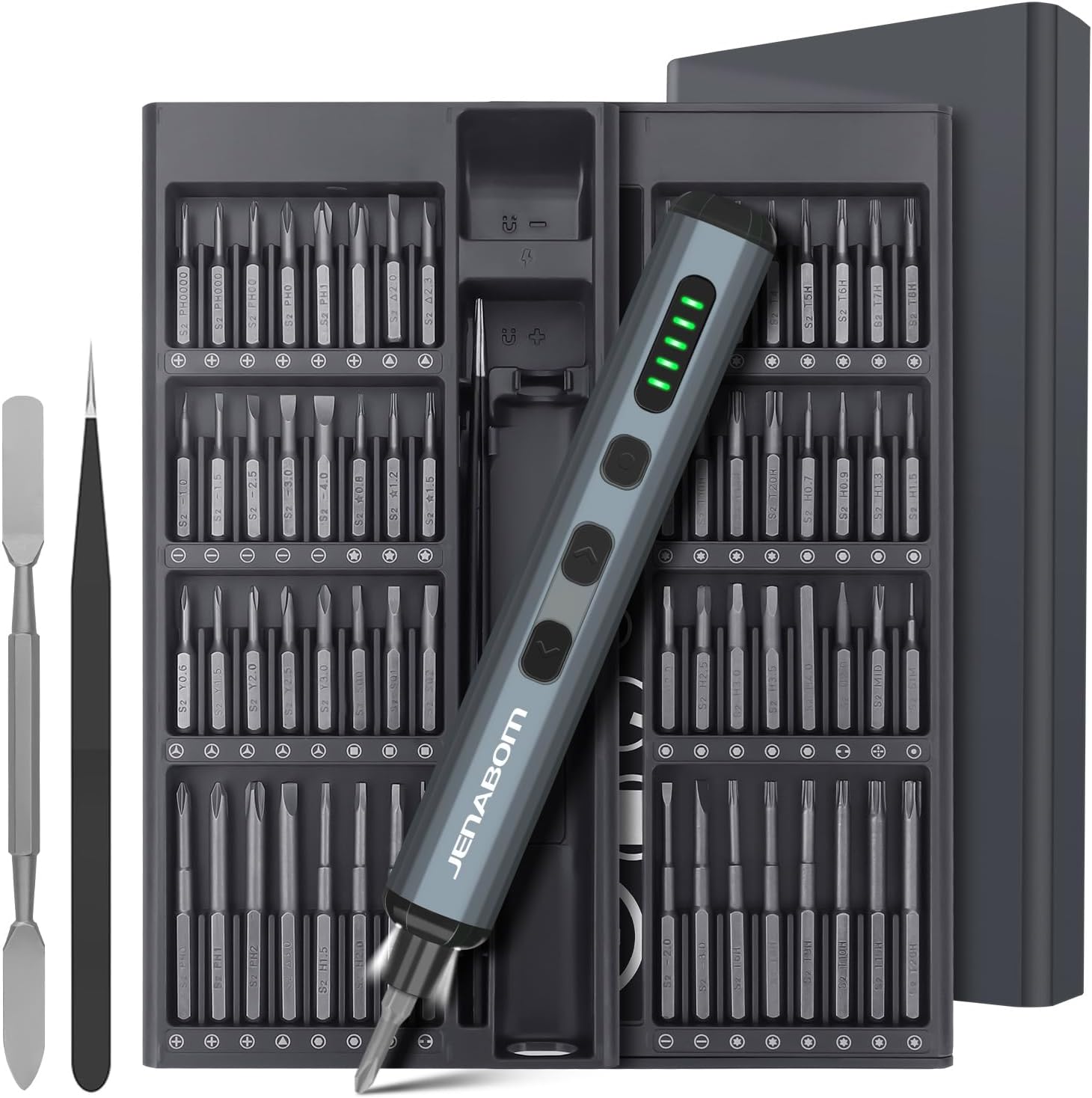
Image 1.1: The JENABOM 3.7V Electric Precision Screwdriver Set, including the screwdriver, magnetic bit case, spudger, and tweezers.
2. Sadržaj paketa
Provjerite jesu li sve dolje navedene stavke prisutne u vašem paketu:
- 1 x JENABOM 3.7V Electric Precision Screwdriver
- 64 x S2 Steel Magnetic Bits
- 1 x Magnetic Storage Case for screwdriver and bits
- 1 x Magnetizer/Demagnetizer
- 1 x Metalna Spudger
- 1 x pinceta
- 1 x USB kabel za punjenje tipa C

Image 2.1: A visual representation of the 64 included S2 steel screwdriver bits.
3. Proizvod je gotovview
Familiarize yourself with the components of your electric screwdriver:

Image 3.1: Detailed diagram illustrating the main features and buttons of the electric screwdriver.
- Priključak za punjenje Type-C: Za ponovno punjenje unutarnje baterije.
- Prikaz razine napunjenosti baterije: LED indicators showing remaining battery charge.
- LED prekidač za svjetlo: Activates the integrated LED work light.
- Left Rotation Button: Engages counter-clockwise rotation for unscrewing.
- Right Rotation Button: Engages clockwise rotation for screwing.
- LED svjetlo: Osvjetljava radno područje.
- Magnetski držač bitova: Securely holds screwdriver bits.

Image 3.2: The magnetic storage case featuring a pop-up mechanism for easy access to bits and the screwdriver.
4. Postavljanje
4.1 Početno punjenje
Before first use, fully charge the electric screwdriver. Connect the provided USB Type-C charging cable to the screwdriver's charging port and a compatible USB power source (e.g., computer, wall adapter). The battery level display LEDs will indicate charging status and full charge.
- A full charge typically allows for approximately 300 screws.
- The screwdriver can be charged while stored in its case via an external USB port on the case.
4.2 Ugradnja bitova odvijača
The screwdriver features a magnetic bit holder for quick and secure bit changes.
- Select the appropriate S2 steel bit from the magnetic storage case.
- Insert the bit firmly into the magnetic bit holder at the tip of the screwdriver. The magnetic connection will secure the bit in place.
- To remove, simply pull the bit straight out.
5. Upute za rad
5.1 Powering On/Off and Rotation
The screwdriver operates by pressing the rotation buttons:
- Pritisnite tipku Right Rotation Button (clockwise) to drive screws in.
- Pritisnite tipku Left Rotation Button (counter-clockwise) to remove screws.
- Otpustite gumb za zaustavljanje rotacije.
5.2 Podešavanje momenta
The electric screwdriver offers a precision torque range for delicate tasks and a manual mode for higher torque requirements.
- Električni moment: Provides 0.1 Nm to 0.35 Nm of torque, suitable for electronics, watches, cameras, and other precision instruments. The screwdriver automatically adjusts within this range based on resistance.
- Ručni okretni moment: For screws requiring more force, the screwdriver can be used manually, providing up to 3 Nm of torque. Simply continue turning the screwdriver by hand after the electric motor stops or for initial loosening/final tightening.

Slika 5.1: Primjeramples of the screwdriver in use, demonstrating its adjustable torque for different applications.
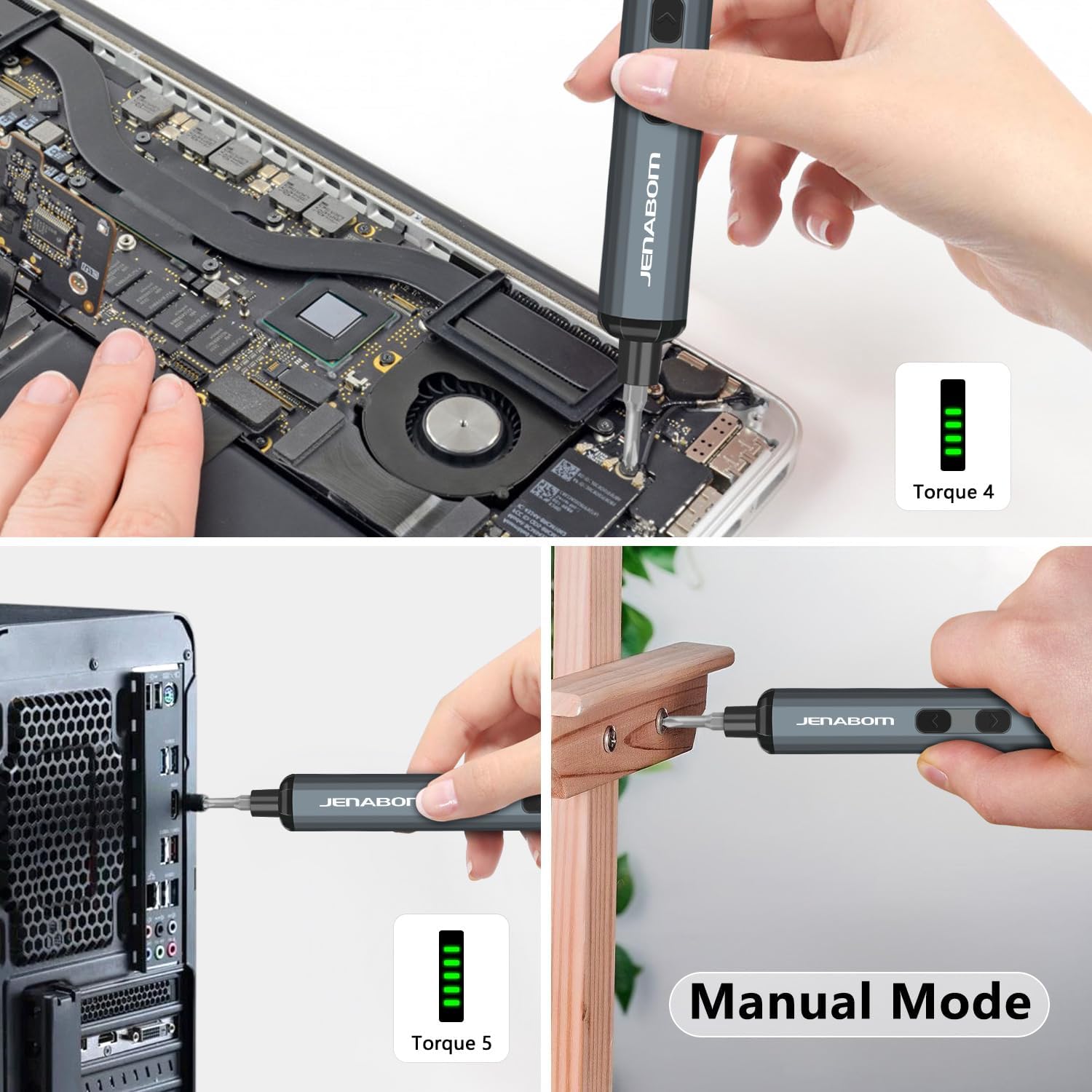
Image 5.2: The screwdriver being used for computer assembly and demonstrating its manual mode capability.
5.3 LED rasvjeta
The integrated LED light illuminates the work area, making it easier to see screw holes and small components, especially in low-light conditions.
- Pritisnite tipku LED prekidač za svjetlo za paljenje ili gašenje svjetla.
6. Održavanje
6.1 Čišćenje
- Wipe the screwdriver and bits with a clean, dry cloth after each use to remove dust and debris.
- Ne koristite jake kemikalije ili abrazivna sredstva za čišćenje.
- Ensure the charging port is free of dust and moisture.
6.2 Skladištenje
- Store the screwdriver and all accessories in the provided magnetic storage case when not in use. This protects the components and keeps them organized.
- Čuvati na hladnom i suhom mjestu, daleko od izravne sunčeve svjetlosti i ekstremnih temperatura.
- Čuvati izvan dohvata djece.
6.3 Njega baterija
- Kako biste produžili vijek trajanja baterije, izbjegavajte potpuno pražnjenje baterije prije ponovnog punjenja.
- If storing for extended periods, charge the battery to approximately 50% every 3-6 months.
7. Rješavanje problema
| Problem | Mogući uzrok | Otopina |
|---|---|---|
| Screwdriver does not turn on/rotate. | Prazna baterija. | Charge the screwdriver fully using the provided Type-C cable. |
| Odvijač nema snage ili se zaustavlja tijekom upotrebe. | Prazna baterija. | Napunite bateriju. |
| Bit proklizava ili se ne spaja s vijkom. | Incorrect bit size/type. Worn bit. | Ensure the correct bit is selected for the screw head. Replace worn bits. |
| Screwdriver cannot loosen/tighten a screw. | Screw is too tight for electric torque. | Use the manual mode for additional torque (up to 3 Nm). Apply steady pressure. |
| LED svjetlo se ne pali. | LED light switch off. Low battery. | Press the LED light switch. Charge the screwdriver. |
8. Specifikacije
- Marka: JENABOM
- Model: B0D49FP524
- Izvor napajanja: Električni s kabelom (za punjenje)
- Baterija: 350 mAh litij-ionska (uključena)
- Električni moment: 0.1 Nm - 0.35 Nm
- Ručni okretni moment: Do 3 Nm
- Uključeni bitovi: 64 S2 čeličnih svrdla
- Priključak za punjenje: USB Type-C
- Značajke: LED Lighting, Magnetic Bit Holder, Magnetic Storage Case, Battery Level Display
- Težina artikla: Otprilike 1.19 funti (ukupno pakiranje)
- Dimenzije paketa: Otprilike 9.21 x 3.9 x 1.1 inča
9. Sigurnosne informacije
- Uvijek nosite odgovarajuću zaštitu za oči pri radu s električnim alatima.
- Održavajte svoje radno područje čistim i dobro osvijetljenim. Pretrpana ili mračna područja dovode do nezgoda.
- Nemojte raditi s električnim alatima u eksplozivnim atmosferama, poput prisutnosti zapaljivih tekućina, plinova ili prašine.
- Držite djecu i promatrače podalje dok radite s električnim alatom. Smetnje mogu uzrokovati gubitak kontrole.
- Izbjegavajte slučajno pokretanje. Prije spajanja baterije, podizanja ili nošenja alata provjerite je li prekidač u isključenom položaju.
- Nemojte pretjerivati. Održavajte pravilan oslonac i ravnotežu cijelo vrijeme.
- Use the correct tool for your application. Do not force small tools or attachments to do the job of a heavy-duty power tool.
- Odvojite bateriju od električnog alata prije bilo kakvih podešavanja, promjene pribora ili spremanja električnih alata.
- Čuvajte neiskorištene električne alate izvan dohvata djece i ne dopustite osobama koje nisu upoznate s električnim alatom ili ovim uputama da rade s električnim alatom.
- Održavajte električne alate. Provjerite neusklađenost ili zaglavljivanje pokretnih dijelova, lomljenje dijelova i bilo koja druga stanja koja mogu utjecati na rad električnog alata. Ako je električni alat oštećen, dajte ga popraviti prije uporabe.
- Koristite električni alat, pribor i alate itd. u skladu s ovim uputama, uzimajući u obzir radne uvjete i posao koji treba obaviti.
10. Jamstvo i podrška
For warranty information or technical support, please refer to the product packaging or contact JENABOM customer service directly through the retailer where the product was purchased. Please have your model number (B0D49FP524) and purchase date available when contacting support.
You can also visit the official JENABOM store on Amazon for more information: JENABOM Store
Ask a question about this manual
Ask about setup, troubleshooting, compatibility, parts, safety, or missing instructions. Manuals+ will review the question and use this page’s manual context to help answer it.