
1. Uvod
This manual provides detailed instructions for the installation, operation, and maintenance of your MZZYG Tuya 7-Inch Wired Video Doorbell System. Please read this manual thoroughly before using the product to ensure proper function and safety. Keep this manual for future reference.
2. Proizvod je gotovview i sadržaj paketa
The MZZYG Tuya Video Doorbell System is designed to enhance your home security with a 1080P camera, a 7-inch touchscreen monitor, and Wi-Fi connectivity. It supports remote unlocking, two-way communication, and motion detection.
2.1 Sadržaj paketa
Provjerite jesu li svi artikli prisutni u vašem paketu:
- Outdoor Doorbell Unit (1080P Camera)
- Indoor Monitor Unit (7-inch TFT-LCD Touchscreen)
- Adapter za napajanje za unutarnji monitor
- Montažni nosač i vijci
- Kabeli za ožičenje
- RFID Key Fobs (Quantity may vary)
- Korisnički priručnik (ovaj dokument)

Slika 2.1: Main components of the MZZYG Tuya Video Doorbell System, including the outdoor doorbell unit, the indoor 7-inch monitor, and several RFID key fobs for access control.
3. Specifikacije
3.1 Unutarnji monitor
- Zaslon: 7-inčni TFT-LCD zaslon osjetljiv na dodir
- rezolucija: 1024 x 680
- Melodije: 7-chord melodic rings
- Način povezivanja: 4-wire, Tuya Wi-Fi solution
- Materijal ploče: Akril/ABS
3.2 Vanjska jedinica zvona na vratima
- Fotoaparat: 1080P
- Objektiv: 3.2mm wide-angle, 160-degree view
- Noćni vid: Podržano
- Ocjena vodootpornosti: IP65
- CasinMaterijal: Aluminijska legura
- Značajke: Remote unlock, monitoring, two-way communication, video recording, motion detection
4. Instalacija i postavljanje
Proper installation is crucial for optimal performance. It is recommended to consult a qualified electrician for wiring if you are unfamiliar with electrical installations.
4.1 Montiranje vanjske jedinice
- Choose a suitable location near your entrance, ensuring the camera has a clear, unobstructed view of visitors. The recommended height is approximately 1.5 meters (5 feet) from the ground.
- Koristite nosač za montažu kao predložak za označavanje točaka bušenja na zidu.
- Izbušite rupe i umetnite tiple.
- Pričvrstite nosač za montažu na zid pomoću priloženih vijaka.
- Connect the wiring from your home to the outdoor unit. Ensure correct polarity for power and signal wires.
- Pričvrstite vanjsku jedinicu na nosač za montažu.
4.2 Montiranje unutarnjeg monitora
- Select a convenient indoor location, such as a hallway or living room, where the monitor is easily accessible.
- Mount the indoor monitor's bracket to the wall using screws.
- Connect the 4-wire cable from the outdoor unit to the indoor monitor.
- Spojite adapter za napajanje na unutarnji monitor i uključite ga u utičnicu.
- Attach the indoor monitor to its wall bracket.

Slika 4.1: Ilustrativni pramples of the outdoor doorbell unit mounted next to a door and the indoor monitor installed on a wall inside a home.
4.3 Initial Power-On and Wi-Fi Configuration
- Once both units are mounted and wired, power on the indoor monitor.
- Follow the on-screen prompts to configure the date, time, and language settings.
- Navigate to the Wi-Fi settings menu on the indoor monitor.
- Select your home Wi-Fi network and enter the password. The monitor will connect to the internet, enabling Tuya app integration.
5. Operacija
5.1 Odgovaranje na poziv
- When a visitor presses the doorbell button, the indoor monitor will ring and display the visitor's image.
- To answer, tap the "Answer" icon on the touchscreen. This initiates two-way audio communication.
- To end the call, tap the "End Call" icon.
5.2 Daljinsko otključavanje
If connected to an electronic lock (sold separately), you can unlock the door remotely:
- During a call or while monitoring, tap the "Unlock" icon on the indoor monitor or in the Tuya app.
- Confirm the unlock action if prompted.
5.3 Praćenje
možete view the outdoor camera feed at any time:
- On the indoor monitor, tap the "Monitor" icon to view prijenos uživo s vanjske jedinice.
- In the Tuya app, select your doorbell device to access the live view.
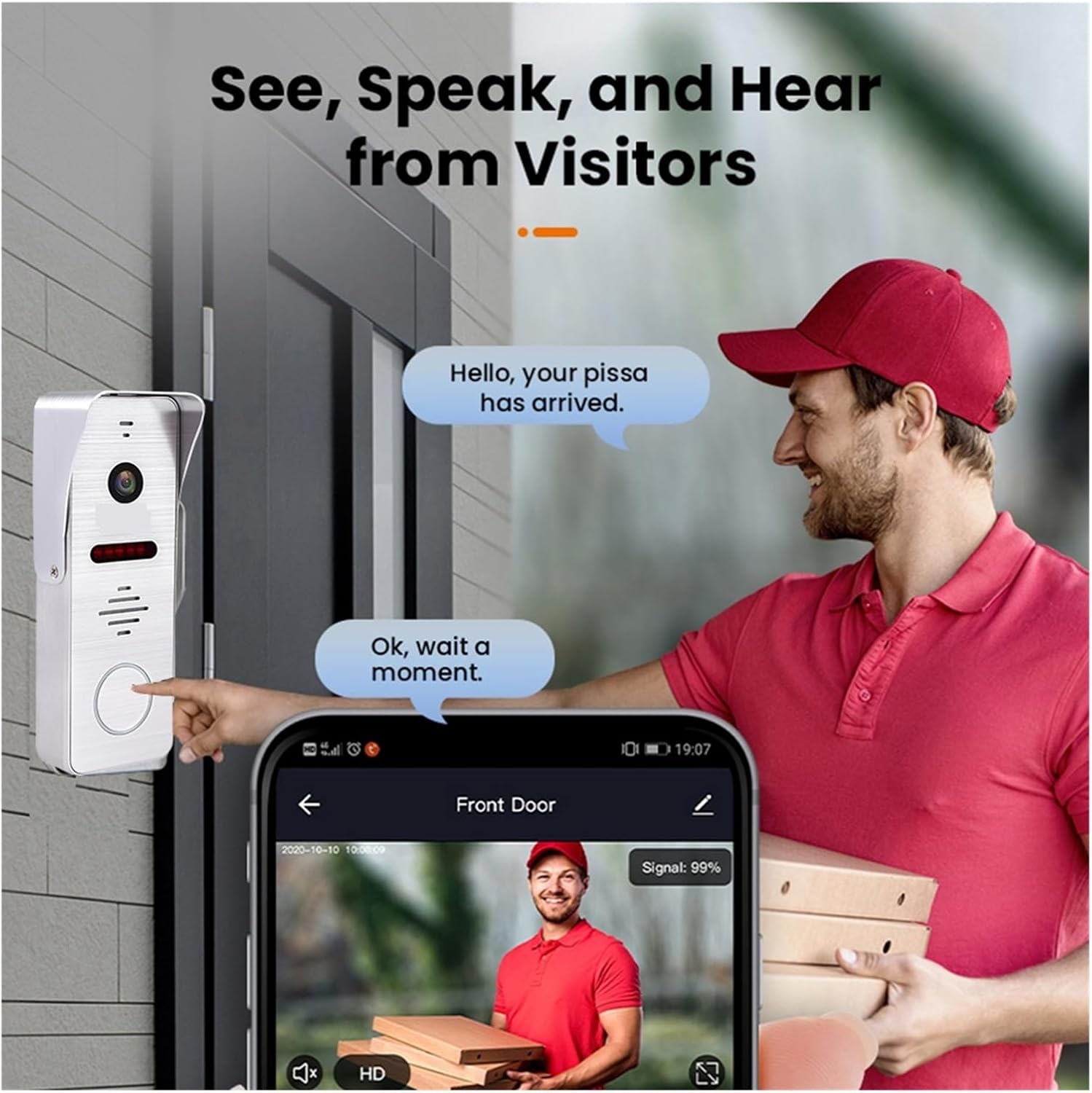
Slika 5.1: A visitor at the door pressing the doorbell, with a smartphone displaying the live video feed and communication options through the mobile application.
6. Tuya Smart App Integration
The system integrates with the Tuya Smart app for remote access and control.
6.1 Downloading and Registering the App
- Download the "Tuya Smart" app from your smartphone's app store (Google Play Store for Android, Apple App Store for iOS).
- Otvorite aplikaciju i registrirajte se za novi račun ili se prijavite ako ga već imate.
6.2 Adding the Doorbell Device
- In the Tuya Smart app, tap the "+" icon to add a new device.
- Select "Video Surveillance" or "Doorbell" from the device categories.
- Follow the in-app instructions to pair your doorbell system. This typically involves scanning a QR code displayed on the indoor monitor or entering Wi-Fi credentials.
6.3 Značajke aplikacije
- Daljinski nadzor: View live video from the outdoor unit.
- Dvosmjerni zvuk: Communicate with visitors from anywhere.
- Daljinsko otključavanje: Open the door remotely (requires compatible electronic lock).
- Video Recording & Snapshots: Capture video and images of visitors or events.
- Upozorenja o detekciji pokreta: Receive notifications when motion is detected.

Slika 6.1: A smartphone screen showing a list of motion detection events recorded by the doorbell camera, with timestamps i prijeview slike.
7. Motion Detection and Night Vision
The system is equipped with motion detection and night vision capabilities for enhanced security.
7.1 Detekcija pokreta
- The outdoor unit can detect motion in its field of view.
- Upon detection, the system can automatically record video or take snapshots.
- You will receive push notifications on your smartphone via the Tuya Smart app when motion is detected.
- Sensitivity settings for motion detection can be adjusted in the indoor monitor's menu or the Tuya app.
7.2 Noćni vid
- The outdoor unit features infrared night vision, allowing clear visibility even in low-light or complete darkness.
- Noćni vid se automatski aktivira kada je razina ambijentalnog osvjetljenja niska.

Slika 7.1: An illustration of the doorbell's night vision capability, showing a person in low light conditions as seen on the indoor monitor and a mobile phone screen.
8. Održavanje
- Čišćenje: Redovito brišite objektiv kamere i zaslon monitora mekom,amp tkanina. Izbjegavajte abrazivna sredstva za čišćenje.
- Ažuriranja firmvera: Check for firmware updates periodically through the indoor monitor's settings or the Tuya Smart app to ensure optimal performance and security.
- Pregled ožičenja: Povremeno pregledajte sve spojeve ožičenja na znakove istrošenosti ili oštećenja.
9. Rješavanje problema
| Problem | Mogući uzrok | Otopina |
|---|---|---|
| Nema slike na unutarnjem monitoru. | Power issue, loose wiring, faulty unit. | Check power connection to monitor. Verify all 4-wire connections between outdoor and indoor units. Restart the system. |
| Nema zvuka tijekom poziva. | Microphone/speaker issue, volume too low. | Check volume settings on the monitor. Ensure wiring is secure. |
| Wi-Fi connection unstable or disconnected. | Slab Wi-Fi signal, netočna lozinka, problem s ruterom. | Ensure monitor is within Wi-Fi range. Re-enter Wi-Fi password. Restart your router. |
| Detekcija pokreta ne radi. | Motion detection disabled, sensitivity too low, incorrect settings. | Enable motion detection in settings. Adjust sensitivity. Check recording schedule. |
10. Sigurnosne informacije
- Ne pokušavajte sami rastavljati ili popravljati uređaj. Sve servisne radove prepustite kvalificiranom osoblju.
- Držite uređaj dalje od vode, vlage i ekstremnih temperatura.
- Ensure all wiring is correctly installed and insulated to prevent electrical hazards.
- Koristite samo isporučeni strujni adapter.
11. Jamstvo i podrška
Warranty information for this product is not explicitly detailed in the provided specifications. Please refer to your purchase documentation or contact your retailer for specific warranty terms and conditions.
For technical support or inquiries, please contact MZZYG customer service through the contact information provided with your purchase or on the official MZZYG webmjesto.