
1. Uvod
Thank you for choosing the MECHEN H1-Pro Bluetooth MP3 Player with WiFi. This device is designed to provide a versatile and enjoyable audio and video experience. Featuring a 4-inch touchscreen and running on Android 9.0, it supports various applications and connectivity options. This manual provides essential information for setting up, operating, and maintaining your device.
2. Sadržaj paketa
Provjerite jesu li svi dolje navedeni artikli uključeni u vaš paket. Ako neki artikli nedostaju ili su oštećeni, obratite se korisničkoj podršci.
- MECHEN H1-Pro MP3 Player
- USB kabel
- Slušalice
- Zaštitna folija
- Zaštitna torbica
- korisnički priručnik

Image: The MECHEN H1-Pro MP3 Player displayed with its accessories, including a USB cable, headphones, protective film, and a clear protective case.
3. Uređaj prekoview
Familiarize yourself with the physical components and controls of your MECHEN H1-Pro MP3 Player.
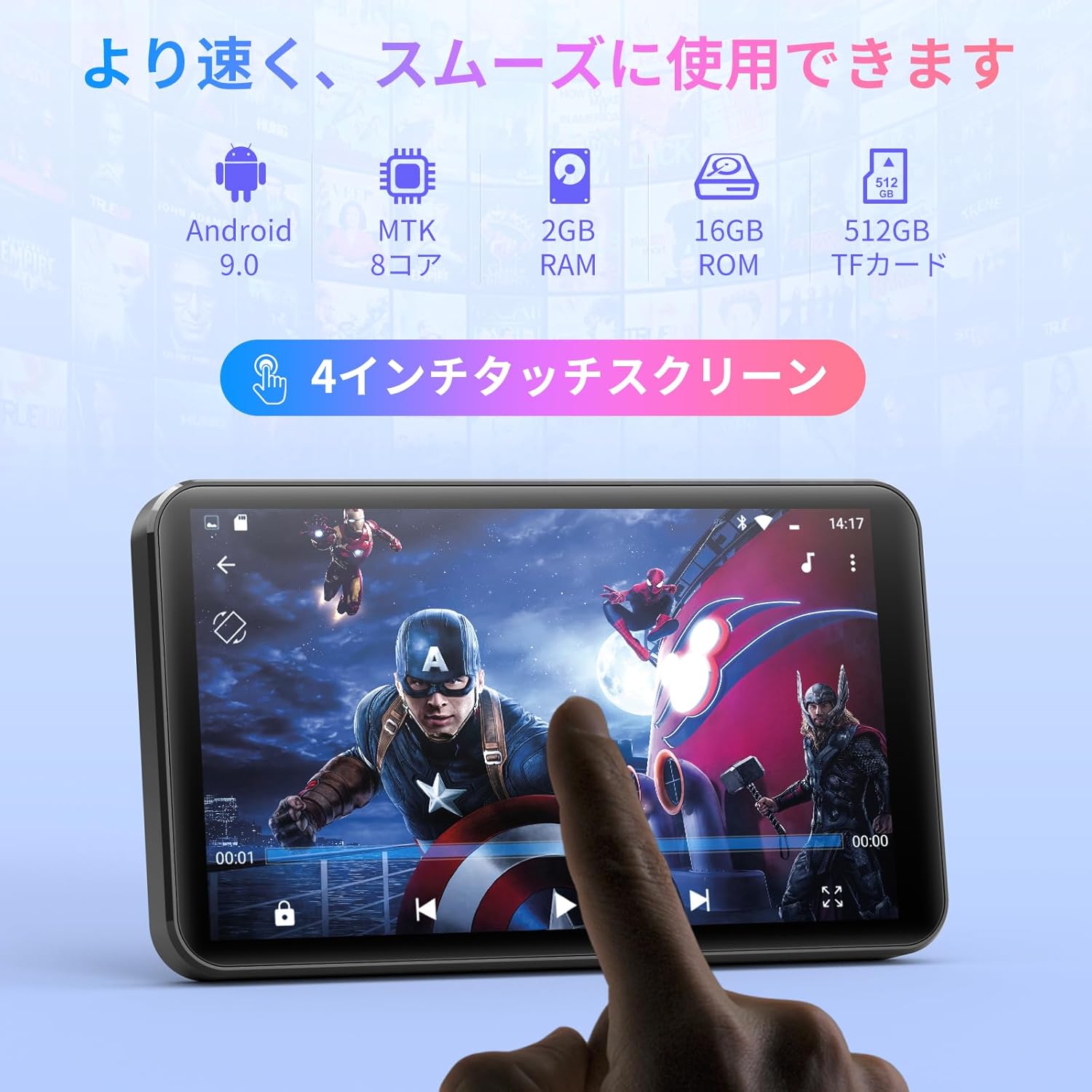
Slika: prednja strana view of the MECHEN H1-Pro MP3 Player, showcasinnjegov 4-inčni zaslon osjetljiv na dodir.

Slika: Bočno view of the MECHEN H1-Pro MP3 Player, highlighting the power button and volume controls.

Slika: Gore i dolje views of the MECHEN H1-Pro MP3 Player, illustrating the USB-C charging port, headphone jack, and Micro SD card slot.
4. Postavljanje
4.1 Početno punjenje
Before first use, fully charge the device. Connect the provided USB cable to the player's USB-C port and the other end to a USB power adapter (not included) or a computer's USB port. The charging indicator will show the charging status.
4.2 Uključivanje/isključivanje
- Za uključivanje: Press and hold the Power button on the side of the device until the screen lights up.
- Za isključivanje: Press and hold the Power button until a power-off menu appears on the screen. Select 'Power Off' to shut down the device.
4.3 Povezivanje na Wi-Fi
Za pristup mrežnim značajkama i preuzimanje aplikacija, povežite uređaj s Wi-Fi mrežom.
- Idi na postavke > Mreža & Internet > Wi-Fi.
- Uključi/isključi Wi-Fi On.
- Odaberite željenu Wi-Fi mrežu s popisa.
- Unesite lozinku ako se to od vas zatraži i dodirnite Poveži se.

Image: The MECHEN H1-Pro MP3 Player screen showing Wi-Fi settings and available networks.
4.4 Umetanje Micro SD kartice
The device supports Micro SD cards for expanded storage. Locate the Micro SD card slot on the side of the device. Gently insert the card with the gold contacts facing down until it clicks into place.
5. Upute za rad
5.1 Basic Navigation (Touchscreen)
The MECHEN H1-Pro features a responsive 4-inch touchscreen. Use standard touch gestures:
- Dodirnite: Za odabir stavke ili otvaranje aplikacije.
- Ukrasti: Za pomicanje kroz popise ili prebacivanje između zaslona.
- Prstohvat: To zoom in or out (in supported applications).
5.2 Reprodukcija glazbe
The device supports various audio formats including MP3, WAV, WMA, APE, OGG, and FLAC for high-fidelity music playback.
- Otvorite Glazba primjena.
- Browse your music library by artist, album, song, or playlist.
- Dodirnite pjesmu za početak reprodukcije.
- Koristite kontrole na zaslonu za reprodukciju/pauzu, preskakanje pjesama i podešavanje glasnoće.

Image: The MECHEN H1-Pro MP3 Player screen showing a music playback interface with album art and controls.
5.3 Reprodukcija video zapisa
Enjoy 720P/1080P full-format HD video playback without conversion. Supported formats include RM, RMVB, FLV, MP4, DAT, MKV, MPG, MOV, TS, etc.
- Otvorite Video player primjena.
- Odaberite videozapis file iz vašeg skladišta.
- Tap to play. Use on-screen controls for playback options.

Image: The MECHEN H1-Pro MP3 Player screen showing a video playing in full-screen mode.
5.4 Bluetooth povezivost
Connect to Bluetooth headphones, speakers, or other compatible devices.
- Idi na postavke > Povezani uređaji > Bluetooth.
- Uključi/isključi Bluetooth On.
- Provjerite je li vaš Bluetooth pribor u načinu rada za uparivanje.
- Odaberite pribor s popisa dostupnih uređaja za uparivanje.

Image: The MECHEN H1-Pro MP3 Player shown alongside a pair of wireless headphones, indicating Bluetooth connectivity.
5.5 Wi-Fi Connectivity & App Downloads
With Android 9.0 and Wi-Fi, you can download and install various applications from the Google Play Store.
- Ensure the device is connected to Wi-Fi (see Section 4.3).
- Otvorite Play Store primjena.
- Prijavite se svojim Google računom.
- Tražiti and download desired applications (e.g., Spotify, Amazon Music, Audible).

Image: The MECHEN H1-Pro MP3 Player screen showing a variety of installed applications, including music streaming services and web preglednici.
5.6 FM radio
Slušajte svoje omiljene FM radio stanice.
- Connect wired headphones to the 3.5mm audio jack; they act as the antenna.
- Otvorite FM radio primjena.
- Pomoću kontrola na zaslonu možete pretraživati postaje ili ih ručno ugađati.
5.7 File Upravljanje
Koristite ugrađeni file menadžer koji će organizirati vaše files on internal storage and the Micro SD card.
- Otvorite File Menadžer primjena.
- Navigate through folders to view, copy, move, or delete files.
6. Održavanje
6.1 Čišćenje
Obrišite uređaj mekom, suhom krpom koja ne ostavlja dlačice. Nemojte koristiti tekuća sredstva za čišćenje ili abrazivne materijale.
6.2 Skladištenje
Uređaj čuvajte na hladnom i suhom mjestu, dalje od izravne sunčeve svjetlosti i ekstremnih temperatura. Ako ga skladištite dulje vrijeme, provjerite je li baterija djelomično napunjena (oko 50%) kako biste produžili njezin vijek trajanja.
6.3 Njega baterija
To maximize battery life, avoid fully discharging the battery frequently. Use the original charging cable for optimal performance.
7. Rješavanje problema
| Problem | Moguće rješenje |
|---|---|
| Uređaj se ne uključuje. | Ensure the battery is charged. Connect to a charger for at least 30 minutes. If unresponsive, perform a hard reset by holding the power button for 10-15 seconds. |
| Ne mogu se spojiti na Wi-Fi. | Check if Wi-Fi is enabled. Verify the Wi-Fi password. Restart your router and the MP3 player. |
| Bluetooth uređaj se ne uparuje. | Ensure Bluetooth is enabled on both devices and the accessory is in pairing mode. Move devices closer together. |
| Aplikacije su spore ili se ruše. | Close unnecessary background apps. Clear app cache (Settings > Apps > [App Name] > Storage > Clear Cache). Restart the device. Too many apps can lead to slowdowns. |
| Nema zvuka iz slušalica. | Provjerite priključak slušalica. Pazite da zvuk nije isključen ili prenizak. Testirajte s drugim slušalicama. |
8. Specifikacije
| Značajka | Detalj |
|---|---|
| Marka | MECHEN |
| Naziv modela | H1-Pro (EU-H11) |
| Operativni sustav | Android 9.0 |
| Procesor | MTK 8-jezgreni |
| OVAN | 2 GB |
| Unutarnja pohrana | 16 GB |
| Proširiva pohrana | Micro SD (do 512 GB) |
| Veličina zaslona | 4 inča |
| Tehnologija zaslona | LCD |
| Povezivost | Bluetooth, USB, Wi-Fi |
| Posebne značajke | FM Radio, Equalizer, Video Playback |
| Podržani audio formati | MP3, WAV, WMA, APE, OGG, FLAC |
| Podržani video formati | RM, RMVB, FLV, MP4, DAT, MKV, MPG, MOV, TS, etc. |
| Kapacitet baterije | 2000 mAh |
| Trajanje baterije (glazba) | Do 50 sati |
| Trajanje baterije (video) | Do 8 sati |
| Dimenzije (D x Š x V) | 10.5 x 6.2 x 1.2 cm (4.14 x 2.44 x 0.46 inča) |
| Težina artikla | 97.5 grama (3.45 oz) |

Image: The MECHEN H1-Pro MP3 Player shown with its physical dimensions and weight specifications.
9. Jamstvo i podrška
For warranty information and technical support, please refer to the warranty card included in your package or visit the official MECHEN webstranicu. Sačuvajte račun kao dokaz o kupnji za slučaj reklamacije.