
MESWAO MES-B3
MESWAO 15.6 Inch Android 14 Tablet MES-B3 User Manual
Sveobuhvatne upute za postavljanje, rad i održavanje.
1. Uvod
This manual provides detailed instructions for the MESWAO 15.6 Inch Android 14 Tablet, model MES-B3. It covers essential information regarding product features, setup, operation, maintenance, and troubleshooting to ensure optimal performance and user experience. Please read this manual thoroughly before using your device.
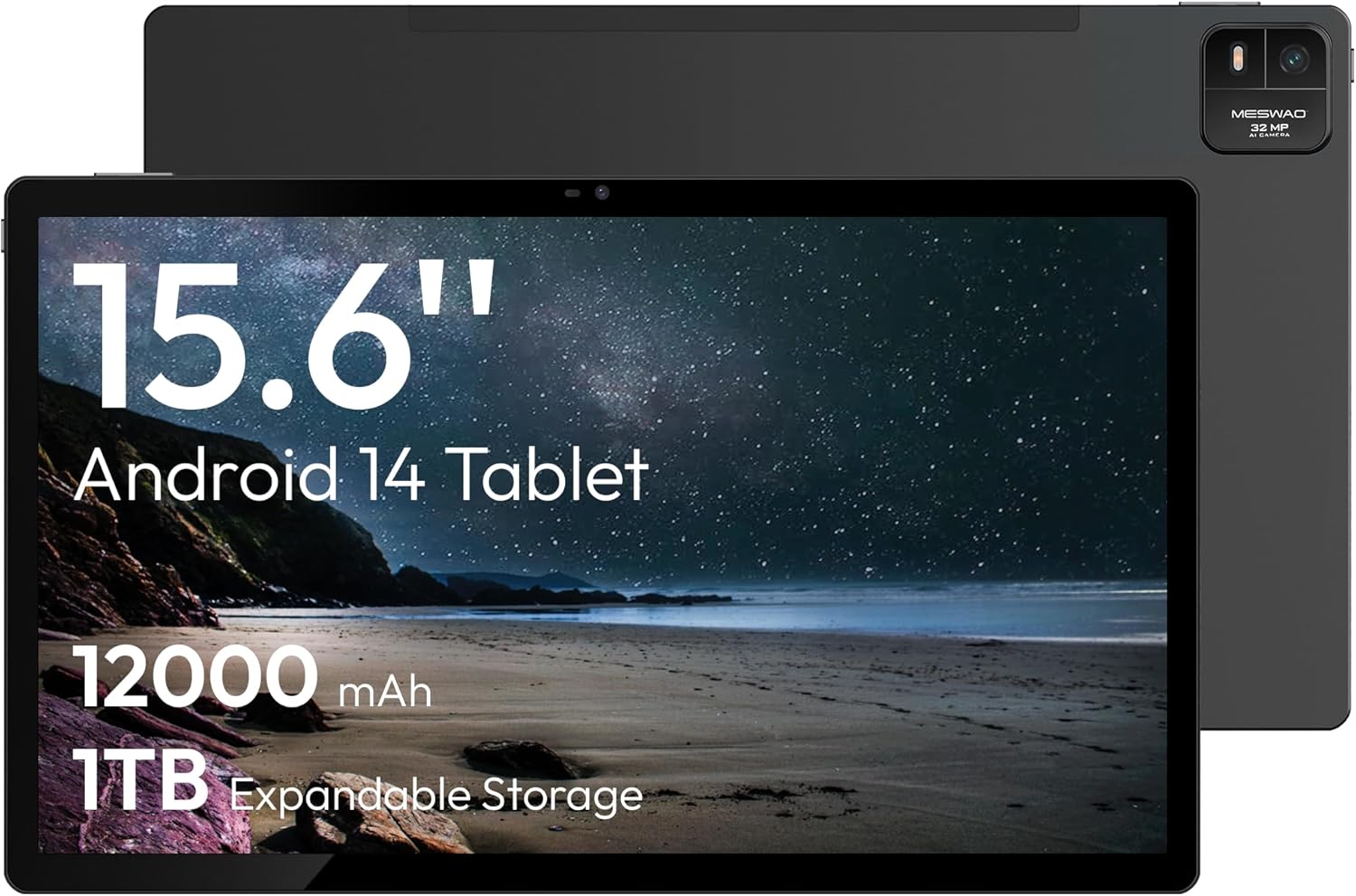
Figure 1.1: MESWAO 15.6 Inch Android 14 Tablet. This image displays the front and back view of the tablet, highlighting its large screen and rear camera module.
2. Sigurnosne informacije
To prevent damage to your device or injury to yourself or others, please observe the following precautions:
- Ne izlažite tablet ekstremnim temperaturama, izravnoj sunčevoj svjetlosti ili visokoj vlažnosti.
- Izbjegavajte ispuštanje ili izlaganje tableta jakim udarcima.
- Koristite samo odobrene punjače i dodatnu opremu.
- Do not attempt to disassemble or repair the tablet yourself.
- Tabletu držite dalje od vode i drugih tekućina.
- Observe all local regulations regarding the use of electronic devices.
3. Sadržaj paketa
Provjerite jesu li svi artikli prisutni u paketu:
- 15.6-inch Tablet x1
- 15W Charger x1
- Type-C to 3.5mm Adapter x1
- USB-A to Type-C Adapter x1
- Stuck Pin x1 (for SIM/TF card tray)
4. Uređaj prekoview
Familiarize yourself with the physical components of your MESWAO tablet.
4.1. Fizičke značajke
- Prednja kamera: Located at the top center of the screen when held horizontally.
- Stražnja kamera sa bljeskalicom: Located on the back, typically in a corner.
- Gumb za napajanje: Usually on the side, used to power on/off or wake/sleep the device.
- Gumbi za glasnoću: Podesite razine zvuka.
- USB-C priključak: Za punjenje i prijenos podataka.
- Utor za TF kartice: Za proširivu pohranu.
- Govornici: Quad speakers with 8 sound chambers for audio output.

Slika 4.1: Gotovoview of MESWAO Tablet's physical features. This image illustrates the location of stereo speakers, power and volume buttons, front camera, rear camera with flashlight, Type-C port, and TF card slot.
5. Postavljanje
5.1. Početno punjenje
Before first use, fully charge the tablet using the provided 15W charger and USB-C cable. Connect the charger to the USB-C port on the tablet and plug it into a power outlet. The battery indicator on the screen will show charging progress.

Figure 5.1: Tablet charging illustration. This image shows the tablet connected to a charger, displaying a charging icon and indicating 100% charge in 3.5 hours.
5.2. Uključivanje/isključivanje
- Za uključivanje: Press and hold the Power button until the MESWAO logo appears.
- Za isključivanje: Pritisnite i držite gumb za uključivanje/isključivanje dok se ne pojavi izbornik s opcijama napajanja, a zatim odaberite "Isključi".
- Za spavanje/buđenje: Kratko pritisnite tipku za napajanje.
5.3. Početna konfiguracija
Nakon prvog uključivanja, slijedite upute na zaslonu za postavljanje tableta:
- Odaberite željeni jezik.
- Povežite se s Wi-Fi mrežom.
- Prijavite se sa svojim Google računom ili stvorite novi.
- Review i prihvatite uvjete i odredbe.
- Postavite zaključavanje zaslona (PIN, uzorak ili lozinka).
5.4. Inserting a TF Card
To expand storage, insert a TF (microSD) card:
- Pronađite utor za TF karticu sa strane tableta.
- Use the provided stuck pin to gently eject the card tray.
- Place the TF card into the tray with the gold contacts facing down.
- Pažljivo vratite ladicu u tablet.

Figure 5.2: Tablet storage capabilities. This image highlights the 128GB ROM and support for up to 1TB expandable storage via TF card.
6. Upute za rad
6.1. Osnovna navigacija
The MESWAO tablet uses Android 14, offering intuitive touch-based navigation:
- Dodirnite: Odaberite stavku ili otvorite aplikaciju.
- Ukrasti: Pomicanje kroz zaslone ili popise.
- Zumiranje štipanjem prstiju: Povećajte ili smanjite sadržaj na zaslonu.
- Dugi pritisak: Pristupite kontekstualnim izbornicima ili premjestite ikone.

Figure 6.1: Android 14 operating system interface. This image displays various application icons and highlights features like smooth multitasking, parental control, and enhanced privacy.
6.2. Povezivanje na Wi-Fi
- Idi na postavke > Mreža i internet > Wi-Fi.
- Uključi/isključi Wi-Fi On.
- Odaberite željenu mrežu s popisa.
- Unesite lozinku ako se to od vas zatraži, a zatim dodirnite Poveži se.
6.3. Upravljanje aplikacijama
- Instalirajte aplikacije: Download from the Google Play Store.
- Deinstaliranje aplikacija: Long-press an app icon, then drag it to "Uninstall" or go to postavke > aplikacije.
- Zatvori aplikacije: Swipe up from the bottom of the screen and swipe away the app card.
6.4. Korištenje kamere
The tablet features a 32MP rear camera with flash and a 5MP front camera.
- Otvorite Fotoaparat primjena.
- Dodirnite gumb okidača za snimanje fotografije.
- Prebacujte se između prednje i stražnje kamere pomoću ikone prekidača kamere.
- Access settings for flash, modes, and other options.
6.5. Upravljanje baterijom
Baterija od 12000 mAh omogućuje dulje korištenje. Za optimizaciju vijeka trajanja baterije:
- Podesite svjetlinu zaslona.
- Zatvorite nekorištene aplikacije.
- Omogući način rada za uštedu baterije u postavke > Baterija.
6.6. Povezivost
- Bluetooth: Pair with wireless headphones, speakers, or other devices via postavke > Povezani uređaji > Bluetooth.
- USB-C: Spojite se s računalom za file transfer or use with compatible USB-C accessories.
- Bežično emitiranje zaslona: Share your tablet's screen to a compatible smart TV or monitor. Access this feature from the Quick Settings panel or postavke > Povezani uređaji > Cast.
6.7. Postavke zvuka
Adjust volume and audio output options:
- Use the physical volume buttons on the side of the tablet.
- Access detailed settings in postavke > Zvuk i vibracija.
- The tablet supports multiple audio options, including USB-C audio and 3.5mm via the provided adapter.
7. Održavanje
7.1. Čišćenje tableta
Za čišćenje tableta koristite meku krpu koja ne ostavlja dlačice. Za tvrdokorne mrlje laganoampOperite krpu vodom ili sredstvom za čišćenje zaslona namijenjenim za elektroniku. Izbjegavajte jake kemikalije ili abrazivne materijale.
7.2. Ažuriranja softvera
Redovito provjeravajte i instalirajte ažuriranja softvera kako biste osigurali optimalne performanse, sigurnost i pristup novim značajkama. Idite na postavke > sustav > Ažuriranje sustava.
7.3. Upravljanje pohranom
Za održavanje performansi povremeno upravljajte pohranom tableta:
- Izbrišite nepotrebne aplikacije i files.
- Premjesti veliko files to the TF card or cloud storage.
- Izbriši podatke predmemorije za aplikacije u postavke > aplikacije > [Naziv aplikacije] > Pohrana i predmemorija.
8. Rješavanje problema
Pogledajte sljedeće uobičajene probleme i rješenja:
| Problem | Otopina |
|---|---|
| Tablet se ne uključuje. | Provjerite je li baterija napunjena. Spojite punjač i pričekajte nekoliko minuta prije nego što ponovno pokušate uključiti uređaj. |
| Ne mogu se spojiti na Wi-Fi. | Check if Wi-Fi is enabled. Verify the Wi-Fi password. Restart your router and the tablet. |
| Aplikacije se ruše ili zamrzavaju. | Close background apps. Clear the app's cache. Restart the tablet. Ensure the app is updated. |
| Spore performanse. | Free up storage space. Close unused apps. Restart the tablet. |
| Baterija se brzo prazni. | Reduce screen brightness. Disable unused features like Bluetooth or GPS. Close background apps. Check battery usage in settings. |
9. Specifikacije
Key technical specifications for the MESWAO 15.6 Inch Android 14 Tablet (MES-B3):
| Značajka | Detalj |
|---|---|
| Marka | MESWAO |
| Naziv modela | MES-B3 |
| Operativni sustav | Android 14 |
| Veličina zaslona | 15.6 inča |
| Razlučivost zaslona | 1920 x 1080 piksela (IPS HD) |
| Procesor | Octa-Core (MediaTek Helio G99, up to 2.2 GHz) |
| Grafički koprocesor | Mali-G57 |
| RAM (Memory Storage Capacity) | 6GB (DDR3 SDRAM) |
| Internal Storage (Flash Memory Size) | 128 GB |
| Proširiva pohrana | Do 1TB putem TF kartice |
| Rezolucija stražnje kamere | 32 MP |
| Rezolucija prednje kamere | 5 MP |
| Kapacitet baterije | 12000 mAh |
| Prosječno trajanje baterije | 12 sata |
| Bežična vrsta | 802.11a/b/g/n/ac (Wi-Fi 5) |
| Boja | Sivo |
| Težina artikla | 2.35 funti |
| Dimenzije proizvoda (DxŠxV) | 14.53 x 8.78 x 0.43 inča |
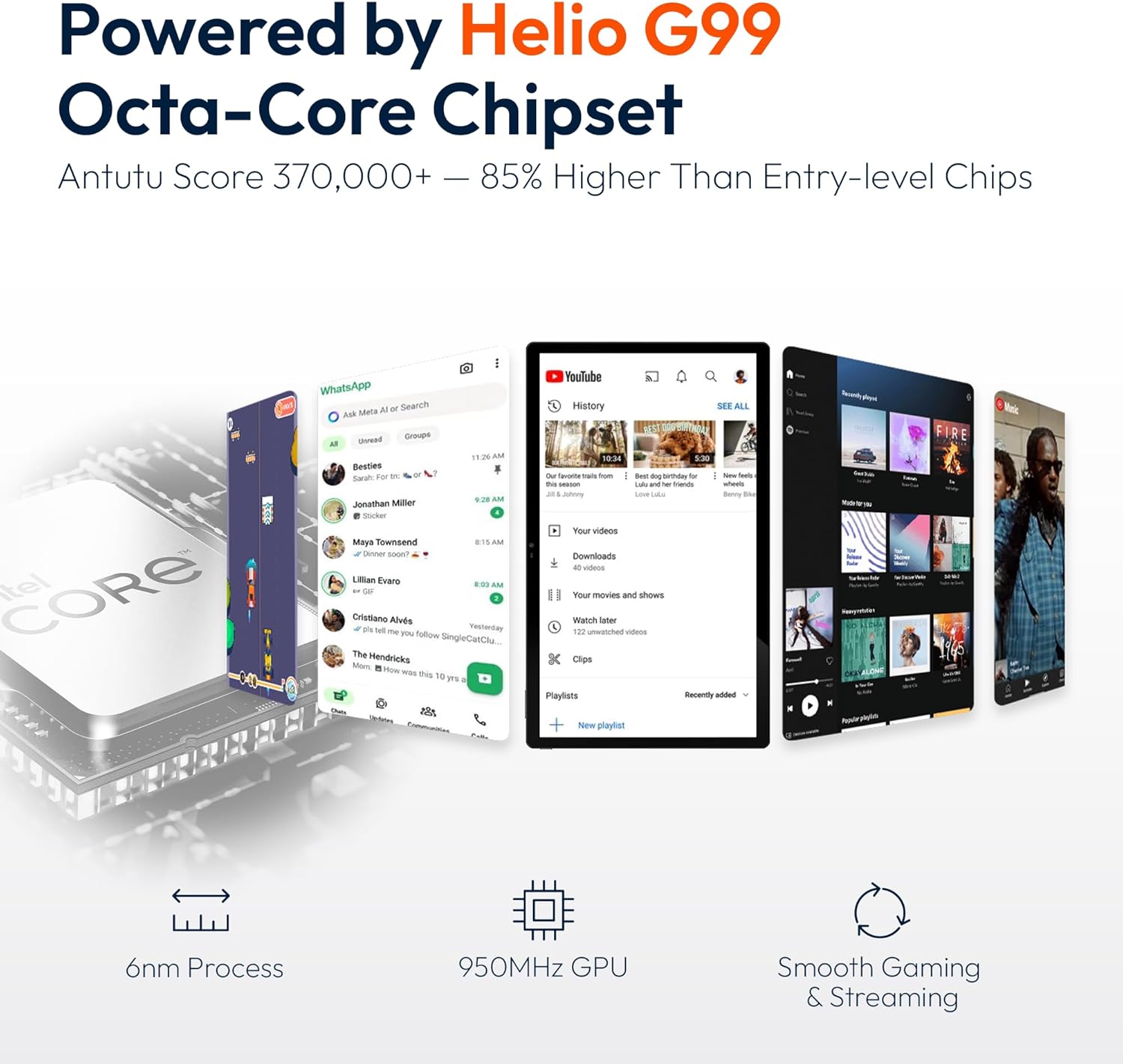
Figure 9.1: Processor and performance details. This image highlights the Helio G99 Octa-Core chipset, 6nm process, 950MHz GPU, and smooth gaming/streaming capabilities.
10. Jamstvo i podrška
10.1. Informacije o jamstvu
The MESWAO 15.6 Inch Android 14 Tablet comes with a Jamstvo 12 mjeseci covering manufacturing defects. Please retain your proof of purchase for warranty claims.
10.2. Korisnička podrška
For technical assistance, troubleshooting, or warranty inquiries, please contact MESWAO customer support. They offer 24-satna korisnička podrška i imati local service centers in the US, EU, and Japan.
- Način kontakta: Refer to the contact information provided with your product packaging or visit the official MESWAO webmjesto.
- Rješenje problema: Issues reported are typically responded to within 24 hours, with problems resolved or replaced according to policy.

Figure 10.1: MESWAO customer support and warranty details. This image highlights the 12-month warranty, 24-hour customer support, local after-sales centers, and quick response flow.
Ask a question about this manual
Ask about setup, troubleshooting, compatibility, parts, safety, or missing instructions. Manuals+ will review the question and use this page’s manual context to help answer it.