
1. Uvod
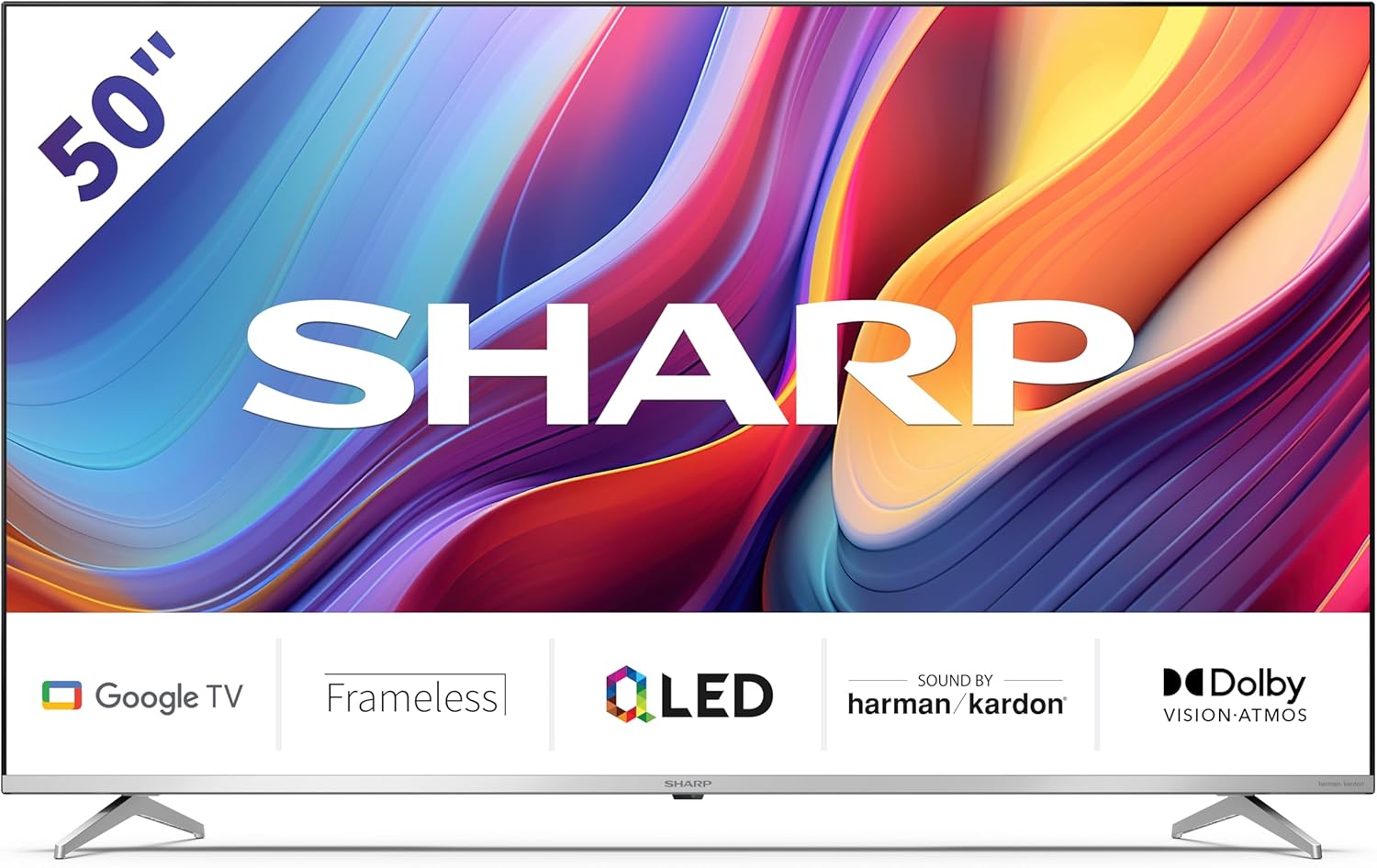
Welcome to the user manual for your new Sharp 50GP6265E 50-inch QLED 4K Ultra HD Google TV. This manual provides essential information for the safe and efficient use of your television. Please read it thoroughly before operating the device and retain it for future reference.
Važne sigurnosne informacije
- Ensure the television is placed on a stable surface to prevent it from falling.
- Do not block ventilation openings. Proper airflow is crucial to prevent overheating.
- Zaštitite kabel za napajanje od gaženja ili prignječenja.
- Do not expose the TV to rain or moisture to reduce the risk of fire or electric shock.
- Sve servise prepustite kvalificiranom servisnom osoblju.
2. Što je u kutiji
Prilikom raspakiranja, molimo provjerite jesu li uključene sve sljedeće komponente:
- Sharp 50GP6265E 50-inch QLED 4K Ultra HD Google TV
- Daljinski upravljač
- 2 x AAA baterije (za daljinski upravljač)
- Vodič za brzi početak
- TV stands (if not wall-mounted)
- Kabel za napajanje
3. Postavljanje
3.1 Raspakiranje
Carefully remove the television from its packaging. It is recommended to keep the original packaging for potential future transport or servicing.
3.2 Instalacija postolja
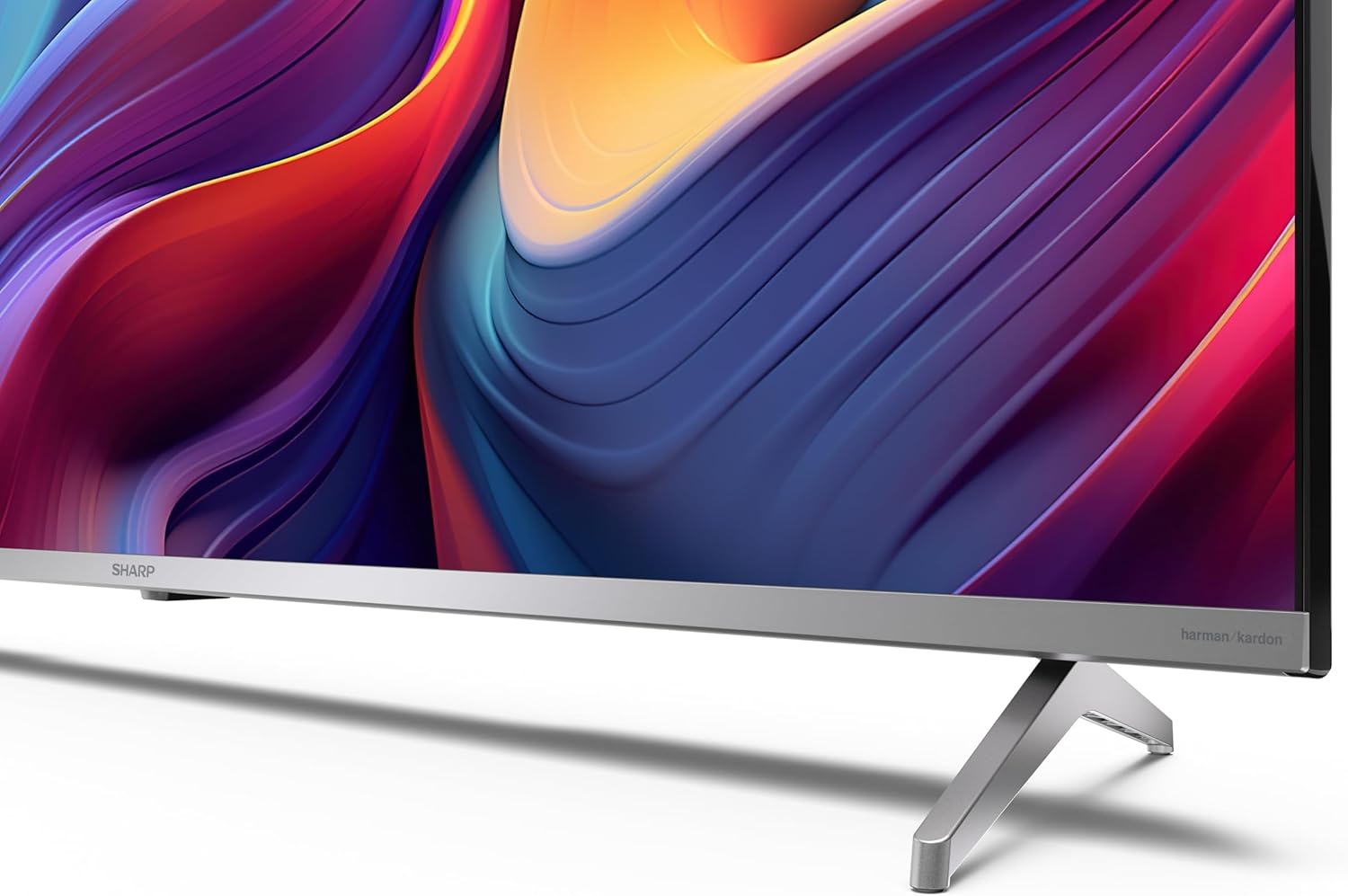
If you are not wall-mounting the television, attach the included stands to the bottom of the TV. Ensure the screws are securely fastened. Refer to the quick start guide for detailed diagrams.
3.3 Montaža na zid
For wall mounting, the VESA dimensions required are 400 x 300 mm. Use a compatible wall mount bracket (sold separately) and follow the instructions provided with the bracket. Ensure the wall can support the weight of the television (9.7 kg net weight).

3.4 Spajanje perifernih uređaja
Your Sharp TV offers various connectivity options:
- HDMI: Connect external devices such as Blu-ray players, gaming consoles, or set-top boxes using the 4 HDMI 2.1 ports. One port supports eARC for enhanced audio return channel functionality.
- USB: Use the 2 USB ports for connecting external storage devices to play media or for service updates.
- Ethernet: Za stabilnu žičanu internetsku vezu.
- Wi-Fi: Za bežičnu internetsku vezu.
- Bluetooth: Spojite bežične slušalice, soundbarove ili drugu Bluetooth dodatnu opremu.

3.5 Prvo postavljanje
After connecting the power cable and turning on the TV, follow the on-screen instructions to complete the initial setup. This typically includes language selection, network connection, and Google account sign-in for Google TV features.
4. Upravljanje televizorom
4.1 Daljinski upravljač
The included remote control allows you to navigate the TV's interface, adjust volume, change channels, and access smart features. Insert the 2 AAA batteries into the remote control, ensuring correct polarity.
4.2 Sučelje Google TV-a
Your Sharp TV runs on Google TV, which organizes movies, shows, and live TV from all your apps and subscriptions. The home screen provides personalized recommendations and quick access to your favorite content.

Supported internet services include Netflix, Amazon Prime Video, HBO, Disney+, Movistar+, DAZN, Atresmedia, KODI, IPTV, Steamlink, Twitch, VLC, YouTube, Puffin TV Browser, Spotify, Deezer, TuneIn Radio, and many more available on Google Play for Google TV.
4.3 Postavke slike
Experience stunning visuals with 4K Ultra HD resolution and Quantum Dot technology for vibrant colors. The TV supports Dolby Vision and HDR10 for enhanced contrast and brightness. Access picture settings through the TV menu to customize brightness, contrast, color, and sharpness to your preference. AQUOS Smooth Motion technology provides image interpolation for smoother motion.
4.4 Postavke zvuka
The integrated Harman/Kardon speaker system (2 x 12 W) delivers immersive audio. With Dolby Atmos support, you can enjoy a rich, multi-dimensional sound experience. Adjust sound modes and equalizer settings in the audio menu.
4.5 Pametne značajke
- Google pomoćnik: Koristite glasovne naredbe za pretraživanje sadržaja, upravljanje pametnim kućanskim uređajima i dobivanje informacija.
- Ugrađeni Chromecast: Cast content from your smartphone, tablet, or computer directly to your TV screen.
5. Održavanje
5.1 Čišćenje televizora
- Uvijek isključite televizor iz struje prije čišćenja.
- Za brisanje zaslona i kućišta koristite meku, suhu krpu. Za tvrdokorne mrlje lagano obrišiteampkrpu vodom ili specijaliziranim sredstvom za čišćenje ekrana.
- Izbjegavajte korištenje abrazivnih sredstava za čišćenje, voskova ili otapala.
5.2 Ažuriranja softvera
Vaš TV može primati ažuriranja softvera za poboljšanje performansi i dodavanje novih značajki. Provjerite je li vaš TV spojen na internet kako biste automatski primali ta ažuriranja ili ih ručno provjerite u izborniku postavki.
6. Rješavanje problema
Ako imate problema s televizorom, pogledajte sljedeće uobičajene probleme i rješenja:
| Problem | Moguće rješenje |
|---|---|
| Nema struje | Provjerite je li kabel za napajanje sigurno spojen na televizor i utičnicu. Osigurajte da utičnica radi ispravno. |
| Nema slike, ali je zvuk prisutan | Provjerite je li odabran ispravan ulazni izvor. Provjerite priključke vanjskih uređaja. |
| Nema zvuka, ali je slika prisutna | Check the volume level and mute status. Ensure audio cables are correctly connected for external devices. |
| Daljinski upravljač ne radi | Zamijenite AAA baterije. Provjerite da nema prepreka između daljinskog upravljača i IR senzora televizora. |
| Problemi s Wi-Fi vezom | Restart your router and the TV. Re-enter the Wi-Fi password. Ensure the TV is within range of your Wi-Fi network. |
7. Specifikacije
| Značajka | Detalj |
|---|---|
| Marka | Oštar |
| Broj modela | 50GP6265E |
| Veličina zaslona | 50 inča |
| Tehnologija zaslona | QLED, kvantna točka |
| Rezolucija | 4K Ultra HD (3840 x 2160 piksela) |
| Brzina osvježavanja | 60 Hz |
| Operativni sustav | Google TV |
| HDR podrška | Dolby Vision, HDR10 |
| Audio sustav | Harman/Kardon (2 x 12 W), Dolby Atmos |
| Povezivost | 4x HDMI 2.1 (with eARC), 2x USB, Wi-Fi, Bluetooth, Ethernet |
| Posebne značajke | Google Assistant, Chromecast built-in, AQUOS Smooth Motion |
| VESA zidni nosač | 400 x 300 mm |
| Dimenzije (sa postoljem) | 111.6P x 26.5l x 69.3H cm (1116.4 x 692.9 x 264.7 mm) |
| Dimenzije (bez postolja) | 111.6P x 9.2l x 65.1H cm (1116.4 x 651.3 x 91.5 mm) |
| Neto težina | 9.7 kg |
| Klasa energetske učinkovitosti (SDR) | G (69 kWh/1000 h) |
| Klasa energetske učinkovitosti (HDR) | G (98 kWh/1000 h) |

Za detaljne informacije o proizvodu i podatke o energetskoj učinkovitosti, molimo pogledajte EPREL bazu podataka: https://eprel.ec.europa.eu/qr/1942440
8. Jamstvo i podrška
Information regarding spare parts availability and software updates is not explicitly provided for a guaranteed period. Please refer to the manufacturer's official website for the most up-to-date warranty terms and support information.
Proizvođač: SHARP
Službenik Webstranica: www.sharpconsumer.com
For customer service inquiries, please visit the Sharp consumer website or contact their support channels as listed on their official site.