
VGN ATK RS7 PRO
ATK RS7 Pro RGB eSports Edition Hall Effect tipkovnica - korisnički priručnik
Model: ATK RS7 PRO | Brand: VGN
Uvod
This manual provides comprehensive instructions for the ATK RS7 Pro RGB eSports Edition Hall Effect Keyboard. It covers setup, operation, maintenance, and troubleshooting to ensure optimal performance and longevity of your device. The ATK RS7 Pro features a Hall Effect design with adjustable 0 dead zone, an 8000Hz polling rate, and ultra-low 0.3ms latency, utilizing Gateron Magnetic Jade Switches (Amethyst Limited Edition).
Ključne značajke
- Hall Effect Keyboard: Utilizes magnetic sensors for key actuation, offering precise and customizable actuation points.
- Adjustable 0 Dead Zone: Allows for fine-tuning of key sensitivity and responsiveness.
- Brzina anketiranja od 8000 Hz: Provides extremely fast communication between the keyboard and your computer, reducing input lag.
- 0.3ms Ultra-low Latency: Engineered for competitive gaming, minimizing delay from key press to in-game action.
- Gateron Magnetic Jade Switches: Features Amethyst Limited Edition switches for a unique tactile and auditory experience.
- 75% Raspored: Compact design retaining essential keys for gaming and productivity.
- Aluminum Alloy Top Case: Durable and premium construction.
- Resilient GAS Structure: Enhances typing feel and sound.
- Adjustable Sensitivity Levels: Customize key actuation to your preference.
- Rapid Trigger/Reset (RT): Advanced feature for competitive play, allowing keys to re-actuate instantly upon reset.
- ATK V HUB Compatibility: Software support for advanced customization.
- NKRO (N-Key Rollover): Ensures all simultaneous key presses are registered.
- Dye-Sub Keycaps: Durable keycap legends that resist fading.
- Napredne ključne funkcije: Programmable keys and macros for enhanced control.
- Pozadinsko osvjetljenje: Equipped with RGB backlighting for customizable aesthetics.
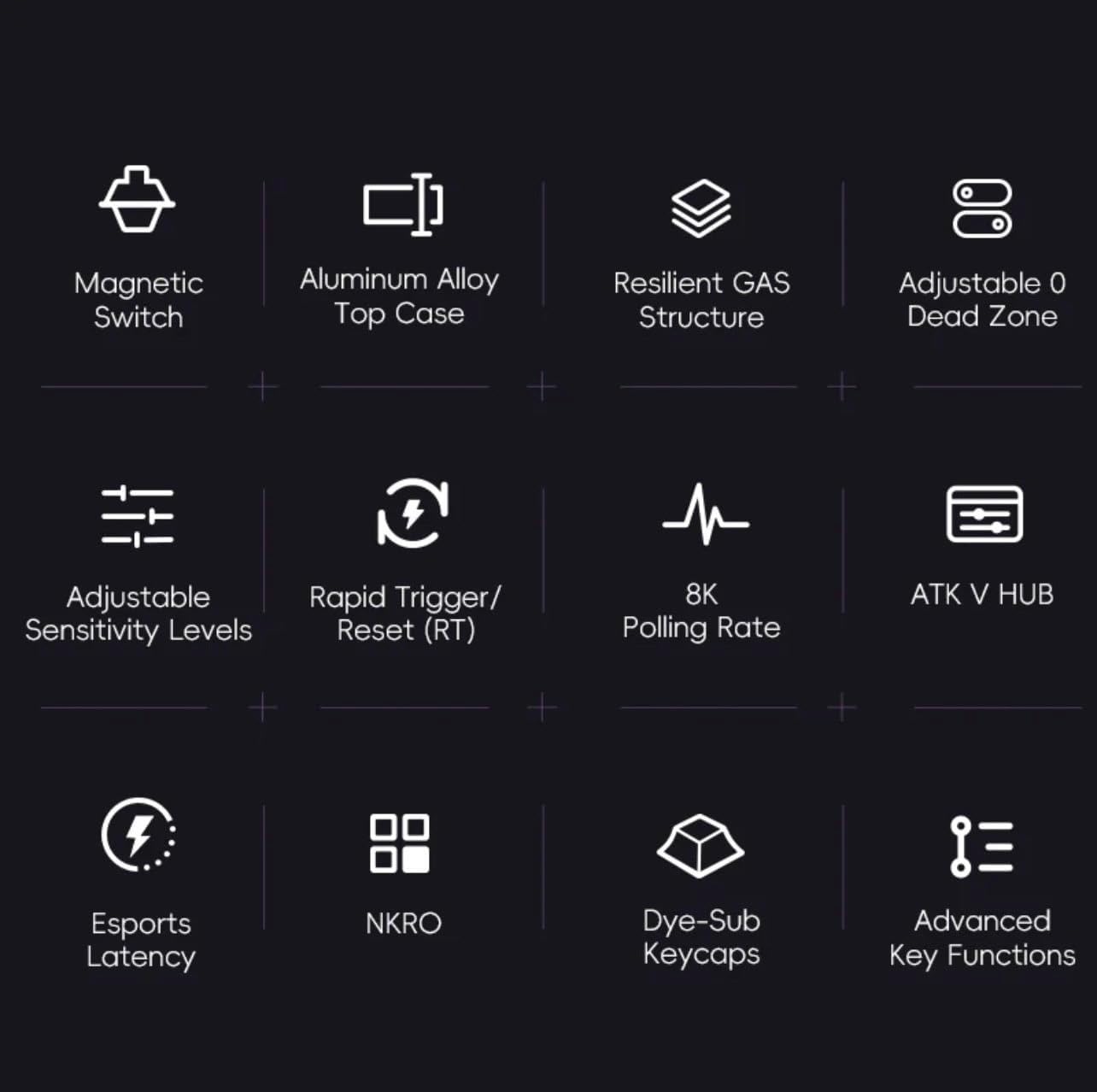
Slika 1: Gotovoview of ATK RS7 Pro's advanced features.
Sadržaj paketa
Molimo provjerite paket za sljedeće stavke:
- ATK RS7 Pro RGB eSports Edition Hall Effect Keyboard
- USB Cable (USB-A connection)
- Korisnički priručnik (ovaj dokument)
Postavljanje
- Spojite tipkovnicu: Locate an available USB-A port on your computer. Insert the USB-A end of the provided cable into your computer's USB port and the other end into the keyboard's USB port.
- Instalacija upravljačkog programa: The keyboard is typically plug-and-play. Your operating system should automatically detect and install the necessary drivers.
- Instalacija softvera (izborno): For advanced customization, such as adjusting actuation points, rapid trigger settings, RGB lighting, and macros, download and install the ATK V HUB software from the official VGN webmjesto.

Figure 2: ATK RS7 Pro Keyboard connected via USB-A.
Upute za rad
Osnovna upotreba
The ATK RS7 Pro functions as a standard QWERTY keyboard for typing and general computer use. All keys are fully functional upon connection.
Napredne značajke i prilagodba
The ATK RS7 Pro offers several advanced features for enhanced performance, particularly in gaming. These features are primarily configured via the ATK V HUB software.
- Podešavanje točke aktiviranja: Customize the distance a key needs to travel before registering a press. This can be set individually for each key.
- Brzi okidač (RT): This feature allows a key to re-actuate immediately upon reset, without needing to return to its full resting position. This is highly beneficial for rapid inputs in games. Configure the activation and deactivation points within the software.
- 0 Dead Zone: Ensure that there is no unresponsive travel distance at the beginning or end of a key press, providing maximum responsiveness.
- Stopa glasanja: The keyboard operates at an 8000Hz polling rate by default, providing 0.3ms latency. This setting is fixed for optimal performance.
- RGB osvjetljenje: Customize lighting effects, colors, and brightness through the ATK V HUB software.
- Macros and Key Remapping: Assign complex sequences of commands to a single key or remap keys to different functions using the software.

Figure 3: The ATK RS7 Pro features ultra-low 0.3ms latency with an 8000Hz polling rate.
Održavanje
- Čišćenje: Use a soft, dry cloth to wipe down the keyboard surface. For deeper cleaning, use compressed air to remove dust and debris from between keycaps. Avoid using harsh chemicals or abrasive materials.
- Uklanjanje tipkovnice: If necessary, keycaps can be carefully removed using a keycap puller (not included) for thorough cleaning. Reinstall them by aligning and gently pressing down until they click into place.
- Skladištenje: Kada se ne koristi, tipkovnicu čuvajte na čistom i suhom mjestu, dalje od izravne sunčeve svjetlosti i ekstremnih temperatura.

Figure 4: Internal components of the ATK RS7 Pro, illustrating its layered construction for durability and sound.
Rješavanje problema
| Problem | Mogući uzrok | Otopina |
|---|---|---|
| Tipkovnica ne reagira | Labava USB veza, neispravan USB priključak, problem s upravljačkim programom. | Provjerite je li USB kabel sigurno spojen. Pokušajte s drugim USB priključkom. Ponovno pokrenite računalo. Provjerite Upravitelj uređaja ima li problema s upravljačkim programima. |
| Ključevi se ne registriraju ispravno | Dust/debris under keycap, software settings, switch malfunction. | Clean under the keycap with compressed air. Check ATK V HUB software for actuation point settings. If issue persists, contact support. |
| RGB rasvjeta ne radi | Postavke softvera, problem s napajanjem. | Ensure ATK V HUB software is running and lighting is enabled. Check USB connection for sufficient power delivery. |
| Software (ATK V HUB) not detecting keyboard | Software not updated, driver conflict, background processes. | Ensure you have the latest version of ATK V HUB. Reinstall keyboard drivers. Close other background applications that might interfere. |
Tehnički podaci
| Značajka | Detalj |
|---|---|
| Marka | VGN |
| Broj modela | ATK RS7 PRO |
| Opis tipkovnice | Tipkovnica za igre |
| Preporučena uporaba | Igre |
| Tehnologija povezivanja | USB-A |
| Kompatibilni uređaji | Osobno računalo |
| Posebna značajka | Pozadinsko osvjetljenje |
| Uključene komponente | USB kabel |
| Tip prekidača | Tactile (Gateron Magnetic Jade) |
| Raspored tipkovnice | QWERTY (75% layout) |
| Orijentacija ruke | Dvoličan |
| Polling Rate | 8000 Hz |
| Latencija | 0.3 ms |
| Mrtva zona | Adjustable 0 Dead Zone |
Jamstvo i podrška
The ATK RS7 Pro RGB eSports Edition Hall Effect Keyboard comes with a standard manufacturer's warranty. Please refer to the warranty card included in your package or visit the official VGN webstranicu za detaljne uvjete jamstva.
For technical support, troubleshooting assistance, or inquiries regarding your product, please contact VGN customer service through their official website or the contact information provided with your purchase. Ensure you have your product model number (ATK RS7 PRO) and purchase details ready when contacting support.
Ask a question about this manual
Ask about setup, troubleshooting, compatibility, parts, safety, or missing instructions. Manuals+ will review the question and use this page’s manual context to help answer it.