
Uvod
Hvala na kupnjiasing the KTC H27S17 27-inch WQHD 180Hz Curved Gaming Monitor. This manual provides essential information for the safe and efficient use of your new monitor. Please read it thoroughly before use and retain it for future reference.
Proizvod gotovview Video
Video: Službeni video prikaz proizvodaasing the key features and design of the KTC H27S17 27-inch Curved Gaming Monitor.
Sadržaj paketa
Provjerite jesu li sve dolje navedene stavke uključene u vaš paket:
- Kabel za napajanje
- DisplayPort kabel
- Adapter napajanja
- Postolje za monitor
- Postolje za postolje
- CD s upravljačkim programima (ili link za preuzimanje)
- Montažni vijci
- Instruction Manual (Japanese version)
- Kratki vodič za početak
- Jamstveni list
Upute za postavljanje
1. Sastavljanje stalka
Attach the stand base to the monitor stand using the provided screws. Then, securely attach the assembled stand to the back of the monitor.
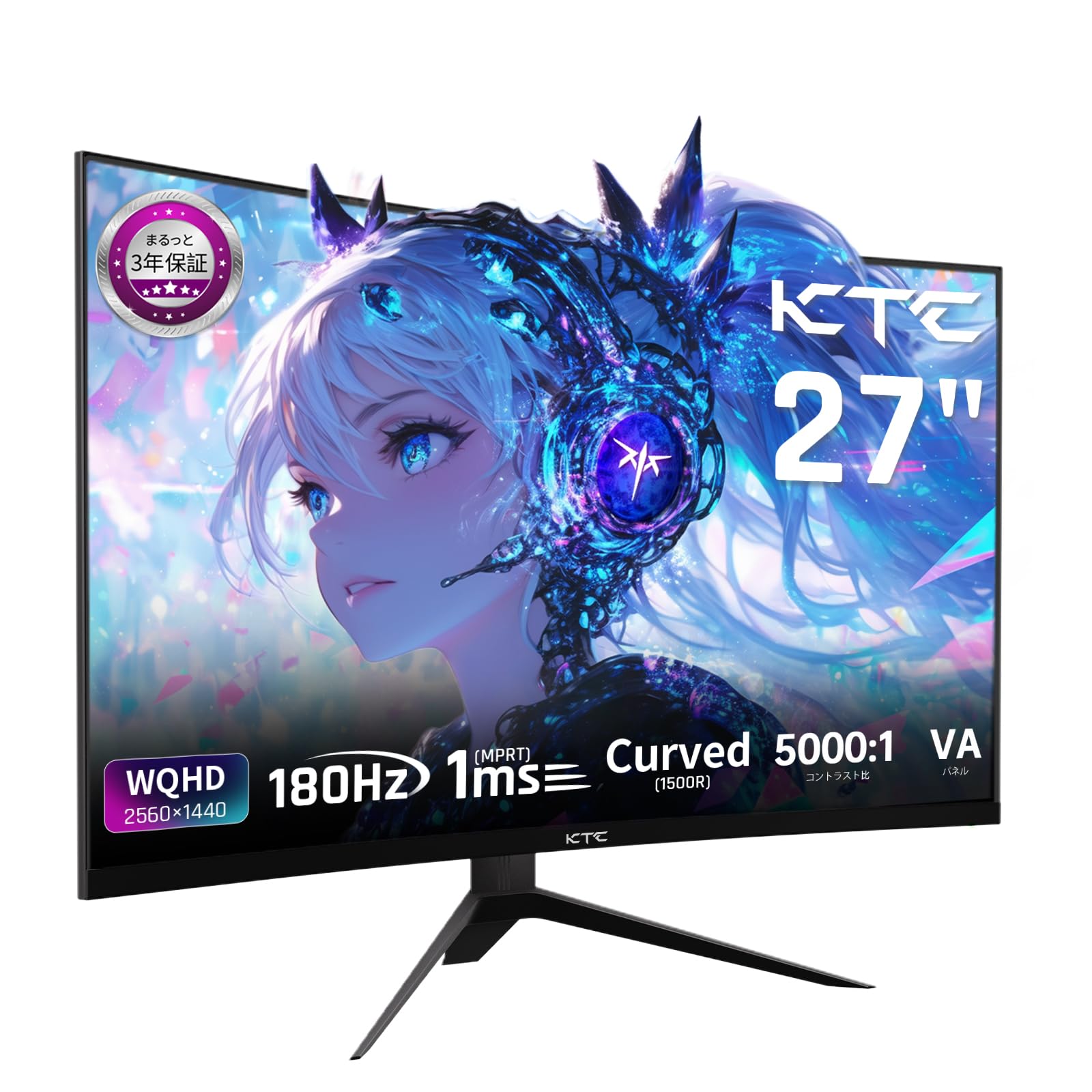
Image: The KTC H27S17 monitor fully assembled with its stand, viewed s prednje strane.
2. Spajanje na izvor napajanja
Connect the power adapter to the monitor's DC input port, then plug the power cable into a wall outlet.
3. Povezivanje s uređajem
Use the appropriate cable (DisplayPort or HDMI) to connect your computer or gaming console to the monitor. Ensure the cable is securely connected to both the monitor and your device.

Slika: Stražnja strana view of the monitor showing the various input ports including DC, USB, HDMI, DisplayPort, and headphone jack.
4. VESA montaža (opcionalno)
The monitor supports VESA 100mm x 100mm mounting. If using a VESA mount, remove the stand and attach the monitor to your VESA-compatible arm or wall mount using appropriate screws.
Image: Diagram illustrating the VESA 100x100mm mounting pattern and tilt adjustment range on the back of the monitor.
Upute za rad
Uključivanje/isključivanje
Press the power button, usually located on the back or bottom of the monitor, to turn it on or off. The power indicator light will illuminate when the monitor is on.
Izbornik s prikazom na zaslonu (OSD).
Use the joystick or buttons on the monitor to navigate the OSD menu. This menu allows you to adjust various display settings such as brightness, contrast, color temperature, input source, and gaming features.
Odabir izvora unosa
If multiple devices are connected, use the OSD menu to select the desired input source (HDMI 1, HDMI 2, DisplayPort 1, DisplayPort 2).
Značajke zaslona
Curved Display (1500R)
Zakrivljenost od 1500R pruža impresivan doživljaj. viewing experience, reducing eye strain during extended use by matching the natural curve of the human eye.

Image: A curved monitor displaying a vibrant image, highlighting the 1500R curvature for an immersive experience.
WQHD Resolution (2560x1440)
Experience detailed visuals with WQHD (2560x1440) resolution, offering approximately 1.7 times the pixel density of Full HD displays.

Image: A monitor displaying a high-resolution image, emphasizing the clarity of WQHD (2560x1440) compared to lower resolutions.
High Refresh Rate (180Hz) and Fast Response Time (1ms MPRT)
The 180Hz refresh rate and 1ms (MPRT) response time ensure smooth, blur-free visuals, crucial for fast-paced gaming and action scenes.

Image: A split screen comparison on the monitor, demonstrating the difference between 180Hz/1ms and 60Hz/5ms, highlighting reduced motion blur.
Vibrant Color Reproduction and HDR10
With sRGB 132%, DCI-P3 104%, Adobe RGB 112% color volume, and HDR10 support, the monitor delivers accurate and vivid colors with enhanced contrast between bright and dark areas.

Image: A monitor displaying a colorful scene, illustrating the wide color gamut and high contrast ratio (5000:1).
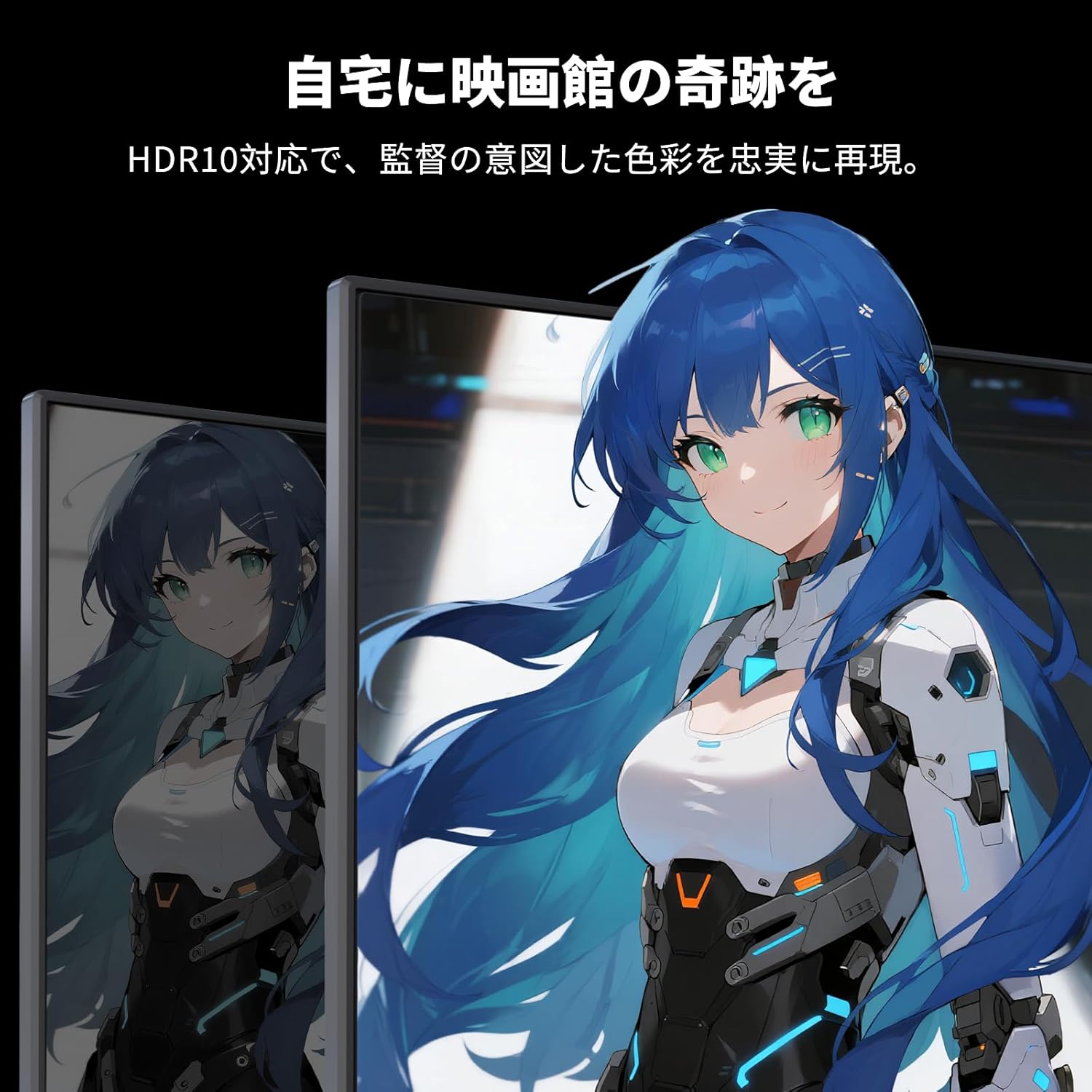
Image: A monitor showing a scene with HDR10 enabled, demonstrating improved dynamic range and detail in both bright and dark areas.
Tehnologija prilagodljive sinkronizacije
Adaptive Sync (FreeSync and G-Sync compatible) eliminates screen tearing and stuttering, providing a fluid gaming experience.

Image: A split screen comparison on the monitor, showing the difference between Adaptive Sync OFF (screen tearing) and ON (smooth image).
Značajke za njegu očiju
The monitor includes Flicker-Free technology and a Low Blue Light mode to reduce eye strain during prolonged use.

Image: Illustrations demonstrating Flicker-Free technology and Low Blue Light mode, designed to reduce eye fatigue.
Povezivost
The KTC H27S17 monitor offers multiple connectivity options:
- 2x HDMI 2.0: Supports WQHD (2560x1440) at 144Hz.
- 2 x DisplayPort 1.4: Supports WQHD (2560x1440) at 180Hz.
- 1 x USB 2.0: For firmware upgrades only.
- 1 x 3.5mm Headphone Jack: Za audio izlaz.
- 1 x DC Input: Za priključak napajanja.
Slika: Detaljna view of the monitor's rear panel, highlighting the DC input, USB port, HDMI ports, DisplayPort inputs, and headphone jack.
Physical Adjustments
Podešavanje nagiba
The monitor stand allows for tilt adjustment from -5 to 15 degrees, enabling you to find an optimal viewkut za udobnost.
Image: Diagram illustrating the tilt adjustment range of the monitor stand.
VESA kompatibilnost
The monitor is compatible with VESA 100mm x 100mm mounting standards, allowing for flexible installation with monitor arms or wall mounts.
Održavanje
Čišćenje zaslona
Nježno obrišite zaslon mekom krpom koja ne ostavlja dlačice. Za tvrdokorne mrlje laganoampOperite krpu vodom ili otopinom za čišćenje zaslona. Izbjegavajte korištenje jakih kemikalija ili abrazivnih materijala.
Cleaning the Monitor Body
Wipe the monitor body with a soft, dry cloth. Do not use liquid cleaners directly on the monitor.
Skladištenje
Kada se monitor ne koristi dulje vrijeme, čuvajte ga na hladnom i suhom mjestu, dalje od izravne sunčeve svjetlosti i ekstremnih temperatura.
Rješavanje problema
Ako imate problema s monitorom, pogledajte sljedeća uobičajena rješenja:
- Bez napajanja: Ensure the power cable and adapter are securely connected and the power outlet is functional.
- Nema signala: Verify that the input cable (HDMI/DisplayPort) is correctly connected to both the monitor and the source device. Select the correct input source via the OSD menu.
- Treperenje/iskrivljena slika: Check cable connections. Ensure your graphics card drivers are up to date. Try adjusting the refresh rate in your device's display settings.
- Mrtvi pikseli: While rare, a small number of dead pixels may be within manufacturing tolerances. Refer to the warranty policy for details.
- Audio Issues (Headphone Jack): Ensure headphones are fully plugged in. Check audio settings on your connected device.
For further assistance, please contact KTC customer support.
Tehnički podaci
| Značajka | Specifikacija |
|---|---|
| Marka | KTC |
| Model | H27S17 |
| Veličina zaslona | 27 inča |
| Rezolucija | WQHD (2560 x 1440 piksela) |
| Omjer slike | 16:9 |
| Zakrivljenost | 1500R |
| Vrsta ploče | VA |
| Brzina osvježavanja | 180 Hz |
| Vrijeme odziva | 1 ms (MPRT) |
| Omjer kontrasta | 5000:1 |
| Svjetlina | 300 cd/m² |
| Raspon boja | sRGB 132% / DCI-P3 104% / Adobe RGB 112% |
| HDR podrška | HDR10 |
| Adaptivna sinkronizacija | FreeSync, G-Sync Compatible |
| Povezivost | 2x HDMI 2.0, 2x DisplayPort 1.4, 1x USB 2.0 (Upgrade only), 1x Headphone Jack |
| VESA nosač | 100 mm x 100 mm |
| Podešavanje nagiba | -5 do 15 stupnjeva |
| Značajke za njegu očiju | Bez treperenja, nisko plavo svjetlo |
Jamstvo i podrška
KTC provides a 3-year warranty and a 12-month exchange service for this product. For any questions or issues, please contact customer support.
- Telefon: 050-3606-8990
- Email: support@ktcplay.com

Image: Information regarding KTC's 3-year warranty and contact details for customer support.
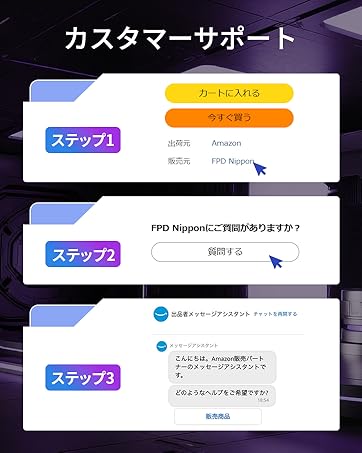
Image: Step-by-step guide on how to contact customer support via Amazon.