
1. Uvod
Thank you for choosing the ErGear EGESD8 Electric Standing Desk. This manual provides essential information for the safe and efficient assembly, operation, and maintenance of your new desk. Please read these instructions carefully before use and retain them for future reference. This electric standing desk is designed to offer ergonomic flexibility, allowing you to easily switch between sitting and standing positions, promoting a healthier work environment.

The ErGear Electric Standing Desk, showcasing its sleek design and spacious desktop in a contemporary workspace.
2. Sigurnosne upute
Za siguran rad i sprječavanje oštećenja, molimo vas da se pridržavate sljedećeg:
- Prije rada sa stolom provjerite jesu li svi priključci sigurni.
- Držite djecu i kućne ljubimce podalje od stola tijekom rada.
- Do not place hands or other body parts near moving parts to avoid injury.
- Ne preopterećujte stol. Maksimalna nosivost je 80 kg.
- Izbjegavajte stavljanje tekućina izravno na upravljačku ploču ili u blizinu električnih komponenti.
- If the desk makes unusual noises or movements, discontinue use and consult the troubleshooting section or contact support.
- Koristite samo priloženi adapter za napajanje i kabele.

This image highlights the robust construction of the ErGear Electric Standing Desk, capable of supporting up to 80 kg, ensuring stability even under significant load.
3. Sadržaj paketa
Molimo provjerite jesu li sve komponente prisutne i neoštećene:
- Desktop Panels (assembled)
- Noge za stol (2)
- Štitnici za stopala (2)
- Bočni nosači (2)
- prečka
- Šipka za prijenos
- Upravljačka ploča
- Strujni adapter i kabel
- Cable Grommets (2)
- Kuke za slušalice (2)
- Pribor za montažu (vijci, imbus ključ)
- korisnički priručnik
4. Upute za sastavljanje
Follow these steps to assemble your ErGear Electric Standing Desk. It is recommended to have two people for assembly.
Official assembly video for the ErGear Electric Standing Desk, demonstrating step-by-step installation.
Korak 1: Sastavite okvir
- Attach the side brackets to the desk legs using the provided screws and Allen wrench.
- Secure the foot pads to the bottom of each leg.
- Connect the two leg assemblies with the crossbar, ensuring all screws are tightened.
Step 2: Fix the Transmission Rod
- Insert the transmission rod into the designated openings on both desk legs.
- Ensure the rod is properly seated and secured with the retaining clips or screws.
Step 3: Assemble the Desktop Panel
- Lay the desktop panels face down on a soft, clean surface.
- Align the panels and secure them together using the provided connectors and screws.
Step 4: Attach the Frame to the Desktop
- Carefully place the assembled desk frame onto the underside of the desktop.
- Align the pre-drilled holes and secure the frame to the desktop using the appropriate screws.
- Attach the control panel to the underside of the desktop in a convenient location using the provided screws.
- Install the headphone hooks to the underside of the desktop as desired.
Korak 5: Spojite kabele
- Connect the motor cables from the legs to the control box.
- Connect the control panel cable to the control box.
- Spojite adapter za napajanje na upravljačku kutiju, a zatim na utičnicu.
Step 6: Fix the Cable Grommets
- Insert the cable grommets into the pre-cut holes on the desktop to manage cables.
5. Upute za rad
Your ErGear Electric Standing Desk features an intuitive control panel for easy height adjustment.
Kratka video prezentacijaasing key features of the ErGear Electric Standing Desk, including height adjustment and stability.
Upravljačka ploča gotovaview

The desk's intelligent control panel features an LED display showing current height in centimeters, along with up/down arrows and four memory preset buttons for quick adjustments.
- Up/Down Arrows (▲ / ▼): Press and hold to adjust the desk height manually.
- LED zaslon: Shows the current height of the desk in centimeters.
- Memory Presets (1, 2, 3, 4): Store and recall preferred height settings.
Podešavanje visine
The desk can be adjusted between 72 cm i 118 cm.
- Ručno podešavanje: Press and hold the up (▲) or down (▼) arrow button until the desk reaches your desired height.
- Using Memory Presets: Press the corresponding memory button (1, 2, 3, or 4) to automatically move the desk to the saved height.
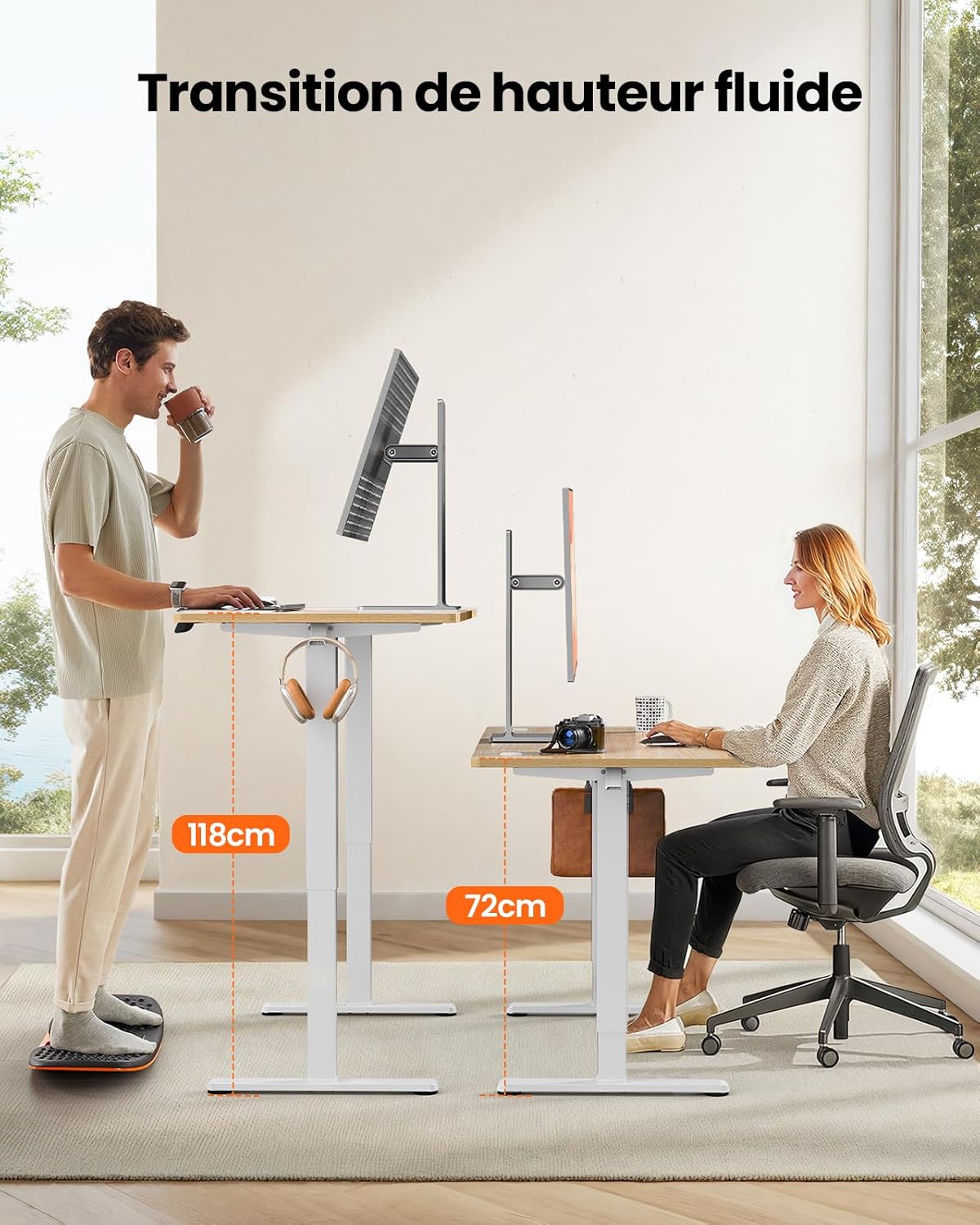
This image demonstrates the adjustable height range of the ErGear Electric Standing Desk, showing a user sitting at 72cm and standing at 118cm, emphasizing ergonomic flexibility.
Setting Memory Presets
- Podesite stol na željenu visinu pomoću strelica gore/dolje.
- Press the 'M' button (if available, or a 'Set' button) followed by the desired memory button (1, 2, 3, or 4). The display will typically flash or beep to confirm the setting is saved.
Tihi rad
The desk operates with a quiet motor, producing a noise level of ≤ 55 dB, ensuring a peaceful work environment.

Illustrates the ultra-quiet operation of the ErGear Electric Standing Desk, with a noise level of 55dB, ensuring a peaceful and undisturbed work environment.
6. Održavanje
Regular maintenance helps prolong the life of your desk:
- Čišćenje: Wipe the desk surface and legs with a soft, damp krpom. Izbjegavajte jake kemikalije ili abrazivna sredstva za čišćenje.
- Upravljanje kabelima: Periodically check that all cables are neatly organized and not pinched or tangled. Utilize the integrated cable grommets and hooks.
- Screw Tightness: Occasionally check and tighten any loose screws on the frame or desktop connections.
- Inspekcija: Inspect the desk for any signs of wear or damage. If any issues are found, contact customer support.

Detalj view of the desk's integrated cable grommets and convenient hooks, designed to help maintain a tidy and organized workspace by managing cables and accessories.
7. Rješavanje problema
If you encounter any issues with your desk, please refer to the following common problems and solutions:
| Problem | Mogući uzrok | Otopina |
|---|---|---|
| Radni stol se ne pomiče. | Kabel za napajanje isključen, kabel motora labav, preopterećenje. | Provjerite sve priključke za napajanje i motor. Smanjite težinu na stolu. |
| Stol se neravnomjerno pomiče. | Uneven load, loose screws, obstruction. | Distribute weight evenly. Check and tighten all assembly screws. Ensure no obstructions. |
| Stol se zaustavlja tijekom podešavanja. | Overload protection activated, obstruction. | Remove some weight. Check for obstructions. Wait a few minutes before trying again. |
| Upravljačka ploča ne reagira. | Control panel cable loose, power issue. | Check control panel cable connection. Verify power supply. |
If the problem persists after trying these solutions, please contact ErGear customer support.
8. Specifikacije
| Značajka | Detalj |
|---|---|
| Marka | ErGear |
| Broj modela | EGESD8 |
| Boja | Beige and Natural |
| Dimenzije radne površine (D x Š) | 120 cm x 60 cm |
| Raspon podešavanja visine | 72 cm - 118 cm |
| Materijal | Wood (Desktop), Metal (Base) |
| Kapacitet težine | 80 kg |
| Razina buke motora | ≤ 55 dB |
| Posebne značajke | Ergonomic, Electric, 4 Memory Presets, Cable Grommets, Headphone Hooks |
| Težina proizvoda | 19.05 kg |

A clear diagram illustrating the overall dimensions of the ErGear Electric Standing Desk, including its 120cm x 60cm desktop and adjustable height range of 72cm to 118cm.
9. Jamstvo i podrška
ErGear products are designed for durability and performance. This product comes with a standard manufacturer's warranty. For specific warranty details, please refer to the warranty card included in your package or visit the official ErGear webmjesto.
If you have any questions, require technical assistance, or need to report a missing or damaged part, please contact ErGear customer support through the retailer where you purchased the product or via the contact information provided on the official ErGear webmjesto.
Please have your model number (EGESD8) and purchase information ready when contacting support.