
Uvod
Thank you for choosing the Doubc Q13 Wireless Bluetooth 5.3 Earbuds. These earbuds are designed to provide a high-quality audio experience with advanced features such as HiFi stereo sound, ENC noise-cancelling microphones, and IPX7 waterproofing. This manual will guide you through the setup, operation, and maintenance of your new earbuds.

Image: The Doubc Q13 Wireless Bluetooth 5.3 Earbuds in their open charging case, displaying the digital battery indicator.
Sadržaj paketa
Molimo provjerite paket za sljedeće stavke:
- Doubc Q13 Wireless Earbuds (Left and Right)
- Kutija za punjenje
- USB kabel za punjenje tipa C
- korisnički priručnik
- Nastavci za uši (različite veličine, obično S/M/L)
Postavljanje
1. Početno punjenje
Before first use, fully charge the earbuds and the charging case. Connect the provided USB Type-C cable to the charging port on the case and a power source. The LED display on the charging case will show the battery percentage. Potpuno punjenje traje otprilike 1.5 sata.
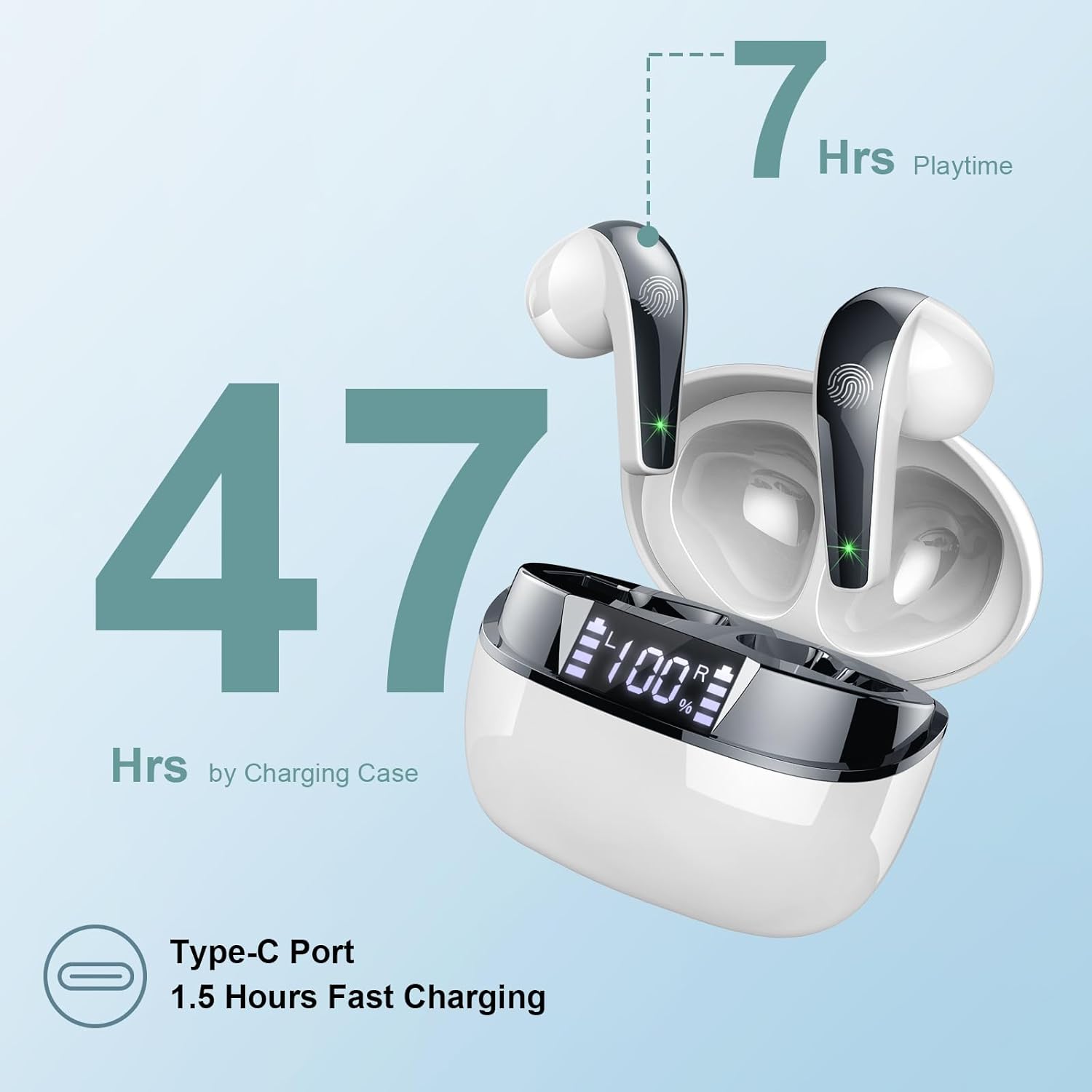
Image: The charging case highlighting 47 hours of total playtime and the Type-C charging port.

Image: A visual representation of the earbuds and charging case, emphasizing 7 hours of music time per charge and 47 hours total with the charging case, along with the dual LED digital display.
2. Uparivanje s uređajem
- Provjerite jesu li slušalice napunjene.
- Otvorite kutijicu za punjenje. Slušalice će automatski ući u način uparivanja.
- Na svom uređaju (pametnom telefonu, tabletu, računalu) idite na postavke Bluetootha.
- Tražiti available devices and select "Q13" from the list.
- Nakon povezivanja, čut ćete zvučni signal potvrde i slušalice će biti spremne za upotrebu.
The Doubc Q13 earbuds feature one-step pairing and wide compatibility with iOS, Android, and Windows devices.

Image: The earbuds in their charging case next to a smartphone displaying Bluetooth settings, showing "Q13" as a discoverable device, illustrating the one-step pairing process.
Upute za rad
Kontrole na dodir
The Doubc Q13 earbuds feature smart touch controls for easy management of music and calls. The touch sensitive area is located on the outer surface of each earbud.

Image: A user wearing an earbud, with icons indicating various touch control functions such as volume adjustment, call management, music playback, and voice assistant activation.
| Akcijski | Funkcija |
|---|---|
| Jedan dodir (L/R) | Reprodukcija/Pauziranje glazbe, Odgovor/Završetak poziva |
| Dvaput dodirnite (desno) | Sljedeća pjesma |
| Dvaput dodirnite (lijevo) | Prethodna pjesma |
| Trostruki dodir (desno) | Povećaj glasnoću |
| Trostruki dodir (lijevo) | Stišaj zvuk |
| Dugi pritisak (2 s) (L/D) | Odbij poziv, aktiviraj glasovnog asistenta |
Uključivanje/isključivanje
- Uključivanje: Open the charging case, and the earbuds will automatically power on. Alternatively, long-press the touch area on both earbuds for 3 seconds.
- Isključivanje: Place the earbuds back into the charging case and close the lid. They will automatically power off and begin charging. Alternatively, long-press the touch area on both earbuds for 5 seconds.
Održavanje
Čišćenje
To ensure optimal performance and charging, regularly clean the charging contacts on both the earbuds and the charging case. Use a cotton swab lightly dampened with alcohol to gently wipe the contacts.

Image: A diagram illustrating the location of charging contacts on the earbuds and inside the charging case, with instructions to clean them if charging issues occur.
Vodootpornost
The earbuds are IPX7 waterproof, meaning they can withstand immersion in water up to 1 meter for 30 minutes. This makes them suitable for workouts and light rain. However, the charging case is not waterproof. Do not expose the charging case to water.

Image: Two earbuds covered in water droplets, visually representing their IPX7 waterproof capability.
Skladištenje
Slušalice spremite u kutijicu za punjenje kada ih ne koristite kako biste ih zaštitili i održali napunjenima. Izbjegavajte ekstremne temperature i izravnu sunčevu svjetlost.
Rješavanje problema
Slušalice se ne pune
- Provjerite je li kabel za punjenje sigurno spojen i na kućište i na izvor napajanja.
- Verify that the charging contacts on both the earbuds and the case are clean and free of debris. Use alcohol to clean them if necessary.
- Check if the charging case itself has sufficient battery charge.
Only One Earbud Has Sound
- Vratite obje slušalice u kutijicu za punjenje i zatvorite poklopac.
- On your phone's Bluetooth settings, manually "forget" or "unpair" the "Q13" device.
- After approximately 10 seconds, open the charging case. The earbuds should automatically re-enter pairing mode.
- Reconnect the earbuds with your phone via Bluetooth.
Image: A diagram illustrating solutions for common issues: cleaning charging contacts for charging problems and re-pairing steps for when only one earbud produces sound.
Slušalice se ne povezuju
- Provjerite je li Bluetooth omogućen na vašem uređaju.
- Make sure the earbuds are within the effective range (typically 10 meters) of your device.
- Isključite, a zatim uključite Bluetooth na uređaju.
- Repeat the pairing process as described in the "Setup" section.
Tehnički podaci
| Značajka | Detalj |
|---|---|
| Broj modela | P13 |
| Bluetooth verzija | 5.3 |
| Audio upravljački program | 13mm Graphene Audio Driver |
| Frekvencijski raspon | 20 Hz - 20,000 Hz |
| Vrijeme reprodukcije (slušalice) | Do 7 sati (jedno punjenje) |
| Ukupno vrijeme reprodukcije (s kutijom) | Do 47 sati |
| Priključak za punjenje | USB Type-C |
| Vrijeme punjenja | Otprilike 1.5 sati (kutija) |
| Ocjena vodootpornosti | IPX7 (samo slušalice) |
| Mikrofoni | 4 ENC Noise Cancelling Microphones |
| Težina slušalice | Otprilike 3 g (svaki) |
| Težina kutije za punjenje | cca. 29g |
| Dimenzije proizvoda | 2.13 x 1.81 x 1.34 inča (kućište za punjenje) |

Slika: Detaljna view of the 13mm Graphene Audio Driver, emphasizing HiFi Stereo Sound and built-in microphones with noise reduction for HD calling.

Image: A diagram illustrating the benefits of Advanced Bluetooth 5.3 technology, including faster transfer, lower power consumption, more stable connection, and lower latency.

Image: A visual showing the comfortable and lightweight design of the earbuds and charging case, including their dimensions and individual weights (3g per earbud, 29g for the case).
Jamstvo i podrška
The Doubc Q13 Wireless Bluetooth 5.3 Earbuds come with a Jamstvo 3 godine, osiguravajući bezbrižnost u pogledu kvalitete i performansi proizvoda.
For technical support, warranty claims, or any inquiries, please refer to the contact information provided on the product packaging or the official Doubc website. Specific support contact details are not available in this manual.
Važne sigurnosne informacije
- Nemojte rastavljati niti modificirati proizvod.
- Držati dalje od ekstremnih temperatura i izravne sunčeve svjetlosti.
- Izbjegavajte izlaganje kućišta za punjenje vodi.
- Koristite samo priloženi kabel za punjenje ili njegov certificirani ekvivalent.
- Odložite proizvod odgovorno u skladu s lokalnim propisima.