
Uvod
This manual provides essential information for the proper setup, operation, and maintenance of your ONN 24-inch FHD Gaming Monitor, model 100027813. Please read this manual thoroughly before using the product to ensure optimal performance and safety. This monitor is designed to deliver a high-quality gaming experience with its 1080p resolution, 165Hz refresh rate, 1ms response time, and FreeSync technology.
Sigurnosne informacije
Always observe the following safety precautions to prevent damage to the monitor and ensure user safety:
- Ne izlažite monitor kiši ili vlazi kako biste izbjegli opasnost od požara ili strujnog udara.
- Ne otvarajte monitor casing. Unutra nema dijelova koje korisnik može sam servisirati. Za sve servisne radove obratite se kvalificiranom servisnom osoblju.
- Monitor postavite na stabilnu, ravnu površinu kako biste spriječili njegov pad.
- Osigurajte pravilnu ventilaciju oko monitora. Ne blokirajte ventilacijske otvore.
- Koristite samo adapter za napajanje koji dolazi s monitorom.
- Isključite monitor iz utičnice tijekom grmljavine ili kada se ne koristi dulje vrijeme.
Sadržaj paketa
Provjerite jesu li svi artikli prisutni u paketu:
- ONN 24-inch FHD Gaming Monitor
- Stalak za monitor (baza i vrat)
- Adapter napajanja
- DisplayPort Cable (6 ft)
- HDMI Cable (6 ft)
- Korisnički priručnik (ovaj dokument)

Image: Retail box of the ONN 24-inch Gaming Monitor, highlighting key features like 165Hz, 1ms response time, DisplayPort, HDMI, and Adaptive-Sync.
Postavljanje
1. Sastavljanje stalka
- Pažljivo izvadite komponente monitora i postolja iz pakiranja.
- Attach the stand neck to the stand base. Secure it with the provided screw, if applicable.
- Align the assembled stand with the mounting slot on the back of the monitor. Gently push until it clicks into place or secure with screws as per the design.
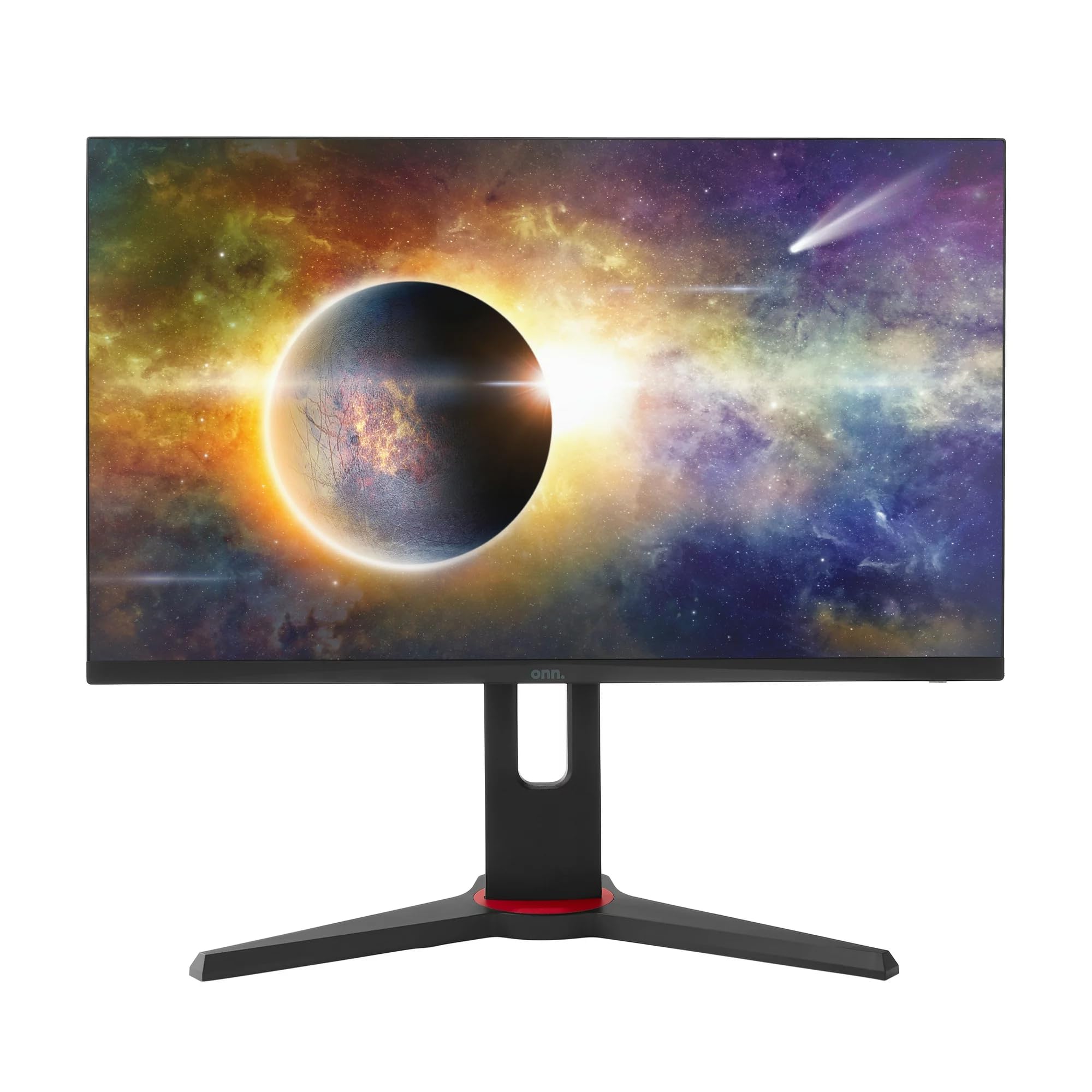
Slika: prednja strana view of the ONN 24-inch Gaming Monitor, fully assembled with its stand.

Slika: Stražnja strana view of the ONN 24-inch Gaming Monitor, illustrating the stand attachment and cable management area.
2. Kabeli za spajanje
Locate the input ports on the back of your monitor:
- Vlast: Spojite adapter za napajanje na ulaz za napajanje monitora, a zatim na utičnicu.
- Video ulaz: Connect one end of the provided DisplayPort or HDMI cable to the corresponding port on your computer's graphics card and the other end to the monitor. The monitor supports 2 HDMI inputs and 1 DisplayPort input.
- Audio izlaz (opcionalno): If your monitor has a 3.5mm audio jack, you can connect external speakers or headphones.

Slika: Krupni plan view of the monitor's rear ports, including HDMI 1, HDMI 2, DisplayPort (DP), and power input.
3. Početno uključivanje
- Provjerite jesu li svi kabeli dobro spojeni.
- Press the power button on the monitor (usually located on the back or bottom right).
- The monitor should display the ONN logo and then search for an input signal.
- If no image appears, ensure your computer is powered on and the correct input source is selected on the monitor (see Operating section).
Operativni
1. Uključivanje/isključivanje
Press the power button to turn the monitor on or off. The power indicator light will show the monitor's status (e.g., blue for on, amber for standby).
2. Navigacija izbornikom na zaslonu (OSD)
Your monitor features an OSD menu for adjusting various settings. Typically, buttons on the back or bottom of the monitor control the OSD:
- Gumb izbornika: Otvara OSD izbornik.
- Navigacijske tipke (gore/dolje/lijevo/desno): Koristi se za navigaciju kroz opcije izbornika.
- Gumb za odabir/unos: Potvrđuje odabir ili ulazi u podizbornik.
- Gumb za izlaz: Izlazi iz trenutnog izbornika ili OSD-a.
3. Podešavanje postavki
Key settings you can adjust via the OSD menu include:
- Svjetlina/kontrast: Prilagodite ukupnu svjetlinu i razliku između svijetlih i tamnih područja.
- Postavke boja: Promijenite temperaturu boje, gamu i pojedinačne RGB razine.
- Izvor ulaza: Manually select between HDMI 1, HDMI 2, or DisplayPort inputs.
- Stopa osvježavanja: Ensure your graphics card and monitor are set to 165Hz for the smoothest experience. This is usually configured in your operating system's display settings.
- Vrijeme odziva: Adjust the monitor's response time setting (e.g., 1ms) for reduced motion blur in fast-paced games.
- Tehnologija FreeSync: Enable FreeSync in the OSD menu and in your AMD graphics card settings to synchronize the monitor's refresh rate with your GPU's frame rate, eliminating screen tearing and stuttering.
- Načini slike: Select from preset modes optimized for different content (e.g., Standard, Game, Movie, Text).

Image: The ONN 24-inch Gaming Monitor displayed in a typical desk setup, connected to a laptop with gaming peripherals.
Održavanje
Čišćenje monitora
- Uvijek isključite monitor prije čišćenja.
- Lagano koristite meku krpu koja ne ostavlja dlačice dampvodom ili blagim, neabrazivnim sredstvom za čišćenje ekrana.
- Ne prskajte sredstvo za čišćenje izravno na ekran. Prvo ga nanesite na krpu.
- Izbjegavajte korištenje jakih kemikalija, abrazivnih spužvi ili otapala.
Skladištenje
Ako monitor skladištite dulje vrijeme, odspojite sve kabele, zapakirajte ga u originalnu ambalažu (ako je dostupna) i pohranite ga na hladnom i suhom mjestu, dalje od izravne sunčeve svjetlosti i ekstremnih temperatura.
Rješavanje problema
Ako naiđete na probleme s monitorom, pogledajte sljedeće uobičajene probleme i rješenja:
| Problem | Moguće rješenje |
|---|---|
| Nema slike na ekranu |
|
| Slika treperi ili je iskrivljena |
|
| Nema zvuka (ako se koriste zvučnici monitora/audio izlaz) |
|
| Monitor ne dostiže 165Hz |
|
Tehnički podaci
Detailed technical specifications for the ONN 24-inch FHD Gaming Monitor (Model 100027813):
| Značajka | Specifikacija |
|---|---|
| Broj modela | 100027813 |
| Veličina zaslona | 24 inča |
| Rezolucija | FHD 1080p (1920x1080) |
| Brzina osvježavanja | 165 Hz |
| Vrijeme odziva | 1 milisekundi |
| Tehnologija zaslona | IPS |
| Adaptivna sinkronizacija | FreeSync |
| Omjer slike | 16:9 |
| Omjer kontrasta | 2000:1 |
| Površina zaslona | Matte, Anti-glare with low blue light setting |
| Povezivost | 2 x HDMI, 1 x DisplayPort |
| Dimenzije proizvoda (D x Š x V) | 61.3 x 11.3 x 37.3 cm |
| Težina artikla | 6.1 kg |
| Boja | Crna |
| Vrsta montaže | Nosač za stol |
| Specifične namjene | Entertainment, Gaming |
Jamstvo
This ONN 24-inch FHD Gaming Monitor is a renewed product. Warranty terms and conditions for renewed products may vary. Please refer to the specific warranty information provided by the seller or retailer at the time of purchase. It is recommended to retain your proof of purchase for any warranty claims.
podrška
For technical assistance, troubleshooting beyond this manual, or warranty inquiries, please contact the retailer or the Amazon Renewed support channel where the product was purchased. Have your model number (100027813) and proof of purchase ready when contacting support.