
1. Uvod
The Auronic Electric Air Dehumidifier AU3270 is designed to effectively remove excess moisture from indoor environments, helping to prevent mold growth and maintain a healthy humidity level. This appliance is suitable for spaces up to 15 square meters and can extract up to 10 liters of moisture per day. This manual provides essential information for the safe and efficient use of your dehumidifier.

Image: The Auronic Electric Air Dehumidifier AU3270 positioned in a living room, illustrating its compact design and 10-liter daily capacity for optimal dehumidification.
2. Sigurnosne upute
Prije upotrebe uređaja pažljivo pročitajte sve sigurnosne upute kako biste spriječili ozljede ili oštećenja.
- Provjerite je li napajanje voltage odgovara naljepnici s oznakama na odvlaživaču zraka.
- Ne koristite odvlaživač zraka s oštećenim kabelom za napajanje ili utikačem.
- Uređaj držite dalje od izvora topline, izravne sunčeve svjetlosti i zapaljivih materijala.
- Ne blokirajte ulaz ili izlaz zraka. Održavajte najmanje 20 cm razmaka oko uređaja.
- Odvlaživač zraka uvijek postavite na stabilnu, ravnu površinu kako biste spriječili prolijevanje vode.
- Isključite uređaj iz struje prije čišćenja, održavanja ili kada ga ne koristite dulje vrijeme.
- Ne uranjajte uređaj, kabel za napajanje ili utikač u vodu ili druge tekućine.
- Ovaj uređaj nije namijenjen za korištenje od strane osoba (uključujući djecu) sa smanjenim fizičkim, osjetilnim ili mentalnim sposobnostima, ili nedostatkom iskustva i znanja, osim ako nisu pod nadzorom ili su dobili upute o korištenju uređaja od strane osobe odgovorne za njihovu sigurnost.
- Djecu treba nadzirati kako bi se osiguralo da se ne igraju s uređajem.
3. Postavljanje
3.1 Raspakiranje i sadržaj paketa
Carefully remove the dehumidifier from its packaging. Check that all components are present and undamaged. The package typically includes the dehumidifier unit, a drainage hose, and this user manual.

Image: Contents of the Auronic Dehumidifier package, displaying the main unit, continuous drainage hose, and user manual, along with key product dimensions.
3.2 Postavljanje
Place the dehumidifier on a firm, level surface in the desired location. Ensure there is at least 20 cm of free space around the air inlet and outlet for optimal airflow. The unit is effective for rooms up to 15 square meters. Avoid placing it in direct sunlight or near heat-emitting appliances.
3.3 Priključak za napajanje
Plug the power cord into a grounded electrical outlet. Ensure the outlet meets the power requirements specified on the appliance's rating label.
3.4 Mogućnosti odvodnje
Odvlaživač zraka nudi dva načina odvodnje:
- Spremnik za vodu: The unit collects condensed water in its internal 2-liter water tank. The appliance will automatically stop operating when the tank is full, and an indicator will illuminate.
- Kontinuirana drenaža: For uninterrupted operation, attach the included drainage hose to the continuous drainage port on the back of the unit. Route the hose to a suitable drain or larger container, ensuring it is sloped downwards to allow water to flow freely by gravity.
4. Upute za rad
4.1 Kontrolna ploča prekoview
The dehumidifier features an intuitive digital LED display and control buttons for easy operation.
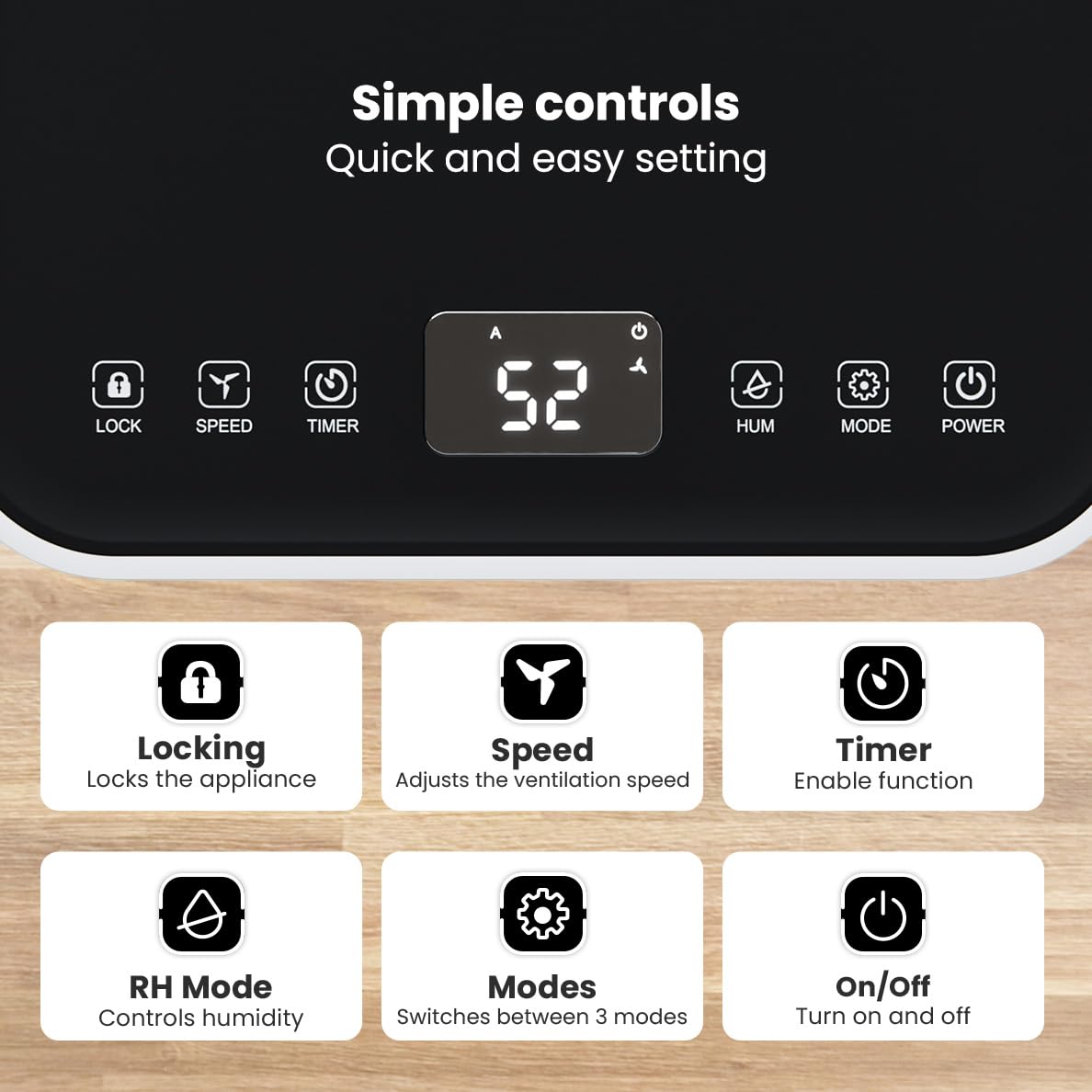
Slika: Detaljna view of the dehumidifier's control panel, highlighting each button's function for easy setting adjustments.
- Gumb za napajanje (⏻): Uključuje ili isključuje aparat.
- Gumb za način rada (⚙): Switches between the three operating modes: Automatic, Continuous, and Quiet.
- RH Mode Button (💧): Controls the desired relative humidity level. Press to set the target humidity.
- Gumb tajmera (⏱): Enables the timer function for scheduled operation.
- Gumb za brzinu (⇋): Adjusts the ventilation speed (fan speed).
- Gumb za zaključavanje (🔒): Zaključava upravljačku ploču kako bi se spriječile slučajne promjene.
4.2 načina rada
Pritisnite gumb Način rada za ciklički odabir dostupnih načina rada:
- Automatski način rada: The device automatically adjusts its operation based on the current room humidity to maintain a comfortable level.
- Kontinuirani način rada: Ideal for very damp environments like wet basements. The dehumidifier operates continuously regardless of the humidity level until the water tank is full or continuous drainage is active.
- Tihi način rada: Designed for night-time use or in areas where low noise is preferred. The dehumidifier operates at a reduced fan speed, ensuring a peaceful environment with a noise level below 36dB.

Image: A chart comparing the noise level of the Auronic Dehumidifier (42dB) to common sounds like breathing, whispering, and loud conversation, highlighting its quiet operation.
4.3 Humidity Sensor and Display
The integrated humidity sensor monitors the room's humidity level, which is displayed on the digital screen. The color of the display indicates the current humidity status:
- plavo: Humidity level is below 45%.
- zelena: Humidity level is between 45% and 64%.
- crveno: Humidity level is above 65%.
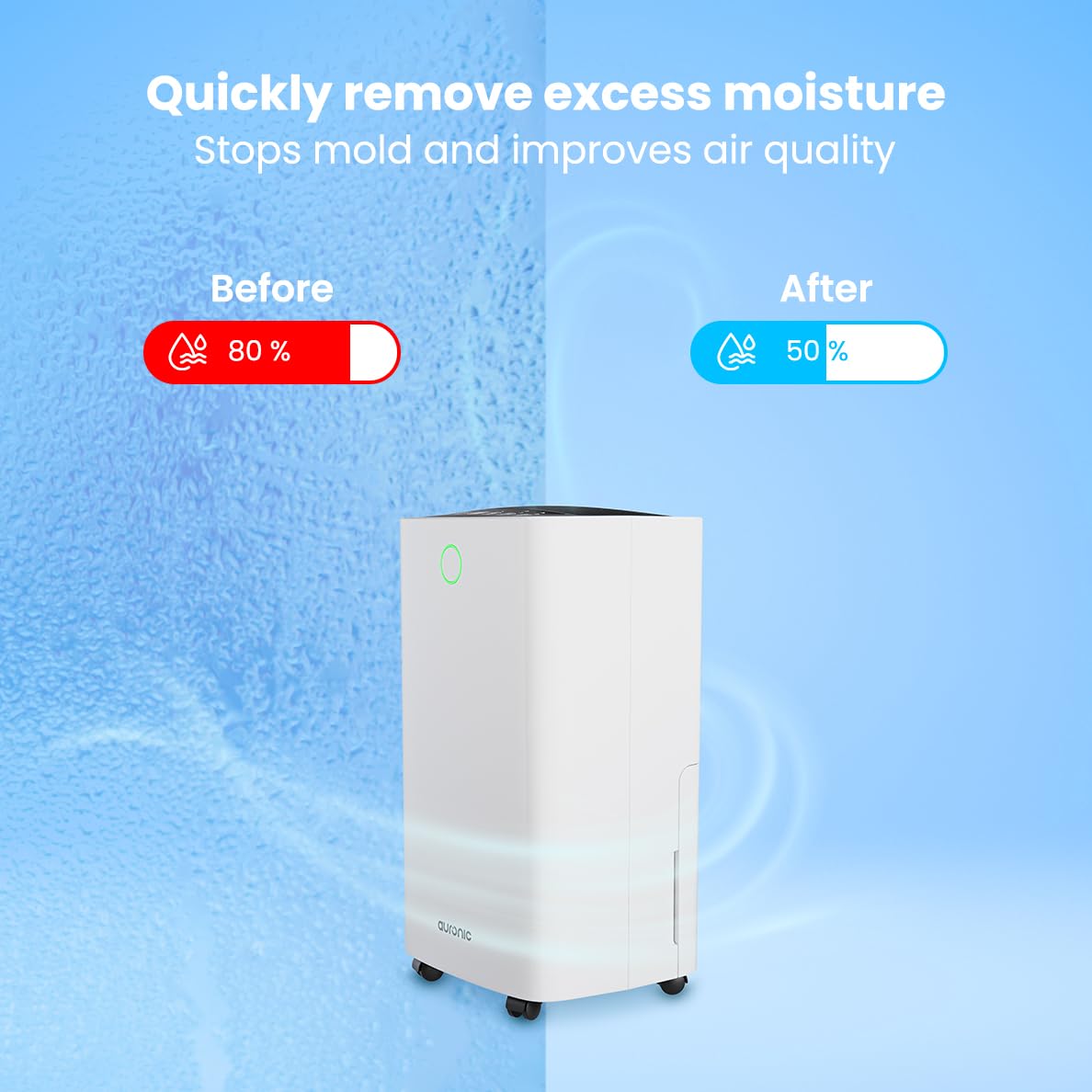
Image: A visual representation demonstrating the dehumidifier's effectiveness, showing a reduction in humidity from 80% to 50% in a room.
4.4 Laundry Drying Function
The Auronic dehumidifier includes a laundry drying function to assist in reducing the drying time of clothes, sheets, and towels. Place the appliance in your laundry room or near drying clothes to utilize this feature, which helps to remove moisture from the air and accelerate the drying process.

Image: The dehumidifier in a bathroom setting, demonstrating its ability to extract up to 10 liters of moisture and its suitability for rooms up to 15 square meters, alongside its intelligent humidity meter, wash-dry function, and silent operation.
5. Održavanje
Redovito održavanje osigurava dugotrajnost i učinkovit rad vašeg odvlaživača zraka.
5.1 Pražnjenje spremnika za vodu
When the water tank is full, the dehumidifier will stop operating, and an indicator light will turn on. Carefully pull out the water tank from the unit, empty the collected water, and then reinsert the tank firmly until it clicks into place. Ensure the tank is properly seated to resume operation.
5.2 Čišćenje zračnog filtera
The air filter should be cleaned regularly (e.g., every two weeks or as needed) to maintain optimal performance. A dirty filter can reduce efficiency and increase energy consumption.
- Isključite odvlaživač zraka iz električne utičnice.
- Pronađite i uklonite zračni filter (obično na stražnjoj ili bočnoj strani uređaja).
- Clean the filter using a vacuum cleaner to remove dust and debris. For heavily soiled filters, wash gently with lukewarm water and a mild detergent.
- Allow the filter to air dry completely before reinserting it into the dehumidifier.
5.3 Opće čišćenje i skladištenje
Obrišite vanjski dio odvlaživača mekom, damp cloth. Do not use abrasive cleaners or solvents. For long-term storage, ensure the water tank is empty and clean, the filter is clean and dry, and the unit is unplugged. Store the dehumidifier in a cool, dry place, preferably in its original packaging.
6. Rješavanje problema
Ako naiđete na probleme s odvlaživačem zraka, pogledajte sljedeće uobičajene probleme i rješenja:
| Problem | Mogući uzrok | Otopina |
|---|---|---|
| Odvlaživač zraka se ne uključuje. | Nema napajanja; Kabel za napajanje nije uključen; Gumb za napajanje nije pritisnut. | Check power connection; Ensure outlet is functional; Press the Power button. |
| Nema sakupljene vode ili je odvlaživanje nisko. | Room temperature too low; Humidity level already low; Air filter clogged; Air inlet/outlet blocked; Water tank not properly inserted. | Ensure room temperature is above 5°C; Check current humidity; Clean the air filter; Clear any obstructions; Reinsert water tank correctly. |
| Jedinica je bučna. | Uređaj nije na ravnoj površini; Začepljen zračni filter; Unutarnje komponente vibriraju. | Place on a stable, level surface; Clean the air filter; If noise persists, contact customer support. |
| Indikator punog spremnika za vodu svijetli, ali spremnik nije pun. | Float switch malfunction; Water tank not properly seated. | Remove and reinsert the water tank; Check float switch for obstructions. |
| Zaslon prikazuje kod greške. | Unutarnja greška ili kvar senzora. | Isključite uređaj iz struje na 5 minuta, a zatim ga ponovno uključite. Ako se greška nastavi, obratite se korisničkoj podršci. |
7. Specifikacije
Technical specifications for the Auronic Electric Air Dehumidifier AU3270:
| Značajka | Detalj |
|---|---|
| Marka | Auronski |
| Naziv modela | AU3270 |
| Kapacitet | 10 litre/dan |
| Kapacitet spremnika za vodu | 2 litara |
| Pokrivenost podne površine | Up to 15 m² (150000 Square Centimeters) |
| Wattage | 185 vata |
| Dimenzije proizvoda (D x Š x V) | 50 D x 30.5 Š x 26.5 V centimetara |
| Težina artikla | 10 kilogram |
| Boja | Bijela |
| Razina buke | Below 36dB (in Quiet Mode) |
8. Jamstvo i podrška
8.1 Informacije o jamstvu
Your Auronic Electric Air Dehumidifier AU3270 comes with a standard manufacturer's warranty. Please refer to the warranty card included in your package for specific terms, conditions, and duration. Keep your proof of purchase for warranty claims.
8.2 Korisnička podrška
For any questions, technical assistance, or warranty claims, please contact Auronic customer support. Contact details can typically be found on the product packaging, the official Auronic webstranicu ili jamstveni list.