
1. Uvod
This manual provides detailed instructions for setting up, operating, and maintaining your YOOSEE KAP X330 Wireless WiFi Repeater Router. Please read this manual carefully before using the device to ensure optimal performance, extended network coverage, and safety. This device is designed to easily expand the range of your existing WLAN network or create a new access point.
2. Proizvod je gotovview
2.1 Ključne značajke
- Extends the range of your WLAN network easily.
- Provides Internet access for computers located at the edge or outside the range of your main access point.
- Supports both Wireless Repeater Mode and standard Access Point (AP) Mode.
- Utilizes WLAN 802.11N for high-speed wireless access.
- Compatible with 802.11G (54 Mbps) and 802.11B (11 Mbps) standards.
- Operates on the 2.4GHz WLAN frequency.
- Ensures maximum WLAN network security with WPA2, WPA, and WEP (64/128-bit) encryptions.
- Features integrated antennas for compact design.
- Bivolt (110V / 220V) power input for versatile use.
- Supports WPS (Wi-Fi Protected Setup) for easy connection.
2.2 Sadržaj paketa
- 1x YOOSEE KAP X330 Wireless WiFi Repeater Router
- 1x korisnički priručnik
2.3 Fizički opis
The KAP X330 is a compact, white device designed to plug directly into a wall outlet. It features indicator lights on the front panel and an Ethernet port on the side for wired connections.
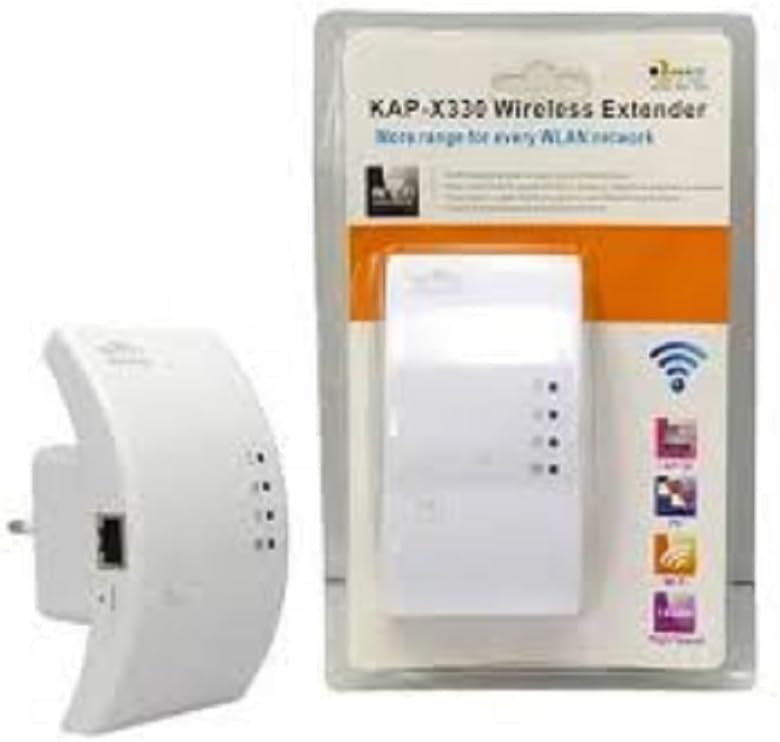
Figure 2.1: YOOSEE KAP X330 Wireless Repeater in its retail packaging and as a standalone unit. The packaging highlights its 'KAP-X330 Wireless Extender' name and 'More range for every WLAN network' slogan. The device itself is white with indicator lights and an Ethernet port visible.
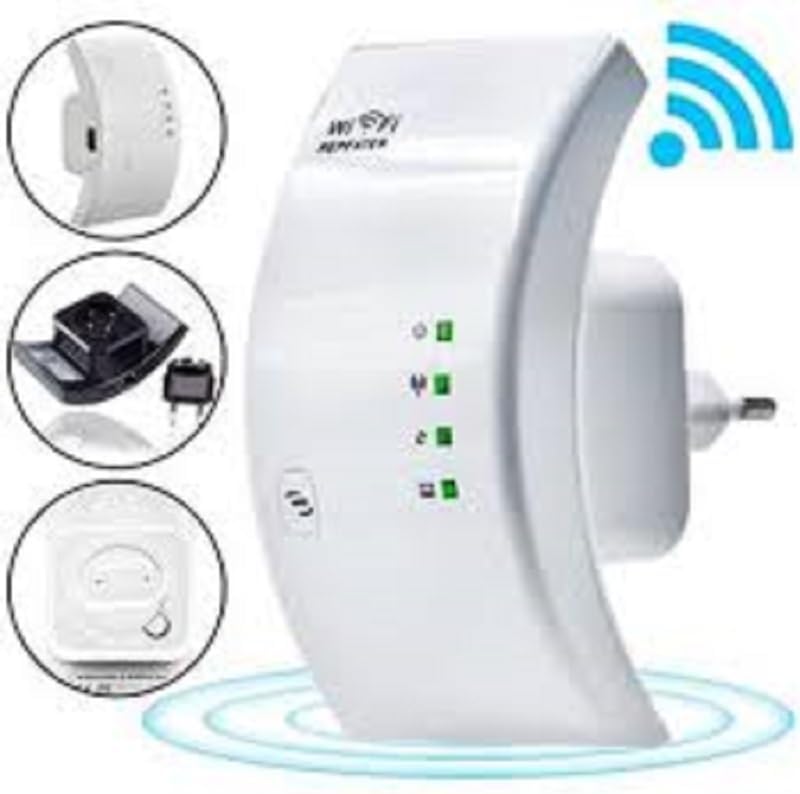
Figure 2.2: A closer look at the YOOSEE KAP X330 Wireless Repeater, emphasizing its design and features. It shows the device plugged into an outlet, with indicator lights illuminated. Insets highlight the side view with an Ethernet port, the power plug, and a reset button, along with a prominent WiFi signal icon.
3. Vodič za postavljanje
3.1 Uključivanje
- Plug the KAP X330 into a standard electrical outlet within the range of your existing WiFi network (for Repeater Mode) or near your wired internet source (for AP Mode).
- Wait for the power indicator light to turn on, indicating the device is ready.
3.2 Načini povezivanja
The KAP X330 supports two main operational modes:
- Način ponavljanja: Proširuje pokrivenost postojeće bežične mreže.
- Način rada AP-a (pristupne točke): Creates a new wireless network from a wired Ethernet connection.
3.3 Configuration Steps (Repeater Mode)
- Connect to the Repeater: On your computer or smartphone, connect to the repeater's default WiFi network (SSID usually starts with 'Wireless-N' or similar, without a password).
- Pristup Web sučelje: Otvori a web preglednik i unesite zadanu IP adresu (npr.
192.168.1.1or192.168.10.1) or the default domain name (e.g.,repeater.net). Refer to the label on the device or the quick start guide for the exact address. - Prijavi se: Enter the default username and password (commonly 'admin' for both).
- Odaberite način rada repetitora: On the setup page, select 'Repeater Mode'.
- Skeniranje mreža: The device will scan for available wireless networks. Select your home WiFi network from the list.
- Unesite lozinku: Enter the password for your home WiFi network.
- Configure Extended SSID (Optional): You can choose to keep the same SSID as your main network or create a new one (e.g., 'YourNetwork_EXT').
- Spremi postavke: Click 'Apply' or 'Save'. The repeater will restart.
- Ponovno povezivanje: After the restart, connect your devices to the extended WiFi network.
3.4 Configuration Steps (AP Mode)
- Spojite Ethernet kabel: Connect an Ethernet cable from your router or modem to the LAN/WAN port on the KAP X330.
- Connect to the Repeater: On your computer or smartphone, connect to the repeater's default WiFi network (SSID usually starts with 'Wireless-N' or similar, without a password).
- Pristup Web sučelje: Otvori a web preglednik i unesite zadanu IP adresu (npr.
192.168.1.1or192.168.10.1) or the default domain name (e.g.,repeater.net). - Prijavi se: Enter the default username and password (commonly 'admin' for both).
- Odaberite AP način: On the setup page, select 'AP Mode'.
- Configure New Network: Set a new SSID (network name) and a strong password for your new wireless network.
- Spremi postavke: Kliknite 'Primijeni' ili 'Spremi'. Uređaj će se ponovno pokrenuti.
- Ponovno povezivanje: After the restart, connect your devices to the newly created WiFi network.
3.5 WPS Setup (Wi-Fi Protected Setup)
WPS allows for a quick and easy connection to your main router without needing to enter the password manually.
- Plug in the KAP X330 and wait for it to power on.
- Pritisnite WPS gumb na glavnom ruteru.
- Within two minutes, press the WPS button on the KAP X330.
- The devices will automatically connect and configure the repeater. The signal indicator lights on the repeater should show a strong connection.
4. Operacija
4.1 Indikatorska svjetla
The KAP X330 features several indicator lights on its front panel to provide status information:
- LED za napajanje: Označava je li uređaj uključen.
- WLAN/WiFi LED: Shows wireless activity and connection status.
- LED LAN/WAN: Označava aktivnost na Ethernet portu.
- Jačina signala LED dioda: (If present) Indicate the strength of the signal received from the main router in Repeater Mode. More lights usually mean a stronger signal.
4.2 Optimalno postavljanje
For best performance in Repeater Mode, place the KAP X330 halfway between your main router and the area where you need extended WiFi coverage. Avoid placing it near large metal objects, concrete walls, or other devices that emit radio frequency interference (e.g., microwaves, cordless phones).
5. Održavanje
5.1 Čišćenje
To clean the device, unplug it from the power outlet. Use a soft, dry cloth to wipe the exterior. Do not use liquid cleaners or aerosol sprays.
5.2 ažuriranja firmvera
Periodically check the YOOSEE official webstranica za ažuriranja firmvera. Ažuriranja firmvera mogu poboljšati performanse, dodati nove značajke ili ispraviti pogreške. Pažljivo slijedite upute koje ste dobili s paketom ažuriranja firmvera.
6. Rješavanje problema
6.1 Nema pristupa internetu nakon postavljanja
- Ensure the repeater is receiving a strong signal from your main router (check signal strength LEDs).
- Verify that you entered the correct WiFi password for your main network during setup.
- Try restarting both your main router and the KAP X330.
- If in AP Mode, ensure the Ethernet cable is securely connected and your main router is providing internet.
6.2 Slab signal ili mala brzina
- Relocate the KAP X330 closer to your main router, ensuring it's still within the desired coverage area.
- Avoid physical obstructions like thick walls or large metal objects.
- Provjerite ima li smetnji od drugih elektroničkih uređaja.
6.3 Nemoguć pristup Web Sučelje
- Ensure your device is connected to the repeater's WiFi network (or via Ethernet if in AP mode).
- Provjerite je li IP adresa ili naziv domene uneseni u preglednik ispravan.
- Izbrišite predmemoriju preglednika ili pokušajte s drugim preglednikom.
- Privremeno onemogućite bilo koji VPN ili softver za vatrozid na računalu.
6.4 Vraćanje na tvorničke postavke
Ako nailazite na stalne probleme ili zaboravite svoje pristupne podatke, možete izvršiti vraćanje na tvorničke postavke:
- With the device powered on, use a paperclip or a thin object to press and hold the reset button (usually located in a small pinhole) for about 5-10 seconds.
- Release the button when the indicator lights flash or the device restarts.
- The device will revert to its factory default settings, and you will need to reconfigure it.
7. Specifikacije
| Značajka | Specifikacija |
|---|---|
| Proizvođač | YOOOSEE |
| Model | KAP-X330 |
| Bežični standard | 802.11n (compatible with 802.11g/b) |
| Frekvencija | 2.4 GHz |
| Sigurnosni protokoli | WPA2, WPA, WEP (64/128-bit) |
| Posebne značajke | WPS, Standard AP Mode |
| Ulazna snaga | Bivolt 110V / 220V |
| Dimenzije (D x Š x V) | 15 x 12 x 8 cm |
| Težina | 200 gram |
| Kompatibilni uređaji | Laptop, Smartphone, Tablet, Smart TV |
8. Jamstvo i podrška
For warranty information and technical support, please refer to the contact details provided by your retailer or visit the official YOOSEE webstranicu. Sačuvajte račun kao dokaz o kupnji za slučaj reklamacije.