
Uvod
The GODIYMODULES I2C Interface Expansion Module, also known as the I2Chub I2Cadapter Board, is designed to address the common limitation of microcontrollers (MCUs) having a single I2C communication interface. This module allows for the connection of multiple I2C devices, expanding the capabilities of your projects. It simplifies wiring when integrating numerous I2C sensors, displays, or other peripherals, supporting up to 10 I2C devices simultaneously.
Što je u kutiji
Nakon otvaranja paketa pronaći ćete sljedeće komponente:
- 1 x I2C Interface Expansion Module (I2Chub I2Cadapter Board)
- 1 x Female Header
- 1 x Straight Pin Header
- 1 x XH2.54 Interface
- 1 x Curved Pin Header

Slika: Prekoview of the I2C Expansion Boards and various headers included in the package. This image shows three I2C expansion boards, each with different header configurations, and a separate board with an XH2.54 connector.
Postavljanje
Setting up the I2C Interface Expansion Module involves connecting it to your microcontroller and then attaching your I2C devices. This module is compatible with various MCUs, including Arduino and Raspberry Pi platforms.
- Identify I2C Pins: Locate the I2C pins (SDA and SCL), VCC (power), and GND (ground) on your microcontroller.
- Connect Module to MCU: Connect the corresponding pins from the I2C Expansion Module to your MCU:
- Module GND to MCU GND
- Module VCC to MCU VCC (typically 3.3V or 5V, depending on your MCU and devices)
- Module SCL to MCU SCL
- Module SDA to MCU SDA
- Attach I2C Devices: Connect your I2C peripheral devices to the available I2C ports on the expansion module. Ensure correct wiring for SDA, SCL, VCC, and GND for each device. The module provides multiple sets of these pins for convenience.
- Uključivanje: Once all connections are secure, power on your microcontroller.

Image: A single I2C Expansion Board featuring male pin headers for easy connection to breadboards or female jumper wires. The pins are labeled GND, VCC, SCL, and SDA.
Upute za rad
The I2C Expansion Module acts as a passive hub, distributing the single I2C bus from your microcontroller to multiple physical connection points. It does not perform any address translation or multiplexing. All devices connected to the module will share the same I2C bus and must have unique I2C addresses if they are of the same type.
- Konfiguracija softvera: Ensure your microcontroller's firmware or sketch is configured to communicate with the I2C devices at their respective addresses. Standard I2C libraries (e.g., Wire library for Arduino) can be used.
- Address Management: If you are connecting multiple devices of the same type that share the same default I2C address, you will need to ensure each device has a unique address. Some devices allow address modification via jumpers or software. If not, a true I2C multiplexer (like the TCA9548A) would be required, which this module is not.
- Razmatranja napajanja: Verify that your MCU's VCC line can supply sufficient current for all connected I2C devices. If not, an external power supply for the devices may be necessary, with common ground connections.
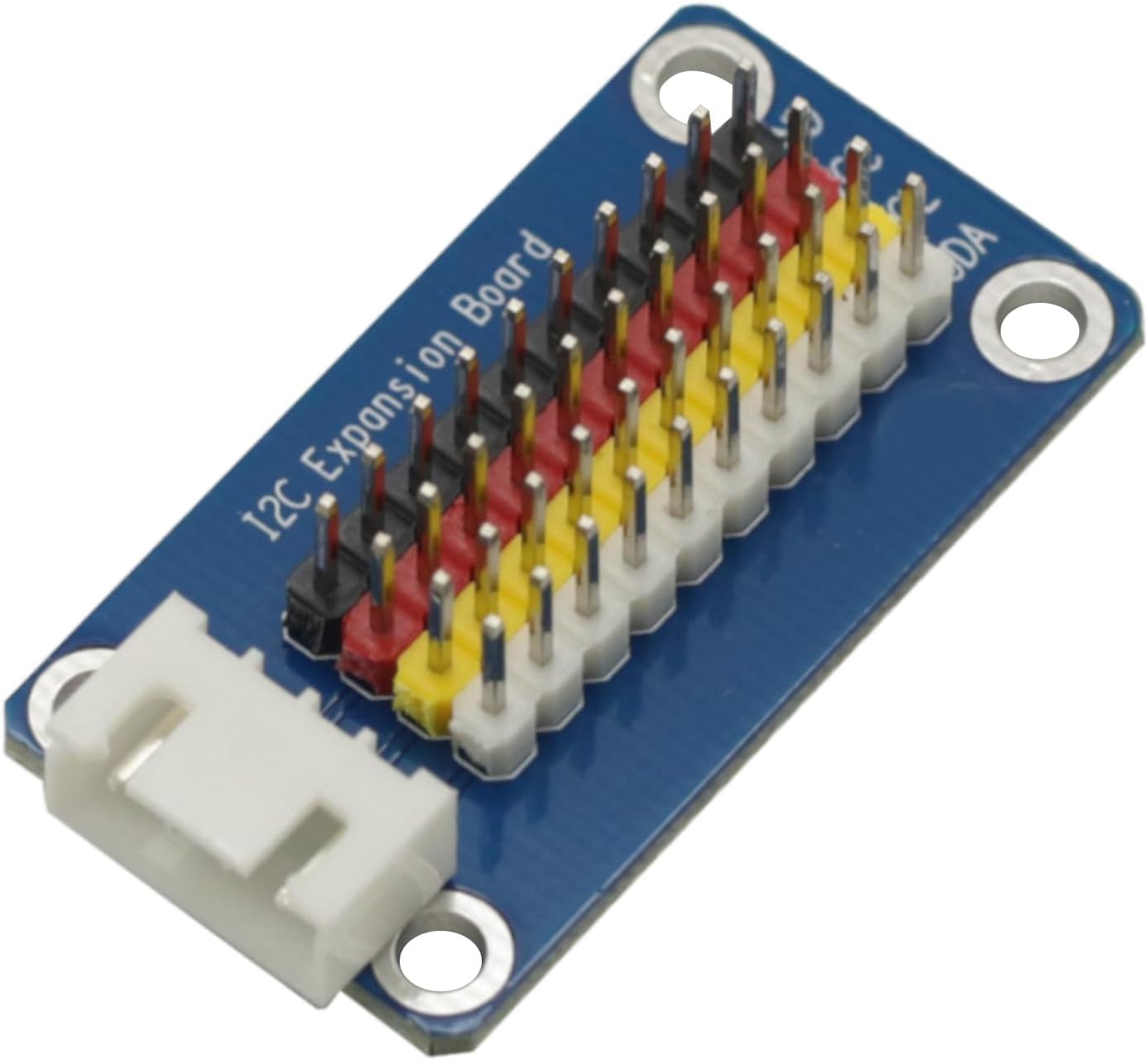
Image: An I2C Expansion Board equipped with an XH2.54 connector, providing a secure and robust connection option for I2C peripherals.
Održavanje
The I2C Expansion Module is a robust electronic component designed for long-term use with minimal maintenance. Follow these guidelines to ensure its longevity:
- Čuvati na suhom: Protect the module from moisture and liquids, which can cause short circuits and damage.
- Rukovati pažljivo: Avoid dropping or subjecting the module to excessive physical shock.
- Čistoća: If necessary, gently clean the board with a soft, dry brush or a lint-free cloth. Do not use harsh chemicals or abrasive materials.
- Skladištenje: Modul čuvajte na hladnom i suhom mjestu, dalje od izravne sunčeve svjetlosti i ekstremnih temperatura kada se ne koristi.
- Provjerite veze: Periodically check all pin connections for looseness or corrosion, especially in projects that are frequently moved or exposed to environmental changes.
Rješavanje problema
If you encounter issues while using the I2C Expansion Module, consider the following troubleshooting steps:
- Uređaj nije otkriven:
- Verify all wiring connections (SDA, SCL, VCC, GND) are correct and secure between the MCU, the expansion module, and the I2C devices.
- Check the power supply to the module and connected devices. Ensure VCC voltage is appropriate (e.g., 3.3V or 5V).
- Confirm the I2C address of your device. Use an I2C scanner sketch (available for Arduino) to detect connected devices and their addresses.
- Ensure the device is properly initialized in your code.
- Povremena komunikacija:
- Provjerite ima li labavih spojeva ili hladnih lemnih spojeva.
- Ensure proper pull-up resistors are present on the I2C lines (SDA and SCL). Most I2C devices and MCUs have internal pull-ups, but external ones (typically 4.7kΩ) might be needed for longer wires or multiple devices.
- Reduce the I2C clock speed in your software if communication is unstable over longer distances or with many devices.
- Multiple Devices with Same Address:
- As this module is a passive hub, devices with identical I2C addresses cannot coexist on the same bus without an I2C multiplexer. Ensure each device has a unique address.
- Modul se ne uključuje:
- Check the power connection (VCC and GND) from your MCU.
- Ensure your MCU is powered on.
Tehnički podaci
| Značajka | Detalj |
|---|---|
| Marka | GODIYMODULES |
| Naziv modela | I2Chub I2Cadapter Board |
| Tehnologija povezivanja | I2C |
| Kompatibilni uređaji | I2C devices |
| Uključene komponente | 1PCS Female Header, 1PCS Straight Pin Header, 1PCS XH2.54 Interface, 1PCS Curved Pin Header |
| Težina artikla | 0.02 kilogram |
Informacije o jamstvu
This GODIYMODULES product is covered by a 2-godišnje jamstvo proizvođača. This warranty covers defects in materials and workmanship under normal use. Please retain your proof of purchase for warranty claims. For specific terms and conditions, refer to the manufacturer's official warranty policy.
podrška
For technical assistance, troubleshooting beyond this manual, or warranty inquiries, please contact GODIYMODULES customer support. Refer to the product packaging or the official GODIYMODULES webstranicu za najnovije kontaktne podatke.
Prilikom kontaktiranja podrške, pripremite sljedeće podatke:
- Product Model: I2Chub I2Cadapter Board
- ASIN: B0DGQBFSKL
- Opis broja
- Već poduzeti koraci za rješavanje problema