
Bower Universal Battery Charger
Bower Universal Battery Charger Instruction Manual
Model: Universal Battery Charger
Brand: Bower
1. Uvod i krajview
The Bower Universal Battery Charger is designed for versatile charging of various battery types, including those found in DSLRs, digital cameras, camcorders, action cameras, and rechargeable NiMH AA/AAA batteries. Its adjustable design accommodates both 3.7V and 7.4V lithium-ion batteries, providing a convenient and efficient charging solution with a 5.04W power output. Additionally, it features a USB output for charging other compatible devices.
2. Sigurnosne informacije
- Use this charger indoors only. Do not expose to rain or moisture.
- Osigurajte ispravnu vrstu i volumen baterijetage are used. Refer to your battery's specifications.
- Izbjegavajte kratki spoj na terminalima punjača.
- Ne pokušavajte puniti baterije koje se ne mogu puniti.
- Keep the charger away from excessive heat sources and direct sunlight.
- Isključite punjač iz utičnice kada ga ne koristite ili prije čišćenja.
- Čuvati izvan dohvata djece.
3. Sadržaj paketa
- Bower Universal Battery Charger Unit
- AC kabel za napajanje
4. Značajke i komponente proizvoda

Slika 4.1: Ispred view of the Bower Universal Battery Charger.

Slika 4.2: Detaljan view of charger components including power cord input, LED indicator, USB output, sliding tabs, adjustable clamp, and battery compartment.

Slika 4.3: The charger's universal compatibility with DSLR/Mirrorless, Digital Camera, Camcorder, and Action Camera batteries, along with rechargeable NiMH AA/AAA batteries. Features over-voltage and over-charge protection.
- Podesivi Clamp and Sliding Tabs: These features allow the charger to securely hold various sizes of lithium-ion battery packs and cylindrical AA/AAA batteries.
- LED indikator: Displays the charging status of the inserted battery. Green lights indicate charging progress, and a full green bar indicates a complete charge.
- USB izlaz: A standard USB port is integrated, allowing you to charge any device that uses a USB connection (e.g., smartphones, tablets) directly from the charger.
- Ulaz izmjeničnog napajanja: Connects the charger to a standard wall outlet using the provided AC power cord.
5. Postavljanje
- Unpack the Bower Universal Battery Charger and its accessories.
- Connect the provided AC power cord to the charger's AC input port.
- Plug the other end of the AC power cord into a standard wall outlet. The LED indicator lights may briefly illuminate.
6. Upute za rad
6.1. Charging Lithium-Ion Battery Packs (3.7V/7.4V)
- Identify the positive (+) and negative (-) contact points on your battery pack.
- Press the gray button on the side of the charger to release the adjustable clamp and sliding tabs.
- Align the charger's metal pins with the corresponding contact points on your battery pack. Adjust the sliding tabs as needed to ensure a secure connection.
- Release the gray button to lock the battery pack firmly in place.
- The LED indicator will show the charging status. Green segments will light up sequentially as the battery charges. All segments illuminated green indicate a full charge.
- Once fully charged, press the gray button to release the battery and carefully remove it.

Slika 6.1: Charger with a DSLR/Mirrorless camera battery inserted.

Slika 6.2: Charger with a camcorder, digital, or action camera battery inserted.
6.2. Charging Rechargeable AA/AAA Batteries
- Ensure your AA/AAA batteries are rechargeable NiMH type. Do not attempt to charge standard alkaline batteries.
- Insert the AA/AAA batteries into the designated cylindrical slots, ensuring correct polarity (+ and - ends).
- Gently push the battery upwards until it clicks into place, securing it within the compartment.
- The LED indicator will show the charging status. Green segments will light up sequentially as the battery charges. All segments illuminated green indicate a full charge.
- Once fully charged, gently pull the battery downwards to release and remove it.
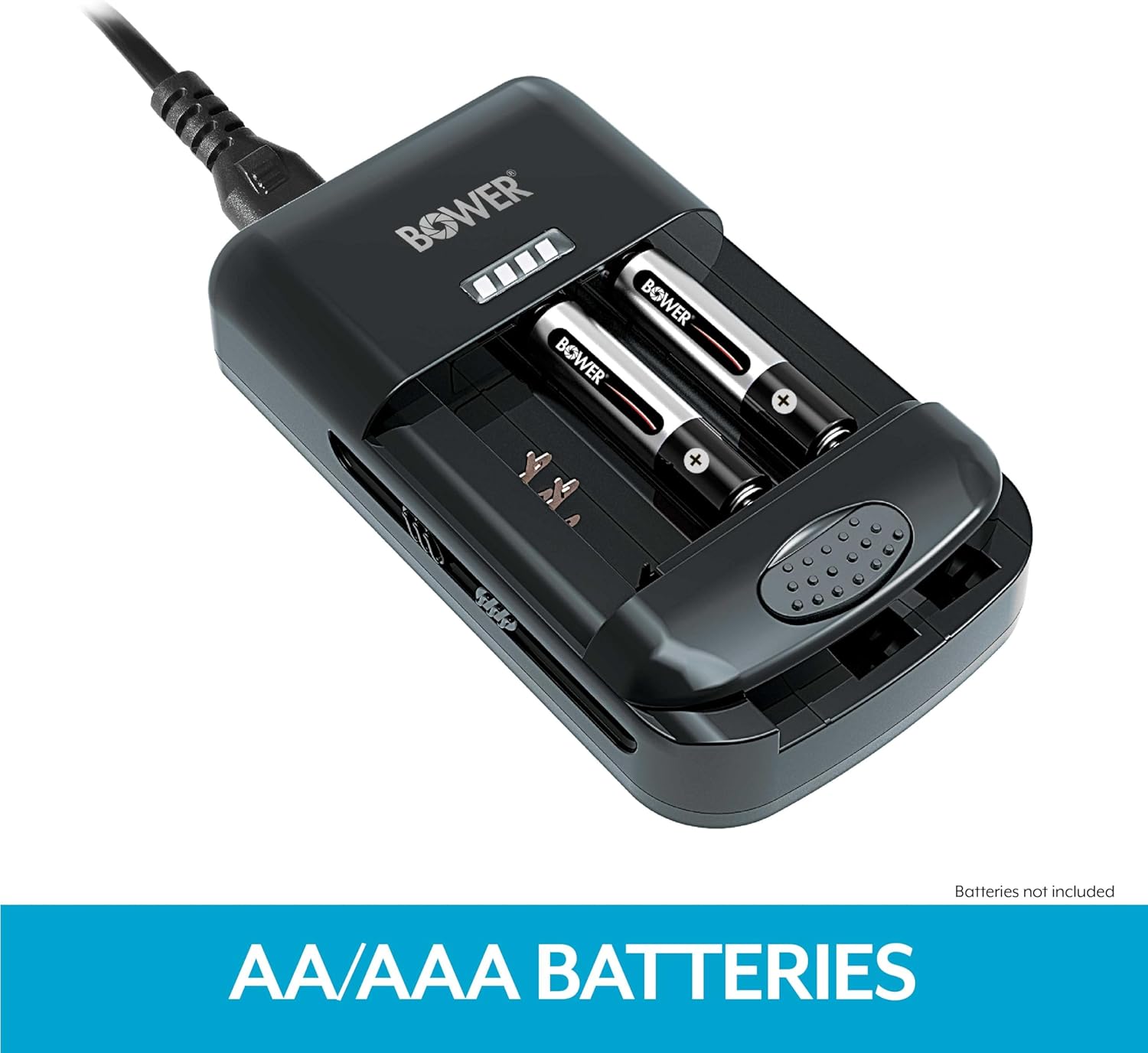
Slika 6.3: Charger with rechargeable AA/AAA batteries inserted.
6.3. Using the USB Output
- Connect your USB charging cable (not included) to the USB output port on the side of the charger.
- Connect the other end of the USB cable to your device (e.g., smartphone, tablet).
- Ensure the charger is plugged into a power source. The charger will provide power to your USB device.
7. Održavanje
- Clean the charger with a soft, dry cloth. Do not use liquid cleaners or solvents.
- Ensure the charger's contact pins are free from dust and debris for optimal performance.
- Čuvajte punjač na hladnom i suhom mjestu kada nije u upotrebi.
8. Rješavanje problema
- Punjač se ne uključuje: Ensure the AC power cord is securely connected to both the charger and a working wall outlet.
- Battery not charging / LED not illuminating:
- For Li-ion battery packs, ensure the charger's pins are correctly aligned with the battery contacts and the battery is securely clampizd.
- For AA/AAA batteries, ensure correct polarity and that the batteries are fully seated.
- Verify that the battery is rechargeable and not damaged.
- USB uređaj se ne puni: Ensure the charger is connected to a power source and that the USB cable is functioning correctly and securely connected to both the charger and the device.
9. Specifikacije
| Dimenzije proizvoda | 3 x 2 x 1 inča (7.62 x 5.08 x 2.54 cm) |
| Težina artikla | 8.8 unci (249.48 grama) |
| Izlazni voltage | 3.7 Volts (for Li-ion batteries) |
| Ulazni voltage | 0.26 volti (izmjenična struja) |
| Izlazna snaga | 5.04 vata |
| Boja | Crna |
| Kompatibilnost | 3.7V/7.4V Li-ion Batteries, NiMH AA/AAA Batteries |
10. Jamstvo i podrška
Bower products are manufactured to high-quality standards. For warranty information, technical support, or customer service inquiries, please refer to the contact information provided on the product packaging or visit the official Bower webMolimo sačuvajte dokaz o kupnji za bilo kakve reklamacije u vezi s jamstvom.
Ask a question about this manual
Ask about setup, troubleshooting, compatibility, parts, safety, or missing instructions. Manuals+ will review the question and use this page’s manual context to help answer it.