
1. Uvod
The LAUNCH Creader Elite 2.0 is a professional OBD2 diagnostic tool designed for BMW, Mercedes-Benz, and Audi group vehicles. It offers comprehensive system diagnostics, advanced reset services, bi-directional control (active tests), and ECU coding capabilities. This manual provides essential information for operating and maintaining your device.
2. Sigurnosne informacije
- Uvijek provodite testiranje automobila u dobro prozračenom prostoru.
- Wear eye protection and safety gloves when working on vehicles.
- Uređaj držite suhim i čistim. Izbjegavajte izlaganje ekstremnim temperaturama ili vlazi.
- Do not attempt to disassemble or modify the device. Refer to qualified personnel for repairs.
- Ensure the vehicle's ignition is off before connecting or disconnecting the diagnostic tool.
3. Uređaj prekoview
The LAUNCH Creader Elite 2.0 features a 4-inch Android 8.0 touchscreen display, providing an intuitive interface for diagnostics. It is equipped with a 3000 mAh battery and 2x16GB memory for efficient operation and data storage.

Slika: prednja strana view of the LAUNCH Creader Elite 2.0 diagnostic tool, showing its touchscreen interface and control buttons.
4. Postavljanje i početna konfiguracija
- Uključivanje: Pritisnite i držite tipku za uključivanje kako biste uključili uređaj.
- Odabir jezika: Slijedite upute na zaslonu za odabir željenog jezika. Uređaj podržava 10 jezika.
- Wi-Fi veza: Navigate to 'Settings' and connect to a stable Wi-Fi network. This is crucial for software updates and online features.
- Ažuriranje softvera: After connecting to Wi-Fi, check for available updates in the 'Upgrade' section. Perform a one-click update to ensure you have the latest software and vehicle coverage.
5. Upute za rad
5.1. Spajanje s vozilom
- Pronađite OBD2 priključak vozila (obično ispod armaturne ploče).
- Connect the diagnostic cable from the Creader Elite 2.0 to the vehicle's OBD2 port.
- Okrenite paljenje vozila u položaj 'ON' (motor isključen).
- The device will automatically power on or prompt you to select 'Diagnose'.
5.2. Potpuna dijagnostika sustava
This function allows you to scan all available electronic control systems in the vehicle, including Engine (ENG), Anti-lock Braking System (ABS), Supplemental Restraint System (SRS), Transmission, Tire Pressure Monitoring System (TPMS), Electronic Parking Brake (EPB), Battery Management System (BMS), and Fuel systems. The device supports Auto VIN for quick vehicle identification.

Image: Diagram illustrating the comprehensive system diagnostic capabilities, showing various vehicle systems like engine, ABS, SRS, and TPMS, and the device performing a scan.
5.3. OBDII funkcije
The device provides standard OBDII functions for all OBDII/EOBD compliant vehicles (1994-2000 for EOBD/OBDII global vehicles, 1996-2025 for BBA group vehicles). These include:
- Read/Clear Diagnostic Trouble Codes (DTCs)
- View Live Data Stream (text and graph format)
- Retrieve Freeze Frame Data
- Status spremnosti I/M-a
- Test osjetnika O2
- Ispitivanje ugrađenog monitora
- Ispitivanje komponenata
- Vehicle Information Retrieval (VIN, CIN, CVN)
5.4. Special Functions (Reset Services)
The Creader Elite 2.0 offers over 100 reset functions specifically for Benz, BMW, and Audi group vehicles. These services assist in maintenance and repair tasks.

Image: A collage of icons representing various reset functions such as Oil Reset, ABS Bleeding, DPF Regeneration, Injector Coding, and TPMS Reset, available on the diagnostic tool.
Examples of supported reset functions include:
- Resetiranje ulja
- ABS krvarenje
- Kalibracija gasa
- Poništi EPB
- DPF regeneracija
- Kodiranje mlaznica
- SAS kalibracija
- Poništi BMS
- TPMS Reset
- Resetiranje AdBluea
- Reset mjenjača
- Resetiranje krovnog otvora
- Kalibracija sjedala
Note: Specific reset functions may vary by vehicle model and year.
5.5. Dvosmjerno upravljanje (aktivni test)
This feature allows the diagnostic tool to send commands to vehicle components and modules to test their functionality directly, without using the vehicle's controls. This helps in quickly pinpointing faulty parts.
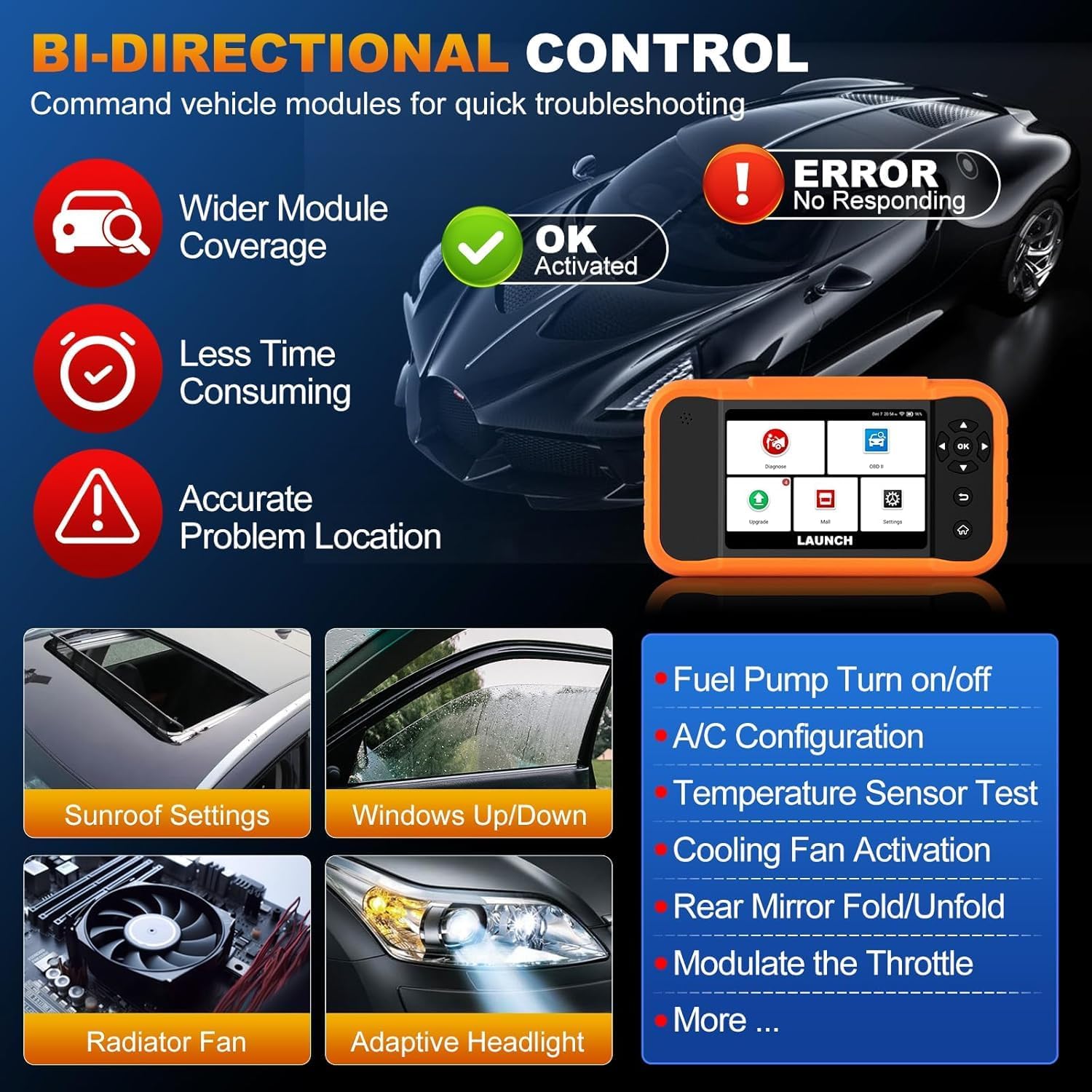
Image: Illustration of bi-directional control, showing the diagnostic tool sending commands to a car to test components like fuel pump, A/C, windows, and radiator fan, indicating successful activation or errors.
ExampAktivni testovi uključuju:
- Fuel Pump Turn on/off
- A/C Configuration
- Temperature Sensor Test
- Cooling Fan Activation
- Windows Up/Down
- Sunroof Settings
5.6. Kodiranje ECU-a
ECU Coding allows for customization of vehicle settings, re-flashing hidden functions, restoring data, and opening/closing comfort functions. It also supports adaptive data for replacement and complex ECU issue repair.
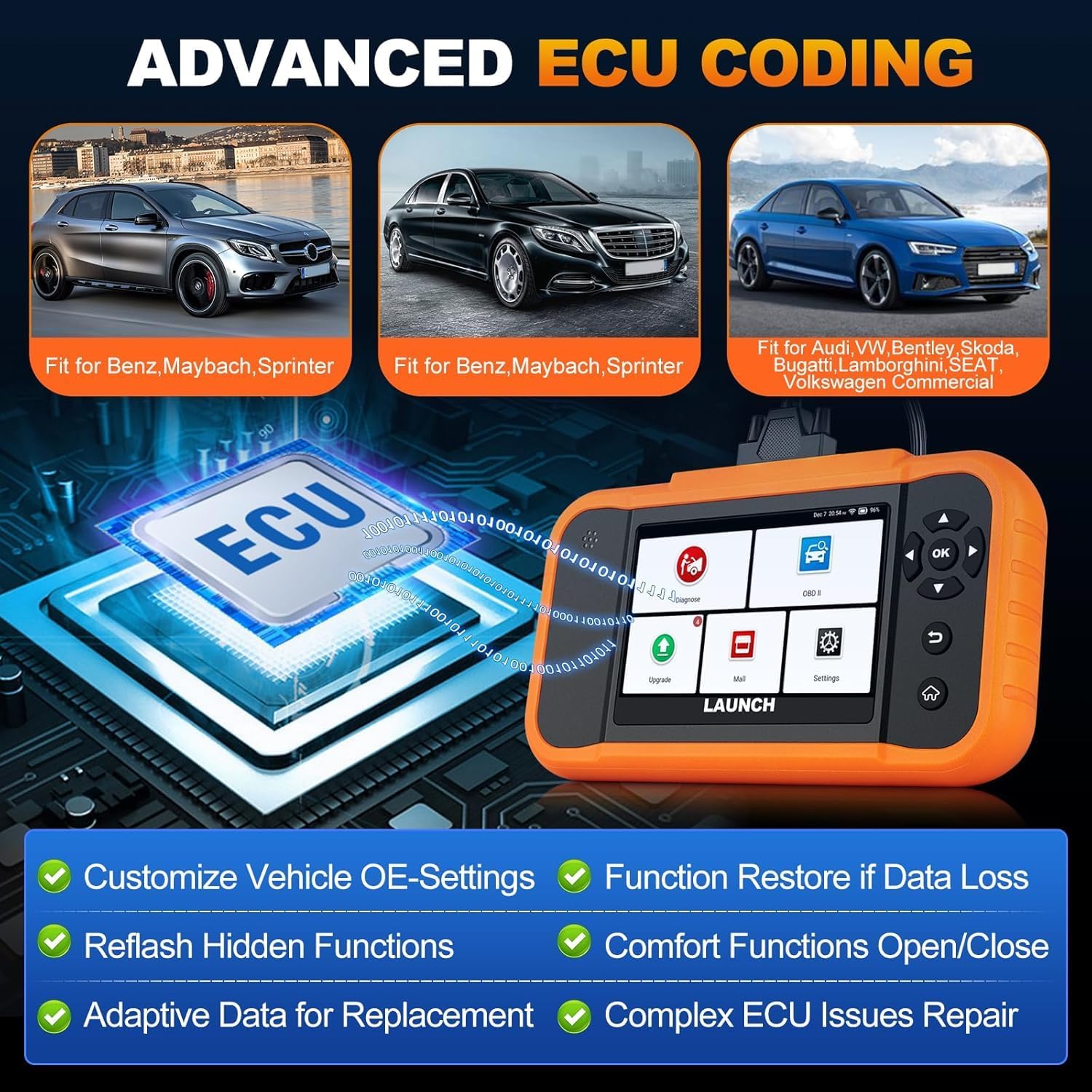
Image: A visual representation of ECU coding, showing a circuit board with 'ECU' text and the diagnostic tool, highlighting features like customizing OE-settings, re-flashing hidden functions, and restoring data.
5.7. Data Management and Reporting
The device facilitates efficient data handling:
- Automatsko skeniranje VIN broja: Automatski identificira informacije o vozilu za brzu dijagnostiku.
- Traženje DTC-a: Pruža definicije dijagnostičkih kodova grešaka.
- 4-u-1 prijenos podataka uživo: Prikazuje više parametara podataka istovremeno za detaljnu analizu.
- Registracija baterije: Supports battery registration functions.
- Dijagnostičko izvješće: Generates comprehensive health reports that can be shared or printed.
- Diagnostic History/Feedback: Stores diagnostic records and allows users to submit feedback to LAUNCH.

Image: A grid displaying various features of the diagnostic tool, including Auto VIN Scan, DTC Lookup, 4-in-1 Live Data Stream, Battery Registration, Online Diagnostic Feedback, and Diagnostic Report sharing.
6. Održavanje
- Čišćenje: Koristite meku, damp krpu za čišćenje uređaja. Izbjegavajte abrazivna sredstva za čišćenje ili otapala.
- Skladištenje: Uređaj čuvajte na suhom i hladnom mjestu, dalje od izravne sunčeve svjetlosti i ekstremnih temperatura.
- Njega baterije: Za optimalno trajanje baterije, izbjegavajte često potpuno pražnjenje baterije. Redovito punite uređaj.
7. Rješavanje problema
- Uređaj se ne uključuje: Ensure the battery is charged or connect the device to the vehicle's OBD2 port for power.
- Problemi s povezivanjem s vozilom: Verify the OBD2 cable is securely connected to both the device and the vehicle. Ensure the vehicle's ignition is on.
- Software update problems: Check your Wi-Fi connection. If issues persist, try restarting the device and attempting the update again.
- Netočna očitanja ili funkcije koje ne rade: Ensure the software is up to date. Verify the vehicle model and year are correctly selected.
8. Specifikacije
| Značajka | Specifikacija |
|---|---|
| Model | YZB23-1 |
| Težina artikla | 900 g |
| Dimenzije paketa | 25 x 18 x 8 cm |
| Baterija | 1 AAA (included), 3000 mAh capacity |
| Memorija | 2 x 16 GB |
| Operativni sustav | Android 8.0 |
| Zaslon | 4-inčni zaslon osjetljiv na dodir |
| jezici | Podržana su 10 jezika |
| Povezivost | Wi-Fi |
9. Jamstvo i podrška
This product comes with a manufacturer's warranty. For warranty details, technical support, or any operational questions, please refer to the official LAUNCH website or contact your authorized dealer. Ensure you have your product model number (YZB23-1) and purchase information ready when seeking support.