
1. Uvod
Thank you for choosing the Edifier X1 Lite True Wireless Earbuds. This manual provides detailed instructions for setting up, operating, and maintaining your new earbuds to ensure optimal performance and longevity. Please read this manual thoroughly before use.

Image: Edifier X1 Lite True Wireless Earbuds in their open charging case.
2. Što je u kutiji
The Edifier X1 Lite package includes the following components:
- Edifier X1 Lite True Wireless slušalice (lijeve i desne)
- Kutija za punjenje
- USB kabel za punjenje
- Korisnički priručnik (ovaj dokument)
3. Postavljanje
3.1 Početno punjenje
Prije prve upotrebe, potpuno napunite slušalice i kutijicu za punjenje.
- Stavite obje slušalice u kućište za punjenje.
- Spojite USB kabel za punjenje na priključak za punjenje na kućištu i na izvor napajanja (npr. USB adapter za zid, USB priključak računala).
- The indicator light on the charging case will show charging status. Refer to the LED indicator section for details.
- Potpuno punjenje obično traje otprilike 1.5 sata za kutijicu i slušalice.
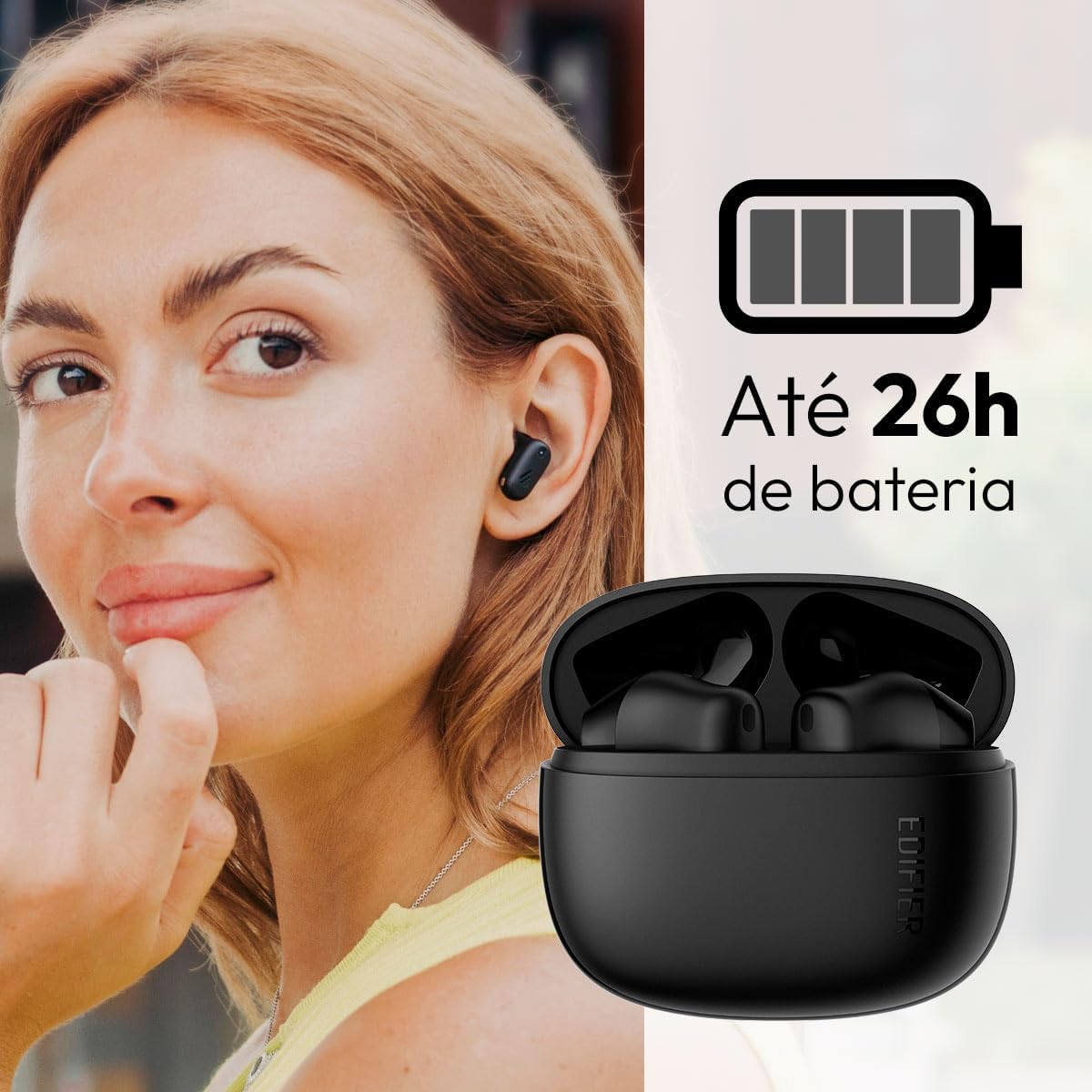
Image: Woman wearing an earbud, with the charging case and a battery icon indicating charging.
Funkcija brzog punjenja:
A 15-minute quick charge can provide approximately 1.5 hours of playtime for the earbuds.

Image: Visual representation of battery life and fast charging capabilities.
3.2 Bluetooth uparivanje
Follow these steps to pair your Edifier X1 Lite earbuds with your device:
- Prvo uparivanje: Open the charging case. The earbuds will automatically power on and enter pairing mode. The indicator light on the earbuds will flash rapidly.
- Na svom uređaju (pametnom telefonu, tabletu, prijenosnom računalu) omogućite Bluetooth.
- Tražiti "EDIFIER X1 Lite" na popisu dostupnih Bluetooth uređaja.
- Select "EDIFIER X1 Lite" to connect. Once connected, the indicator lights on the earbuds will turn off, and you will hear a confirmation tone.
- Re-pairing/Connecting to a New Device: If the earbuds are already connected to another device, disconnect them first. Alternatively, with the earbuds in the case and the lid open, press and hold the button on the charging case for 3 seconds to enter pairing mode.

Image: Man using earbuds, highlighting Bluetooth 5.4 connectivity.
3.3 Edifier ConneX App Installation
For enhanced features and customization, download the EDIFIER ConneX app:
- Scan the QR code provided in the image below or visit the official Edifier app download page.
- Instalirajte aplikaciju na pametni telefon ili tablet.
- Open the app and follow the on-screen instructions to connect your X1 Lite earbuds.
- The app allows for sound effect customization, game mode activation, and touch control settings.

Image: EDIFIER ConneX app interface with QR code. Download the Edifier ConneX App
4. Upute za rad
4.1 Nošenje slušalica
Proper fit ensures optimal sound quality and comfort:
- Odredite lijevu (L) i desnu (R) slušalicu.
- Pažljivo umetnite svaku slušalicu u odgovarajući ušni kanal.
- Lagano okrećite slušalicu dok ne bude sigurna i udobna.

Image: Man demonstrating proper earbud placement.
4.2 Uključivanje/isključivanje
- Uključivanje: Slušalice se automatski uključuju kada se izvade iz kutijice za punjenje.
- Isključivanje: Slušalice se automatski isključuju i počinju puniti kada se vrate u kutijicu za punjenje i poklopac se zatvori.
4.3 Kontrole na dodir
The Edifier X1 Lite earbuds feature touch-sensitive controls on each earbud. These controls can be customized via the EDIFIER ConneX app.
| Akcijski | Lijeva slušalica (L) | Desna slušalica (R) |
|---|---|---|
| Odgovori/prekini poziv | Dvaput dodirnite | Dvaput dodirnite |
| Odbij poziv | Trostruki dodir | Trostruki dodir |
| Reproduciraj/pauziraj glazbu | Dvaput dodirnite | Dvaput dodirnite |
| Sljedeća pjesma | N/A (Customize via App) | Trostruki dodir |
| Prethodna pjesma | Trostruki dodir | N/A (Customize via App) |
| Uključen/isključen način igre | Četverostruki dodir | Četverostruki dodir |
Note: These are default settings. Functions can be reconfigured using the EDIFIER ConneX app.

Image: Visual guide to earbud touch controls.
5. Održavanje
5.1 Čišćenje
- Redovito čistite slušalice i kutijicu za punjenje mekom, suhom krpom koja ne ostavlja dlačice.
- Ne koristite abrazivna sredstva za čišćenje, alkohol ili kemijska otapala.
- Provjerite jesu li kontakti za punjenje na slušalicama i kutijici čisti i bez ostataka kako bi se održalo pravilno punjenje.
5.2 Otpornost na vodu (IP54)
The Edifier X1 Lite earbuds are IP54 rated, meaning they are protected against dust ingress and splashing water from any direction. This makes them suitable for workouts and light rain.
- Ne uranjajte slušalice u vodu.
- Kućište za punjenje nije vodootporno. Držite ga suhim.
- If earbuds get wet, wipe them dry completely before placing them back in the charging case to prevent damage.

Image: Demonstrating IP54 sweat resistance during exercise.
5.3 Njega baterija
- Izbjegavajte izlaganje slušalica i kućišta ekstremnim temperaturama (vrućim ili hladnim).
- Čuvajte uređaj na hladnom i suhom mjestu kada nije u upotrebi.
- Redovito punite uređaj, čak i ako se ne koristi često, kako biste održali zdravlje baterije.
6. Rješavanje problema
If you encounter issues with your Edifier X1 Lite earbuds, refer to the following common problems and solutions:
6.1 Nema zvuka ili povremena veza
- Provjerite bateriju: Provjerite jesu li i slušalice i kućište za punjenje dovoljno napunjene.
- Popravak: Isključite slušalice iz Bluetooth postavki uređaja, a zatim ih ponovno uparite.
- Udaljenost: Ensure the earbuds are within the Bluetooth range (typically 10 meters) of your device.
- smetnje: Move away from strong Wi-Fi signals or other Bluetooth devices that might cause interference.
- Poništi: Place both earbuds in the charging case, close the lid, wait a few seconds, then open the lid and try pairing again.
6.2 Slušalice se ne pune
- Provjerite kabel: Ensure the USB charging cable is securely connected to both the case and the power source.
- Izvor napajanja: Isprobajte drugi USB priključak ili zidni adapter.
- Čisti kontakti: Clean the charging contacts on the earbuds and inside the charging case with a dry cotton swab.
- Ispravno postavljanje: Provjerite jesu li slušalice pravilno postavljene u kutijicu za punjenje.
6.3 Loša kvaliteta poziva
- Zapreka mikrofonu: Ensure the microphone on the earbuds is not covered.
- Okruženje: Move to a quieter environment if possible. The AI algorithm helps, but extreme noise can still affect clarity.
- Stabilnost veze: Osigurajte stabilnu Bluetooth vezu.

Image: Man using earbuds for a clear call, highlighting AI voice pick-up technology.
6.4 Problemi s povezivanjem aplikacije
- Bluetooth uključen: Ensure Bluetooth is enabled on your device and the earbuds are connected.
- Dopuštenja aplikacije: Check if the EDIFIER ConneX app has necessary Bluetooth and location permissions.
- Ponovno pokretanje aplikacije/uređaja: Zatvorite i ponovno otvorite aplikaciju ili ponovno pokrenite pametni telefon.
- Ažuriranje aplikacije: Provjerite je li aplikacija ažurirana na najnoviju verziju.
7. Specifikacije
| Značajka | Detalj |
|---|---|
| Naziv modela | X1 Lite |
| Tehnologija povezivanja | Bežično (Bluetooth) |
| Bluetooth verzija | 5.4 |
| Vrsta audio upravljačkog programa | Dynamic Driver (Φ13mm) |
| Frekvencijski raspon | 20Hz-20kHz |
| Trajanje baterije | Do 7 sati (slušalice), do 26 sati (s kućištem za punjenje) |
| Brzo punjenje | 15 minuta punjenja za 1.5 sata reprodukcije |
| Niska latencija | 60 ms |
| Vodootpornost | IP54 (samo slušalice) |
| Mikrofon | Single Mic AI algorithm voice pick-up |
| Metoda kontrole | Touch Control, App (EDIFIER ConneX) |
| Materijal | Plastični |
| Težina slušalice | Otprilike 4 g po slušalici |
| Boja | Crna |
8. Jamstvo i podrška
Edifier products are designed with quality and reliability in mind. For warranty information and customer support, please refer to the official Edifier webweb-mjesto ili izravno kontaktirajte njihovu korisničku službu.
- Službenik Webstranica: Posjetiti www.edifier.com za registraciju proizvoda, često postavljana pitanja i resurse za podršku.
- Služba za korisnike: Contact Edifier customer support for technical assistance or warranty claims. Contact details can typically be found on the official webmjestu ili pakiranju proizvoda.
Molimo sačuvajte dokaz o kupnji u svrhu jamstva.