
1. Uvod
The Hello Kitty Sunrise Alarm Clock is designed to provide a gentle and natural waking experience with its sunrise simulation feature. This digital alarm clock includes multicolor lights, an LED display showing time, date, and temperature, a USB charging port, and a convenient snooze function. Its charming Cinnamoroll design adds a whimsical touch to any room.

Image 1: Hello Kitty Cinnamoroll Sunrise Alarm Clock with multicolor lighting.
2. Sigurnosne informacije
- Ne izlažite uređaj ekstremnim temperaturama, izravnoj sunčevoj svjetlosti ili visokoj vlažnosti.
- Use only the provided USB power cable or a certified equivalent.
- Držite uređaj dalje od vode ili drugih tekućina.
- Ne pokušavajte sami rastavljati ili popravljati uređaj. Obratite se kvalificiranom servisnom osoblju.
- Osigurajte da je uređaj postavljen na stabilnu, ravnu površinu.
3. Sadržaj paketa
Molimo provjerite paket za sljedeće stavke:
- Hello Kitty Sunrise Alarm Clock (Cinnamoroll design)
- USB kabel za napajanje
- Korisnički priručnik (ovaj dokument)
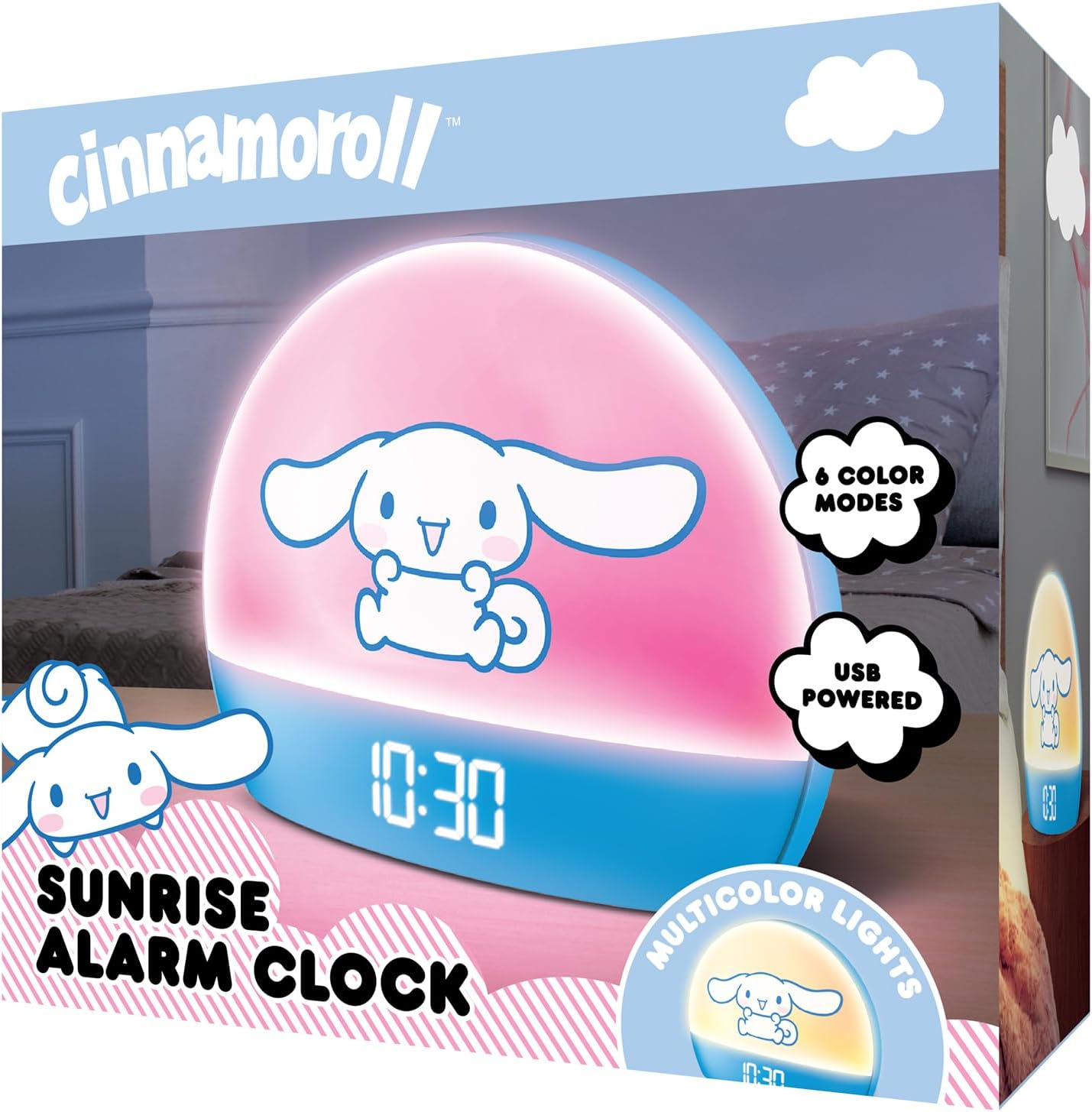
Image 2: Front packaging of the Hello Kitty Cinnamoroll Sunrise Alarm Clock.
4. Proizvod je gotovview
Familiarize yourself with the main components of your alarm clock.
- LED zaslon: Prikazuje vrijeme, datum i temperaturu.
- Svjetlosna ploča: Emits multicolor and sunrise simulation lights.
- Kontrolni gumbi: Located on the back or bottom for setting time, alarm, and light functions.
- USB priključak za punjenje: For powering the device and charging external devices.
- Gumb za odgodu: Typically a prominent button on the top or front.

Image 3: Hello Kitty Cinnamoroll Sunrise Alarm Clock in a bedroom setting.
5. Postavljanje
5.1 Priključak za napajanje
- Connect the provided USB power cable to the USB port on the back of the alarm clock.
- Drugi kraj USB kabela priključite u kompatibilni USB adapter za napajanje (nije uključen) ili USB priključak s napajanjem.
- LED zaslon će se upaliti, što označava da je uređaj uključen.
5.2 Postavljanje vremena i datuma
Specific button names are not provided, so general instructions are given. Refer to the physical device for exact button labels.
- Press the "SET" or "TIME" button to enter time setting mode.
- Use the "UP" and "DOWN" buttons to adjust the hour. Press "SET" again to confirm.
- Adjust the minute using "UP" and "DOWN" buttons. Press "SET" to confirm.
- Nastavite ovaj postupak za postavljanje godine, mjeseca i dana.
- The clock may offer 12-hour or 24-hour format selection. Follow on-screen prompts or consult the device's specific button functions.
6. Upute za rad
6.1 Postavljanje alarma
- Press the "ALARM" button to enter alarm setting mode.
- Use "UP" and "DOWN" buttons to set the desired alarm hour. Press "ALARM" to confirm.
- Adjust the alarm minute. Press "ALARM" to confirm.
- Some models may allow setting alarm volume or sound. Follow prompts if available.
- To activate/deactivate the alarm, look for an "ALARM ON/OFF" button or a toggle within the alarm setting menu.
6.2 Simulacija izlaska sunca
The sunrise simulation feature gradually increases light intensity before your set alarm time, mimicking a natural sunrise.
- This feature is typically linked to the alarm function. When the alarm is active, the light will begin to brighten a set period (e.g., 30 minutes) before the alarm sounds.
- Consult the device's specific controls for adjusting the duration or intensity of the sunrise simulation, if applicable.
6.3 višebojnih svjetala
The clock offers various color modes for ambient lighting.
- Press the "LIGHT" or "COLOR" button to cycle through different color options or activate a color-changing mode.
- Press and hold the "LIGHT" button to turn off the ambient light.
- Brightness of the display and ambient light can often be adjusted using dedicated buttons or by holding the "LIGHT" button.
6.4 Funkcija odgode
When the alarm sounds, press the large "SNOOZE" button (usually on top) to temporarily pause the alarm. The alarm will sound again after a short interval (e.g., 5-10 minutes).
6.5 USB priključak za punjenje
The integrated USB port can be used to charge small electronic devices like smartphones or tablets. Simply connect your device's charging cable to the USB port on the alarm clock.
6.6 Prikaz temperature
The LED display shows the current room temperature. No specific action is usually required to view this, as it cycles with time and date or is displayed continuously.
7. Održavanje
- Očistite sat mekom, suhom krpom. Nemojte koristiti abrazivna sredstva za čišćenje ili otapala.
- Ensure the USB port is free from dust and debris.
- Sat čuvajte na hladnom i suhom mjestu kada ga ne koristite dulje vrijeme.
8. Rješavanje problema
| Problem | Mogući uzrok | Otopina |
|---|---|---|
| Sat se ne uključuje. | USB cable not connected properly or power source issue. | Check USB cable connection. Try a different USB power adapter or port. Ensure the cable is securely inserted. |
| Time is incorrect or drifts. | Time not set correctly or internal clock issue. | Re-set the time following Section 5.2. If the issue persists, try disconnecting and reconnecting power. |
| Alarm se ne oglašava. | Alarm nije aktiviran ili je nepravilno postavljen. | Verify the alarm is set and activated (check for an alarm icon on the display). Ensure the volume is not set to zero if adjustable. |
| Gumbi ne reagiraju. | Temporary software glitch or physical button issue. | Disconnect power for a few seconds and reconnect to reset the device. If buttons remain unresponsive, contact support. |
| USB priključak za punjenje ne radi. | Cable issue, device not fully powered, or port malfunction. | Ensure the clock is properly powered. Try a different USB charging cable. Check if the port is clean and free of debris. |
9. Specifikacije
| Marka | Zdravo Kitty |
| Broj modela | HKCLK01CR-MFN |
| Boja | Cimet |
| Vrsta zaslona | Digitalni |
| Posebne značajke | Adjustable Brightness, Alarm, Charging Port, LED Display, Temperature Display, Sunrise Simulation, Multicolor Lights |
| Dimenzije proizvoda | 7 cm Š x 6 cm V |
| Izvor napajanja | Električni s kabelom (USB) |
| Materijal | Plastični |
| Težina artikla | 0.4 kilograma (14 unci) |
| Tehnologija povezivanja | USB |
| Proizvođač | Južni telekom |
10. Jamstvo i podrška
For warranty information or technical support, please refer to the contact details provided on the product packaging or visit the official Hello Kitty product support webmjesto. Čuvajte račun za jamstvene zahtjeve.