
1. Uvod
Thank you for choosing the Cecotec Conga Windroid 1090 Robot Window Cleaner. This device is designed to simplify window cleaning with its advanced features, including double spray, 3-in-1 cleaning (spray, clean, dry), and smart control via app or remote. Please read this manual carefully before use to ensure proper operation and maintenance.
2. Sigurnosne upute
To prevent damage or injury, always follow these basic safety precautions:
- Ensure the safety rope is securely attached before operating the robot on high windows.
- Do not use the robot on broken or cracked glass.
- Držite uređaj podalje od djece i kućnih ljubimaca.
- Koristite samo originalni adapter za napajanje koji dolazi s uređajem.
- Ne uranjajte robota u vodu ili druge tekućine.
- Uvijek isključite napajanje prije čišćenja ili održavanja.
- The robot has a 30-minute battery backup to prevent falls in case of power loss. However, always monitor its operation.
3. Proizvod je gotovview
The Conga Windroid 1090 is equipped with several components for efficient window cleaning.

Ključne karakteristike:
- Double Spray System: Ensures thorough wetting of the surface for effective cleaning.
- Funkcija 3 u 1: Sprays, cleans, and dries windows in one pass.
- 8 načina čišćenja: Adaptable cleaning paths for various window types and dirt levels.
- Aplikacija i daljinski upravljač: Convenient control options for starting, stopping, and directing the robot.
- Sigurnosno uže: Provides an extra layer of security to prevent falls.
- 7.5m Operating Range: Suitable for large windows and hard-to-reach areas.
- 12 Reusable Mops: A generous supply of washable microfiber mops for extended use.

4. Postavljanje
Follow these steps to prepare your Conga Windroid 1090 for its first use:
- Napunite bateriju: Connect the robot to the power adapter and allow it to fully charge before initial use. The indicator light will show charging status.
- Attach Cleaning Mops: Securely attach the provided microfiber cleaning mops to the rotating pads on the underside of the robot. Ensure they are properly aligned and cover the pads completely.
- Napunite spremnik za vodu: Open the water tank cap and fill it with clean water or a suitable window cleaning solution. Do not overfill. Close the cap tightly.

Figure 4.1: A user filling the water tank of the robot window cleaner. - Pričvrstite sigurnosno uže: Always attach the safety rope to a sturdy anchor point indoors, such as a heavy piece of furniture or a window frame, before placing the robot on the window.
5. Upute za rad
Operating your Conga Windroid 1090 is straightforward:
- Plasman: Place the robot on the window surface, ensuring it adheres firmly. The suction will activate automatically.
- Uključivanje: Press the power button on the robot or the remote control to turn it on.
- Odaberite način čišćenja: Use the remote control or the Cecotec app to select one of the 8 available cleaning modes. These modes include various patterns like Z-shape, N-shape, or a combination for comprehensive coverage.

Figure 5.1: The robot illustrating different cleaning path options on a large window. - Započnite čišćenje: Press the 'Start' button on the remote or app. The robot will begin its cleaning cycle, utilizing its double spray function for optimal results.
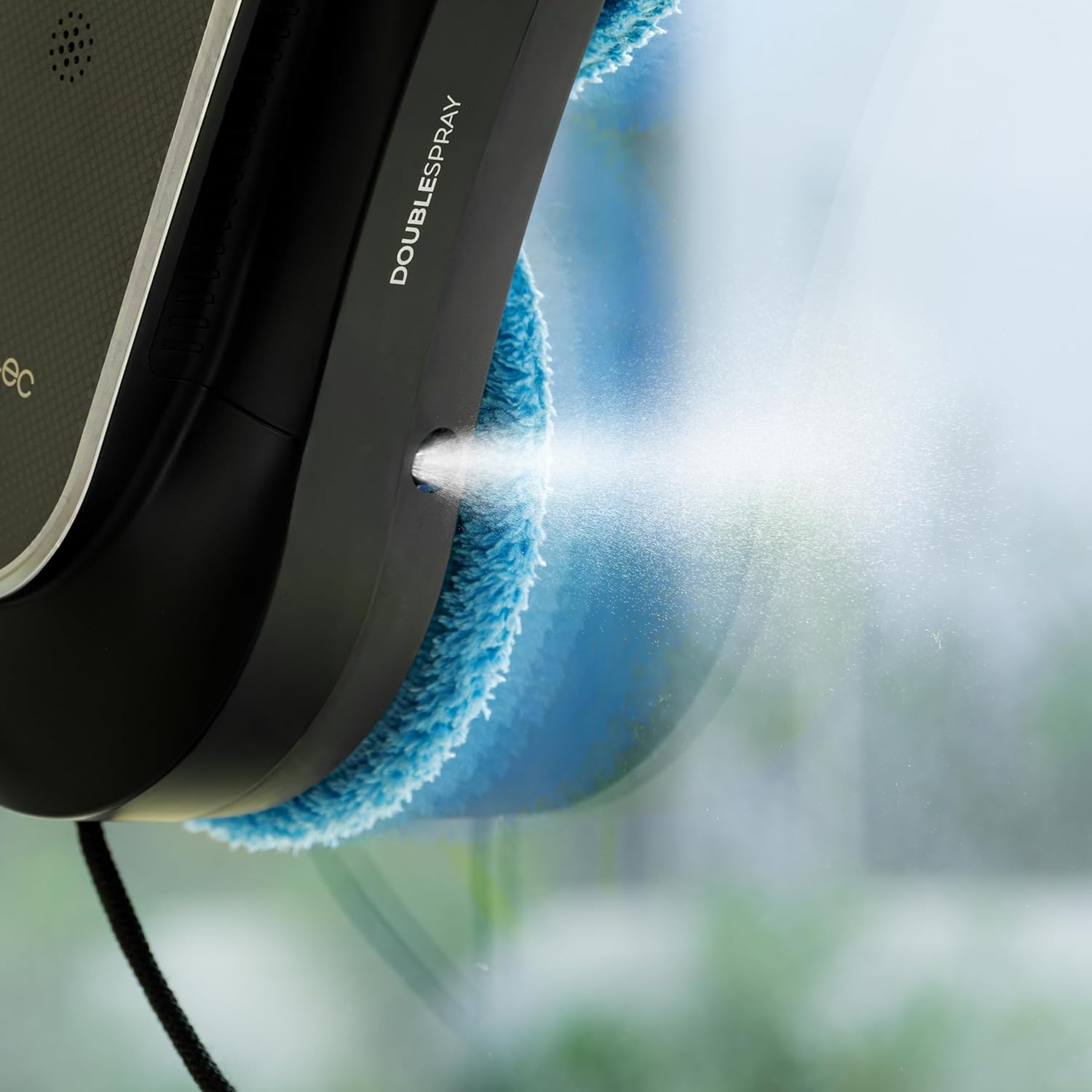
Slika 5.2: Krupni plan view of the robot's double spray system in operation. - Remote Control / App Usage: You can manually direct the robot's movement, change modes, or pause/resume cleaning using the remote control or the dedicated Cecotec app on your smartphone.

Figure 5.3: A user comfortably controlling the robot window cleaner with the remote control. - Završetak: The robot will return to its starting position upon completion of the cleaning cycle. Carefully remove it from the window.
6. Održavanje
Regular maintenance ensures optimal performance and extends the lifespan of your robot window cleaner.
- Čiste krpe za brisanje: After each use, remove the microfiber mop pads and wash them. They are reusable and can be hand-washed or machine-washed according to fabric care instructions.
- Prazan spremnik za vodu: Empty any remaining water or cleaning solution from the tank after each use to prevent residue buildup.
- Clean Spray Nozzles: Periodically check and clean the spray nozzles to ensure they are not clogged. Use a soft brush or cloth if necessary.
- Wipe Down Robot: Koristite suhu ili lagano damp cloth to wipe the exterior of the robot, removing any dust or dirt. Do not use abrasive cleaners.
- Pravilno čuvati: When not in use, store the robot and its accessories in a cool, dry place, away from direct sunlight.
7. Rješavanje problema
If you encounter issues with your Conga Windroid 1090, refer to the table below for common problems and solutions.
| Problem | Mogući uzrok | Otopina |
|---|---|---|
| Robot does not adhere to window | Insufficient suction; dirty window/pads; low battery | Ensure window and pads are clean. Charge battery fully. Check for obstructions. |
| Robot stops during cleaning | Low battery; power disconnected; obstacle detected | Check power connection. Recharge battery. Remove any obstacles. |
| Spray function not working | Empty water tank; clogged nozzles | Refill water tank. Clean spray nozzles. |
| Loši rezultati čišćenja | Dirty mop pads; insufficient cleaning solution; incorrect mode | Replace/clean mop pads. Ensure adequate cleaning solution. Select appropriate cleaning mode. |
8. Specifikacije
| Značajka | Detalj |
|---|---|
| Naziv modela | Conga Windroid 1090 dvostruki raspršivač povezan |
| Broj modela | A01_EU01_100140 |
| Marka | Cecotec |
| Dimenzije (D x Š x V) | 10L x 10W x 10H millimeters (Product); 1 x 1 x 1 cm (Package) |
| Težina | 2.63 kilogram |
| Izvor napajanja | Napajanje baterijama (litij-ionska) |
| Trajanje baterije | 30 minutes (backup) |
| Voltage | 220 volti |
| Metoda kontrole | Aplikacija, Daljinsko upravljanje |
| Number of Cleaning Modes | 8 |
| Preporučene površine | Glass, concrete, linoleum, laminate, engineered wood, marble, vinyl, tiles |
| Uključene komponente | 12 mops, safety rope, remote control, app |
| Boja | Crna |
9. Jamstvo i podrška
For warranty information, technical support, or service requests, please refer to the official Cecotec webweb-mjesto ili se izravno obratite njihovoj korisničkoj službi. Sačuvajte račun kao dokaz o kupnji za slučaj zahtjeva za jamstvo.