
1. Uvod
The TRIGKEY Key-N150 Mini PC is a compact and efficient computer designed for various tasks, from office work to media entertainment. It features an Intel Twin Lake N150 processor, 16GB DDR4 RAM, and a 500GB M.2 PCIeX4 SSD, offering reliable performance in a small form factor. This manual provides essential information for setting up, operating, and maintaining your Mini PC.

Slika 1.1: Prednja strana view of the TRIGKEY Key-N150 Mini PC.
2. Sadržaj paketa
Molimo provjerite paket za sljedeće stavke:
- TRIGKEY Key-N150 Mini PC
- korisnički priručnik
- HDMI kabel (1 m)
- AC Power Cable (Optional: US/EU/UK/JP/AU)
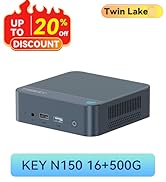
Image 2.1: TRIGKEY Key-N150 Mini PC and included accessories.
3. Proizvod je gotovview
The Key-N150 Mini PC is equipped with a variety of ports and internal components to support its functionality.
3.1 Front and Rear Panel Interfaces

Image 3.1: Front panel of the Mini PC, showing USB ports and audio jack.

Image 3.2: Rear panel of the Mini PC, showing AC power, USB, LAN, and HDMI ports.
The Mini PC features:
- Ispred: 3.5mm Audio Jack, USB 2.0, USB 3.2 (10Gbps), Power Button, Power Indicator Light.
- straga: AC Power Input, USB 3.2 (10Gbps) x2, LAN (1000M) x2, HDMI x2.
3.2 Unutarnje komponente
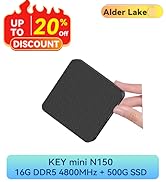
Slika 3.3: Rastavljeno view showing the internal components of the Mini PC, including the CPU, fan, RAM, and SSD slots.
Ključne interne značajke uključuju:
- Procesor: Intel Twin Lake N150 (4 Cores/4 Threads, up to 3.60GHz).
- Grafika: Intel UHD Graphics (24EUs, 1000MHz).
- Memorija: 16GB DDR4 3200MHz SO-DIMM (single channel, expandable).
- Skladištenje: 500GB M.2 PCIeX4 SSD (supports dual M.2 2280 SSDs, up to 2TB expansion).
- Bežična povezanost: WiFi 5 i Bluetooth 5.0.
- Napajanje: Built-in 45W PSU.

Image 3.4: Details of the Intel Twin Lake N150 processor, highlighting its 3.6 GHz max turbo frequency, 4 cores, and 4 threads.

Image 3.5: Illustration of the 16GB DDR4 SO-DIMM RAM and the dual M.2 2280 SSD slots for storage expansion.
4. Upute za postavljanje
Follow these steps to set up your TRIGKEY Key-N150 Mini PC:
- Povezivanje s zaslonom: Use an HDMI cable to connect the Mini PC to your monitor or TV. The device supports dual HDMI output for multiple displays.
- Povežite periferne uređaje: Uključite USB tipkovnicu i miš u dostupne USB priključke.
- Povežite se na mrežu: For a wired connection, connect an Ethernet cable to one of the two LAN ports. For wireless, ensure your WiFi network is available during initial setup.
- Uključivanje: Connect the AC power cable to the Mini PC and then to a power outlet. Press the power button on the front panel.
- Početno pokretanje: The Mini PC will boot up. Follow the on-screen instructions to complete the operating system setup (if not pre-configured).
Video 4.1: Overview of the TRIGKEY Key-N150 Mini PC, demonstrating its features and connectivity options. This video provides a visual guide to the product's design and capabilities.
5. Upute za rad
5.1 Osnovni rad
Once set up, your Mini PC functions like a standard desktop computer. You can perform tasks such as web browsing, media playback, and office applications.

Image 5.1: The Mini PC supports various applications including web browsing, media entertainment, office work, and 4K video playback.
5.2 Postavljanje dvostrukog zaslona
The Mini PC supports connecting two monitors via its dual HDMI ports. To configure dual displays:
- Spojite oba monitora na HDMI priključke na stražnjoj strani Mini PC-ja.
- Uključite Mini PC i oba monitora.
- The operating system should automatically detect both displays. You can adjust display settings (extend, duplicate, primary display) through your OS display settings.
5.3 Intel Unison aplikacija
The Intel Unison App allows seamless connection between your Mini PC and mobile devices. This enables features such as:
- Viewing photo galleries from your PC.
- Extending your PC screen with a tablet.
- Making and receiving phone calls from your PC.
- Prijenos files between phone/tablet and PC.
- Sending and receiving text messages from your PC.
- Managing device notifications from a single source.

Image 5.2: The Intel Unison App facilitates seamless connectivity and data transfer between your Mini PC and mobile devices.
6. Održavanje
Kako biste osigurali dugotrajnost i optimalne performanse svog Mini PC-ja, uzmite u obzir sljedeće savjete za održavanje:
- Držite ga čistim: Regularly clean the exterior of the Mini PC with a soft, dry cloth. Ensure ventilation holes are free from dust and obstructions to maintain efficient cooling.
- Ažuriranja softvera: Redovito ažurirajte operativni sustav i upravljačke programe na najnovije verzije radi poboljšanja sigurnosti i performansi.
- Pravilno isključivanje: Uvijek ispravno isključite Mini PC putem operativnog sustava kako biste spriječili oštećenje podataka.
- Uvjeti okoliša: Operate the Mini PC in a well-ventilated area, away from direct sunlight, excessive heat, and moisture.

Image 6.1: The Mini PC features an efficient cooling system to ensure stable operation and heat dissipation.
7. Rješavanje problema
Ako naiđete na probleme s Mini PC-jem, pogledajte sljedeća uobičajena rješenja:
- Bez napajanja: Ensure the AC power cable is securely connected to both the Mini PC and the power outlet. Try a different power outlet.
- Nema zaslona: Check that the HDMI cable is firmly connected to both the Mini PC and the monitor. Verify the monitor is powered on and set to the correct input source. Try a different HDMI cable or monitor if possible.
- Nema internetske veze: For wired connections, check the Ethernet cable and router status. For wireless, ensure Wi-Fi is enabled in the operating system and you are connected to the correct network with the correct password.
- Periferni uređaji ne rade: Ensure USB devices are properly plugged into the USB ports. Try different USB ports or restart the Mini PC.
- Usporavanje sustava: Zatvorite nepotrebne aplikacije. Provjerite pozadinske procese koji troše puno resursa. Osigurajte dovoljno slobodnog prostora za pohranu.
- Neočekivana gašenja: Ensure the Mini PC is in a well-ventilated area and not overheating. Check for any recent software or driver installations that might be causing instability.
If problems persist, consult the TRIGKEY support resources mentioned in the Warranty and Support section.
8. Specifikacije
| Značajka | Detalj |
|---|---|
| Marka | TRIGKEY |
| Broj modela | KEY N150 |
| Model procesora | Intel Twin Lake N150 (Celeron) |
| Brzina procesora | Do 3.6 GHz |
| Broj procesora | 4 |
| Grafički koprocesor | Intel UHD grafika |
| Instalirana RAM memorija | 16 GB DDR4 SDRAM |
| Brzina memorije | 3200 MHz |
| Dostupni memorijski utori | 1 |
| Kapacitet pohrane memorije | 500 GB |
| Opis tvrdog diska | 500GB M.2 PCIeX4 SSD |
| Operativni sustav | OS (unaprijed instaliran) |
| Tehnologija povezivanja | Bluetooth, Ethernet, HDMI, Wi-Fi |
| Bežična kompatibilnost | 802.11ac (Wi-Fi 5), Bluetooth 5.0 |
| Ukupno USB priključaka | 3 (USB 3.2 x2, USB 2.0 x1) |
| Total Number of HDMI Ports | 2 |
| Maksimalna razlučivost zaslona | 3840x2160 (4K) |
| Metoda hlađenja | Passive (with fan for efficient heat dissipation) |
| Snaga Plug Tip | Type A - 2 pin (North American) |
| Boja | Sivo |
9. Jamstvo i podrška
TRIGKEY is committed to providing excellent customer service and support for your Mini PC.
- Brzi odgovor: Support inquiries receive a reply within 24 hours.
- Politika povrata: Pravo na povrat u roku od 30 dana.
- Zamjena: Zamjena moguća unutar 12 mjeseci od kupnje.
- Doživotna podrška: Doživotna postprodajna usluga i tehnička podrška.

Image 9.1: TRIGKEY's commitment to customer service, including response times, return policy, replacement period, and lifetime technical support.
Kontaktirajte nas
For further assistance, technical support, or warranty claims, please use the following channels:
- Email: Refer to your product packaging or the official TRIGKEY website for email contact information.
- Webstranica: Visit the official TRIGKEY webstranica za često postavljana pitanja, upravljačke programe i resurse za podršku.
- Online konzultacije: Check the TRIGKEY store page for online chat or consultation options.

Image 9.2: Various contact methods for TRIGKEY customer service and technical support.