
1. Uvod
Hvala na kupnjiasing the Sharp KI-TX75-W Humidifying Air Purifier. This appliance is designed to improve your indoor air quality through advanced air purification and humidification technologies. It features Plasmacluster NEXT for high-density ion emission, AI AUTO mode for intelligent operation, Coanda flow for efficient dust collection, an AI monitor for real-time air quality feedback, and COCORO AIR for smart control via a smartphone app.
This manual provides essential information for the safe and efficient use, maintenance, and troubleshooting of your air purifier. Please read it thoroughly before use and keep it for future reference.
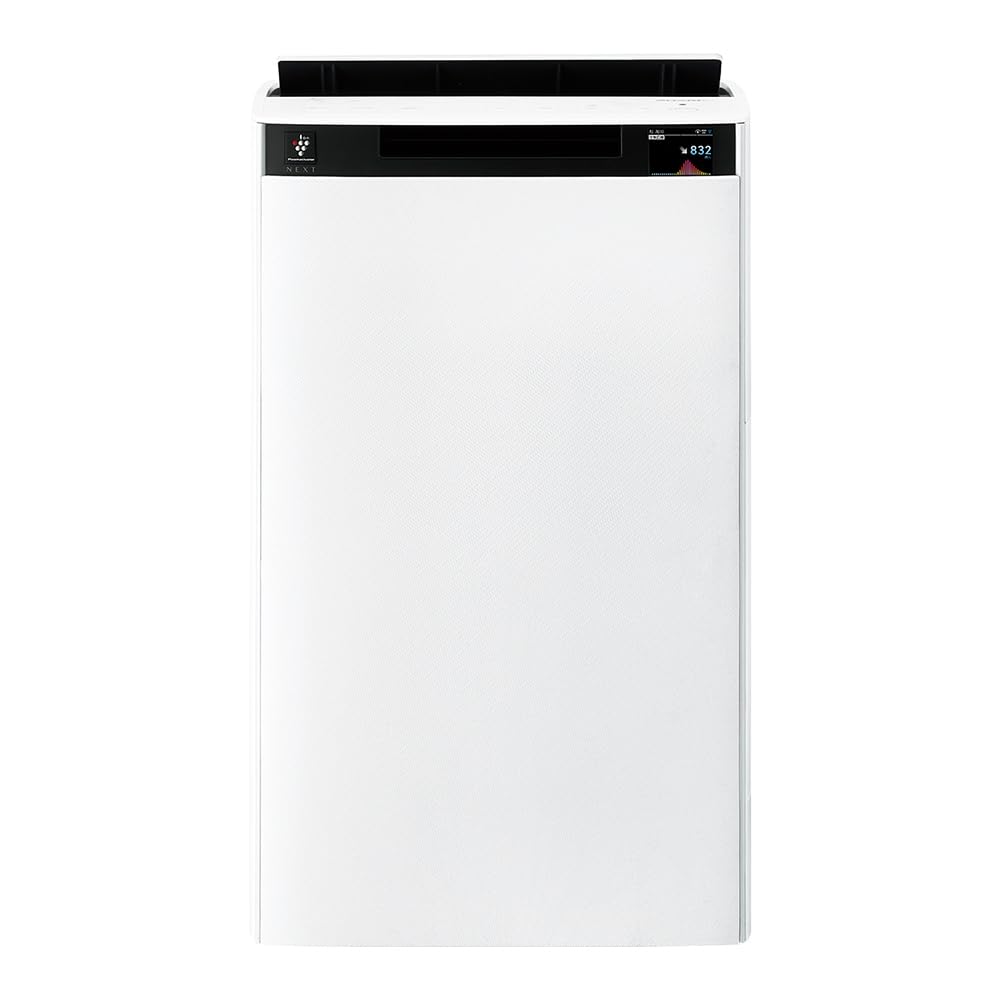
Ispred view of the Sharp KI-TX75-W Humidifying Air Purifier.
2. Sigurnosne informacije
Kako biste osigurali siguran rad i spriječili oštećenja, molimo vas da se pridržavate sljedećih sigurnosnih mjera opreza:
- Uvijek koristite uređaj s ispravnom količinomtage as specified on the rating label.
- Ne blokirajte otvore za dovod ili odvod zraka.
- Keep the appliance away from water and moisture. Do not operate with wet hands.
- Prije čišćenja ili bilo kakvog održavanja isključite kabel za napajanje.
- Ne dopustite djeci da rukuju uređajem bez nadzora.
- Ako je kabel za napajanje oštećen, mora ga zamijeniti proizvođač, njegov serviser ili slično kvalificirana osoba kako bi se izbjegla opasnost.
- Nemojte umetati strane predmete u otvore.
- Postavite jedinicu na stabilnu, ravnu površinu.
3. Postavljanje
3.1 Raspakiranje i postavljanje
- Pažljivo izvadite pročišćivač zraka iz ambalaže.
- Choose a location with adequate space around the unit for optimal airflow. Avoid placing it directly against walls or furniture.
- Ensure the unit is placed on a flat, stable surface. The built-in casters with stoppers allow for easy movement and secure positioning.

The unit features casters with stoppers for convenient movement and secure placement.
3.2 Instalacija filtra
The unit comes with pre-installed filters. Verify they are correctly seated before first use.
- Open the back panel of the air purifier.
- Ensure the HEPA filter, deodorizing filter, and pre-filter are securely in place.
- Zatvorite stražnju ploču.

The air purifier utilizes a three-layer filter system: pre-filter, deodorizing filter, and HEPA filter.
3.3 Punjenje spremnika za vodu
For humidification, fill the water tank with clean tap water.
- Uklonite spremnik za vodu sa strane uređaja.
- Open the water tank cap and fill it with fresh tap water.
- Čvrsto zatvorite čep i vratite spremnik za vodu u uređaj.

Remove the water tank from the side of the unit to fill it with water.
3.4 Početno uključivanje i mrežno spajanje
- Uključite kabel za napajanje u zidnu utičnicu.
- Pritisnite gumb napajanja na upravljačkoj ploči.
- To utilize smart features, download the COCORO AIR app on your smartphone and follow the in-app instructions to connect the air purifier to your wireless LAN network.
4. Upute za rad
4.1 Kontrolna ploča prekoview

The control panel allows selection of various modes and settings.
4.2 načina rada
- AI AUTO Mode: This intelligent mode automatically adjusts operation based on detected air quality, aiming for a cleanroom Class 8 level environment. It optimizes airflow to effectively collect pollen, dust, and fine particles.
- Način pročišćavanja zraka: Operates solely as an air purifier, removing airborne particles and odors.
- Način ovlaživanja: Adds moisture to the air while purifying. The unit can deliver up to 900 mL/h of humidification.
- Plasmacluster NEXT: This technology generates high-density Plasmacluster ions (50,000 ions/cm³) to suppress airborne and adhering viruses, allergens, and odors.

AI AUTO mode significantly reduces airborne particles to maintain a clean environment.
4.3 AI Monitor
The AI Monitor visualizes the number of particles in the room and provides feedback on air quality. It displays real-time particle counts and indicates when the air is clean or needs purification.

The AI Monitor provides a visual representation of airborne particle levels.
The AI Monitor also provides notifications for humidification status, maintenance timing, and estimated electricity costs.

Notifications include humidification status, maintenance alerts, and electricity usage.
4.4 COCORO AIR App
Connect your air purifier to the COCORO AIR app via Wi-Fi for enhanced control and monitoring. The app allows you to:
- Monitor air quality and operating status remotely.
- Customize operation schedules and settings.
- Receive notifications for filter replacement and maintenance.
- Access special operating modes, such as pet-specific modes.

The COCORO AIR app provides remote control and monitoring capabilities.
5. Održavanje
Redovito održavanje osigurava optimalne performanse i produžuje vijek trajanja vašeg pročišćivača zraka.
5.1 Čišćenje i zamjena filtera
- Predfilter: Clean regularly (e.g., once a month) by vacuuming or washing with water.
- HEPA Filter & Deodorizing Filter: These filters are not washable. Replace them according to the recommended schedule (typically every 1-2 years, depending on usage and environment). The COCORO AIR app will notify you when replacement is due.
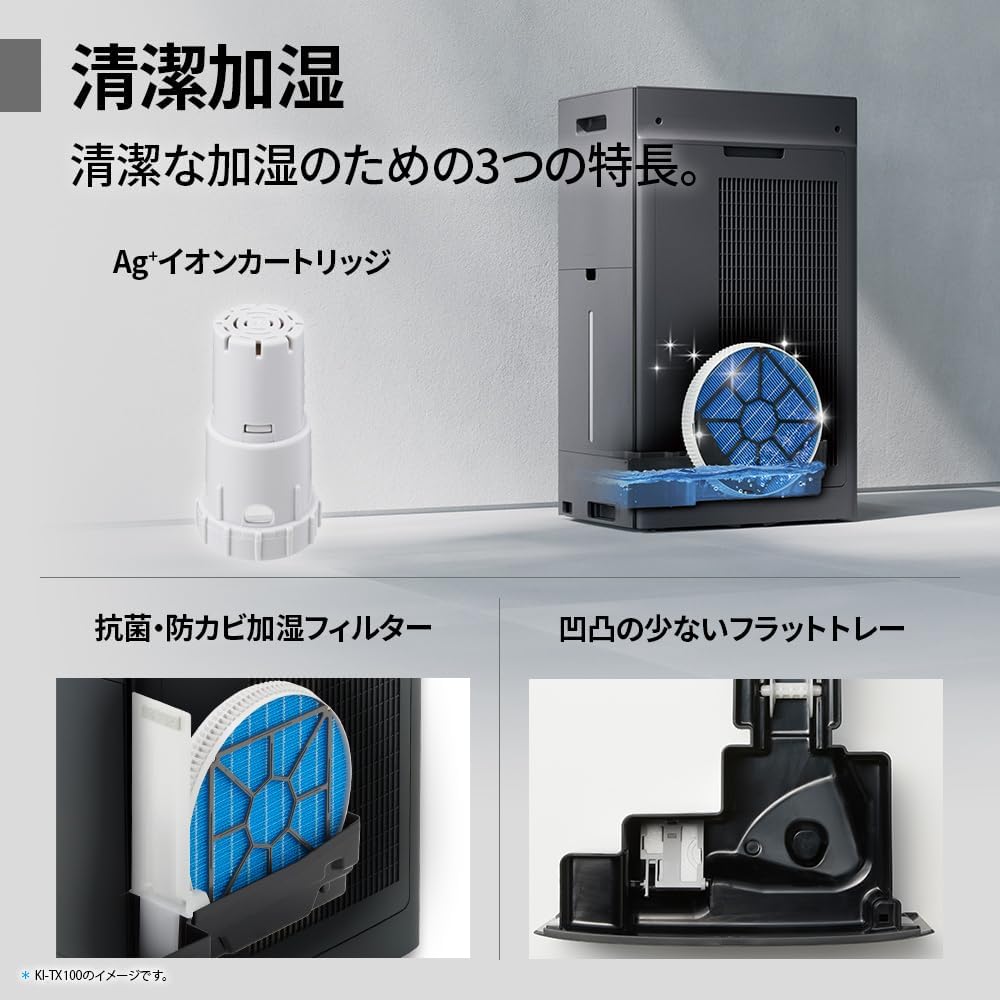
Regularly clean the pre-filter to maintain air purification efficiency.
5.2 Humidifying Filter Maintenance
The humidifying filter can be automatically cleaned using the unit's internal cleaning function. This helps prevent scale buildup.
- Remove the water tank and humidifying filter assembly.
- Add a small spoon of citric acid (commercially available) to the water tank and fill with water.
- Press the internal humidification cleaning button on the unit.
- After the cleaning cycle, rinse the tank and filter thoroughly.

The humidifying filter can be automatically cleaned using citric acid and water.
5.3 Ag+ Ion Cartridge Replacement
The Ag+ ion cartridge helps keep the water in the tank clean. Replace it approximately once a year.

Replace the Ag+ ion cartridge annually for optimal water tank hygiene.
6. Rješavanje problema
Ako imate problema s pročišćivačem zraka, pogledajte sljedeće uobičajene probleme i rješenja:
| Problem | Mogući uzrok | Otopina |
|---|---|---|
| Jedinica se ne uključuje. | Kabel za napajanje nije pravilno spojen. Nema napajanja iz utičnice. | Provjerite priključak kabela za napajanje. Isprobajte utičnicu s drugim uređajem. |
| Weak airflow or poor purification. | Filters are dirty or clogged. Air intake/outlet blocked. | Clean or replace filters. Ensure vents are clear. |
| No humidification or low humidity output. | Water tank is empty. Humidifying filter is dirty. | Refill water tank. Clean the humidifying filter. |
| Neuobičajena buka tijekom rada. | Unit not on a level surface. Foreign object in fan. | Ensure unit is stable. Check for obstructions (unplug first). |
| AI Monitor shows high particle count despite operation. | Filters need cleaning/replacement. Room size exceeds recommended area. | Perform filter maintenance. Consider unit placement or additional units for larger spaces. |
Ako problem i dalje postoji nakon isprobavanja ovih rješenja, obratite se korisničkoj podršci.
7. Specifikacije
| Značajka | Specifikacija |
|---|---|
| Broj modela | KI-TX75-W |
| Marka | Oštar |
| Dimenzije (Š x D x V) | 39.5 cm x 26.5 cm x 65 cm |
| Težina | 12 kg |
| Izvor napajanja | Električni na kabel |
| Razina buke | 20-52 dB |
| Recommended Room Size (Plasmacluster) | Up to 18 tatami (~29.7 m²) |
| Recommended Room Size (Air Purification) | Up to 34 tatami (~56.1 m²) |
| Maximum Humidification Capacity | 900 ml/h |
| Air Purification Time (8 tatami) | 9 minuta |
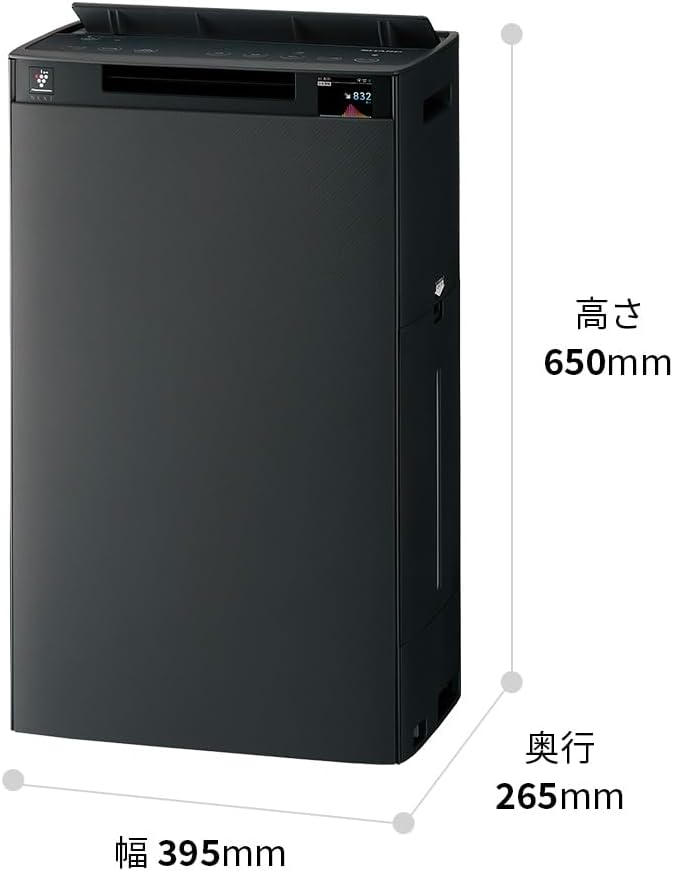
Detailed dimensions of the Sharp KI-TX75-W.
8. Jamstvo i podrška
8.1 Jamstvo proizvođača
This Sharp KI-TX75-W Humidifying Air Purifier comes with a 1-godišnje jamstvo proizvođača od datuma kupnje. Ovo jamstvo pokriva nedostatke u materijalu i izradi pri normalnoj uporabi. Molimo sačuvajte dokaz o kupnji za reklamacije.
Jamstvo ne pokriva štetu uzrokovanu nepravilnom upotrebom, nezgodom, neovlaštenim modifikacijama ili nepoštivanjem uputa u ovom priručniku.
8.2 Korisnička podrška
For technical assistance, warranty service, or inquiries about replacement parts, please contact Sharp customer support.
You can find additional support resources and FAQs on the official Sharp webstranica: