
HETP HX100N9
HETP Portable Charger User Manual
Model: HX100N9
1. Uvod
Thank you for choosing the HETP Portable Charger. This device is designed to provide convenient and fast charging for a wide range of electronic devices, including smartphones, tablets, and Apple Watches. Featuring built-in cables and multiple output options, it is an ideal companion for travel and daily use. Please read this manual carefully before using the product to ensure safe and optimal performance.
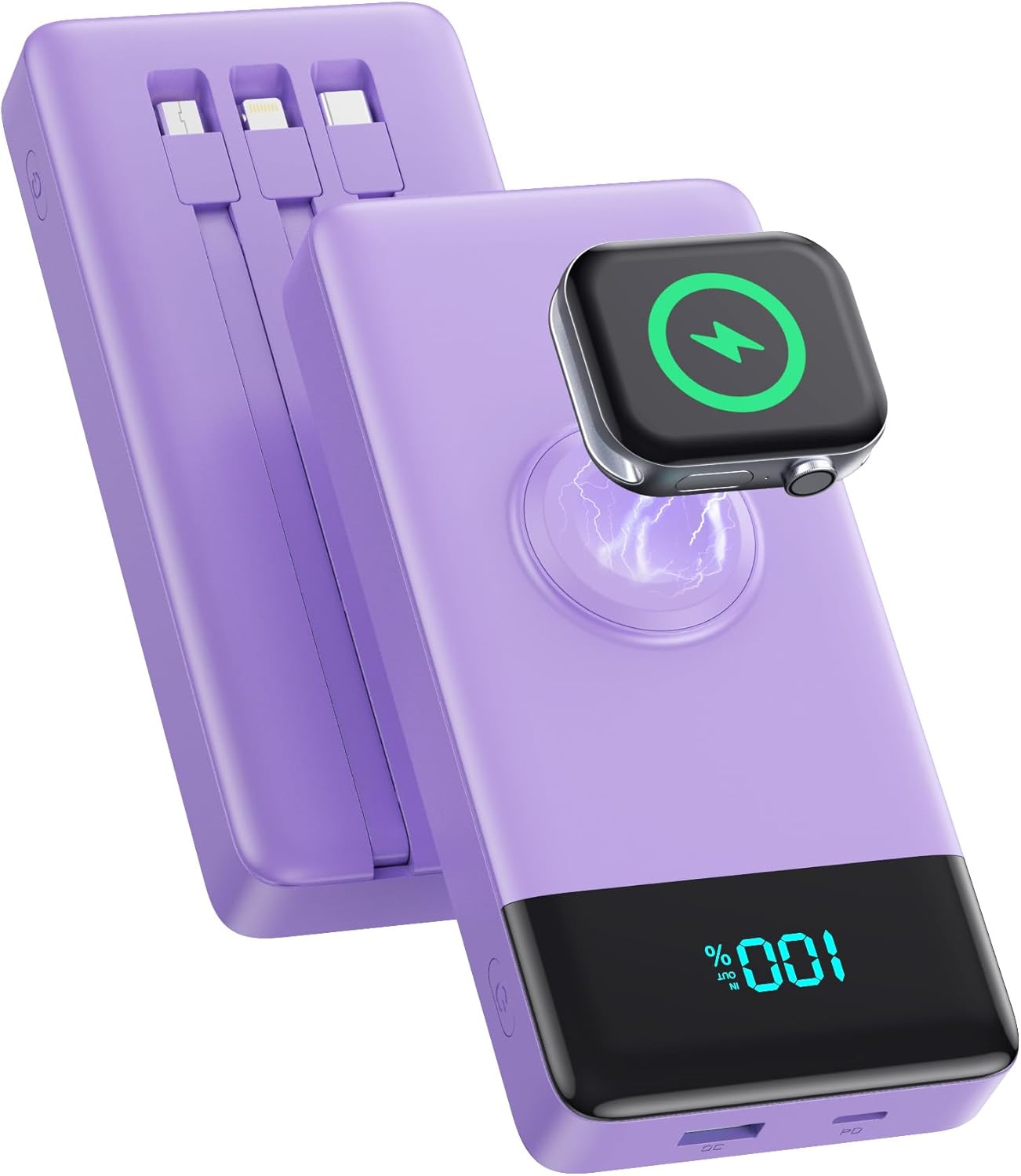
Image: The HETP Portable Charger, showcasing its compact design, built-in cables, and integrated iWatch charging pad. The device is purple with a black display showing "100%".
2. Sigurnosne informacije
Kako biste spriječili ozljede ili oštećenje uređaja, molimo vas da se pridržavate sljedećih sigurnosnih mjera opreza:
- Ne izlažite power bank ekstremnim temperaturama (iznad 60°C/140°F) ili izravnoj sunčevoj svjetlosti.
- Nemojte sami rastavljati, modificirati ili pokušavati popraviti uređaj.
- Držite power bank dalje od vode, vlage i zapaljivih materijala.
- Izbjegavajte ispuštanje ili izlaganje uređaja jakim udarcima.
- Koristite samo certificirane kabele i adaptere za punjenje.
- Čuvati izvan dohvata djece.
- Dispose of the power bank according to local regulations; do not dispose of it with household waste.

Image: Diagram illustrating the multi-protection smart microchip features of the power bank, including temperature, over-current, overvoltage, overcharge, recovery, over-power, short circuit, and over-discharge protection.
3. Sadržaj paketa
Molimo provjerite paket za sljedeće stavke:
- 1 x HETP Portable Charger (10800mAh) with 3 Built-in Cables (USB-C, iOS, Micro USB) and iWatch Charger
- 1 x korisnički priručnik
4. Proizvod je gotovview
The HETP Portable Charger is equipped with multiple features for versatile charging:
- Ugrađeni kabeli: Includes USB-C, iOS (Lightning), and Micro USB cables for direct connection to various devices.
- iWatch Wireless Charger: Integrated magnetic charging pad for Apple Watch.
- USB-C priključak (PD 25W): Supports both input and output for fast charging.
- USB-A Port (QC Output): Provides Quick Charge output for compatible devices.
- LED digitalni zaslon: Prikazuje preostali postotak baterijetage.
- Gumb za napajanje: Aktivira power bank i zaslon.

Image: A detailed diagram of the HETP Portable Charger highlighting its various ports and built-in cables, including USB C Cable Input/Output, iOS Cable Output, Micro USB Cable Output, Charge for iWatch, Power On/Off button, PD USB-C Input/Output, and QC USB-A Output. The LED display shows "100% IN OUT".

Image: Two images demonstrating the compact size and lightweight nature of the HETP Portable Charger. One shows it fitting into a pant pocket, and the other shows it fitting into a small handbag, with dimensions 6.02x2.8x0.59 inches and weight 280g indicated.
5. Postavljanje
The HETP Portable Charger comes ready for use. Before first use, it is recommended to fully charge the power bank.
5.1 Početno punjenje Power Banka
To ensure optimal performance, fully charge your power bank before its first use.
- Connect the power bank to a wall charger (not included) using either the built-in USB-C cable or an external USB-C cable plugged into the USB-C port.
- The LED display will show the charging progress. It is fully charged when the display shows "100%".

Image: A visual guide demonstrating two methods to recharge the HETP Portable Charger: using the dedicated Type-C input port with an external cable and adapter, or using the built-in Type-C input cable with an adapter.
6. Upute za rad
6.1 Punjenje vaših uređaja
The HETP Portable Charger offers multiple ways to charge your devices simultaneously.
- Korištenje ugrađenih kabela:
- Pull out the appropriate built-in cable (USB-C, iOS, or Micro USB) for your device.
- Spojite kabel na priključak za punjenje vašeg uređaja.
- Powerbank će se automatski početi puniti.
- Korištenje USB priključaka:
- Connect your device's charging cable to either the USB-C (PD) or USB-A (QC) output port on the power bank.
- Drugi kraj kabela spojite na svoj uređaj.
- Powerbank će se automatski početi puniti.
- Punjenje Apple Watcha:
- Place your Apple Watch onto the magnetic wireless charging pad on the power bank.
- Provjerite je li sat pravilno poravnat kako bi punjenje započelo.
The power bank supports charging up to 6 devices simultaneously. The LED display will show the remaining battery percentage tijekom punjenja.

Image: The HETP Portable Charger actively charging multiple devices at once, including three smartphones via built-in cables, an Apple Watch on its wireless pad, a tablet via the USB-C port, and AirPods via the USB-A port, demonstrating its capability to charge 6 devices simultaneously.

Image: A visual representation of the PD 25W fast charging capability of the HETP Portable Charger, showing an iPhone charging rapidly. A graph indicates that it can charge an iPhone to 50% in 30 minutes, significantly faster than standard charging.
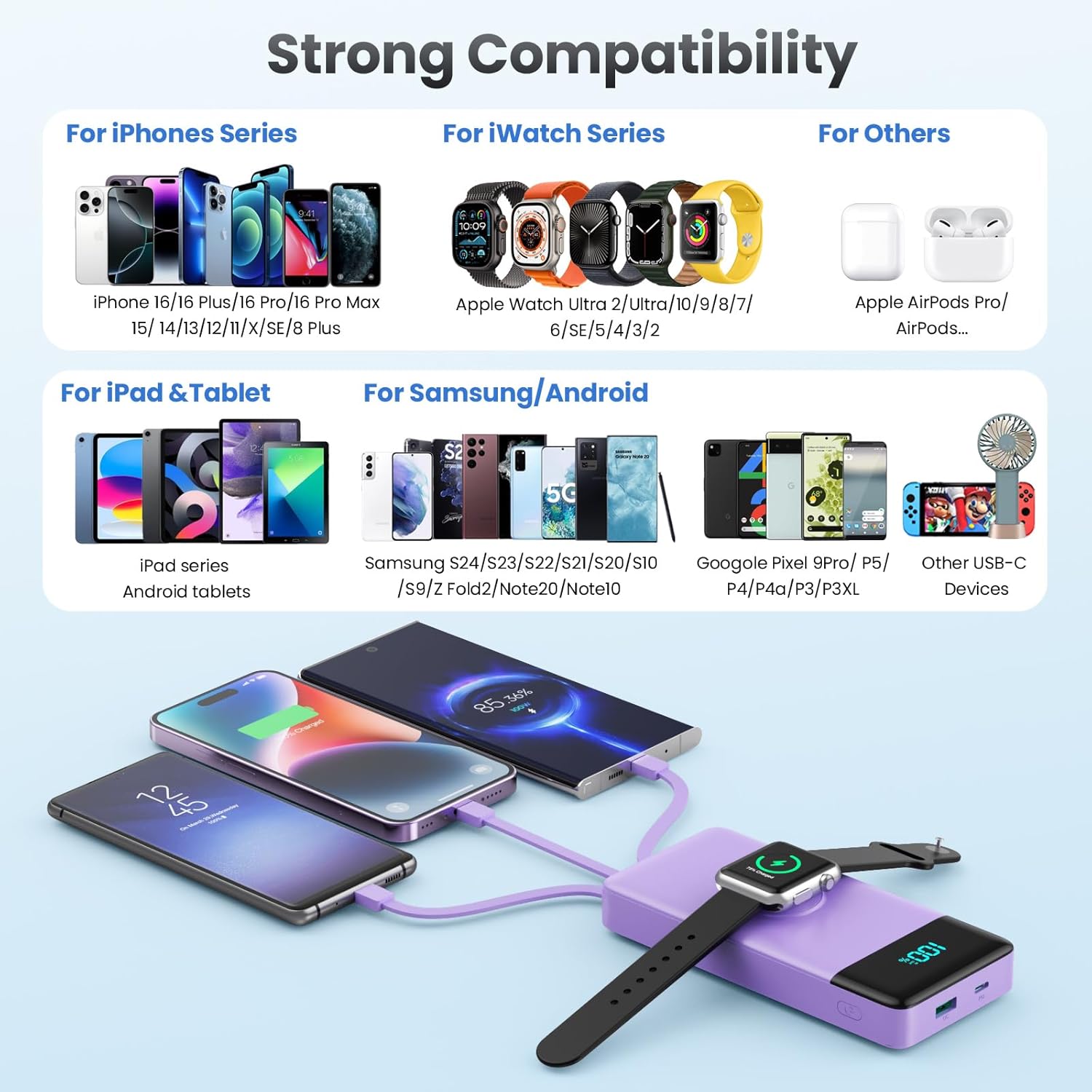
Image: A comprehensive compatibility chart for the HETP Portable Charger, categorizing compatible devices for iPhone Series, iWatch Series, iPad & Tablet, Samsung/Android, and other USB-C devices, illustrating its wide range of support.
7. Održavanje
Proper care will extend the life of your HETP Portable Charger:
- Uređaj čistite mekom, suhom krpom. Nemojte koristiti abrazivna sredstva za čišćenje ili otapala.
- Čuvajte power bank na hladnom i suhom mjestu kada nije u upotrebi.
- If the device will not be used for an extended period, charge it to about 50% every three months to maintain battery health.
8. Rješavanje problema
| Problem | Mogući uzrok | Otopina |
|---|---|---|
| Power bank se ne puni. | Charging cable or adapter faulty; power bank battery depleted; connection issue. | Try a different cable or adapter. Ensure connections are secure. Allow power bank to charge for a few minutes. |
| Uređaj se ne puni s powerbanka. | Power bank battery depleted; cable faulty; device not compatible; power bank in standby. | Check power bank battery level. Try a different cable. Ensure your device is compatible. Press the power button to activate the power bank. |
| Sporo punjenje. | Cable or adapter not supporting fast charging; multiple devices charging simultaneously; device's charging input limit. | Use a fast-charging compatible cable and adapter. Disconnect other devices to test speed. Check your device's charging specifications. |
| iWatch not charging wirelessly. | Watch not aligned correctly; watch case interfering; power bank battery depleted. | Adjust watch position on the charging pad. Remove any thick cases. Ensure power bank has sufficient charge. |
9. Specifikacije
| Značajka | Detalj |
|---|---|
| Broj modela | HX100N9 |
| Kapacitet baterije | 10800 mAh |
| Ulaz (USB-C priključak) | PD 25 W maks |
| Izlaz (USB-C priključak) | PD 25 W maks |
| Izlaz (USB-A priključak) | QC Compatible |
| Ugrađeni kabeli | USB-C, iOS (Lightning), Micro USB |
| iWatch punjač | Magnetsko bežično punjenje |
| Dimenzije | 6.02 x 2.8 x 0.59 inča |
| Težina | 11.7 unci (280 g) |
| Boja | Ljubičasta |
10. Jamstvo i podrška
Your HETP Portable Charger comes with a Jamstvo 24 mjeseci od datuma kupnje. Ovo jamstvo pokriva nedostatke u proizvodnji i izradi. Ne pokriva štetu uzrokovanu nepravilnom upotrebom, nesrećama, neovlaštenim preinakama ili normalnim habanjem.
For technical support, warranty claims, or any questions regarding your product, please contact HETP customer service. Refer to the contact information provided on the product packaging or the official HETP webmjesto.
Doživotna tehnička podrška je dostupno za ovaj proizvod.
Ask a question about this manual
Ask about setup, troubleshooting, compatibility, parts, safety, or missing instructions. Manuals+ will review the question and use this page’s manual context to help answer it.