
1. Uvod
This manual provides comprehensive instructions for the installation, operation, and maintenance of your Lloyd's LC-1388 4MP Indoor/Outdoor IP Camera Set. This intelligent security camera system offers remote monitoring and full control via your smartphone, featuring 180° horizontal movement, an integrated LED light, and a 4MP resolution for clear video and images. Designed for both indoor and outdoor use with an IP65 rating, it includes advanced detection capabilities, color night vision, two-way communication, and an integrated siren. Please read this manual thoroughly before use to ensure proper functionality and safety.
2. Sadržaj paketa
Prilikom otvaranja paketa provjerite jesu li svi dolje navedeni artikli prisutni i u dobrom stanju.
- 2 x Lloyd's LC-1388 4MP IP Cameras
- 2 x USB kabeli
- 2 x AC/DC Adapters
- 2 x nosači
- Screws and Wall Plugs (for mounting)
- Korisnički vodič (ovaj dokument)
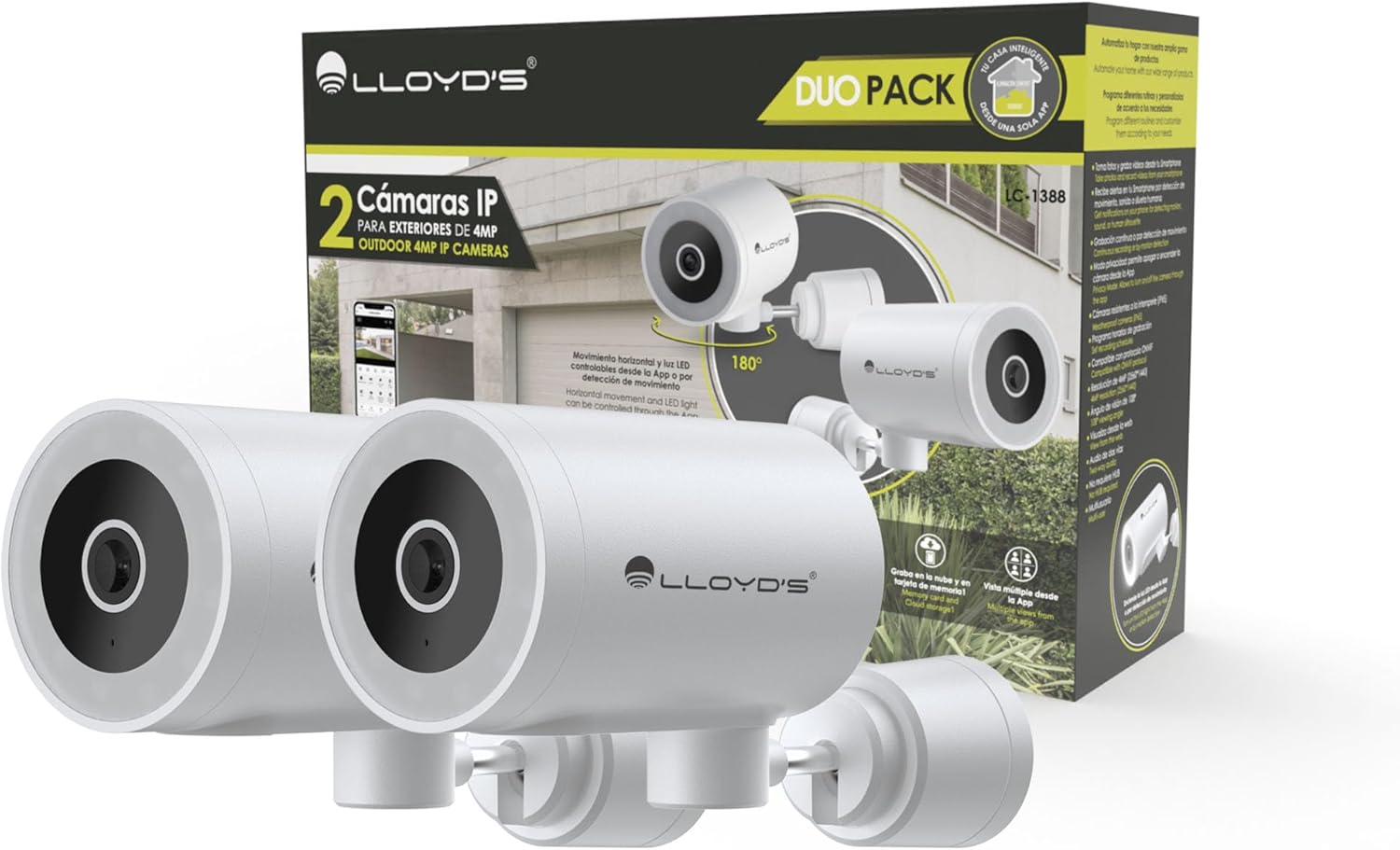
Image: The Lloyd's LC-1388 IP Camera Set, showing the product packaging and the two included cameras.
3. Sigurnosne informacije
- Provjerite je li napajanje voltage odgovara zahtjevima kamere (5 V DC).
- Do not expose the camera to extreme temperatures, humidity, or direct sunlight for prolonged periods.
- Izbjegavajte postavljanje kamere u blizinu jakih elektromagnetskih polja.
- For outdoor installation, ensure all connections are properly sealed to maintain the IP65 weather resistance.
- Čuvati izvan dohvata djece.
- Ne pokušavajte sami rastavljati ili popravljati kameru. Obratite se kvalificiranom servisnom osoblju.
4. Postavljanje
4.1 Instalacija
The Lloyd's LC-1388 camera is designed for wall mounting and can be used both indoors and outdoors (IP65 rated).
- Odaberite lokaciju: Odaberite lokaciju koja pruža željeno viewing angle and is within range of your 2.4 GHz Wi-Fi network. For outdoor use, ensure the location offers adequate protection from direct impact and extreme weather conditions.
- Montaža:
- Use the included mounting bracket as a template to mark drill holes on the wall.
- Izbušite rupe i umetnite tiple u zid.
- Pričvrstite nosač za montažu na zid pomoću priloženih vijaka.
- Attach the camera to the mounting bracket. Adjust the camera angle as needed.
- Priključak za napajanje: Connect the USB cable to the camera and the AC/DC adapter, then plug the adapter into a power outlet. The camera will power on.

Slika: Bočno view of the camera, showing its compact design.
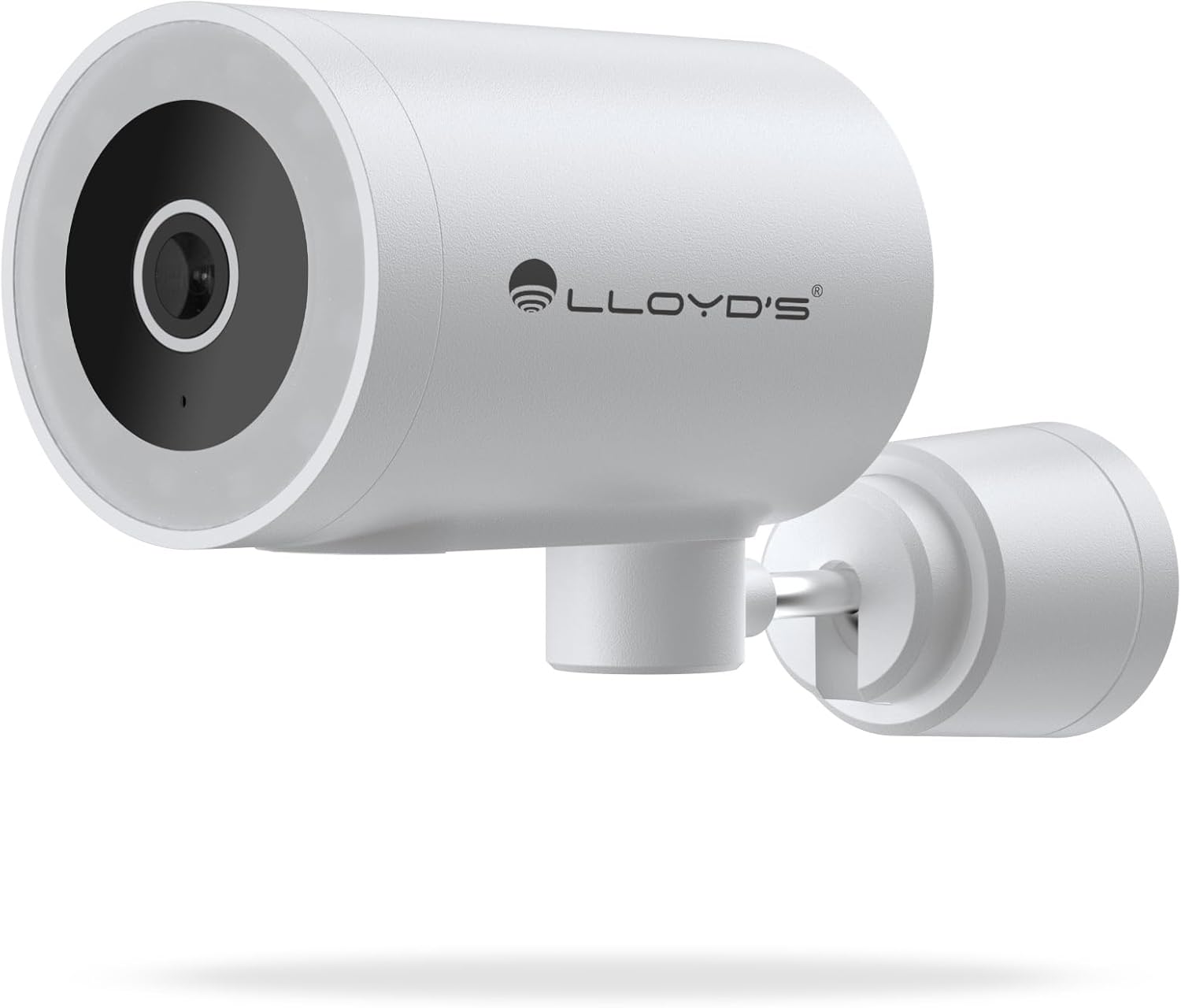
Slika: prednja strana view of the camera, highlighting the lens and sensor.

Image: Icons indicating the camera's suitability for both outdoor and indoor environments.
4.2 Preuzimanje i uparivanje aplikacije
The camera operates via a dedicated smartphone application. Ensure your smartphone is connected to a 2.4 GHz Wi-Fi network.
- Preuzmite aplikaciju: Tražiti "Lloyd's Smart" or similar in your device's app store (compatible with iOS 11.0+ and Android 5.0+).
- Napravi račun: Otvorite aplikaciju i slijedite upute na zaslonu za registraciju novog računa ili se prijavite ako ga već imate.
- Dodaj uređaj:
- Tap the "+" icon or "Add Device" in the app.
- Select "Security Camera" or the specific camera model (LC-1388).
- Follow the app's instructions to put the camera into pairing mode (usually indicated by a flashing LED).
- Enter your 2.4 GHz Wi-Fi network details when prompted.
- Scan the QR code displayed on your phone screen with the camera lens, or follow alternative pairing methods if provided by the app.
- Nakon povezivanja, imenujte kameru i dovršite postavljanje.

Image: The Lloyd's app interface demonstrating multiple camera views, customizable detection zones, push notifications, and integration with voice assistants.
5. Upravljanje kamerom
5.1 Uživo View i Kontrola
- Daljinski nadzor: Access live video feed from your smartphone app, web browser, or compatible smart TV (requires Chromecast / Fire TV Stick with voice remote).
- Horizontalno kretanje: Control the camera's 180° horizontal pan directly from the app to adjust the viewing području.
- Upravljanje LED svjetlom: Turn the integrated LED light on or off via the app. The light can also be configured to activate upon motion detection.
- Dvosmjerna komunikacija: Use the built-in microphone and speaker to communicate with individuals near the camera from your smartphone.

Image: The camera illustrating its 180-degree horizontal tracking function, suitable for indoor or outdoor use (IP65), with two-way audio and multiple views iz aplikacije.

Image: A smartphone screen showing the "Multiple views from the App" feature, allowing simultaneous monitoring of several cameras.

Image: A user monitoring the camera feed on a television, demonstrating compatibility with smart assistants for voice control and viewing.
5.2 Načini noćnog vida
The camera offers three night vision modes up to 10 meters:
- Automatski način rada: The camera automatically switches between infrared and color night vision based on ambient light conditions.
- Infracrveni način rada: Pruža jasan crno-bijeli video u potpunom mraku pomoću infracrvenih LED dioda.
- Način boja: Utilizes the integrated LED lights to provide full-color night vision, even in low-light environments.

Image: Icons representing the camera's night vision capabilities and 4MP image resolution.
5.3 Detection and Alerts
- Detekcija pokreta: Primajte upozorenja na svoj pametni telefon kada se otkrije kretanje.
- Otkrivanje zvuka: Get notifications for unusual sounds.
- Detekcija ljudskog tijela: Advanced detection to specifically identify human presence, reducing false alarms.
- Prilagodljive zone detekcije: Definirajte specifična područja unutar kamere view to monitor and receive alerts for.
- Integrirana sirena: The 90 dB siren can be activated manually via the app or automatically upon detection of an event.

Image: Icons illustrating the camera's notification system, integrated siren, and motion detection capabilities.
5.4 Opcije snimanja
- Kontinuirano snimanje: Record video continuously.
- Snimanje na temelju događaja: Record only when motion, sound, or human detection is triggered.
- Skladištenje:
- MicroSD kartica: Podržava microSD kartice do 128 GB (nisu uključene) za lokalnu pohranu.
- Pohrana u oblaku: Cloud recording is available with a subscription (sold separately).
- Zakazivanje: Program specific recording schedules and alert reception times via the app.
5.5 Integracija pametnog doma
- Glasovni pomoćnici: Compatible with Amazon Echo Show and Google Nest Hub. Supports Siri Shortcuts via routines created in the app.
- Lloyd's Smart Ecosystem: Create routines to trigger actions with other Lloyd's smart products.
- ONVIF kompatibilnost: Integrate the 4MP camera with various video surveillance equipment such as NVRs and hybrid DVRs using the ONVIF protocol.
6. Održavanje
- Čišćenje: Nježno obrišite objektiv i tijelo fotoaparata mekom, suhom krpom. Nemojte koristiti jake kemikalije ili abrazivna sredstva za čišćenje.
- Ažuriranja firmvera: Redovito provjeravajte aplikaciju za dostupna ažuriranja firmvera kako biste osigurali optimalne performanse i sigurnost.
- Ciklus snage: Ako kamera ima problema, pokušajte je isključiti iz napajanja na 10 sekundi, a zatim je ponovno uključiti.
7. Rješavanje problema
| Problem | Mogući uzrok | Otopina |
|---|---|---|
| Kamera se ne povezuje na Wi-Fi | Incorrect Wi-Fi password; Camera too far from router; Only 5 GHz Wi-Fi network available. | Verify password; Move camera closer to router; Ensure you are connecting to a 2.4 GHz Wi-Fi network. |
| Nema video feeda | Camera is offline; Power issue; Network problem. | Check power connection; Restart camera; Verify Wi-Fi connection; Check internet connectivity. |
| Upozorenja o kretanju nisu primljena | Motion detection disabled; App notifications turned off; Detection zone not configured. | Enable motion detection in app; Allow app notifications; Configure detection zones. |
| Loša kvaliteta slike | Dirty lens; Low light conditions (in non-color night vision mode); Network bandwidth issues. | Clean the lens; Switch to Color Night Vision if applicable; Ensure stable Wi-Fi connection. |
8. Specifikacije
| Značajka | Detalj |
|---|---|
| Broj modela | LC-1388 |
| Marka | Lloyd's |
| Rezolucija video snimanja | 4MP (2560x1440p) |
| Učinkovita video rezolucija | 16.9 |
| Frame Rate | 15 sličica u sekundi |
| Tehnologija povezivanja | Wireless (Wi-Fi 2.4 GHz), ONVIF |
| Wi-Fi protokol | 2.4 GHz |
| Vrsta montaže | Zidni nosač (pričvršćivanje vijcima) |
| Okruženje korištenja | Indoor, Outdoor (IP65 Water Resistant) |
| Domet noćnog vida | Do 10 metara |
| Viewing kut | 108 stupnja |
| Posebne značajke | Two-way audio, Motion detector, Local recording, Built-in light, HD resolution, Night vision, Horizontal tracking, Integrated siren |
| Kompatibilni uređaji | Pametni telefon, tablet, Web |
| Vrsta kontrolera | Amazon Alexa, Android, Google Assistant, Tuya, iOS |
| Izvor napajanja | Corded Electric (5V DC, 5 Watts) |
| Materijal | Akrilonitril butadien stiren (ABS) |
| Dimenzije (DxŠxV) | 8.48 x 6.2 x 15.98 cm |
| Težina | 596 g |
| Zemlja podrijetla | Kina |
9. Jamstvo i podrška
For warranty information, please refer to the documentation provided with your purchase or contact Lloyd's customer support. For technical assistance or further inquiries, please visit the official Lloyd's webstranici ili se obratite njihovom odjelu korisničke službe.
Proizvođač: Zutto Technologies S.A. de C.V.