
1. Uvod
This manual provides detailed instructions for the installation, operation, and maintenance of your Generic A8025-20RB-3BN-F1 Cooler Master 8025 Chassis Cooling Fan. This fan is designed to provide efficient cooling for computer chassis, ensuring optimal performance and longevity of internal components. Please read this manual thoroughly before installation and use to ensure proper function and safety.
2. Sigurnosne upute
- Always disconnect power from the computer before installing or servicing the fan.
- Handle the fan by its frame; avoid touching the fan blades directly to prevent damage or injury.
- Osigurajte ispravno uzemljenje kako biste spriječili električne opasnosti.
- Keep the fan away from water and excessive moisture.
- Do not attempt to modify the fan or its components. Unauthorized modifications can void the warranty and pose safety risks.
- Držite ambalažni materijal dalje od djece.
3. Sadržaj paketa
Molimo provjerite sadržaj paketa nakon otvaranja. Ako bilo koji predmet nedostaje ili je oštećen, obratite se korisničkoj podršci.
- 1 x Generic A8025-20RB-3BN-F1 Cooler Master 8025 Chassis Cooling Fan
- 4 x vijka za pričvršćivanje
4. Postavljanje i instalacija
Follow these steps to properly install your chassis cooling fan:
- Pripremite svoje računalo: Power off your computer and disconnect it from the power outlet. Open the computer case to access the internal components.
- Odredite mjesto montaže: Locate an available 80mm fan mounting position within your computer chassis. Ensure the fan's airflow direction is appropriate for your cooling needs (typically intake or exhaust).
- Montirajte ventilator: Position the fan in the desired mounting location. Use the provided mounting screws to secure the fan to the chassis. Do not overtighten the screws.
- Spojite kabel za napajanje: Connect the fan's 3-pin power connector to an available 3-pin fan header on your motherboard or a compatible fan controller. Ensure the connector is oriented correctly.
- Provjerite veze: Još jednom provjerite sve veze kako biste bili sigurni da su sigurne.
- Zatvorite kućište računala: Once installation is complete, close the computer case and reconnect the power.
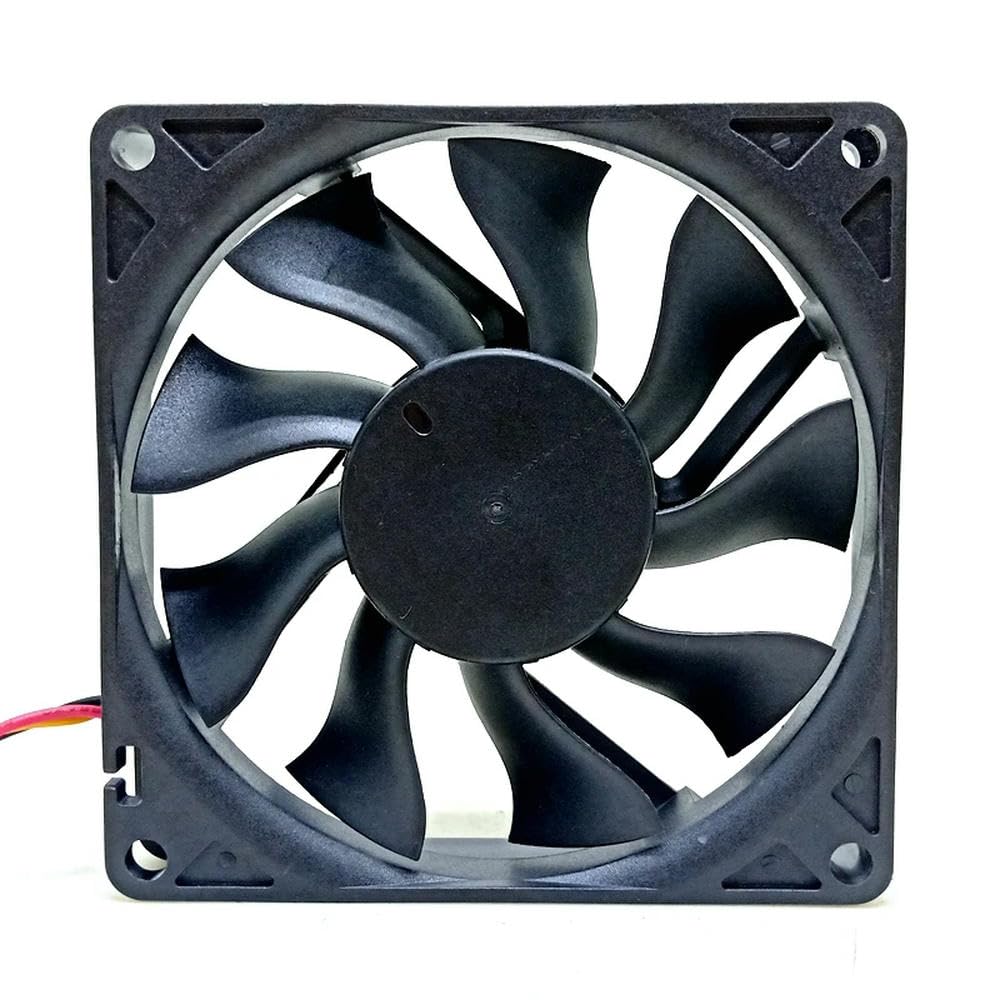
Figure 1: Generic A8025-20RB-3BN-F1 Cooler Master 8025 Chassis Cooling Fan. This image shows the fan from a front-facing angle, highlighting its black frame and blades, and the 3-pin power connector.
5. Upute za rad
Once installed, the fan will begin operating automatically when the computer is powered on. The fan speed is typically controlled by the motherboard's BIOS/UEFI settings or dedicated fan control software, depending on the fan header type and motherboard capabilities.
- Uključivanje: Turn on your computer. The fan should start spinning, providing airflow.
- Speed Control (if applicable): For 3-pin fans, speed control is often achieved through voltage regulation. Consult your motherboard manual for instructions on adjusting fan speeds in the BIOS/UEFI settings.
- Praćenje: Use system monitoring software to check the fan's RPM and ensure it is functioning correctly and contributing to optimal system temperatures.
6. Održavanje
Regular maintenance helps ensure the longevity and efficiency of your cooling fan.
- Čišćenje: Periodically (every 3-6 months, or more frequently in dusty environments) power off your computer and disconnect it from the power source. Use compressed air to gently blow dust off the fan blades and frame. Hold the fan blades to prevent them from spinning rapidly during cleaning, which can damage the bearings.
- Inspekcija: Provjerite ima li znakova istrošenosti, poput labavih žica, oštećenih oštrica ili neobičnih zvukova tijekom rada.
- Izbjegavajte podmazivanje: The fan bearings are factory-sealed and do not require lubrication. Attempting to lubricate them may cause damage.
7. Rješavanje problema
| Problem | Mogući uzrok | Otopina |
|---|---|---|
| Ventilator se ne vrti |
|
|
| Ventilator proizvodi neobičan zvuk |
|
|
| Loše performanse hlađenja |
|
|
8. Specifikacije
| Značajka | Detalj |
|---|---|
| Model | A8025-20RB-3BN-F1 |
| Tip | Chassis Cooling Fan |
| Veličina | 80 mm |
| Voltage | 12 V |
| Trenutni | 0.18A |
| Priključak | 3-pinski |
| Proizvođač | Generički |
| ASIN | B0DPFN9C5J |
| Broj modela artikla | 6224672134144 |
9. Informacije o jamstvu
This product is covered by a standard manufacturer's warranty against defects in materials and workmanship. The specific terms and duration of the warranty may vary. Please retain your proof of purchase for warranty claims. For detailed warranty information, please refer to the seller's policy or contact customer support.
10. Korisnička podrška
If you encounter any issues or have questions regarding your Generic A8025-20RB-3BN-F1 Cooler Master 8025 Chassis Cooling Fan that are not addressed in this manual, please contact the seller or manufacturer's customer support for assistance. Please have your product model number (A8025-20RB-3BN-F1) and proof of purchase ready when contacting support.
Za općenite upite možete posjetiti Amazonova služba za korisnike stranica.