
1. Uvod
Thank you for choosing the MESWAO 15.6 inch Android 14 Tablet Pro. This tablet is designed to provide a superior visual and performance experience with its large Full HD display, powerful octa-core processor, and extended battery life. This manual will guide you through the setup, operation, maintenance, and troubleshooting of your new device, ensuring you get the most out of its advanced features.
2. Što je u kutiji
Molimo provjerite sadržaj paketa. Ako bilo koji artikl nedostaje ili je oštećen, obratite se korisničkoj podršci.
- 1 x MESWAO 15.6 inch Android Tablet
- 1 x strujni adapter
- 1 x Type-C kabel
- 1 x korisnički priručnik
- 1 x Type-C na USB adapter
- 1 x Stuck pin (SIM ejector tool)

Image: Visual representation of the MESWAO tablet and its included accessories.
3. Proizvod je gotovview
3.1 Ključne značajke
- 15.6-inch 1080P FHD IPS Display: Large screen with 1920x1080p resolution, 16:9 aspect ratio, 85% screen-to-body ratio, and 350 nits adjustable brightness for clear visuals.
- OS Android 14: Latest Android version for faster app launches, intuitive user interface, split-screen multitasking, and GMS certification for Google Play access.
- MediaTek Helio G99 CPU: Octa-core processor (6nm, up to 2.2GHz) and ARM Mali-G57 GPU for smooth performance in multitasking, streaming, and gaming.
- 12,000mAh Mega Battery & 30W Fast Charging: Provides up to 15 hours of video playback and 12+ hours of daily use, with 90% charge in 3 hours.
- 6 GB RAM-a + 128 GB ROM-a (proširivo do 1 TB): Ample storage for apps, photos, and videos, with expandable memory via microSD card (FAT32 format).
- Dual-band Wi-Fi & Bluetooth 5.0: High-speed 2.4G/5G Wi-Fi and efficient Bluetooth connectivity for peripherals.
- 5MP Front + 32MP Rear Cameras: Capture moments and conduct clear video calls.
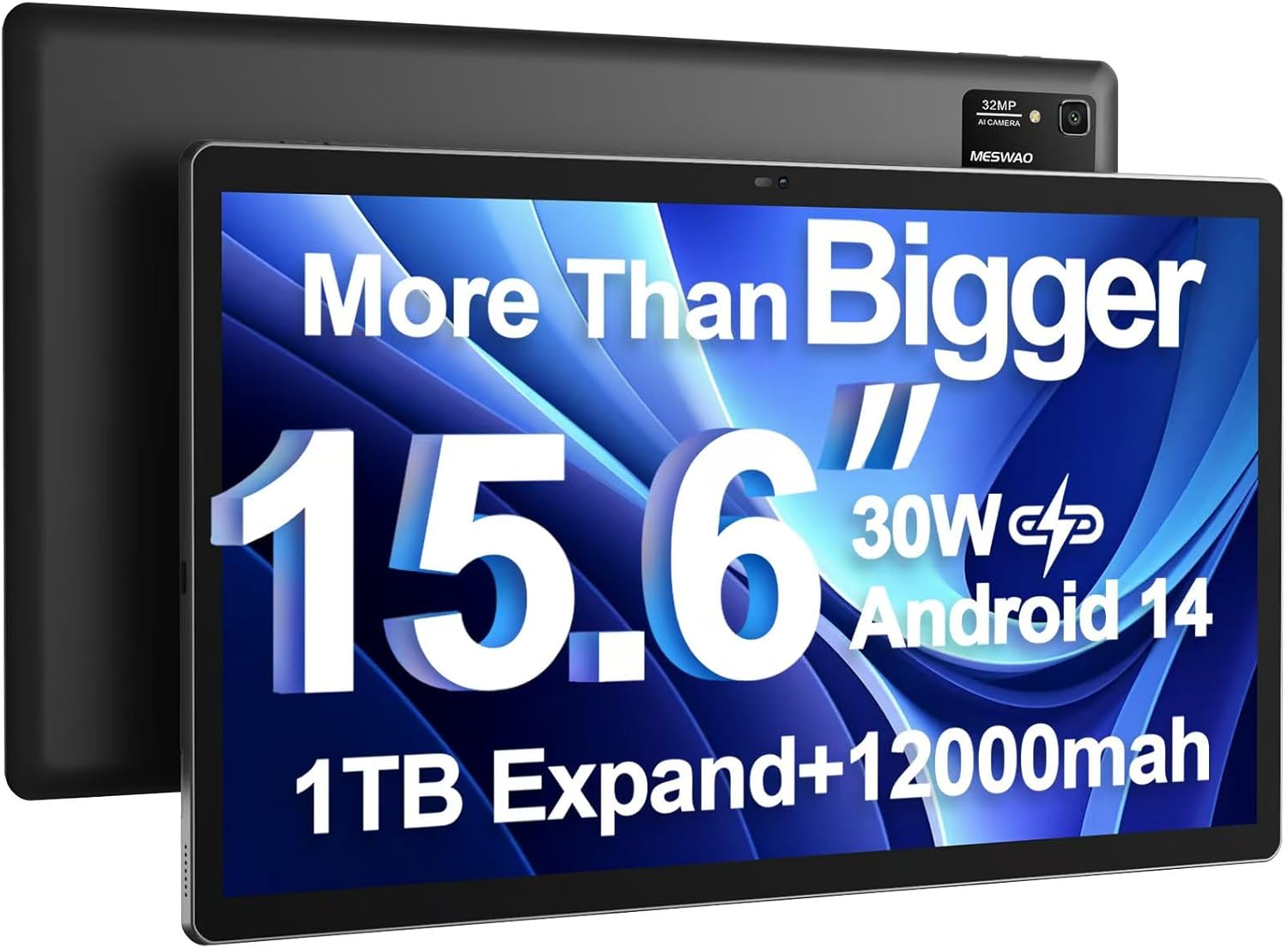
Image: The MESWAO 15.6 inch Android 14 Tablet Pro, showcasinnjegov veliki zaslon i modul stražnje kamere.

Image: Visual comparison highlighting the significantly larger screen area of the 15.6-inch tablet compared to a standard 10-inch tablet.

Image: Illustration of the tablet's 12,000mAh ultra-large capacity battery and 30W fast charging, indicating quick charge times and extended usage.
3.2 Tablet Components
Familiarize yourself with the physical components of your MESWAO tablet:
- Gumb za napajanje: Smješten sa strane, koristi se za uključivanje/isključivanje tableta ili buđenje/spavanje zaslona.
- Gumbi za glasnoću: Podesite razine audio izlaza.
- Prednja kamera: 5MP kamera za videopozive i selfije.
- Stražnja kamera: 32MP camera with flash for high-resolution photos and videos.
- Vrsta C priključka: Za punjenje i prijenos podataka.
- Utor za TF kartice: For expanding storage with a microSD card.
- Stereo zvučnici: Quad speakers for enhanced audio experience.
- 3.5 mm utičnica za slušalice: For wired audio connection (requires included Type-C to 3.5mm adapter).
4. Postavljanje
4.1 Početno uključivanje
- Pritisnite i držite Gumb za napajanje until the MESWAO logo appears on the screen.
- Slijedite upute na zaslonu za odabir jezika, regije i povezivanje s Wi-Fi mrežom.
- Sign in with your Google account or create a new one to access Google Play Store and other services.
4.2 Punjenje tableta
Before first use, fully charge the tablet. Use the provided power adapter and Type-C cable.
- Connect the Type-C cable to the tablet's Type-C port.
- Uključite strujni adapter u zidnu utičnicu.
- The charging indicator will appear on the screen. A full charge takes approximately 3 hours with the 30W fast charger.
4.3 Umetanje MicroSD kartice
To expand storage, insert a microSD card (FAT32 format, up to 1TB, sold separately).
- Pronađite utor za TF karticu sa strane tableta.
- Use the provided stuck pin to gently press into the small hole next to the slot to eject the tray.
- Umetnite microSD karticu u utor sa zlatnim kontaktima okrenutim prema dolje.
- Pažljivo vratite ladicu u utor dok ne klikne na mjesto.
5. Upute za rad
5.1 Osnovna navigacija
- Početni zaslon: Prijeđite prstom lijevo ili desno za navigaciju između početnih zaslona.
- Ladica za aplikacije: Access all installed applications (if using a launcher with an app drawer, otherwise apps are on home screens).
- Obavijesti i brze postavke: Prijeđite prstom prema dolje s vrha zaslona za pristup obavijestima i brzim postavkama (Wi-Fi, Bluetooth, Svjetlina itd.).
- Nedavne aplikacije: Dodirnite ikonu kvadrata (ili prijeđite prstom prema gore i držite od dna ako koristite navigaciju gestama) za view i prebacivanje između nedavno korištenih aplikacija.
5.2 Višezadaćnost s podijeljenim zaslonom
The Android 14 OS supports split-screen functionality for enhanced productivity.
- Otvorite prvu aplikaciju koju želite koristiti.
- Go to the Recent Apps view.
- Dodirnite ikonu aplikacije na vrhu kartice prve aplikacije i odaberite "Podijeljeni zaslon".
- Choose the second app from your recent apps or app drawer to open it in the other half of the screen.
- Prilagodite veličinu svake aplikacije povlačenjem razdjelnika u sredini.

Slika: Prekoview of key features of the Android 14 operating system on the tablet, including multitasking capabilities.
5.3 Povezivost
- Wi-Fi: Idi na Postavke > Mreža i internet > Wi-Fi to connect to available networks. Supports 2.4Ghz and 5Ghz bands.
- Bluetooth: Idi na Postavke > Povezani uređaji > Postavke veze > Bluetooth to pair with Bluetooth headphones, keyboards, or other devices.
- Emitiranje zaslona: The tablet supports wireless screen casting to compatible displays. Access this feature from Quick Settings or Settings > Connected devices > Connection preferences > Cast.

Image: Depiction of the tablet's stable dual-band Wi-Fi and Bluetooth 5.0 capabilities, enabling seamless wireless connections.
6. Održavanje
6.1 Njega baterija
- Izbjegavajte ekstremne temperature (vruće ili hladno) jer mogu smanjiti vijek trajanja baterije.
- Do not let the battery completely drain frequently. Charge it before it reaches 0%.
- Use only the provided charger or a certified 30W PD fast charger.
6.2 Čišćenje
- Za čišćenje zaslona i kućišta koristite meku krpu koja ne ostavlja dlačice.
- Za tvrdokorne mrlje, lagano dampobrišite krpu vodom ili sredstvom za čišćenje zaslona. Izbjegavajte jake kemikalije.
- Ne prskajte tekućine izravno na tablet.
6.3 Ažuriranja softvera
Redovito provjeravajte i instalirajte ažuriranja sustava kako biste osigurali optimalne performanse i sigurnost.
- Connect your tablet to a stable Wi-Fi network.
- Idi na Postavke > Sustav > Ažuriranje sustava.
- Slijedite upute na zaslonu za preuzimanje i instaliranje svih dostupnih ažuriranja.
7. Rješavanje problema
Ako imate problema s tabletom, pogledajte sljedeća uobičajena rješenja:
| Problem | Mogući uzrok | Otopina |
|---|---|---|
| Tablet se ne uključuje | Slaba baterija; Pad sustava | Punite tablet najmanje 30 minuta. Pritisnite i držite gumb za uključivanje/isključivanje 10-15 sekundi za prisilno ponovno pokretanje. |
| Spore performanse/Kašnjenje | Previše pokrenutih aplikacija; Malo prostora za pohranu; Zastarjeli softver | Zatvorite pozadinske aplikacije. Izbrišite predmemoriju. Oslobodite prostor za pohranu. Provjerite ažuriranja sustava. |
| Problemi s Wi-Fi vezom | Incorrect password; Router issue; Tablet Wi-Fi off | Ensure Wi-Fi is on. Re-enter password. Restart router. Forget and reconnect to network. |
| Baterija se brzo prazni | High screen brightness; Background apps; Heavy usage | Reduce screen brightness. Close unused apps. Limit background data. Check battery usage in settings. |
| Touchscreen unresponsive/Phantom touches | Temporary software glitch; Defective unit | Restart the tablet. If the issue persists, contact MESWAO customer support for assistance. |
If the problem persists after trying these solutions, please contact MESWAO customer support for further assistance.
8. Specifikacije
| Značajka | Detalj |
|---|---|
| Naziv modela | MES-B3 Pro |
| Operativni sustav | Android 14 |
| Veličina zaslona | 15.6 inča |
| Razlučivost zaslona | 1920 x 1080 piksela (Full HD IPS) |
| Procesor | MediaTek Helio G99 Octa-core (do 2.2GHz) |
| Grafički koprocesor | ARM Mali-G57 |
| OVAN | 6 GB |
| Interna pohrana (ROM) | 128 GB |
| Proširiva pohrana | Up to 1TB via MicroSD card (FAT32 format) |
| Kapacitet baterije | 12,000 mAh |
| Trajanje baterije (prosjek) | 13 sati (do 15 sati reprodukcije videa) |
| Punjenje | Brzo punjenje od 30 W PD |
| Bežično povezivanje | 802.11a/b/ac/ax (2.4G/5G Dual-band Wi-Fi), Bluetooth 5.0 |
| Prednja kamera | 5 MP |
| Stražnja kamera | 32 MP |
| Težina artikla | 4.42 funti (otprilike 2 kg) |
| Dimenzije proizvoda | 14.49 x 8.66 x 0.39 inča (36.8 x 22 x 1 cm) |
9. Jamstvo i podrška
MESWAO products come with a standard manufacturer's warranty. Please refer to the warranty card included in your package for specific terms and conditions. For technical support, troubleshooting assistance, or warranty claims, please contact MESWAO customer service through the contact information provided on the official MESWAO webweb-mjesto ili vašu platformu za kupnju.
Podaci za kontakt: Please visit the official MESWAO website or refer to the support card included in your product packaging for the most up-to-date contact details.