
RODEDIO V519
RODEDIO V519 OBD2 Scanner User Manual
Model: V519
1. Uvod
The RODEDIO V519 OBD2 Scanner is a powerful diagnostic tool designed to help you understand and resolve issues with your vehicle's engine and emissions systems. This manual provides detailed instructions on how to set up, operate, and maintain your scanner to ensure optimal performance and accurate diagnostics.
Ključne karakteristike:
- Potpuni OBD2 načini rada: Supports all OBD2 modes for comprehensive vehicle diagnostics.
- Baterija Voltage Test: Integrated feature allows checking battery voltage to diagnose charging system issues.
- Prijenos podataka uživo: Real-time data streaming capability provides insights into vehicle's operating parameters.
- I/M spremnost: Checks readiness status for emissions testing to ensure compliance.
- DTC Functions: Read, erase, and lookup diagnostic trouble codes for efficient repairs.
2. Sadržaj paketa
Molimo pažljivo provjerite paket kako biste bili sigurni da su svi artikli prisutni i u dobrom stanju:
- RODEDIO V519 OBD2 Scanner (fuselage)
- korisnički priručnik
3. Proizvod je gotovview
The RODEDIO V519 OBD2 Scanner features a user-friendly design with a clear color screen and intuitive button layout for easy navigation and operation.
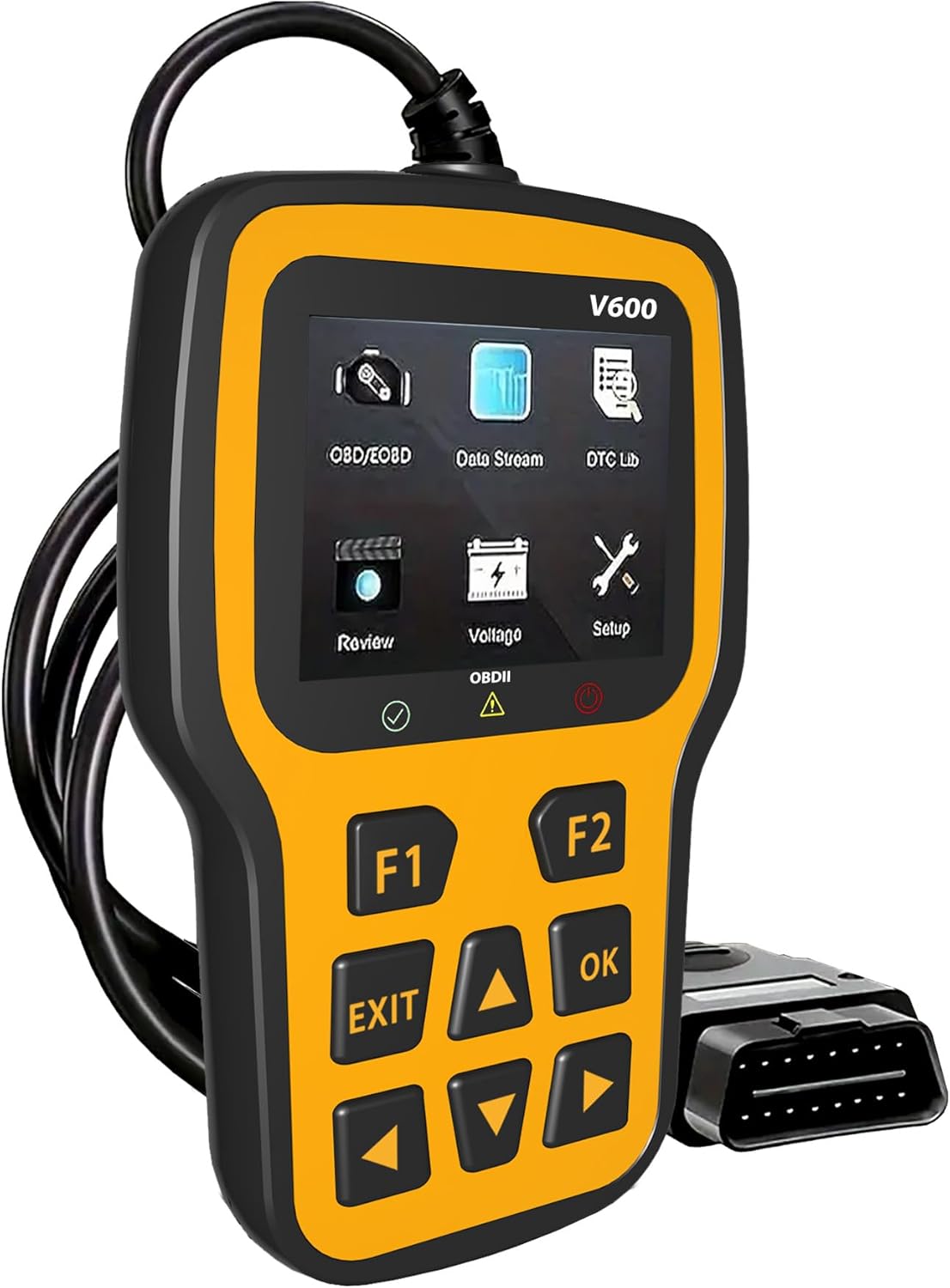
Ispred view of the RODEDIO V519 OBD2 Scanner, showing the display screen and control buttons.
Identifikacija komponente:
- Zaslon u boji od 2.4 inča: Prikazuje dijagnostičke informacije, izbornike i rezultate.
- Function Buttons (F1, F2): Used for specific functions as indicated on the screen.
- Navigacijski gumbi (gore, dolje, lijevo, desno): For menu navigation and data scrolling.
- Gumb OK: Potvrđuje odabire ili ulazi u podizbornike.
- Gumb EXIT: Povratak na prethodni zaslon ili izlaz iz funkcije.
- OBDII Connector (16-pin): Spaja skener na OBDII priključak vozila.

Detaljan view of the RODEDIO V519 scanner highlighting the 2.4-inch color screen and the 16-pin OBDII interface, along with connection status indicators (Red for fault, Yellow for failed, Green for successful).
Dimenzije:
The scanner measures approximately 5.1 inches (13 cm) in length, 1.5 inches (3.8 cm) in width, and 7.8 inches (19.8 cm) in height, making it compact and easy to handle.

Image showing the physical dimensions of the RODEDIO V519 OBD2 Scanner, approximately 9.6 cm (3.7 inches) in height and 15.8 cm (6.2 inches) in width.
4. Postavljanje i početna upotreba
Follow these steps to set up your RODEDIO V519 OBD2 Scanner and begin diagnostics:
- Pronađite OBDII priključak: The 16-pin OBDII Data Link Connector (DLC) is usually located under the dashboard on the driver's side of the vehicle. Refer to your vehicle's service manual for the exact location if needed.
- Spojite skener: With the vehicle's ignition off, firmly plug the scanner's OBDII connector into the vehicle's DLC.
- Uključite paljenje: Turn the vehicle's ignition to the 'ON' position (do not start the engine). The scanner will automatically power on and establish communication with the vehicle.
- Provjerite vezu: The scanner's screen will display a connection status. A green indicator typically signifies a successful connection. If the connection fails (yellow or red indicator), ensure the cable is securely connected and the ignition is on.
5. Upravljanje skenerom
The RODEDIO V519 offers a range of diagnostic functions accessible through its main menu. Use the navigation buttons to scroll through options and the OK button to select.

Nadview of the various OBDII functions available on the RODEDIO V519 scanner, including Read Codes, Erase Codes, Live Data, I/M Readiness, Freeze Frame, O2 Sensor Test, On-board Monitor Test, Vehicle Information, and Evap System.
5.1. Full OBD2 Modes
The scanner supports all 10 OBD2 diagnostic modes:
- Pročitajte kodove: Retrieves Diagnostic Trouble Codes (DTCs) from the vehicle's computer. These codes indicate specific issues detected by the system.
- Brisanje kodova: Briše DTC-ove iz memorije vozila i isključuje indikator kvara Lamp (MIL) or Check Engine Light. Napomena: Hmasing codes does not fix the underlying problem. Address the root cause before clearing codes.
- Prijenos podataka uživo: Displays real-time data parameters from the vehicle's sensors and modules. This can include engine RPM, vehicle speed, oxygen sensor readings, coolant temperature, and more.
- I/M spremnost: Checks the status of the vehicle's emission-related monitors. This is crucial for preparing for emissions tests.
- Baterija Voltage Test: Prati napunjenost akumulatora vozilatage in real-time, helping to diagnose potential issues with the battery or charging system.
- Traženje DTC-a: Provides definitions for generic (P0, P2, P3, B0, C0, U0) and manufacturer-specific (P1, P3, B1, C1, U1) codes.
- Podaci zamrznutog okvira: Captures a snapshot of critical vehicle operating conditions at the moment a DTC is set. This data helps in diagnosing intermittent problems.
- Test O2 senzora: Dohvaća rezultate ispitivanja monitora lambda sonde za najnovije dovršene testove s ugrađenog računala vozila.
- Test ugrađenog monitora: Dohvaća rezultate ispitivanja komponenti i sustava pogonskog sklopa povezanih s emisijama koji se ne prate kontinuirano.
- Podaci o vozilu: Dohvaća identifikacijski broj vozila (VIN), ID kalibracije (CALID) i broj za provjeru kalibracije (CVN) vozila.
- Ispitivanje sustava isparavanja: Pokreće ispitivanje sustava za kontrolu isparavanja goriva (EVAP) na propuštanje.

Visual representation of the 'Read Codes' function, typically used to retrieve diagnostic trouble codes from the vehicle.

Visual representation of the 'Erase Codes' function, used to clear diagnostic trouble codes and turn off the check engine light.

The scanner screen showing live data parameters and freeze frame information, providing real-time insights into vehicle performance and conditions at the time a fault occurred.

Visual representation of the 'I/M Readiness' function, which indicates whether the vehicle's emission monitoring systems have completed their diagnostic cycles.

The scanner displaying the battery voltage test results, indicating the current voltage akumulatora vozila.
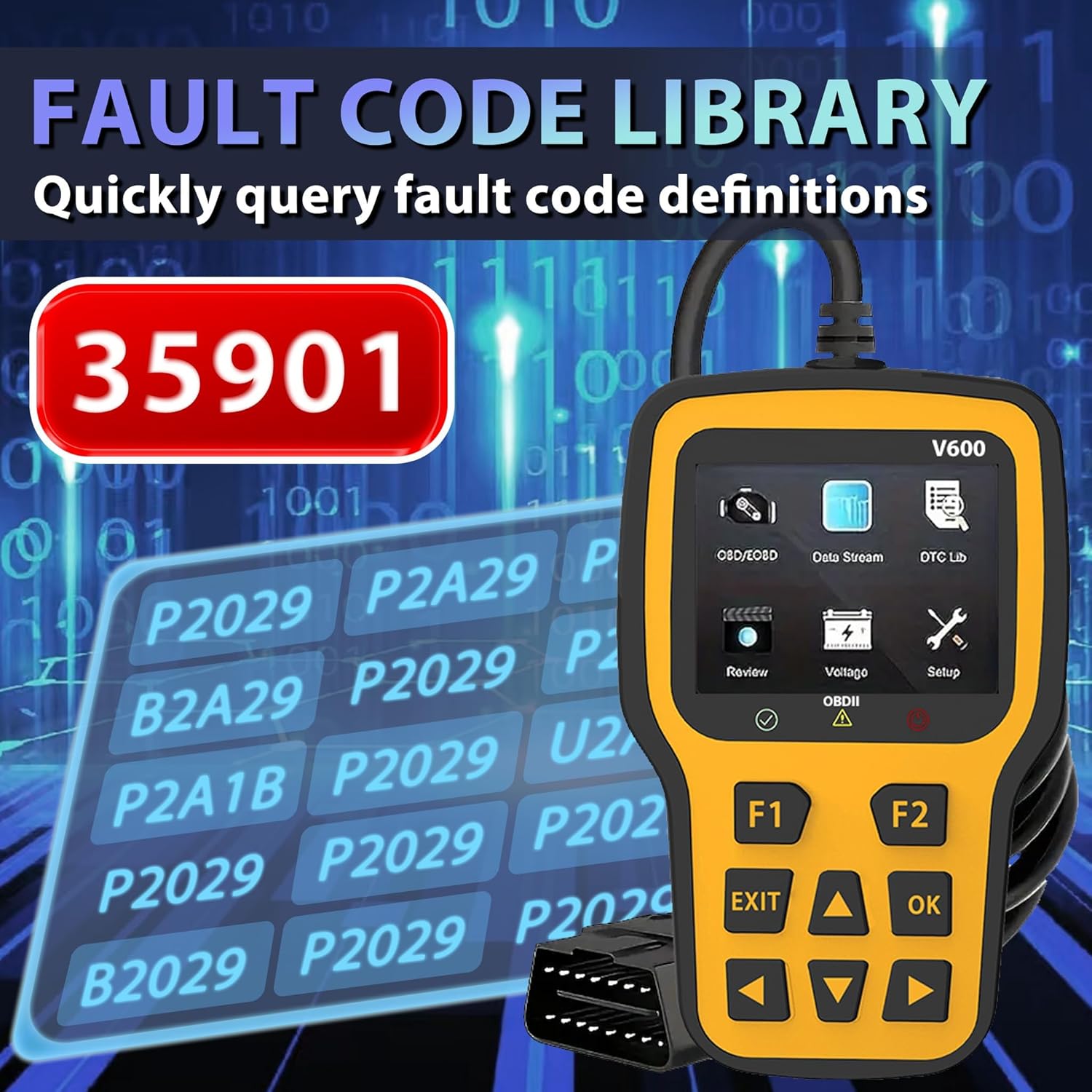
The scanner screen showing the fault code library, allowing users to quickly query definitions for diagnostic trouble codes.

A close-up of the scanner screen displaying Freeze Frame data, including parameters like DTCFRZE, FUELSYS1, FUELSYS2, LOAD_PCT(%), ETC(°C), and SHRFT1(%).
5.2. Engine Fault Diagnosis
The scanner can quickly read and clear engine fault codes, helping to diagnose and turn off the engine failure light.

The RODEDIO V519 scanner positioned next to a car dashboard, illustrating its use in quickly reading current engine faults and clearing the engine failure light.
6. Održavanje
Proper maintenance ensures the longevity and reliability of your RODEDIO V519 OBD2 Scanner:
- Čišćenje: Za čišćenje skenera koristite meku, suhu krpuasing and screen. Avoid using abrasive cleaners or solvents.
- Skladištenje: Skener čuvajte na čistom i suhom mjestu, dalje od ekstremnih temperatura, izravne sunčeve svjetlosti i prekomjerne prašine.
- Održavanje kabela: Do not pull on the cable to disconnect the scanner. Always grasp the connector firmly. Avoid bending or kinking the cable excessively.
- Ažuriranja softvera: Povremeno provjerite proizvođačeve website for available software updates to ensure your scanner has the latest vehicle compatibility and features. (Specific update instructions are not provided in this manual; refer to the manufacturer's webstranica za detalje).
7. Rješavanje problema
If you encounter issues while using your RODEDIO V519 OBD2 Scanner, refer to the following common problems and solutions:
| Problem | Mogući uzrok | Otopina |
|---|---|---|
| Skener se ne uključuje. | Loose connection; Vehicle ignition off; Blown fuse in vehicle's OBDII circuit. | Ensure the OBDII cable is securely connected. Turn vehicle ignition to 'ON'. Check vehicle's fuse box for a blown fuse related to the OBDII port. |
| Komunikacijska greška s vozilom. | Incorrect protocol; Faulty cable; Vehicle not OBDII compliant. | Verify vehicle is OBDII compliant (most vehicles 1996 and newer). Reconnect the cable. Try on another OBDII compliant vehicle if possible. |
| Ne mogu se izbrisati DTC-ovi. | Ignition not on; Underlying fault still present; Multiple ECUs. | Ensure ignition is on. Diagnose and repair the underlying issue first. Some vehicles may require specific procedures or multiple attempts. |
| Zaslon je zamrznut ili ne reagira. | Softverski kvar; Prekid napajanja. | Disconnect the scanner from the vehicle, wait a few seconds, then reconnect. If the issue persists, contact customer support. |
8. Specifikacije
| Značajka | Detalj |
|---|---|
| Marka | RODEDIO |
| Model | V519 |
| Težina artikla | 8 unci (približno 227 grama) |
| Dimenzije proizvoda | 5.1 x 1.5 x 7.8 inča (otprilike 13 x 3.8 x 19.8 cm) |
| Operativni sustav | Windows XP (for PC connectivity, if applicable for updates) |
| Automobilska vrsta | Universal Fit (for OBDII compliant vehicles) |
| Prikaz | Zaslon u boji od 2.4 inča |
| Povezivost | 16-pin OBDII Standard Connector |
9. Jamstvo i podrška
RODEDIO products are manufactured to high-quality standards. For specific warranty information, please refer to the warranty card included with your product or visit the official RODEDIO website. If you require technical assistance, have questions about product operation, or need to report an issue, please contact RODEDIO customer support through the contact information provided on the official webweb-mjesto ili vašu platformu za kupnju.
Ask a question about this manual
Ask about setup, troubleshooting, compatibility, parts, safety, or missing instructions. Manuals+ will review the question and use this page’s manual context to help answer it.