
1. Proizvod je gotovview
The QRD Junior E5 Wireless Controller is a compact and versatile gaming controller designed for a wide range of platforms, including Nintendo Switch, Switch Lite, Switch OLED, PC (Windows), Mac, iOS, and Android devices. Its ergonomic design and advanced features provide an enhanced gaming experience.

Slika 1.1: Prednja strana view of two QRD Junior E5 Wireless Controllers.

Image 1.2: Back and front views of the QRD Junior E5 Wireless Controller, highlighting its design.
2. Sadržaj paketa
- QRD Junior E5 Wireless Controller (2 units for this package)
- USB-C kabel za punjenje
- Korisnički priručnik (ovaj dokument)
3. Postavljanje i povezivanje
3.1 Punjenje kontrolera
Before first use, fully charge the controller. Connect the provided USB-C cable to the controller's charging port and the other end to a USB power source (e.g., console, PC, or USB wall adapter). The indicator lights will show charging status and turn off when fully charged.
3.2 Povezivanje s Nintendo Switchom
- On the Nintendo Switch HOME Menu, select Kontrolori > Promjena zahvata/redoslijeda.
- Pritisnite i držite Početna tipka on the QRD Junior E5 controller for 3-5 seconds until the indicator lights start flashing rapidly.
- Nakon povezivanja, odgovarajuća indikatorska lampica(e) igrača na kontroleru ostat će stalno svijetliti.
3.3 Connecting to PC (Windows/Mac)
The controller supports both wireless Bluetooth and wired USB-C connections for PC and Mac.
3.3.1 Wireless Bluetooth Connection
- Ensure your PC/Mac has Bluetooth enabled.
- On your PC/Mac, go to Bluetooth settings and search for new devices.
- Pritisnite i držite Početna tipka on the QRD Junior E5 controller for 3-5 seconds until the indicator lights start flashing rapidly.
- Select "QRD Controller" or similar from the list of available devices to pair.
- The controller supports X-ulaz for PC games.
3.3.2 Žičana USB-C veza
Connect the controller to your PC/Mac using the provided USB-C cable. The controller will be automatically recognized, and no driver installation is required.
3.4 Povezivanje s iOS/Android uređajima
- Enable Bluetooth on your iOS/Android device.
- Pritisnite i držite Početna tipka on the QRD Junior E5 controller for 3-5 seconds until the indicator lights start flashing rapidly.
- Tražiti "QRD Controller" or similar in your device's Bluetooth settings and pair.
4. Upute za uporabu i značajke
4.1 Osnovne kontrole
The QRD Junior E5 controller features standard button layouts including A/B/X/Y buttons, D-pad, Left/Right joysticks, L/R/ZL/ZR triggers, Home button, and +/- buttons.
4.2 TURBO funkcija
The TURBO function allows for continuous or automatic rapid firing of buttons. This feature can be customized for different games and play styles.
- To set TURBO: Press and hold the desired action button (e.g., A) and then press the Tipka TURBO once. The button will now continuously fire when held.
- To set Auto-TURBO: Press and hold the desired action button and then press the Tipka TURBO a second time. The button will automatically fire without being held.
- To clear TURBO: Press and hold the desired action button and then press the Tipka TURBO treći put.
- Adjusting TURBO Speed: Pritisnite tipku Tipka TURBO i Up/Down D-pad simultaneously to cycle through speeds: 8 times/sec, 15 times/sec, 25 times/sec.

Image 4.1: Illustration of the Turbo function for rapid actions in games.
4.3 6-Axis Gyro Motion Sensor
The controller is equipped with an advanced 6-axis gyro motion sensor, allowing for precise viewpoint and tilt operations in compatible games. Tilt, turn, and twist the controller to interact with game environments dynamically.

Image 4.2: Demonstrating the 6-Axis Gyro motion sensor capability.
4.4 Adjustable Vibration Feedback
Dual vibration motors provide immersive haptic feedback. The vibration intensity can be adjusted to suit personal preference and game requirements.
- Vibration modes: 0% (no vibration), 30% (weak), 70% (medium), and 100% (strong).
- To adjust vibration: Press the Gumb za vibraciju (if present, or a combination like TURBO + Left/Right joystick click) to cycle through intensity levels. Refer to the quick start guide for specific button combinations.

Image 4.3: Visual representation of the adjustable vibration feature.
5. Održavanje i njega
- Držite regulator suhim i dalje od ekstremnih temperatura.
- Očistite kontroler mekom, suhom krpom. Nemojte koristiti jake kemikalije ili abrazivne materijale.
- Izbjegavajte ispuštanje ili izlaganje kontrolera jakim udarcima.
- Kontroler spremite na sigurno mjesto kada ga ne koristite kako biste spriječili oštećenja.
6. Rješavanje problema
6.1 Kontroler se ne povezuje
- Provjerite je li kontroler potpuno napunjen.
- Verify Bluetooth is enabled on your device (Switch, PC, Mac, iOS, Android).
- Make sure the controller is in pairing mode (indicator lights flashing rapidly).
- Pokušajte ponovno pokrenuti i kontroler i uređaj s kojim se pokušavate povezati.
- If connecting to Switch, ensure you are on the "Change Grip/Order" screen.
- For PC/Mac, try a wired USB-C connection to rule out Bluetooth issues.
6.2 Kašnjenje unosa ili tipke koje ne reagiraju
- Ensure the controller is within range of the connected device.
- Provjerite ima li smetnji drugih bežičnih uređaja.
- Confirm the controller is fully charged. Low battery can affect performance.
- Restart the controller and the game/device.
6.3 Vibration Not Working or Incorrect
- Check the vibration settings on the controller (refer to section 4.4) to ensure it's not set to 0%.
- Provjerite podržava li igra koju igrate vibracijske povratne informacije.
- Ensure the controller's firmware is up to date (if applicable, check the manufacturer's webmjestu).
7. Specifikacije
| Model | Junior E5 |
| Marka | QRD |
| Povezivost | Bežični Bluetooth, Žičani USB-C |
| Kompatibilnost | Nintendo Switch, Switch Lite, Switch OLED, PC (Windows), Mac, iOS, Android |
| Načini unosa | X-input (PC), Switch-input (Nintendo Switch) |
| Posebne značajke | 6-Axis Gyro Motion Sensor, Adjustable Vibration, TURBO Function |
| Dimenzije (približno) | 5 x 3.31 x 2.13 inča (12.7 x 8.4 x 5.4 cm) |
| Težina (približno) | 1.06 funti (0.48 kg) |
| Baterija | 2 Nonstandard Battery batteries required (internal, rechargeable) |

Image 7.1: Physical dimensions of the QRD Junior E5 Wireless Controller.
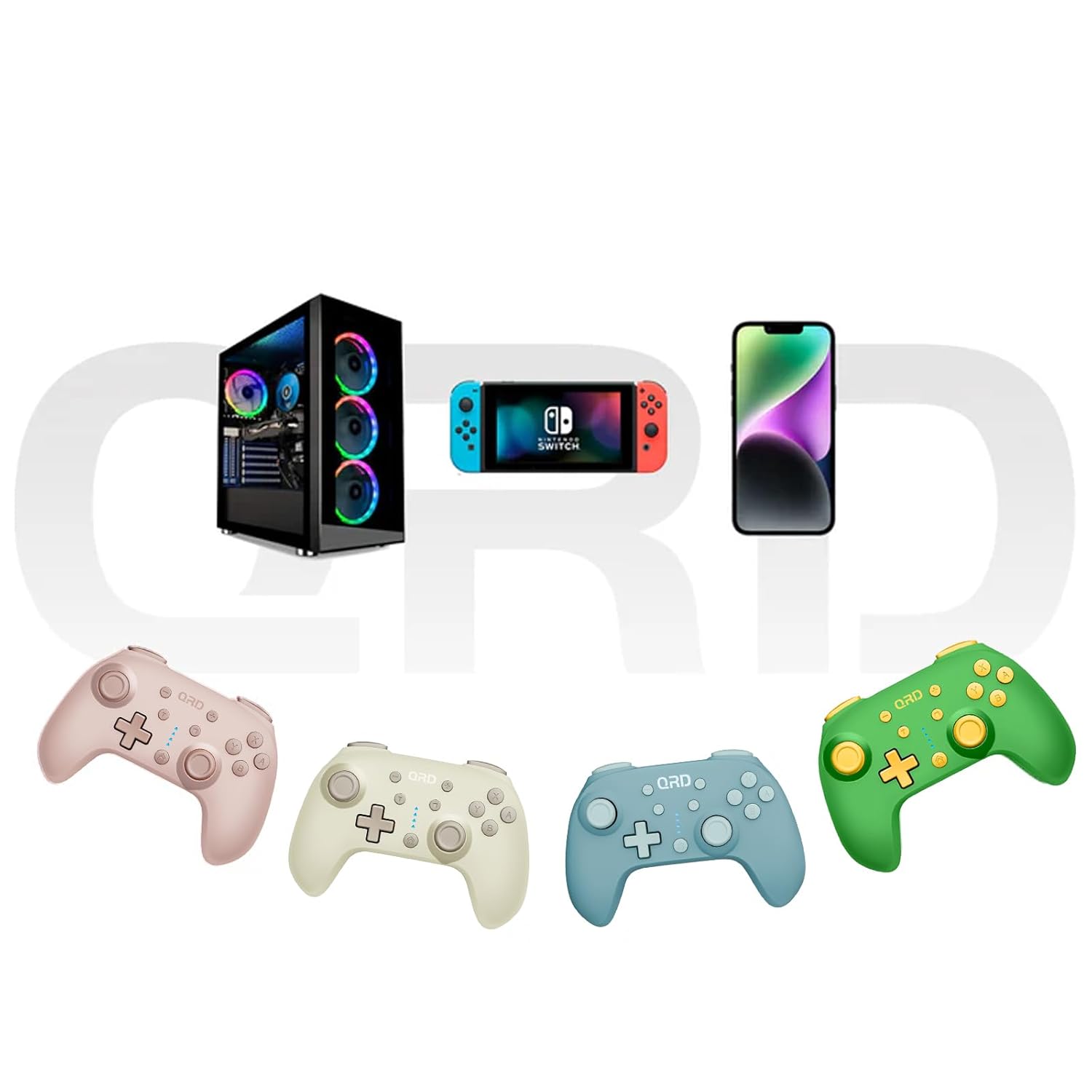
Image 7.2: Multi-platform compatibility of the QRD Junior E5 Wireless Controller.
8. Jamstvo i podrška
QRD products are designed for reliability and performance. For warranty information, technical support, or service inquiries, please refer to the contact information provided with your purchase or visit the official QRD webMolimo sačuvajte dokaz o kupnji za potrebe jamstva.
Za dodatnu podršku možete posjetiti QRD Store on Amazon.