
ClokoWe T800
ClokoWe Mini Projector T800 User Manual
Model: T800
1. Uvod
This manual provides detailed instructions for the safe and effective use of your ClokoWe Mini Projector T800. Please read this manual thoroughly before operating the device and retain it for future reference.
Sigurnosne informacije
- Ne gledajte izravno u objektiv projektora kada je lamp je uključen.
- Osigurajte odgovarajuću ventilaciju oko projektora kako biste spriječili pregrijavanje.
- Projektor držite dalje od vode ili drugih tekućina.
- Koristite samo strujni adapter koji ste dobili s uređajem.
- Do not attempt to disassemble or repair the projector yourself. Contact customer support for assistance.
2. Sadržaj paketa
Provjerite jesu li svi artikli prisutni u paketu:
- ClokoWe Mini Projector T800
- HDMI kabel
- Daljinski upravljač
- Kabel za napajanje
- Korisnički priručnik (ovaj dokument)
3. Proizvod je gotovview
Familiarize yourself with the projector's components and features.
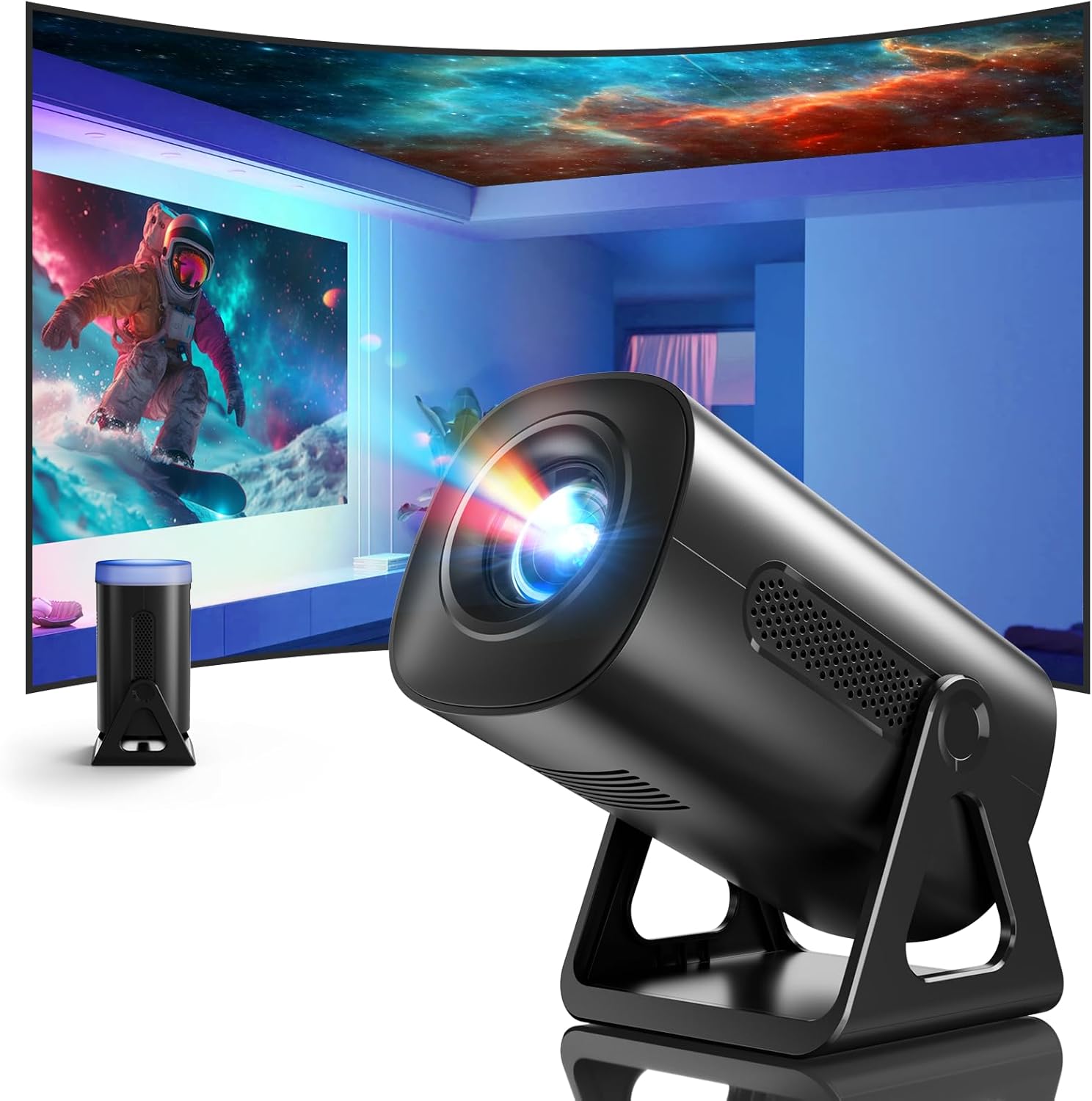
Slika 3.1: Prednja strana view of the ClokoWe Mini Projector T800, showcasing its compact design and projection capability.
Ključne karakteristike:
- Native 1080p Resolution with 4K Support
- 270° Rotatable Stand for flexible projection angles
- Integrated Star Projector with 6 Galaxy Projection Modes and 7 Ambient Night Light Colors
- Dual Band WiFi 6 (2.4G/5G) for stable wireless connectivity
- Bluetooth 5.2 HiFi Speaker for enhanced audio
- Automatic Keystone Correction and 50%-100% Zoom function
- Multiple connectivity options: USB, HDMI, AV, Audio

Image 3.2: Dimensions and weight of the projector, highlighting the 270-degree rotatable stand.
4. Postavljanje
4.1 Priključak za napajanje
- Spojite kabel za napajanje na ulazni priključak za napajanje projektora.
- Drugi kraj kabela za napajanje uključite u standardnu električnu utičnicu.
- Svjetlo indikatora napajanja će zasvijetliti.
4.2 Postavljanje i podešavanje
The 270° rotatable stand allows for flexible placement and projection.

Image 4.1: The projector's 270-degree rotation feature, enabling projection onto walls, floors, or ceilings.
- Pozicioniranje: Postavite projektor na stabilnu, ravnu površinu.
- Podešavanje kuta: Rotate the projector body on its stand to achieve the desired projection angle (up to 270 degrees).
- Fokus: Za izoštravanje slike koristite prsten za fokusiranje na objektivu projektora.
- Korekcija trapezoida: The projector features automatic keystone correction. If the image appears trapezoidal, the device will automatically adjust it to a rectangular shape. Manual adjustments may also be available in the settings menu.

Image 4.2: Demonstration of automatic keystone correction and image zoom capabilities.
5. Upute za rad
5.1 Početno uključivanje
- Pritisnite tipku za napajanje na projektoru ili daljinskom upravljaču.
- The projector will start up and display the main interface.
5.2 Povezivost
The projector supports various input sources and wireless connections.

Slika 5.1: Gotovoview of supported device connections via HDMI, USB, and Audio interfaces.
5.2.1 WiFi Connection (Dual Band WiFi 6)
- Idite na izbornik 'Postavke' na projektoru.
- Odaberite 'Mreža' ili 'WiFi postavke'.
- Choose your desired 2.4G or 5G WiFi network from the list.
- Unesite lozinku i povežite se.

Image 5.2: Demonstrating Dual Band WiFi 6 connectivity and wired screen mirroring with a smartphone.
5.2.2 Bluetooth Connection (Bluetooth 5.2)
- Idite na 'Postavke' i odaberite 'Bluetooth'.
- Uključite Bluetooth i potražite dostupne uređaje.
- Odaberite Bluetooth zvučnik ili slušalice s popisa za uparivanje.

Image 5.3: The projector's Bluetooth 5.2 capability for connecting to external audio devices.
5.2.3 HDMI/USB/AV Connection
- Connect your device (e.g., laptop, TV stick, game console) to the corresponding HDMI, USB, or AV port on the projector.
- Select the correct input source from the projector's main menu using the remote control.
5.3 Projection Modes (Star Projector & Night Light)
The projector includes integrated ambient lighting features.

Image 5.4: The projector's ability to display 7 night light colors and 6 galaxy projection modes.
- Projekcija galaksije: Access the 'Star Projector' or 'Galaxy Modes' option in the menu to select from 6 different galaxy patterns.
- Ambient Night Light: With the lens cover on, select from 7 ambient light colors to use the projector as a night light.
5.4 Podešavanje slike
- Funkcija zumiranja: Adjust the projection size from 50% to 100% via the projector's menu settings.
- Kvaliteta slike: The projector supports native 1080p resolution and 4K input. Ensure your source content is of high quality for the best viewiskustvo.
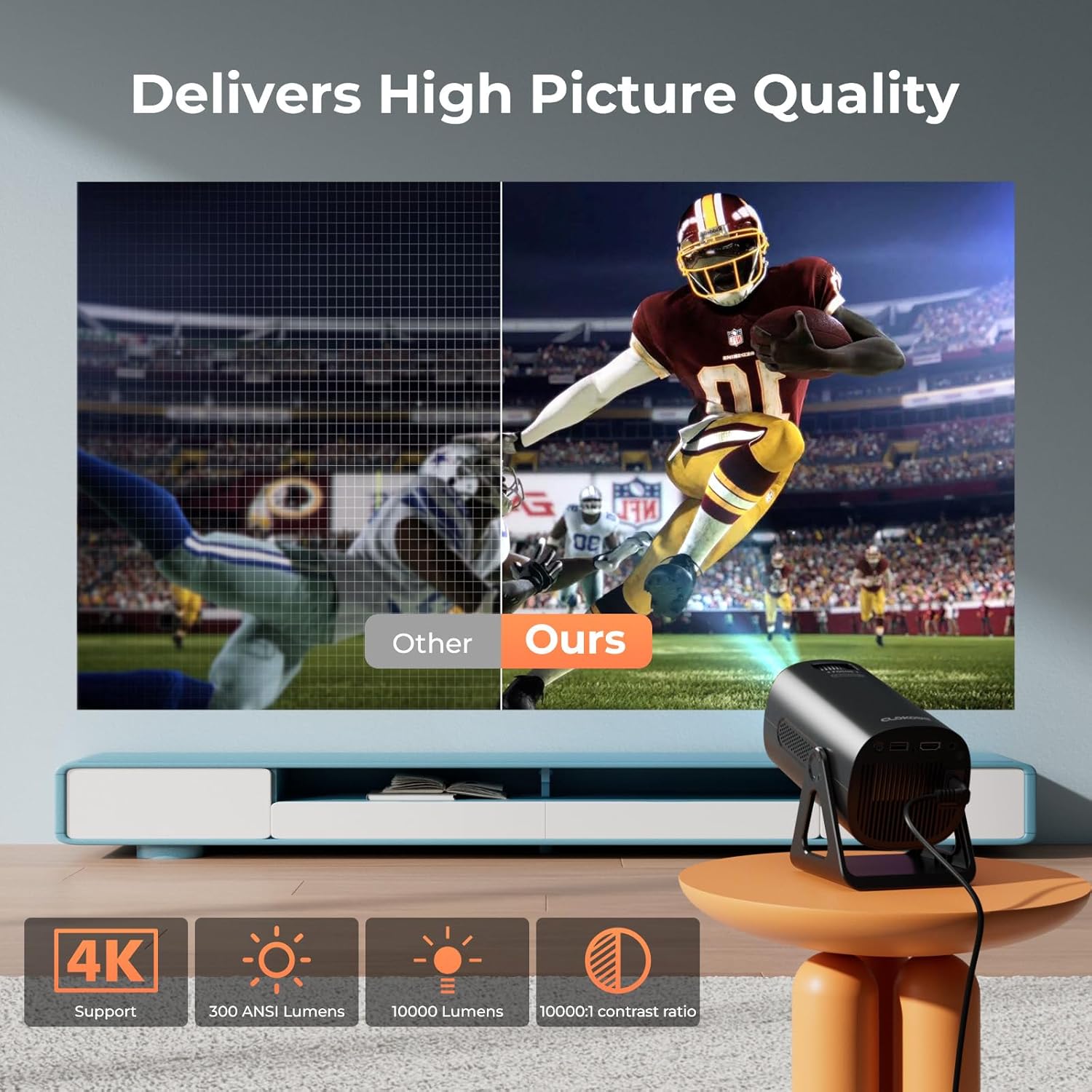
Image 5.5: Visual comparison of picture quality, emphasizing 4K support and brightness specifications.
6. Održavanje
- Čišćenje leća: Za nježno brisanje leće projektora koristite meku krpu bez dlačica, posebno namijenjenu za optičke leće. Nemojte koristiti abrazivna sredstva za čišćenje.
- Uklanjanje prašine: Regularly clean the projector's vents with a soft brush or compressed air to prevent dust buildup, which can affect performance and lifespan.
- Skladištenje: Kada se projektor ne koristi dulje vrijeme, čuvajte ga na hladnom i suhom mjestu, po mogućnosti u originalnom pakiranju ili zaštitnoj kutiji.
- Isključivanje: Always power off the projector correctly and allow it to cool down before unplugging or moving it.
7. Rješavanje problema
Uobičajeni problemi i rješenja:
- Bez napajanja:
• Ensure the power cord is securely connected to both the projector and the power outlet.
• Check if the power outlet is functional. - Nema slike/signala:
• Verify that the correct input source (HDMI, USB, AV) is selected in the projector's menu.
• Check the connection cables between the projector and the source device.
• Ensure the source device is powered on and outputting a signal. - Zamućena slika:
• Adjust the focus ring on the projector lens.
• Ensure the projection surface is flat and the projector is stable.
• Check if the lens is clean. - Slika je trapezoidna:
• The automatic keystone correction should adjust this. If not, check for manual keystone adjustment options in the settings. - Nema zvuka:
• Check the volume settings on both the projector and the source device.
• If using Bluetooth, ensure the external speaker/headphones are properly paired and connected.
• If using HDMI, ensure the audio output is correctly configured on the source device. - Problemi s WiFi/Bluetooth vezom:
• Ensure the projector is within range of the WiFi router or Bluetooth device.
• Restart the projector and the network device.
• Re-enter WiFi passwords carefully.
8. Specifikacije
| Značajka | Specifikacija |
|---|---|
| Broj modela | T800 |
| Razlučivost zaslona | 1280 x 720 (Native 1080p, 4K Support) |
| Tehnologija povezivanja | 3.5mm Jack, Bluetooth 5.2, HDMI, USB, Wi-Fi 6 (2.4G/5G) |
| Posebna značajka | Portable, 270° Rotatable Stand, Star Projector, Ambient Night Light, Auto Keystone Correction, Zoom |
| Preporučena upotreba | Poslovanje, obrazovanje, igre, kućno kino |
| Težina artikla | 2.38 funti |
| Dimenzije paketa | 9.13 x 6.69 x 5.28 inča |
9. Jamstvo i podrška
ClokoWe products are designed for reliability and performance. For warranty information, technical support, or service inquiries, please refer to the warranty card included in your package or visit the official ClokoWe website. Please have your model number (T800) and purchase details ready when contacting support.
Ask a question about this manual
Ask about setup, troubleshooting, compatibility, parts, safety, or missing instructions. Manuals+ will review the question and use this page’s manual context to help answer it.