
Važne sigurnosne informacije
Please read this manual thoroughly before using the REDTIGER F77 V2 Dash Cam. Improper use may result in product damage, property damage, or personal injury. Keep the device away from water, moisture, and extreme temperatures. Do not attempt to disassemble or repair the device yourself. Always ensure the dash cam is securely mounted and does not obstruct your view tijekom vožnje.
Sadržaj paketa
Provjerite jesu li sve dolje navedene stavke uključene u vaš paket:
- 1 x REDTIGER F77 V2 4K Front Dash Cam
- 1 x 4K Rear Dash Cam
- 1 x 11.5ft kabel za napajanje s auto punjačem
- 1 x Data Transfer USB Cable
- 1 x 21.3ft kabel za stražnju kameru
- 1 x korisnički priručnik
- 1 x Crowbar (Car Wire Trim Tool)
- 1 x Brzi vodič
- 2 x elektrostatička naljepnica
- 2 x Ljepljivi nosač
- 5 x kopče za kabele

Proizvod gotovview
The REDTIGER F77 V2 is a dual 4K dash cam system designed to record both front and rear views of your vehicle. It features a compact design with a 4-inch touchscreen for easy operation.
Front Dash Cam (Main Unit)
- Objektiv prednje kamere: Records 4K video.
- 4-inčni zaslon osjetljiv na dodir: Za uživo view, playback, and settings adjustment.
- Gumb za napajanje: Za uključivanje/isključivanje uređaja.
- USB-C priključci: For power input and rear camera connection.
- Utor za microSD karticu: For additional storage (device has built-in eMMC).
- GPS modul: Integrated into the mount for location and speed data.
Stražnja instrument kamera
- Objektiv stražnje kamere: Records 4K video for the rear view.
- USB-C priključak: To connect to the main unit.
Postavljanje
1. Ugradnja prednje kamere u automobil
- Očistite područje na vjetrobranskom staklu gdje namjeravate montirati kameru za automobil. Provjerite je li bez prašine i masnoće.
- Apply one of the electrostatic stickers to the cleaned area on the windshield. This helps protect your windshield and allows for easier removal.
- Attach an adhesive mount to the dash cam's main unit.
- Firmly press the dash cam with the attached mount onto the electrostatic sticker. Ensure a secure fit.
- Connect the 11.5ft power supply cable to the dash cam's power input (USB-C port).
- Route the power cable along the edge of the windshield and down to your vehicle's 12V power outlet (cigarette lighter) using the provided crowbar and cable clips to hide the cable neatly.
2. Rear Dash Cam Installation
- Choose a suitable location on your rear windshield for the rear dash cam, ensuring it has a clear view and does not obstruct your driving.
- Clean the chosen area and apply an electrostatic sticker, then attach the rear dash cam with an adhesive mount.
- Connect the 21.3ft rear camera cable to the rear dash cam.
- Route the rear camera cable from the rear windshield to the front dash cam, connecting it to the designated USB-C port. Use the crowbar and cable clips for a tidy installation.

3. Priključak za napajanje
Plug the car charger into your vehicle's 12V power outlet. The dash cam will automatically power on and begin recording when the vehicle starts.
Upute za rad
Osnovna operacija
- Uključivanje/isključivanje: The dash cam powers on/off automatically with your vehicle's ignition. You can also manually power it on/off using the power button.
- Zaslon osjetljiv na dodir: Use the 4-inch touchscreen to navigate menus, view živi footage, and play back recordings.
- Glasovno upravljanje: The F77 V2 supports 12 voice commands for hands-free operation. Examples include: "Lock the video," "Take picture," and "Turn on audio."
- Snimanje petlje: Kamera u automobilu neprestano snima, prepisujući najstarije files when the storage is full. Critical videos are locked and not overwritten.
- G-senzor: Automatically detects sudden shakes or collisions and locks the current video segment to prevent it from being overwritten.
- Nadzor parkiranja: With an optional hardwire kit (sold separately), the dash cam can monitor your vehicle 24/7. It supports collision sensing and time-lapse video recording when parked.
Wi-Fi i veza s aplikacijom
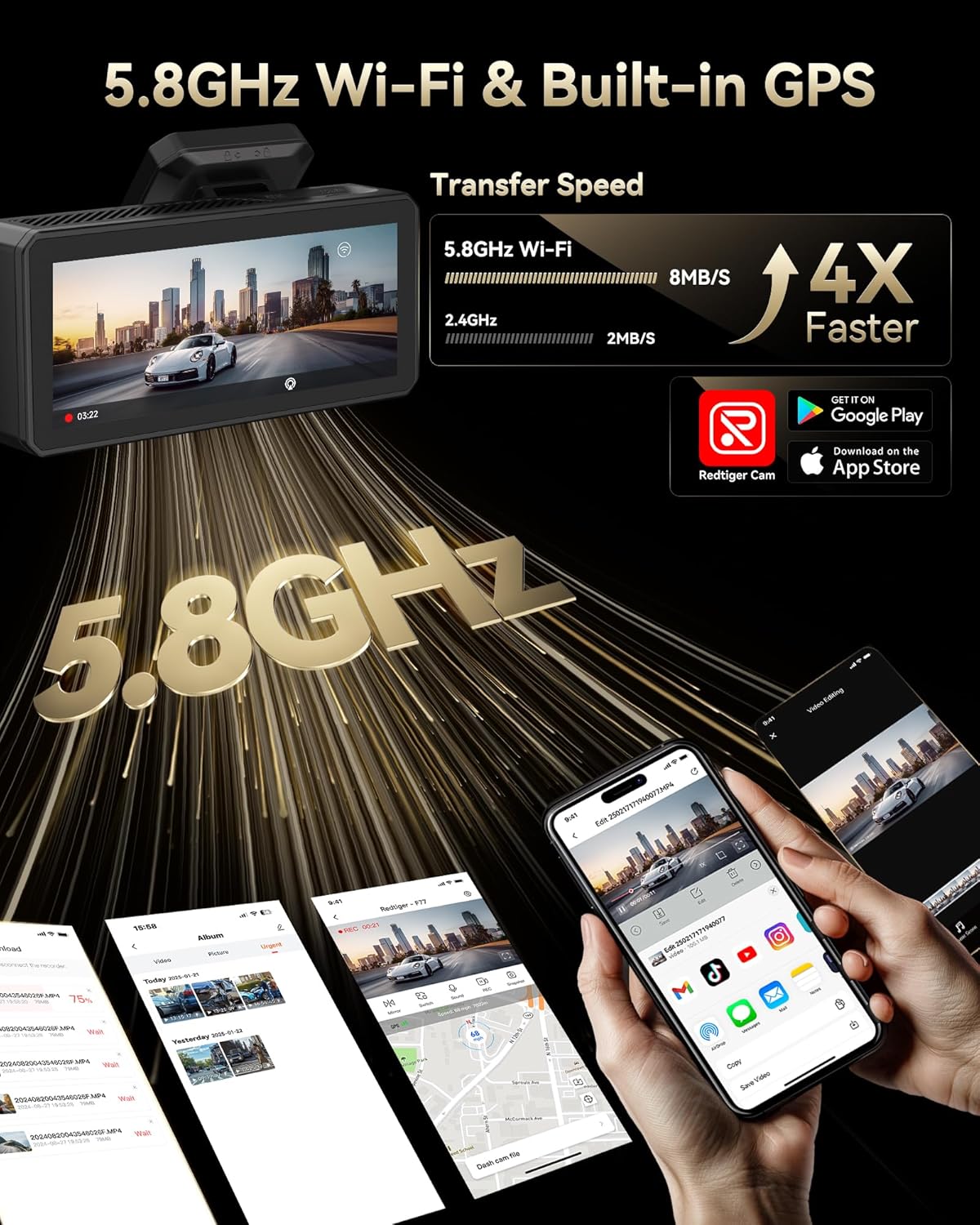
Connect your dash cam to the REDTIGER app for easy setup, live preview, video playback, and sharing.
- Download the "REDTIGER" app from the App Store or Google Play.
- Enable Wi-Fi on your dash cam (via settings or quick toggle).
- On your smartphone, connect to the dash cam's Wi-Fi network (SSID and password displayed on the dash cam screen).
- Open the REDTIGER app and add your device. You can now access live footage, review recordings, and adjust settings.
GPS funkcionalnost
The built-in GPS module accurately records your vehicle's location, speed, and driving route. This data is embedded in your video files i može biti viewed via the REDTIGER app or dedicated PC player.
Održavanje
- Formatting eMMC Storage: Periodically format the built-in eMMC storage (or microSD card if used) to ensure optimal performance and prevent data corruption. This can be done through the dash cam's settings menu.
- Čišćenje: Regularly clean the camera lenses and touchscreen with a soft, lint-free cloth to ensure clear recordings and responsive touch functionality.
- Ažuriranja firmvera: Check the REDTIGER webweb-mjesto ili aplikaciju za dostupna ažuriranja firmvera kako biste osigurali da vaša kamera za automobil ima najnovije značajke i ispravke pogrešaka.
Rješavanje problema
- Kamera u automobilu se ne uključuje: Ensure the power cable is securely connected to both the dash cam and the vehicle's power outlet. Check the vehicle's 12V outlet for power.
- Problemi s Wi-Fi vezom: Verify that Wi-Fi is enabled on the dash cam and your phone. Ensure you are entering the correct SSID and password. Try restarting both the dash cam and your phone.
- Usporiti File Transfer/Playback: Ensure your phone has a stable 5.8GHz Wi-Fi connection to the dash cam. Large 4K files may take longer to transfer.
- Video Files Corrupted/Missing: Regularly format the eMMC storage. Ensure you are using a high-quality microSD card if external storage is utilized.
- Monitor za parkiranje ne radi: Confirm that an optional hardwire kit is correctly installed and configured.
For more detailed troubleshooting steps, please refer to the comprehensive User Manual included in your package or visit the REDTIGER support webmjesto.
Tehnički podaci
| Značajka | Specifikacija |
|---|---|
| Razlučivost prednjeg videa | 4K@30fps (8MP) |
| Razlučivost stražnjeg videa | 4K@30fps (8MP) |
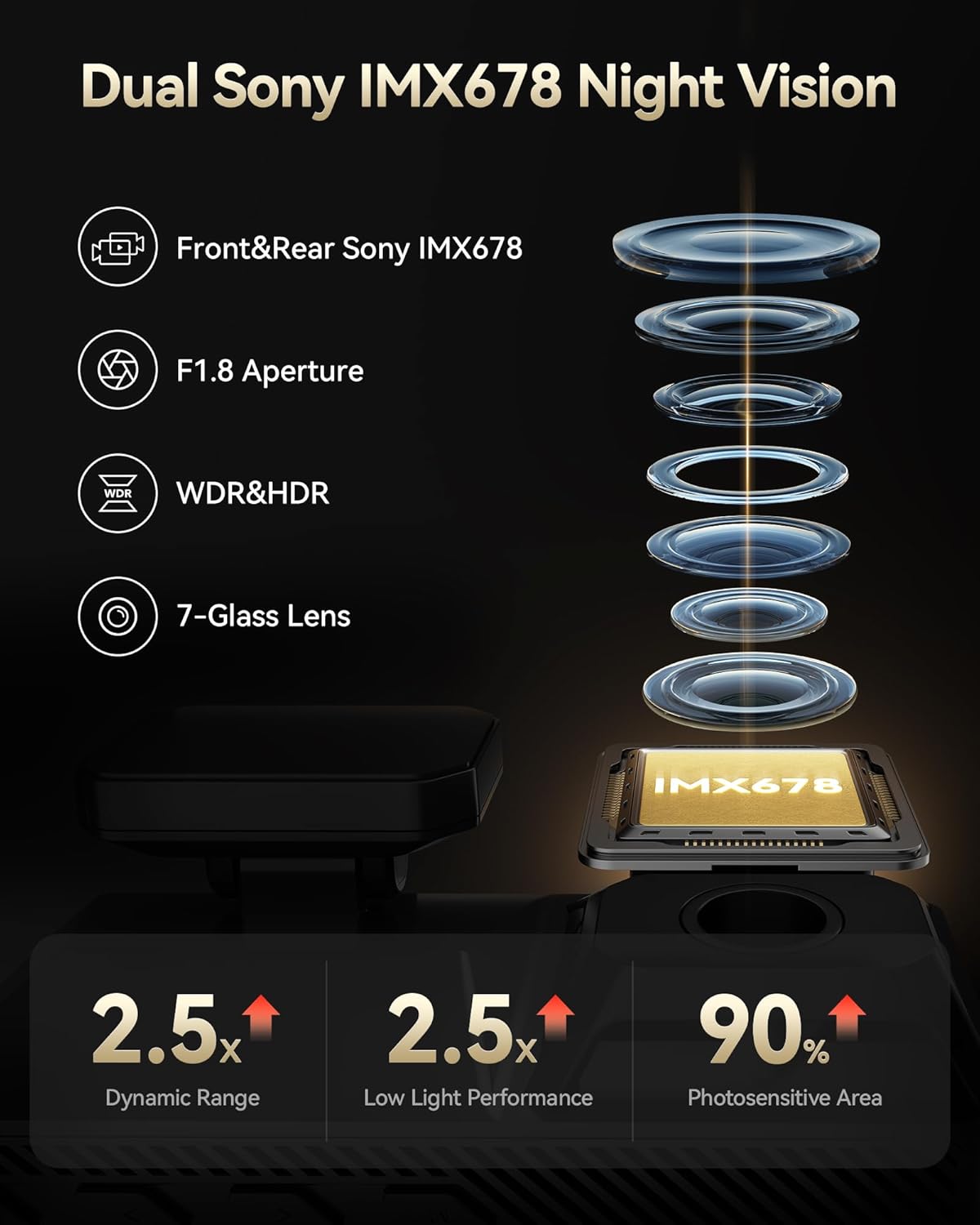
| Senzor slike | Dual Sony STARVIS 2 IMX678 |
| Unutarnja pohrana | 256 GB eMMC |
| Prikaz | 4-inčni zaslon osjetljiv na dodir |
| Wi-Fi | Ugrađeni Wi-Fi od 5.8 GHz |
| GPS | Ugrađeni GPS |
| Posebne značajke | Dual HDR, Voice Control, G-Sensor, Parking Monitor (with optional hardwire kit) |
| Tehnologija povezivanja | USB, Wi-Fi |
| Dimenzije proizvoda | 1.88 x 1.22 x 0.27 inča |
| Težina artikla | 1.92 funti |
Jamstvo i podrška
- Plan zaštite: Enjoy 18 months of protection for your device.
- Politika povrata: A 7-day return policy is available for returns on defects.
- Korisnička podrška: REDTIGER offers 24-hour customer support via email and phone for any inquiries or assistance.
For further assistance, please visit the official REDTIGER webstranicu ili se izravno obratite korisničkoj podršci.