
1. Uvod
Thank you for choosing the suevery AMD Ryzen5 5600GT Gaming PC. This high-performance desktop computer is designed to provide a seamless experience for gaming, e-learning, video and audio streaming, home entertainment, business office tasks, video conferencing, photo and video editing, and daily trading. This manual provides essential information for setting up, operating, maintaining, and troubleshooting your new PC to ensure optimal performance and longevity.

Slika 1: Prednja strana view of the suevery AMD Ryzen5 5600GT Gaming PC, showcasing its transparent side panel and vibrant RGB fans.
2. Sigurnosne informacije
Please read and follow these safety guidelines carefully to prevent damage to your PC and ensure personal safety:
- Napajanje: Use only the power supply unit provided with your PC. Ensure the power outlet is properly grounded.
- Ventilacija: Do not block any ventilation openings. Maintain adequate space around the PC for proper airflow to prevent overheating.
- Tekućina i vlaga: Keep the PC away from liquids, moisture, and extreme temperatures. Do not operate the PC with wet hands.
- Plasman: Postavite računalo na stabilnu, ravnu površinu. Izbjegavajte postavljanje u blizinu izvora topline ili na izravnu sunčevu svjetlost.
- Servisiranje: Do not attempt to service the PC yourself. Refer all servicing to qualified service personnel. Opening the PC case may void your warranty.
- Čišćenje: Prije čišćenja isključite kabel za napajanje. Koristite meku, suhu krpu. Nemojte koristiti tekuća ili aerosolna sredstva za čišćenje.
3. Sadržaj paketa
Prilikom raspakiranja, molimo provjerite jesu li uključene sve sljedeće stavke:
- suevery AMD Ryzen5 5600GT Gaming PC (Model: SUSU-V900W)
- Kabel za napajanje
- Dokumentacija (Kratki vodič za početak, Jamstveni list)
- RGB Lighting (Integrated feature)
If any items are missing or damaged, please contact your retailer or suevery customer support immediately.
4. Vodič za postavljanje
Follow these steps to set up your suevery Gaming PC:
- Raspakirajte računalo: Carefully remove the PC from its packaging. Retain all packaging materials for future transport or servicing.
- Povežite periferne uređaje:
- Monitor: Connect your monitor to the PC using an HDMI or VGA cable. The PC features one HDMI port and one VGA port.
- Tipkovnica i miš: Connect your keyboard and mouse to the available USB ports. The PC has 4 USB 2.0 ports and 2 USB 3.0 ports.
- Drugi uređaji: Spojite sve ostale periferne uređaje poput zvučnika, slušalica ili vanjskih pogona.
- Spojite na napajanje: Plug the power cable into the PC's power input and then into a grounded electrical outlet.
- Mrežna veza: The PC supports Wi-Fi 802.11ax for wireless internet connectivity. An Ethernet port is also available for a wired connection.

Image 2: Rear panel of the PC, illustrating the available USB, HDMI, VGA, and audio ports for connecting peripherals.

Image 3: Diagram detailing the PC's dimensions and the location of front and rear USB ports, along with signal interfaces.
5. Upute za rad
This section outlines the basic operation of your suevery Gaming PC.
5.1 Uključivanje/isključivanje
- Za uključivanje: Press the power button located on the front of the PC. The system will boot up, and the operating system (Windows) will load.
- Za isključivanje: It is recommended to shut down the PC through the operating system's shutdown procedure (Start Menu > Power > Shut down). Avoid direct power disconnection unless absolutely necessary.
5.2 Značajke sustava
- Procesor: Equipped with an AMD Ryzen5-5600GT 6-core, 12-thread processor (3.6GHz base, up to 4.6GHz Turbo) for efficient multitasking and gaming.
- Memorija: 16GB of high-speed DDR4 RAM at 3200MHz ensures smooth performance across multiple applications and demanding games.
- Skladištenje: A 512GB NVMe SSD provides ultra-fast boot times, rapid application loading, and ample spremište za vaše files i igre.
- Grafika: Integrated AMD Radeon RX Vega7 Graphics (1.9G) supports popular games and provides clear visuals for 1080P gaming and 4K content streaming.
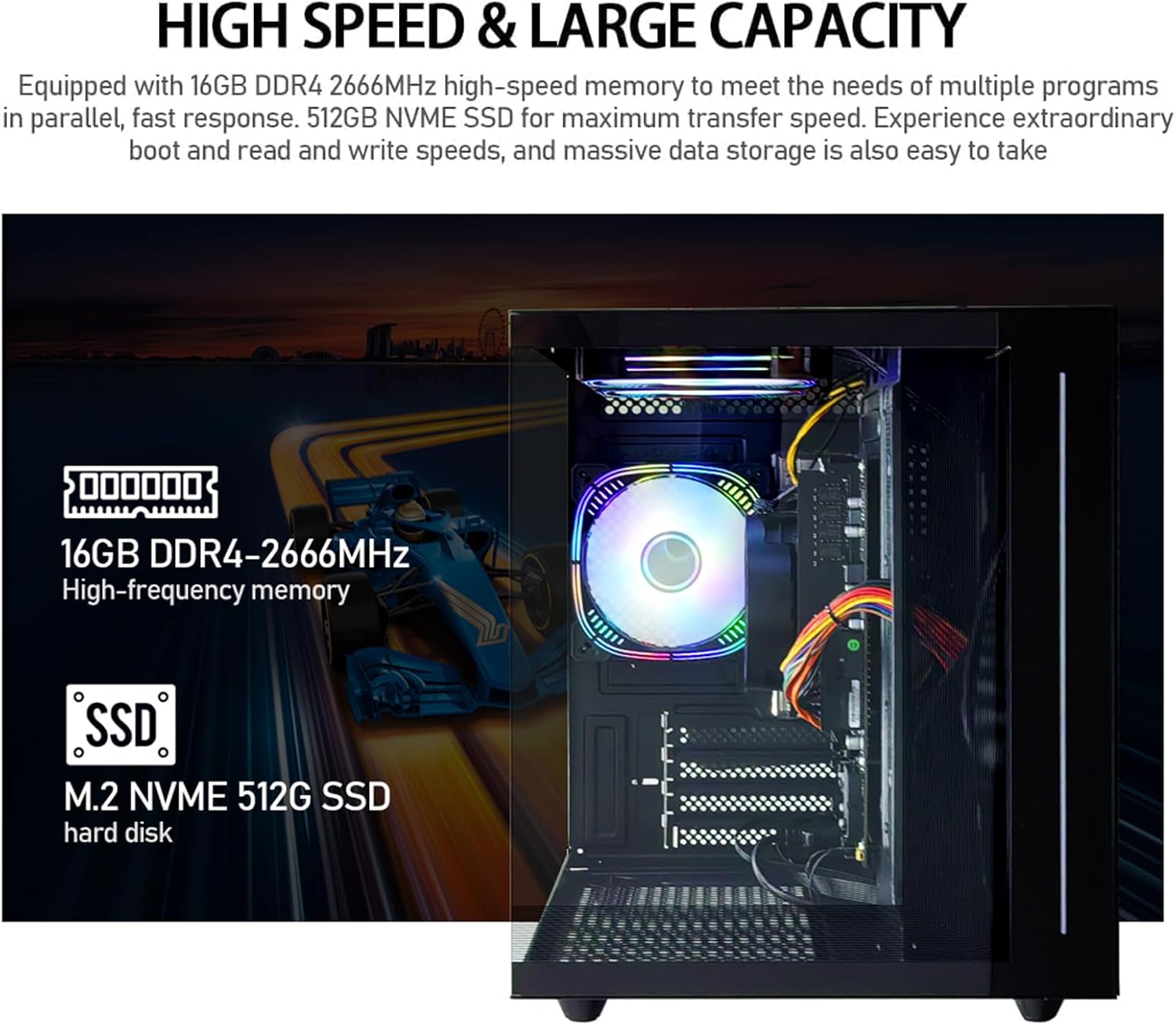
Slika 4: Unutarnje view of the PC, emphasizing the 16GB DDR4 high-frequency memory and the M.2 NVMe 512GB SSD for high-speed data transfer.

Image 5: Visual representation of the AMD Radeon Vega Graphics 7 capabilities, suitable for esports games, video clips, graphic design, and corporate office tasks.
6. Održavanje
Proper maintenance ensures the longevity and performance of your PC.
6.1 Čišćenje
- Vanjski: Use a soft, lint-free cloth to wipe the exterior surfaces. For stubborn marks, slightly dampen krpu s vodom.
- Ventilacija: Regularly check and clean the ventilation grilles to prevent dust buildup, which can impede airflow and cause overheating. Use compressed air to gently clear dust from fan blades and vents.
6.2 Ventilation and Cooling
The PC is equipped with three built-in 120mm chassis fans for rapid heat dissipation and cooling, ensuring stable performance during intensive use. Ensure these fans are not obstructed.

Image 6: Illustration of the PC's cooling system, highlighting the RGB-enabled fans designed for rapid and silent heat dissipation.
6.3 Ažuriranja softvera
Keep your operating system, drivers, and applications updated to ensure security, stability, and optimal performance. Windows updates are managed through the operating system settings.
7. Rješavanje problema
Ovaj odjeljak nudi rješenja za uobičajene probleme s kojima se možete susresti.
- Bez napajanja:
- Provjerite je li kabel za napajanje sigurno spojen i na računalo i na električnu utičnicu.
- Provjerite je li utičnica funkcionalna tako da priključite drugi uređaj.
- Check the power switch on the back of the PC (if present) is in the 'On' position.
- Nema prikaza na monitoru:
- Confirm the monitor is powered on and correctly connected to the PC's HDMI or VGA port.
- Provjerite je li na monitoru odabran ispravan ulazni izvor.
- Try connecting the monitor to a different port if available, or test with another monitor.
- Sustav je spor ili ne reagira:
- Zatvorite nepotrebne aplikacije koje rade u pozadini.
- Provjerite ima li dovoljno slobodnog prostora na vašem SSD-u.
- Pokrenite skeniranje virusa kako biste provjerili ima li zlonamjernog softvera.
- Provjerite jesu li vaš operativni sustav i upravljački programi ažurirani.
- Nema internetske veze:
- For Wi-Fi, ensure the Wi-Fi adapter is enabled and you are connected to the correct network with the correct password.
- For wired connection, ensure the Ethernet cable is securely connected to both the PC and the router/modem.
- Ponovno pokrenite ruter/modem.
If you encounter issues not covered here, or if the problem persists, please contact suevery customer support.
8. Specifikacije
| komponenta | Specifikacija |
|---|---|
| Broj modela | SUSU-V900W |
| Procesor | AMD Ryzen5-5600GT (6 Cores, 12 Threads, 3.6GHz up to 4.6GHz Turbo) |
| Utičnica procesora | Utičnica AM4 |
| OVAN | 16GB DDR4 3200MHz (Max. 32GB) |
| Skladištenje | 512GB NVMe SSD (PCIE x 4 interface) |
| Grafika | Integrated AMD Radeon RX Vega 7 Graphics (1.9G) |
| Operativni sustav | Windows |
| Bežično povezivanje | Wi-Fi 802.11ax |
| USB 2.0 priključci | 4 |
| USB 3.0 priključci | 2 |
| HDMI priključci | 1 |
| VGA priključci | 1 |
| Chassis Fans | 3 x 120mm (Built-in) |
| Dimenzije (D x Š x V) | 39.62 x 35.81 x 33.27 cm |
| Težina | 6.89 kg |
9. Jamstvo i podrška
Your suevery AMD Ryzen5 5600GT Gaming PC comes with a standard manufacturer's warranty. Please refer to the warranty card included in your package for specific terms and conditions, including warranty duration and coverage details.
For technical support, service inquiries, or to report any issues, please contact suevery customer support through the contact information provided on your warranty card or the official suevery website. Please have your model number (SUSU-V900W) and purchase details ready when contacting support.