
Oilsky M303
Oilsky M303 Android 9.0 MP3 Player User Manual
Model: M303
1. Uvod
The Oilsky M303 is a versatile digital audio and video player running on Android 9.0. It features a 4-inch full-touch screen, 8-core processor, 2GB RAM, 16GB internal storage (expandable with a 64GB microSD card included), Wi-Fi, and Bluetooth connectivity. This manual provides essential information for operating your device.
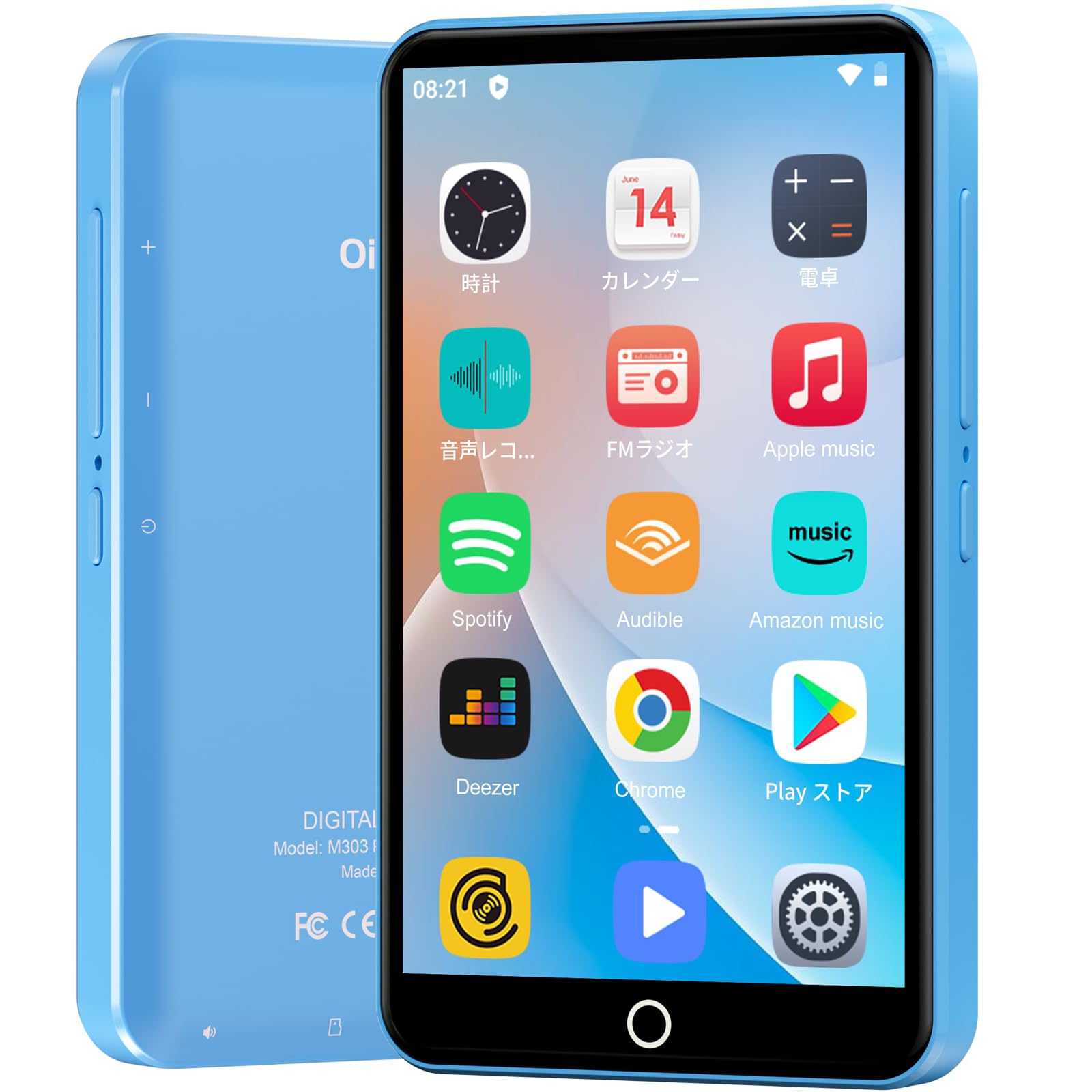
Slika: prednja strana view of the Oilsky M303 MP3 Player, showcasing its compact design and touchscreen interface.
2. Što je u kutiji
Molimo provjerite jesu li svi sljedeći artikli uključeni u vaš paket:
- Oilsky M303 Main Unit
- Slušalice
- Podatkovni kabel tipa C
- Protective Film (one pre-installed, one spare)
- Multi-language User Manual (including Japanese)
- Silikonska zaštitna futrola
- Memorijska kartica od 64 GB

Image: All included accessories for the Oilsky M303 MP3 Player, neatly arranged.
3. Proizvod je gotovview
Familiarize yourself with the device's physical features and controls.
3.1. Izgled uređaja

Slika: Bočno view of the Oilsky M303, highlighting the volume buttons, power button, and USB-C port.
- Gumb za napajanje: Pritisnite i držite za uključivanje/isključivanje ili ponovno pokretanje. Kratki pritisak za uključivanje/isključivanje zaslona.
- Gumbi za glasnoću: Podesite glasnoću zvuka.
- USB-C priključak: Za punjenje i prijenos podataka.
- 3.5 mm utičnica za slušalice: Spojite žičane slušalice.
- Utor za microSD karticu: Umetnite microSD karticu za proširenu pohranu.
- Ugrađeni zvučnik: Za reprodukciju zvuka bez slušalica.
4. Postavljanje
4.1. Početno punjenje
Before first use, fully charge the device. Connect the provided Type-C data cable to the player and a USB power adapter (not included). A full charge takes approximately 3 hours. The device has a 2000mAh battery for extended use.
4.2. Uključivanje/isključivanje
- Za uključivanje: Pritisnite i držite tipku za uključivanje dok zaslon ne zasvijetli.
- Za isključivanje: Pritisnite i držite gumb za napajanje, a zatim odaberite "Isključi" iz ponuđenih opcija.
- Uključivanje/isključivanje zaslona: Short press the Power button to turn the screen on or off.
4.3. Postavke jezika
Upon first boot, you may need to set the language. Navigate to Postavke > Sustav > Jezici i unos > Jezici to select your preferred language, such as English or Japanese.
4.4. Wi-Fi veza
To access online features and download apps, connect to a Wi-Fi network:
- Idi na Postavke > Mreža i internet > Wi-Fi.
- Uključi/isključi Wi-Fi On.
- Odaberite željenu mrežu s popisa i unesite lozinku ako se to od vas zatraži.
4.5. Trgovina Google Play
The Oilsky M303 supports Google Play Store, allowing you to download various applications.
- Provjerite jeste li povezani s Wi-Fi mrežom.
- Otvorite Play Store app from the home screen.
- Prijavite se svojim Google računom.
- Tražiti and install desired applications like YouTube, Spotify, or other streaming services.

Image: The Oilsky M303 screen showing the Google Play Store interface with various app icons.
5. Upute za rad
5.1. Reprodukcija glazbe
The device supports various audio formats including MP3, WMA, WAV, FLAC, OGG, AAC, APE, and M4A.
- Transfer Music: Connect the player to your computer using the Type-C cable and transfer audio files to the device's internal storage or the microSD card.
- Reproduciraj glazbu: Open the Music app. You can browse by artist, album, song, or create custom playlists.
- Equalizer: Adjust sound settings using the built-in equalizer for a personalized audio experience.
- Online Lyrics: The player supports displaying online lyrics for songs.

Image: The Oilsky M303 displaying its music playback interface, showing options for song classification, search, playlist creation, and equalizer settings.
5.2. Reprodukcija videa
Enjoy videos on the 4-inch IPS full-touch screen with 480x800px resolution, supporting up to 1080P Full HD video playback. Supported formats include RM, AVI, RMVB, FLV, MP4, DAT, MKV, MPG, MOV, TS.
- Transfer Videos: Prijenos videa files vašeg računala na uređaj.
- Reproduciraj videozapise: Open the Video app and select your desired video.
- Opcije reprodukcije: Features include loop or random playback, variable speed playback, sleep timer, and gesture controls for zoom.

Image: The Oilsky M303 displaying a video on its 4-inch screen, illustrating its video playback capabilities.
5.3. Bluetooth veza
Connect your player to Bluetooth headphones, speakers, or car audio systems.
- Idi na Postavke > Povezani uređaji > Bluetooth.
- Uključi/isključi Bluetooth On.
- Make sure your Bluetooth accessory is in pairing mode.
- Odaberite pribor s popisa dostupnih uređaja za uparivanje.

Image: The Oilsky M303 demonstrating its Bluetooth connectivity with various audio devices like speakers and headphones.
5.4. FM radio
The device includes an FM radio function. Connect wired earphones to act as an antenna for optimal reception.
5.5. Snimač glasa
Use the built-in voice recorder for capturing audio notes or lectures. Open the Snimač zvuka app to start recording.
5.6. File Upravljanje
The player comes with 16GB of internal storage and a 64GB microSD card, providing a total of 80GB usable storage. This can be expanded further up to 512GB using a larger microSD card. Use the File Manager app to organize your media and documents.
6. Održavanje
- Čišćenje: Za čišćenje uređaja koristite meku, suhu krpu. Izbjegavajte tekuća sredstva za čišćenje ili abrazivne materijale.
- Skladištenje: Uređaj čuvajte na hladnom i suhom mjestu, dalje od izravne sunčeve svjetlosti i ekstremnih temperatura.
- Njega baterije: Kako biste produžili vijek trajanja baterije, izbjegavajte često potpuno pražnjenje baterije. Redovito je punite.
- Ažuriranja softvera: Check for system updates periodically in Postavke > Sustav > Napredno > Ažuriranje sustava kako bi se osigurale optimalne performanse i sigurnost.
7. Rješavanje problema
| Problem | Moguće rješenje |
|---|---|
| Uređaj se ne uključuje. | Provjerite je li baterija napunjena. Spojite je na punjač najmanje 30 minuta prije nego što je ponovno pokušate uključiti. |
| Ne mogu se spojiti na Wi-Fi. | Check if Wi-Fi is enabled in settings. Ensure the password is correct. Restart the device and your Wi-Fi router. |
| Bluetooth veza je nestabilna ili se prekida. | Ensure the player and Bluetooth accessory are within close range. Avoid areas with strong electromagnetic interference. Try re-pairing the devices. |
| Aplikacije su spore ili ne reagiraju. | Close unnecessary background applications. Clear app cache (Settings > Apps & notifications > See all apps > [App Name] > Storage & cache > Clear cache). Restart the device. |
| Uređaj se zagrijava tijekom upotrebe. | It is normal for the device to warm up during intensive use (e.g., video playback, gaming). If it becomes excessively hot, close applications and let it cool down. |
| Cannot charge with USB-C PD charger. | The device may not support USB-C Power Delivery (PD) protocols. Use a standard USB-A to USB-C cable with a compatible USB-A power adapter (5V, up to 900mA). |
8. Specifikacije
| Marka | Oilsky |
| Model | M303 |
| Operativni sustav | Android 9.0 |
| Zaslon | 4-inch Full-touch IPS LCD (480x800px) |
| Procesor | 8-core (MTK 8-Core) |
| OVAN | 2 GB |
| Unutarnja pohrana | 16 GB |
| Proširiva pohrana | MicroSD card up to 512GB (64GB card included) |
| Baterija | 2000 mAh |
| Povezivost | Wi-Fi, Bluetooth |
| Podržani audio formati | MP3, WMA, WAV, FLAC, OGG, AAC, APE, M4A |
| Podržani video formati | RM, AVI, RMVB, FLV, MP4, DAT, MKV, MPG, MOV, TS (up to 1080P) |
| Dimenzije (D x Š x V) | 1 x 6.1 x 10.3 cm |
| Značajke | Touchscreen, Voice Recorder, Built-in Speaker, Video Playback, FM Radio, Calculator, Calendar, Alarm |
| Podrijetlo | Kina |
9. Jamstvo i podrška
The Oilsky M303 MP3 Player comes with a Jamstvo 1 godine od datuma kupnje. Molimo sačuvajte dokaz o kupnji za potrebe jamstvenog zahtjeva.
For technical support or warranty inquiries, please contact the retailer or manufacturer directly. Refer to the contact information provided in the packaging or on the official Oilsky webmjesto.
Ask a question about this manual
Ask about setup, troubleshooting, compatibility, parts, safety, or missing instructions. Manuals+ will review the question and use this page’s manual context to help answer it.