
1. Proizvod je gotovview
The WVX Gaming Laptop R9-6900HX (Model A02) is a high-performance portable computer designed for demanding tasks such as gaming, content creation, and multitasking. It features an AMD Ryzen 9 6900HX processor, AMD Radeon 680M integrated graphics, and fast DDR5 memory.
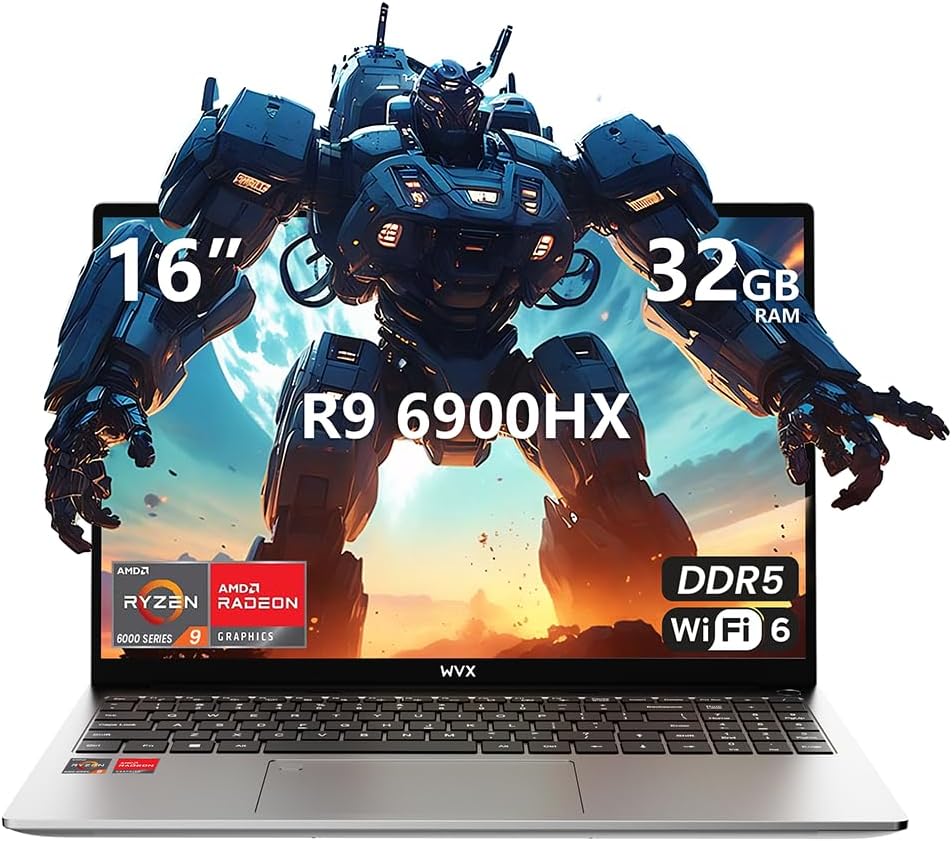
Image 1.1: WVX Gaming Laptop R9-6900HX
Ključne karakteristike:
- Visokoučinkoviti CPU: AMD Ryzen 9 6900HX with 8 cores and 16 threads, up to 4.9 GHz.
- Integrirana grafika: AMD Radeon 680M, delivering strong visual performance.
- Brza memorija: 32 GB DDR5 RAM-a, proširivo do 64 GB.
- Ample Storage: 512GB SSD, expandable up to 2TB.
- Živopisni zaslon: 16-inčni zaslon Full HD (1920x1200).
- Napredno povezivanje: Wi-Fi 6 i Bluetooth 5.2.
- Operativni sustav: Unaprijed instaliran Windows 11 Pro.
2. Postavljanje
2.1 Raspakiranje i početni pregled
Carefully remove the laptop and its accessories from the packaging. Ensure all components listed in the 'What's in the Box' section are present and undamaged.
- R9-6900HX laptop
- PD100W adapter (charger)
2.2 Spajanje adaptera za napajanje
Connect the PD100W adapter to the laptop's power input port and then plug it into a power outlet. It is recommended to fully charge the laptop before its first use.
2.3 Početno pokretanje i postavljanje sustava Windows
Press the power button located on the laptop. The system will guide you through the initial Windows 11 Pro setup process. Follow the on-screen instructions to configure your language, region, network, and user account.
3. Upute za rad
3.1 Tipkovnica i dodirna podloga
The laptop features a full-size keyboard with a numeric keypad and a responsive touchpad. The keyboard is backlit for comfortable use in low-light conditions. The touchpad supports multi-touch gestures for enhanced navigation.

Image 3.1: Laptop keyboard and touchpad layout.
3.2 Prikaz i grafika
The 16-inch FHD display offers a resolution of 1920x1200 pixels, providing clear and vibrant visuals. The AMD Radeon 680M graphics processor handles demanding visual tasks efficiently.

Image 3.2: Display features including 300 nits brightness, IPS, and low blue light.
3.3 Portovi i povezivost
The laptop is equipped with various ports for external devices and connectivity:
- 4x USB 3.0 porta
- HDMI priključak
- Full-function Type-C Port (supports charging, data transfer, external 4K monitor)
- 3.5mm slušalica
- Čitač SD kartica
For wireless connectivity, the laptop supports Wi-Fi 6 for high-speed internet and Bluetooth 5.2 for connecting peripherals.
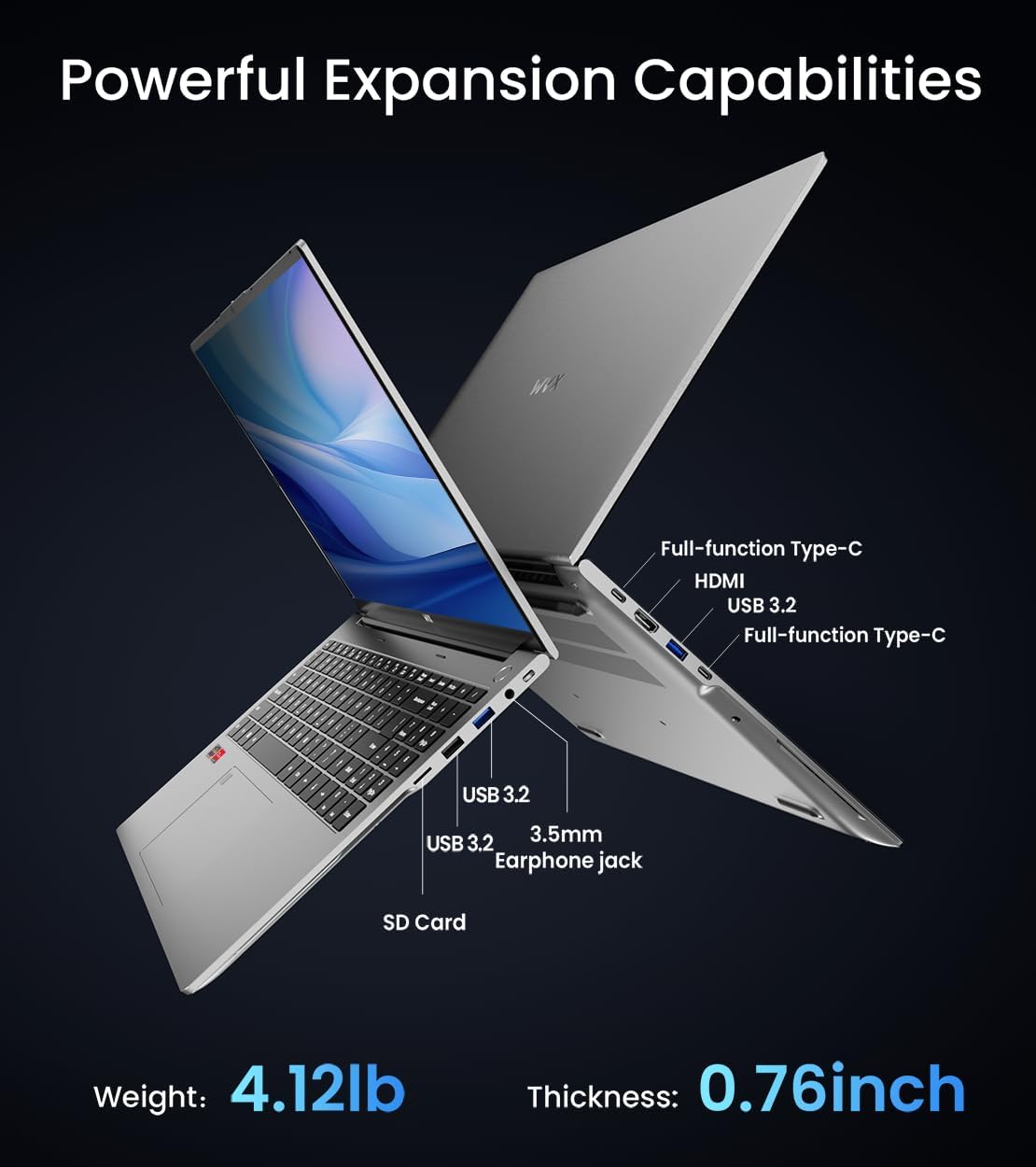
Slika 3.3: Gotovoview of available ports and physical dimensions.
4. Održavanje
4.1 Čišćenje
To maintain optimal performance and appearance, regularly clean your laptop. Use a soft, lint-free cloth for the screen and exterior. For stubborn smudges, a slightly dampMože se koristiti krpa natopljena vodom ili specijalizirano sredstvo za čišćenje zaslona. Izbjegavajte jake kemikalije.
4.2 Ažuriranja softvera
Regularly update your Windows operating system and drivers to ensure system stability, security, and optimal performance. Windows Update can be accessed through the Settings menu.
4.3 Nadogradnje pohrane i memorije
The laptop's RAM can be upgraded to a maximum of 64GB, and the SSD storage can be expanded up to 2TB. Consult a qualified technician for hardware upgrades to avoid voiding your warranty.

Image 4.1: Illustration of memory and storage upgrade capabilities.
5. Rješavanje problema
5.1 Problemi s napajanjem
- Laptop se ne uključuje: Provjerite je li adapter za napajanje sigurno spojen i je li baterija dovoljno napunjena. Pokušajte s drugom utičnicom.
- Baterija se ne puni: Verify the power adapter is functioning correctly. Check the charging port for any obstructions.
5.2 Problemi s prikazom
- Prazan ekran: Spojite vanjski monitor kako biste provjerili je li problem u zaslonu prijenosnog računala. Ponovno pokrenite prijenosno računalo.
- Treperenje zaslona: Ažurirajte upravljačke programe za grafičku karticu. Podesite brzinu osvježavanja zaslona u postavkama sustava Windows.
5.3 Problemi s performansama
- Spore performanse: Zatvorite nepotrebne aplikacije. Provjerite ima li zlonamjernog softvera. Osigurajte dovoljno slobodnog prostora za pohranu.
- Pregrijavanje: Ensure ventilation vents are clear. Consider using a cooling pad.

Image 5.1: Illustration of the laptop's cooling system with pure copper heat pipes and fan speed.
6. Specifikacije
| Značajka | Specifikacija |
|---|---|
| Marka | WVX |
| Naziv modela | R9-6900HX (A02) |
| Procesor | AMD Ryzen 9 6900HX (4.9 GHz, 8 Cores, 16 Threads) |
| Grafički koprocesor | AMD Radeon 680M |
| OVAN | 32 GB DDR5 (maks. 64 GB) |
| Tvrdi disk | 512 GB SSD (Max 2TB) |
| Veličina zaslona | 16 inča |
| Maksimalna razlučivost zaslona | 1920x1200 piksela |
| Operativni sustav | Windows 11 Pro |
| Bežična vrsta | 802.11ax (Wi-Fi 6) |
| Bluetooth | 5.2 |
| Broj USB 3.0 priključaka | 4 |
| Dimenzije proizvoda | 14 x 9.7 x 0.78 inča |
| Težina artikla | 5.89 funti |
| Baterija | 58 Wh |
| Posebne značajke | Backlit Keyboard, Fingerprint Reader, HD Audio |
7. Jamstvo i podrška
WVX offers comprehensive support for your laptop:
- Tehnička podrška: Enjoy unlimited technical support.
- Usluga popravka: 12 months of repair service for all customers.
- Vrijeme odziva: Online connection within 24 hours for inquiries.
For any questions or concerns, please reach out to the WVX support team.

Slika 7.1: Gotovoview of WVX customer support services.
8. Službeni video proizvoda
Video 8.1: Službena video prezentacijaasing the WVX R9 6900HX Laptop, highlighting its features and design.