
1. Uvod
Ovaj priručnik pruža bitne informacije za postavljanje, rad, održavanje i rješavanje problema vašeg ViewSonic IFP55G1 55-inch 4K UHD ViewBoard Interactive Display. Please read this manual thoroughly before using the product to ensure proper and safe operation.
The ViewSonic IFP55G1 is a 55-inch 4K Ultra HD (3840x2160p) interactive display designed for educational and business environments. It features multi-point touch recognition, an OPS slot for external PCs, 10W dual speakers, and versatile connectivity options including HDMI, VGA, USB Hub, and USB-C inputs. Its OS-free design allows flexibility with various computing solutions.
Ključne karakteristike:
- Ultra HD Resolution: 55 Inch 4K Ultra HD (3840x2160p) interactive display for crisp visuals.
- Advanced Multi-Touch: Allows multiple users to write and interact simultaneously with fingers and passive pens.
- Fleksibilna povezivost: Equipped with a powerful quad-core processor and versatile ports including HDMI, VGA, RJ45, and USB.
- OS-Free Design: Provides enhanced security and flexibility to integrate with your preferred operating system via external PC or OPS device.
- Write-Away Technology: Enables instant writing with the stylus without extended setup.
2. Što je u kutiji
Provjerite jesu li svi dolje navedeni artikli uključeni u vaš paket. Ako bilo koji artikl nedostaje ili je oštećen, odmah se obratite svom prodavaču.
- ViewSonic IFP55G1 Interactive Display
- 3m USB 2.0 touch cable x 1
- Touch pen (Passive pen) x 2 (VB-PEN-002)
- 3m kabel za napajanje
- HDMI 2.0 cable 3m x 1
- Vodič za brzi početak + izjava o sukladnosti
- RS232 adapter
- Screw (wall mount 4)
- Ploča za kameru
- Remote control with AAA battery (Optional)
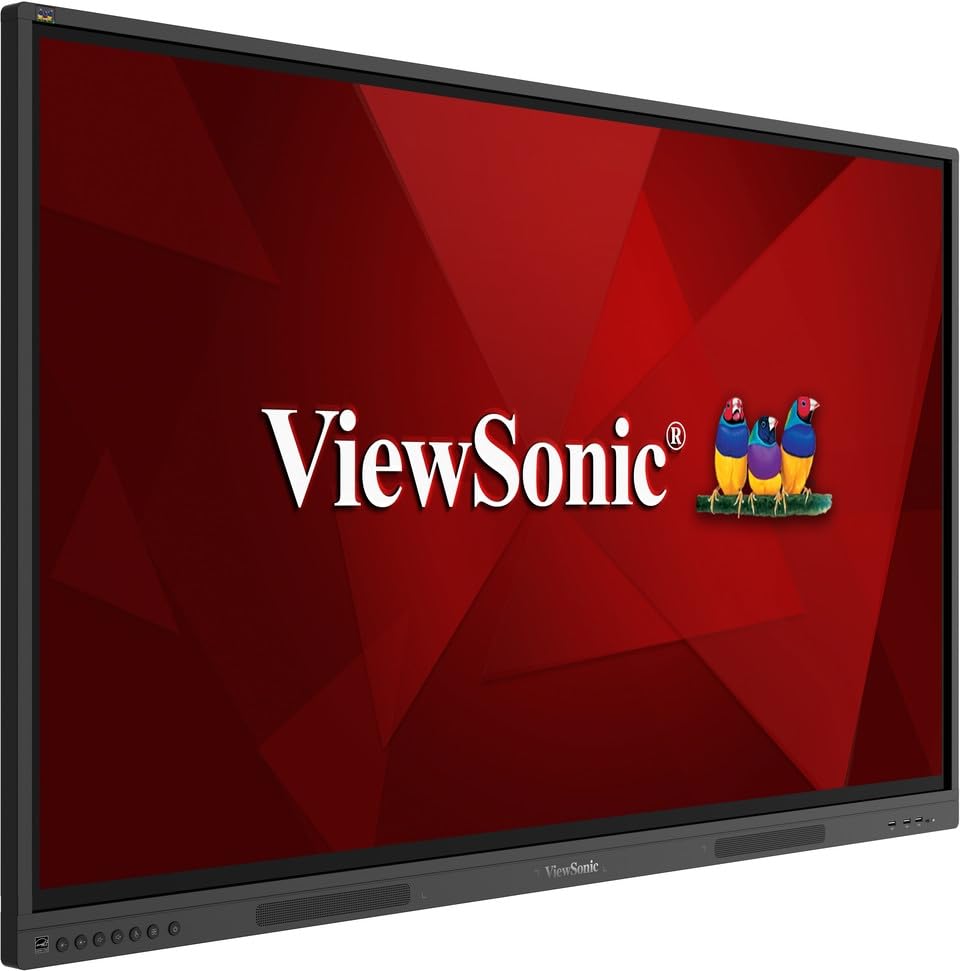
Slika: ViewSonic IFP55G1 55-inch ViewBoard Interactive Display, front view.
3. Upute za postavljanje
3.1 Montiranje zaslona
The IFP55G1 can be wall-mounted or installed on a compatible mobile cart (sold separately). Ensure the mounting solution supports the display's weight (approximately 59.3 lbs / 26.9 kg) and dimensions (3.37 x 49.7 x 30.3 inches).
- For wall mounting, use the provided wall mount screws and ensure the wall structure is robust enough.
- Follow the instructions provided with your specific wall mount or mobile cart.
3.2 Spajanje perifernih uređaja
The display offers various ports for connecting external devices. Refer to the image below for port locations.

Slika: Bočno view od ViewSonic IFP55G1 interactive display showing various input ports including HDMI, VGA, and USB.
- Priključak za napajanje: Connect the 3m power cable to the display and a grounded power outlet.
- Video ulaz: Connect your external PC or media player to the display using an HDMI 2.0 cable (provided), VGA cable, or USB-C cable. The display has 3 HDMI ports, 1 VGA port, and USB-C connectivity.
- Funkcionalnost dodira: For interactive touch features with an external PC, connect the 3m USB 2.0 touch cable from the display's USB-B (Touch) port to a USB-A port on your PC.
- OPS utor: If using an optional ViewSonic Slot-in PC (OPS device), insert it into the dedicated OPS slot on the rear of the display. This provides an integrated computing solution.
- Mreža: Za žičani mrežni pristup, spojite Ethernet kabel na RJ45 priključak.
- USB uređaji: Use the available USB-A ports to connect USB drives, keyboards, mice, or other peripherals.

Slika: The ViewSonic IFP55G1 display demonstrating connectivity with various external devices, including laptops and mini PCs, highlighting its 'Bring Your Own Devices' capability.
4. Upute za rad
4.1 Uključivanje/isključivanje
- Uključivanje: Press the power button located on the display's front or side panel, or use the remote control. The display will power on and show the input source.
- Isključivanje: Press the power button again. A confirmation message may appear; select 'Power Off'. For complete power disconnection, unplug the power cable.
4.2 Odabir ulaznog izvora
Use the 'Source' button on the display or remote control to cycle through available input sources (HDMI 1, HDMI 2, HDMI 3, VGA, USB-C, OPS).
4.3 Using Touch Functionality
Once the USB touch cable is connected to your external PC, the display will function as a multi-touch input device. You can use your fingers or the provided passive pens for interaction.
- Finger Touch: Use gestures similar to a tablet or smartphone for navigation, zooming, and drawing.
- Passive Pens: The two included passive pens (VB-PEN-002) allow for precise writing and drawing on the screen. The display's Write-Away technology enables instant use of the pens.

Image: A group of individuals collaborating around a ViewSonic IFP55G1 interactive display in a modern meeting room, demonstrating its multi-touch capabilities for instantaneous collaboration.
4.4 Audio kontrola
The display features integrated 10W dual speakers. Adjust volume using the remote control or the buttons on the display panel.
5. Održavanje
5.1 Čišćenje zaslona
- Zaslon: Nježno obrišite zaslon mekom krpom koja ne ostavlja dlačice. Za tvrdokorne mrlje laganoampen the cloth with water or a non-abrasive, ammonia-free screen cleaner. Do not spray cleaner directly onto the screen.
- Casing: Obrišite casinObrišite mekom, suhom krpom. Izbjegavajte korištenje jakih kemikalija ili abrazivnih materijala.
5.2 Opća briga
- Izbjegavajte stavljanje teških predmeta na zaslon.
- Do not block ventilation openings on the rear of the display.
- Keep the display away from direct sunlight, heat sources, and excessive moisture.
6. Rješavanje problema
Ako naiđete na probleme sa svojim ViewSonic IFP55G1, refer to the following common problems and solutions.
6.1 Nema prikaza / Crni ekran
- Ensure the power cable is securely connected to both the display and a working power outlet.
- Verify that the display is powered on (power indicator light should be active).
- Check that the video cable (HDMI, VGA, USB-C) is securely connected to both the display and the source device (PC, OPS).
- Select the correct input source using the 'Source' button on the display or remote control.
- Ensure the source device (PC, OPS) is powered on and outputting a video signal.
6.2 Funkcionalnost dodira ne radi
- Confirm the USB touch cable is securely connected from the display's USB-B (Touch) port to a USB-A port on your external PC.
- Ensure your external PC's operating system has the necessary drivers installed for touch input.
- Restart both the display and the connected PC.
6.3 Nema zvuka
- Check the volume level on the display and the connected source device.
- Ensure the audio output from your source device is routed correctly to the display (e.g., via HDMI).
- If using an external audio system, ensure it is properly connected and powered on.
7. Specifikacije
U nastavku su tehničke specifikacije za ViewSonic IFP55G1 interactive display.
| Značajka | Specifikacija |
|---|---|
| Marka | ViewSonic |
| Naziv modela | IFP55G1 |
| Veličina zaslona | 55 inča |
| Maksimalna razlučivost zaslona | 3840 x 2160 piksela (4K UHD) |
| Izvorna razlučivost | 3840 x 2160 |
| Vrsta zaslona | LCD |
| Omjer slike | 16:9 |
| Unos ljudskog sučelja | Zaslon osjetljiv na dodir |
| Tehnologija povezivanja | Ethernet, HDMI, USB Type C, VGA |
| Total Number of HDMI Ports | 3 |
| Ukupno USB priključaka | 9 |
| Video izlazno sučelje | DisplayPort |
| Audio izlaz | Integrated 10W Dual Speakers |
| Dimenzije artikla (DxŠxV) | 3.37 x 49.7 x 30.3 inča |
| Težina artikla | 59.3 funti |
| Boja | Crna |
| Posebne značajke | All-in-one USB port, Anti Glare Display, Light Sensor, Speakers, Touchscreen |
| Kompatibilni uređaji | Stolno računalo, Prijenosno računalo |
| UPC | 766907024654 |
8. Jamstvo i podrška
8.1 Informacije o jamstvu
The ViewSonic IFP55G1 interactive display comes with an industry-leading 3-godišnje ograničeno jamstvo on parts, labor, and backlight. Onsite warranty service may also be available. Please refer to the warranty card included in your package or visit the official ViewSonic website for detailed terms and conditions, and information on optional warranty extensions.
8.2 Korisnička podrška
Za tehničku pomoć, upite o proizvodu ili reklamacije, molimo kontaktirajte ViewSonic's award-winning customer service team. Contact information can be found on the official ViewSonic webweb-mjestu ili u Vodiču za brzi početak koji ste dobili s proizvodom.