
1. Uvod
This manual provides detailed instructions for the installation, operation, and maintenance of your GIGABYTE B550M DS3H AC R2 motherboard. This micro-ATX motherboard is designed to support AMD Ryzen 5000, 4000, and 3000 series CPUs on the AM4 socket, offering a robust platform for various computing needs. Please read this manual thoroughly before beginning installation to ensure proper setup and functionality.
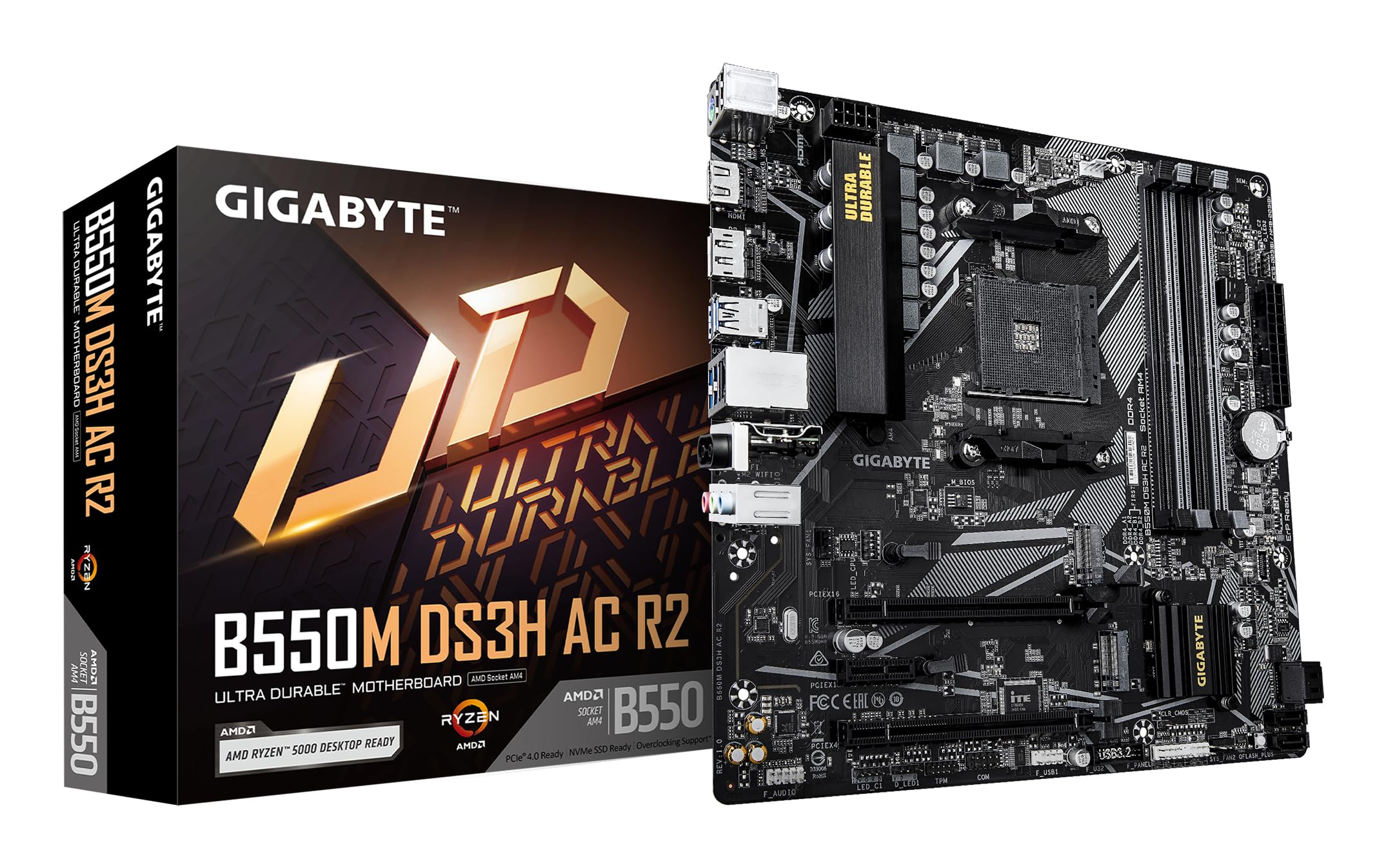
Slika 1.1: Od vrha prema dolje view of the GIGABYTE B550M DS3H AC R2 Motherboard, showcasing its layout including the CPU socket, DIMM slots, and various connectors.
2. Ključne značajke
- AMD B550 čipset: Supports AMD Ryzen 5000, 4000, and 3000 series CPUs with AM4 socket.
- Brza DDR4 memorija: Dual-channel support for up to 4733MHz (O.C.) across 4 DIMM slots.
- Advanced Storage Options: Includes one PCIe 4.0 M.2 slot and one PCIe 3.0 M.2 slot, alongside PCIe slots for graphics and expansion.
- Integrirana povezivost: Features Wi-Fi 5, Bluetooth 5.0, and 1GbE LAN for reliable network connections.
- Flexible Display Outputs: Equipped with HDMI and DisplayPort for multi-monitor configurations.
- Smart Cooling System: Smart Fan 6 with multiple temperature sensors ensures efficient thermal management.
- Q-Flash Plus: Allows BIOS updates without the need for CPU, memory, or graphics card installation.
3. Postavljanje i instalacija
3.1 Instalacija procesora
- Provjerite je li poluga utičnice procesora u otvorenom položaju.
- Carefully align the triangular mark on the AMD Ryzen CPU with the mark on the AM4 socket.
- Pažljivo umetnite CPU u utičnicu bez upotrebe sile.
- Spustite polugu kako biste osigurali CPU na mjestu.
- Instalirajte hladnjak procesora prema uputama proizvođača.
3.2 Instalacija memorije (RAM)
- Otvorite kopče na oba kraja DIMM utora.
- Poravnajte zarez na DDR4 memorijskom modulu s ključem u DIMM utoru.
- Insert the memory module firmly until the clips snap into place. For dual-channel operation, refer to the motherboard manual for recommended slot configurations.
3.3 Instalacija uređaja za pohranu
This motherboard supports both M.2 NVMe SSDs and SATA drives.
- M.2 SSD: Locate the M.2 slots (one PCIe 4.0, one PCIe 3.0). Insert the M.2 SSD at an angle and secure it with the provided screw.
- SATA diskovi: Connect SATA data cables from your SSDs/HDDs to the SATA ports on the motherboard. Connect power cables from your power supply to the drives.
3.4 Instalacija kartice za proširenje
Install your graphics card or other PCIe expansion cards into the appropriate PCIe slots. Ensure they are seated firmly and secured with the case screw.
3.5 Priključci za napajanje
- Spojite 24-pinski ATX glavni konektor za napajanje s vašeg napajanja na matičnu ploču.
- Spojite 8-pinski ATX 12V konektor za napajanje procesora na matičnu ploču.
3.6 Rear I/O Panel Overview

Figure 3.1: The rear I/O panel of the GIGABYTE B550M DS3H AC R2 motherboard, showing various ports including USB, HDMI, DisplayPort, LAN, and audio jacks.
The rear I/O panel provides connectivity for external devices. It includes USB 2.0, USB 3.2 Gen 1, HDMI, DisplayPort, 1GbE LAN, Wi-Fi antenna connectors, and audio jacks. Refer to the detailed diagram in the physical manual for specific port identification.
4. Upute za rad
4.1 Postavljanje BIOS-a
The BIOS (Basic Input/Output System) is firmware that initializes hardware during the booting process. To enter BIOS Setup, press the DEL key during the Power-On Self-Test (POST). Here you can configure system settings, boot order, and monitor hardware status.
4.2 Q-Flash Plus
Q-Flash Plus allows you to update the BIOS without installing the CPU, memory, or graphics card. Simply download the latest BIOS file od GIGABYTE-a webstranicu, preimenujte je u GIGABYTE.bin, spremite je na USB flash pogon i umetnite ga u predviđeni USB priključak Q-Flash Plus. Pritisnite gumb Q-Flash Plus za pokretanje ažuriranja.
4.3 Instalacija upravljačkog programa
After installing your operating system, install the necessary drivers for the motherboard chipset, audio, LAN, Wi-Fi, and other integrated components. These drivers are typically provided on a support DVD or can be downloaded from the official GIGABYTE webmjesto.
5. Održavanje
5.1 Čišćenje
Regularly clean your computer's interior to prevent dust buildup, which can lead to overheating and reduced performance. Use compressed air to remove dust from components, especially heatsinks and fans. Ensure the system is powered off and unplugged before cleaning.
5.2 Ažuriranja BIOS-a
Povremeno provjeravajte GIGABYTE website for BIOS updates. Updates can improve system stability, add support for new hardware, or fix known issues. Follow the instructions provided by GIGABYTE carefully when performing a BIOS update.
5.3 Pametni ventilator 6
Utilize the Smart Fan 6 utility in the BIOS or GIGABYTE's software to monitor system temperatures and adjust fan speeds. Proper fan configuration helps maintain optimal operating temperatures and extends component lifespan.
6. Rješavanje problema
- Sustav se ne pokreće: Check all power connections (24-pin ATX, 8-pin CPU), ensure RAM modules are properly seated, and verify the CPU is correctly installed. Try clearing the CMOS.
- Nema izlaza za prikaz: Confirm the graphics card is fully seated in its PCIe slot and connected to power (if required). Ensure your monitor cable is connected to the graphics card, not the motherboard's integrated graphics ports (unless using an APU).
- Periferni problemi: If USB devices or other peripherals are not working, ensure drivers are installed and check BIOS settings for port enablement.
- Nestabilnost/rušenja sustava: This can be caused by outdated drivers, overheating, or faulty hardware. Update drivers, monitor temperatures, and test components individually if possible.
- Neuspjeh ažuriranja BIOS-a: If a BIOS update fails, use the Q-Flash Plus feature to recover the BIOS.
7. Specifikacije
| Značajka | Specifikacija |
|---|---|
| Marka | GIGABYTE |
| Naziv modela | B550M DS3H AC R2 |
| CPU utičnica | Utičnica AM4 |
| Kompatibilni procesori | AMD Ryzen 3000 serija, AMD Ryzen 4000 serija, AMD Ryzen 5000 serija |
| Vrsta čipseta | AMD B550 |
| Tehnologija RAM memorije | DDR4 |
| Brzina takta memorije | Do 4733 MHz (OC) |
| Dostupni memorijski utori | 4 |
| Maksimalna veličina RAM memorije | 128 GB |
| Sučelje grafičke kartice | PCI Express 4.0 |
| Total PCIe Ports | 1 (PCIe 4.0 x16 for GPU) + other PCIe slots |
| M.2 utori | 1x PCIe 4.0 M.2, 1x PCIe 3.0 M.2 |
| Total SATA Ports | 4 |
| Bežično povezivanje | Wi-Fi 5, Bluetooth 5.0 |
| LAN | 1 GbE LAN |
| Ukupno USB priključaka | 6 (Rear I/O) + Internal Headers |
| Prikaz izlaza | 1x HDMI, 1x DisplayPort |
| Form Factor | Mikro ATX |
| Dimenzije artikla D x Š x V | 24.4D x 24.4Š x 3.5V centimetara |
| Težina artikla | 980 gram |
8. Informacije o jamstvu
The GIGABYTE B550M DS3H AC R2 motherboard comes with a 3-YEAR Manufacturer WarrantyMolimo sačuvajte dokaz o kupnji za potrebe jamstvenog zahtjeva. Za detaljne uvjete i odredbe pogledajte službenu jamstvenu politiku tvrtke GIGABYTE dostupnu na njihovim webmjesto.
9. Podrška i kontakt
Za tehničku podršku, preuzimanje upravljačkih programa, ažuriranja BIOS-a i dodatne informacije o proizvodu, posjetite službenu GIGABYTE stranicu website. You can also contact GIGABYTE customer service for assistance.
Podaci za kontakt proizvođača:
GIGABYTE Technology (India) Pvt. Ltd.
Unit No. 807 & 808, 8th Floor, Naman Midtown B-Wing,
Elphinstone Road, Mumbai – 400013, India
For the most up-to-date contact details and support resources, please refer to the GIGABYTE official webstranica: www.gigabyte.com