
1. Uvod
Hvala na kupnjiasing the Sofirn HS21 and D25S headlamps. These headlamps are designed for various outdoor activities, offering reliable illumination and convenient features. This manual provides detailed instructions for the safe and effective use, setup, operation, and maintenance of your new headlamps. Please read this manual thoroughly before use and retain it for future reference.
2. Sigurnosne upute
- Do not shine the light directly into eyes. The powerful beam can cause temporary vision impairment or permanent eye damage.
- Čuvati izvan dohvata djece.
- Ne rastavljajte glavulamp. This may damage the device and void the warranty.
- Use only the recommended battery types. Improper battery use can lead to fire, explosion, or leakage.
- Izbjegavajte izlaganje glaveamp ekstremnim temperaturama ili izravnoj sunčevoj svjetlosti tijekom duljeg razdoblja.
- Ensure the USB-C charging port cover is securely closed when not charging to maintain water resistance.
3. Sadržaj paketa
- 1 x Sofirn HS21 Headlamp
- 1 x Sofirn D25S Headlamp
- 2 x trake za glavu
- 2 x USB-C kabela za punjenje
- 2 x Rechargeable Batteries (pre-installed or separate)
- 1 x korisnički priručnik
4. Proizvod je gotovview
4.1 Sofirn HS21 Headlamp
The Sofirn HS21 is a versatile headlamp featuring a combination of spotlight, floodlight, and red light. It is equipped with a convenient rotary switch for easy mode selection and offers a wide 130° rotation adjustment for optimal illumination angle.

Image 1: Sofirn HS21 Headlamp showing its various light modes including red light, spotlight, and floodlight.

Image 2: The Sofirn HS21 headlamp demonstrating its 130-degree rotation capability for adjustable light direction.
4.2 Sofirn D25S Headlamp
The Sofirn D25S is a compact and powerful headlamp utilizing an SST40 LED, offering multiple brightness levels. It features a hidden USB-C charging port for convenient recharging and a simple user interface with memory mode.

Image 3: Sofirn D25S Headlamp highlighting its comfortable switch and simple user interface.
5. Postavljanje
5.1 Ugradnja baterije
Both HS21 and D25S headlamps typically come with batteries pre-installed. If not, or if replacing batteries:
- Odvijte stražnji poklopac glaveamp tijelo.
- Insert the rechargeable battery with the positive (+) terminal facing towards the head of the lamp.
- Čvrsto zavrnite stražnji poklopac kako biste osigurali pravilan kontakt i vodootpornost.
5.2 Punjenje
Obje glaveamps feature a built-in USB-C charging port.
For HS21:
- Pronađite USB-C priključak za punjenje sa strane slušalicaamp tijelo.
- Gently lift the protective rubber cover to expose the port.
- Spojite priloženi USB-C kabel na slušaliceamp i na USB izvor napajanja (npr. zidni adapter, power bank, računalo).
- Indikatorska lampica će svijetliti crveno tijekom punjenja, a zeleno kada je potpuno napunjena.
- Once charging is complete, securely close the rubber cover to protect the port from dust and water.
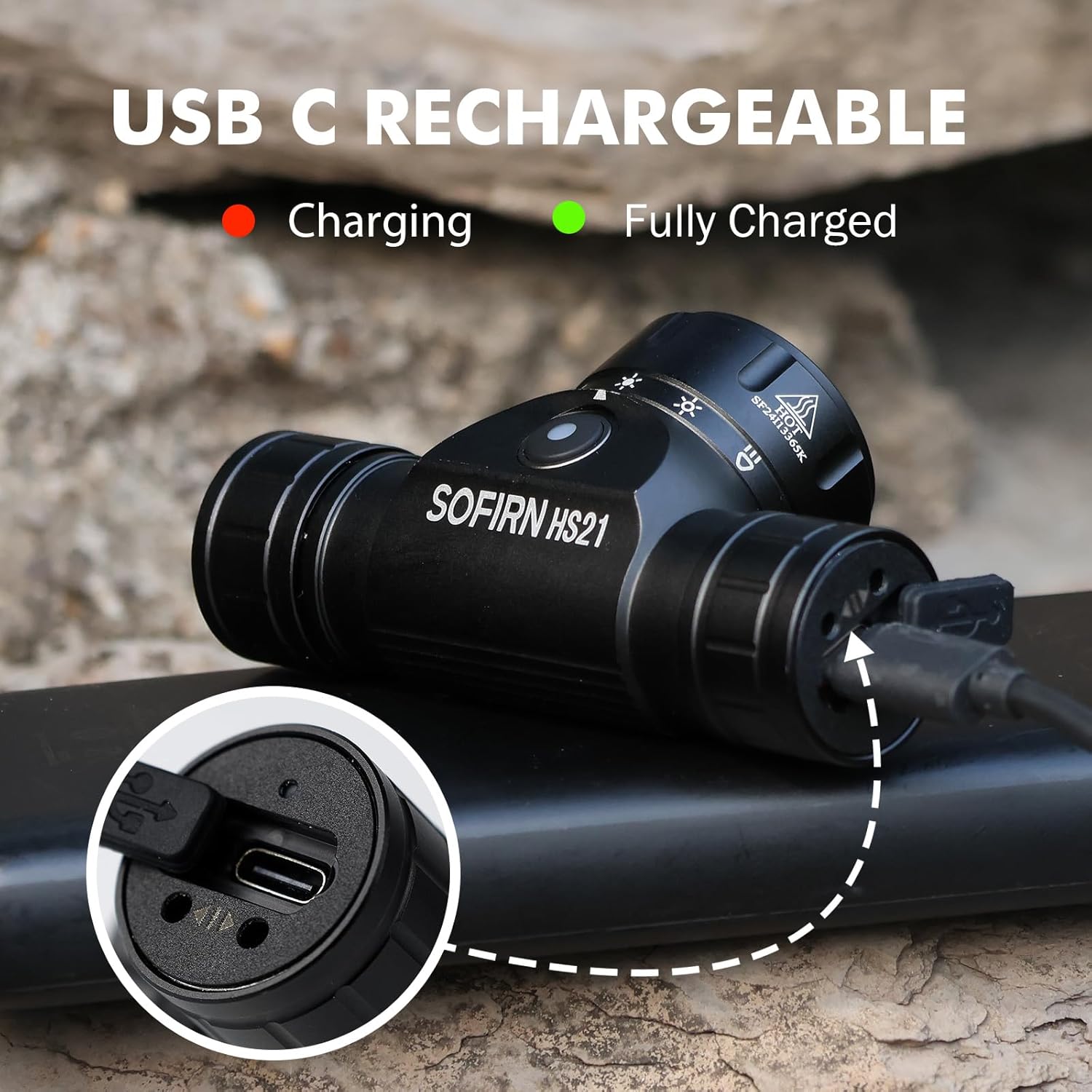
Image 4: Sofirn HS21 Headlamp connected to a USB-C charging cable, showing the charging indicator light.
For D25S:
- Unscrew the head of the D25S headlamp to reveal the hidden USB-C charging port.
- Spojite priloženi USB-C kabel na slušaliceamp and to a USB power source.
- Indikatorska lampica će svijetliti crveno tijekom punjenja, a zeleno kada je potpuno napunjena.
- After charging, screw the head back on tightly to ensure water resistance.

Image 5: Sofirn D25S Headlamp with its head unscrewed, revealing the built-in USB-C charging port.
6. Upute za rad
6.1 Sofirn HS21 Headlamp Operacija
The HS21 features a rotary switch for easy mode selection and a separate power button.
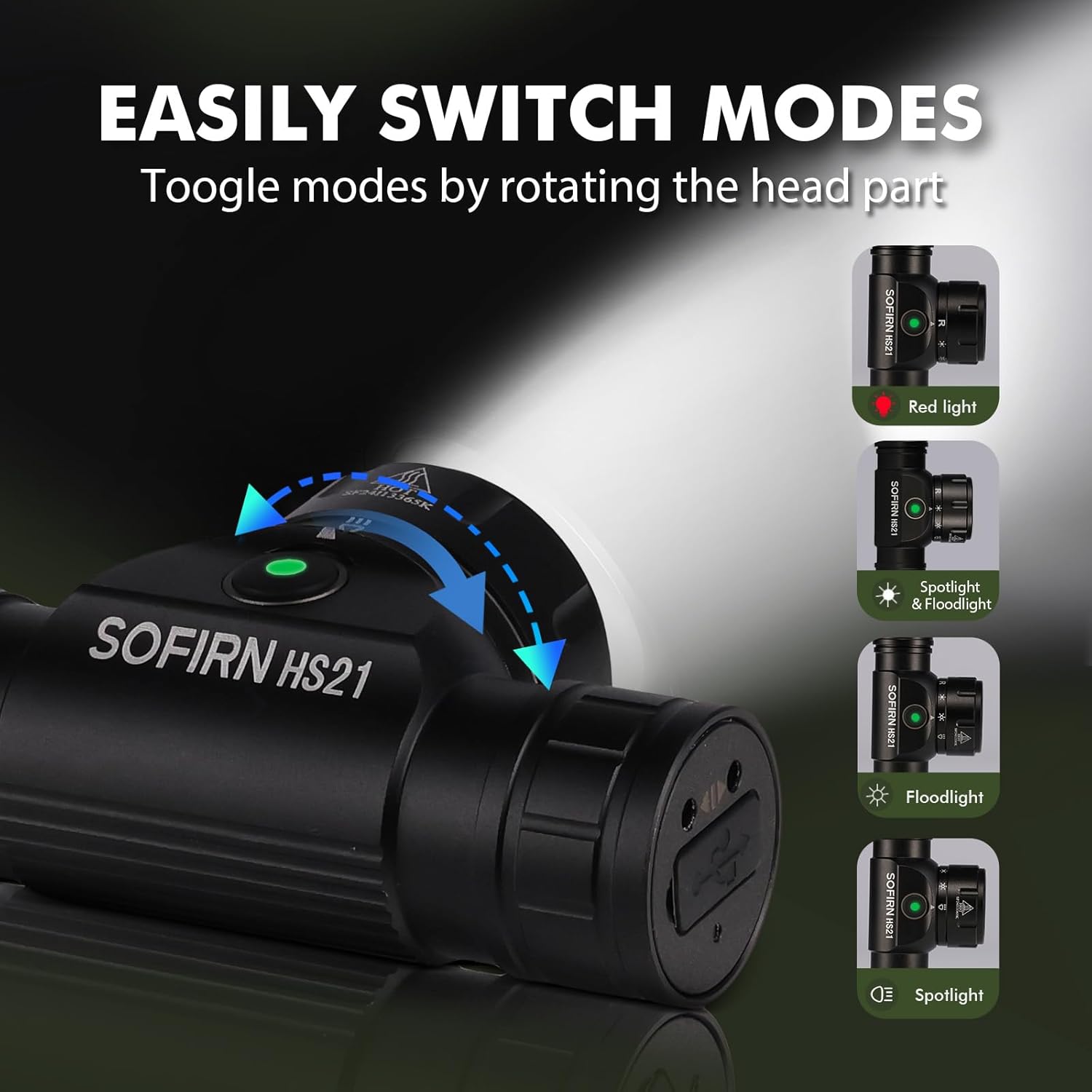
Image 6: Illustration of the Sofirn HS21's rotary switch mechanism for changing light modes.
- Uključivanje/isključivanje: Pritisnite gumb za napajanje jednom da biste okrenuli glavuamp uključeno ili isključeno.
- Odabir načina rada: Rotate the head part of the headlamp to cycle through the main light modes: Red Light, Spotlight, Floodlight, and Spotlight + Floodlight (combined).
- Podešavanje svjetline: While a mode is active, press and hold the power button to cycle through brightness levels (Low, Medium, High). Release the button at your desired brightness.
- Red Light Activation: Rotate to the red light setting. Press and hold the power button for additional red light modes (e.g., red strobe, red beacon).
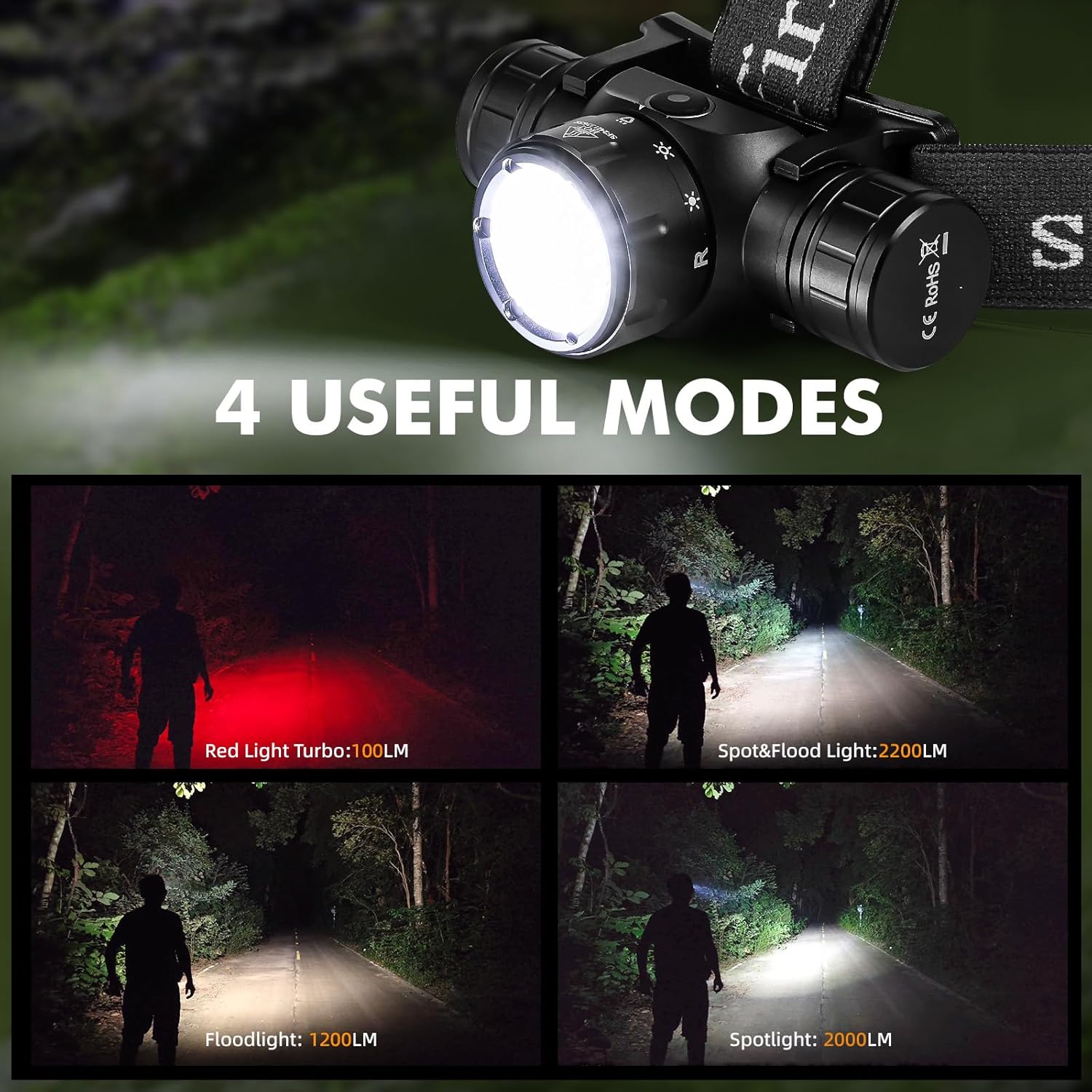
Image 7: The Sofirn HS21 headlamp displaying its four primary light modes: Red Light, Spot & Flood, Floodlight, and Spotlight.
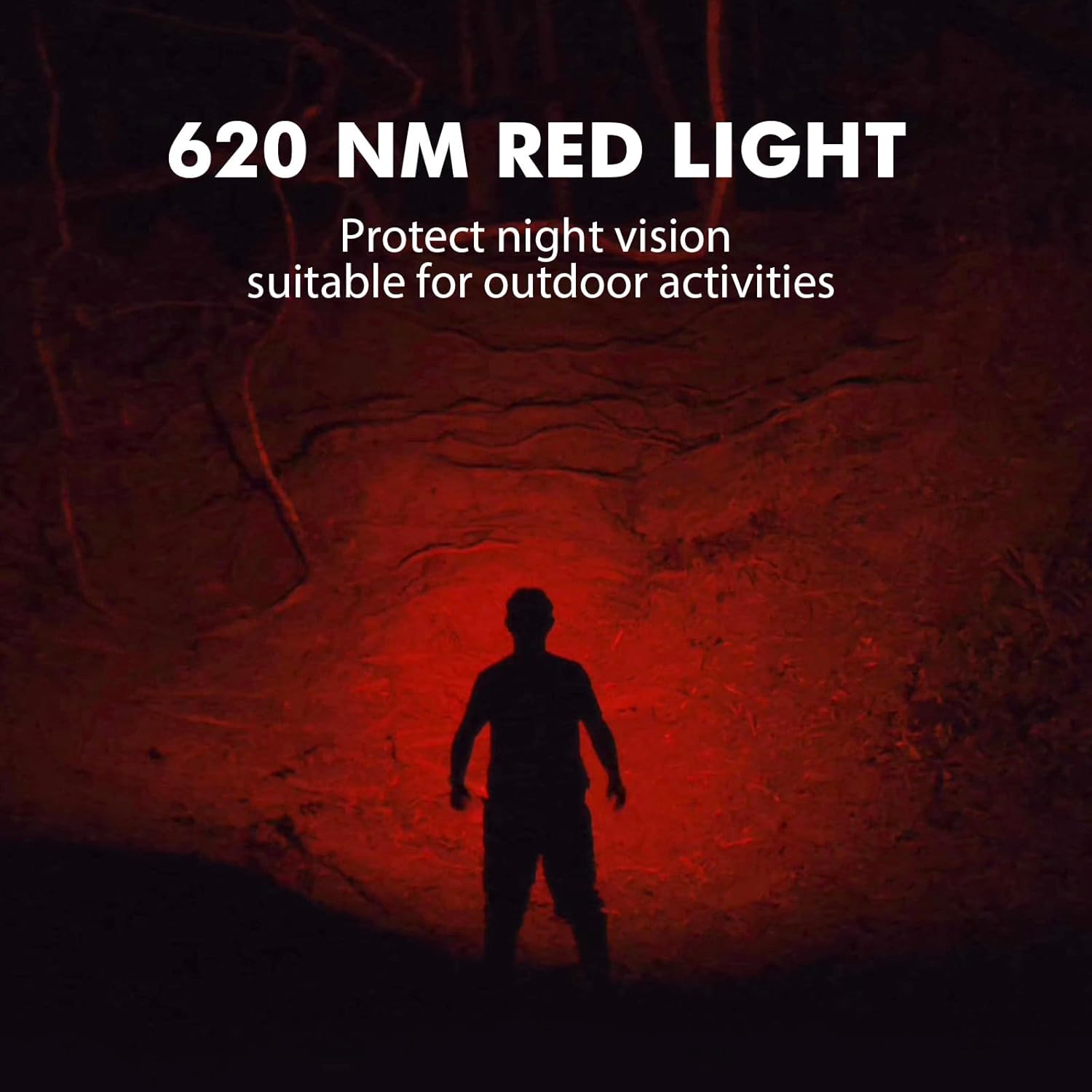
Image 8: The Sofirn HS21 headlamp emitting a 620 NM red light, suitable for preserving night vision.
6.2 Sofirn D25S Headlamp Operacija
The D25S operates with a single button interface.
- Uključivanje/isključivanje: Press the button once to turn the headlamp uključeno ili isključeno.
- Ciklus načina rada: Dok je glavaamp is on, press and hold the button to cycle through brightness modes: Low → Medium 1 → Medium 2 → High. Release the button at your desired mode.
- Turbo način rada: From any mode, double-click the button to activate Turbo mode. Double-click again to return to the previous mode.
- Funkcija memorije: The D25S will remember the last used brightness level (excluding Turbo) and turn on in that mode.
7. Održavanje
- Čišćenje: Obrišite glavuamp s mekom, damp tkanina. Nemojte koristiti abrazivna sredstva za čišćenje ili otapala.
- O-prstenovi: Periodically check and lubricate the O-rings with silicone grease to maintain water resistance. Replace damaged O-rings.
- Njega baterije: Ako je glavaamp will not be used for an extended period, remove the battery to prevent leakage. Recharge batteries regularly to prolong their lifespan.
- Skladištenje: Spremite glavuamp na hladnom i suhom mjestu daleko od izravne sunčeve svjetlosti.
8. Rješavanje problema
| Problem | Mogući uzrok | Otopina |
|---|---|---|
| Headlamp se ne uključuje | Low battery; Battery incorrectly installed; Loose tail cap; Faulty battery. | Charge battery; Reinstall battery with correct polarity; Tighten tail cap; Replace battery. |
| Svjetlost je slaba | Slaba baterija; objektiv je prljav. | Charge battery; Clean the lens. |
| Punjenje ne radi | Cable not connected properly; Faulty cable or power source; Charging port obstructed. | Ensure secure connection; Try a different cable/power source; Clean charging port. |
| Ulazak vode | O-rings damaged or missing; Tail cap/charging port cover not sealed properly. | Check and replace O-rings; Ensure all caps are tightly sealed. |
9. Specifikacije
9.1 Sofirn HS21 Headlamp
| Značajka | Detalj |
|---|---|
| Izvor svjetlosti | LED (Spotlight, Floodlight, Red Light) |
| Maks. izlaz | 2200 Lumens (Spotlight + Floodlight) |
| Valna duljina crvenog svjetla | 620 NM |
| Tip prekidača | Rotary Switch + Push Button |
| Punjenje | USB-C punjivi |
| Rotacija | 130° Podesivo |
| Dimenzije | 3.4 x 1.8 x 1.4 inča |
| Težina | 0.3 lbs (uključujući bateriju) |
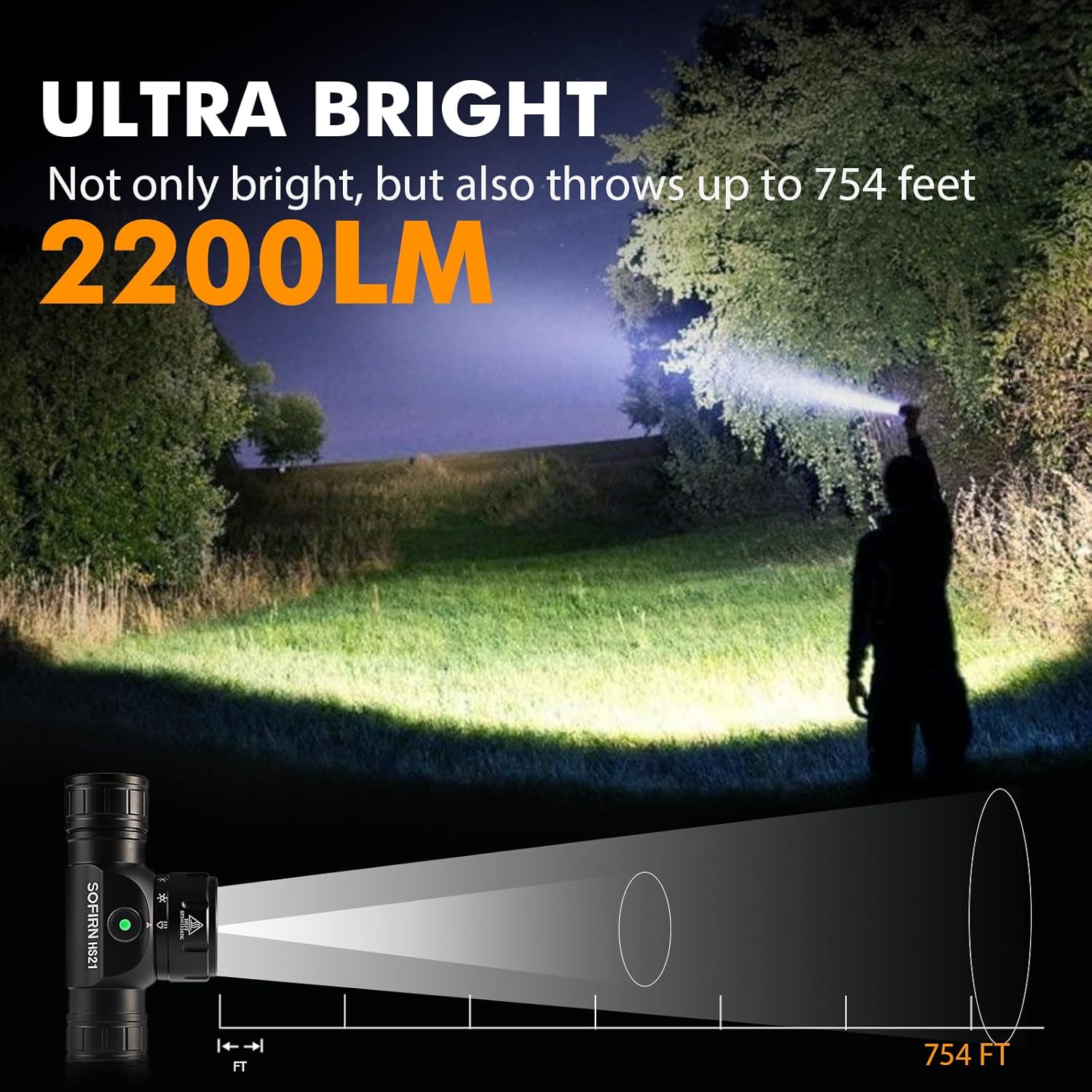
Image 9: The Sofirn HS21 headlamp demonstrating its ultra-bright output and beam distance of up to 754 feet.
9.2 Sofirn D25S Headlamp
| Značajka | Detalj |
|---|---|
| Izvor svjetlosti | SST40 LED |
| Maks. izlaz | 1200 lumena |
| Načini rada | Low, Medium 1, Medium 2, High, Turbo |
| Punjenje | Hidden USB-C Rechargeable |
| Posebne značajke | Način memorije |
10. Jamstvo i podrška
Sofirn products are covered by a limited warranty. For specific warranty details, please refer to the warranty card included with your product or visit the official Sofirn website. For technical support, troubleshooting assistance, or warranty claims, please contact Sofirn customer service through the retailer where you purchased the product or via the contact information provided on the official Sofirn webmjesto.