
THOMSON B210
THOMSON B210 Bluetooth Soundbar User Manual
Model: B210
1. Sigurnosne informacije
Prije upotrebe ovog proizvoda pažljivo pročitajte sve sigurnosne upute. Sačuvajte ovaj priručnik za buduću upotrebu.
- Ne izlažite soundbar kiši, vlazi ili ekstremnim temperaturama.
- Nemojte blokirati ventilacijske otvore.
- Koristite samo dodatke/dodatke koje je naveo proizvođač.
- Isključite soundbar iz struje tijekom grmljavine ili kada ga ne koristite dulje vrijeme.
- Sve servise prepustite kvalificiranom servisnom osoblju.
2. Sadržaj paketa
Provjerite jesu li svi artikli prisutni u paketu:
- THOMSON B210 Bluetooth Soundbar
- Daljinski upravljač
- Adapter napajanja
- korisnički priručnik
- Audio Cables (e.g., Optical, AUX - specific cables may vary)
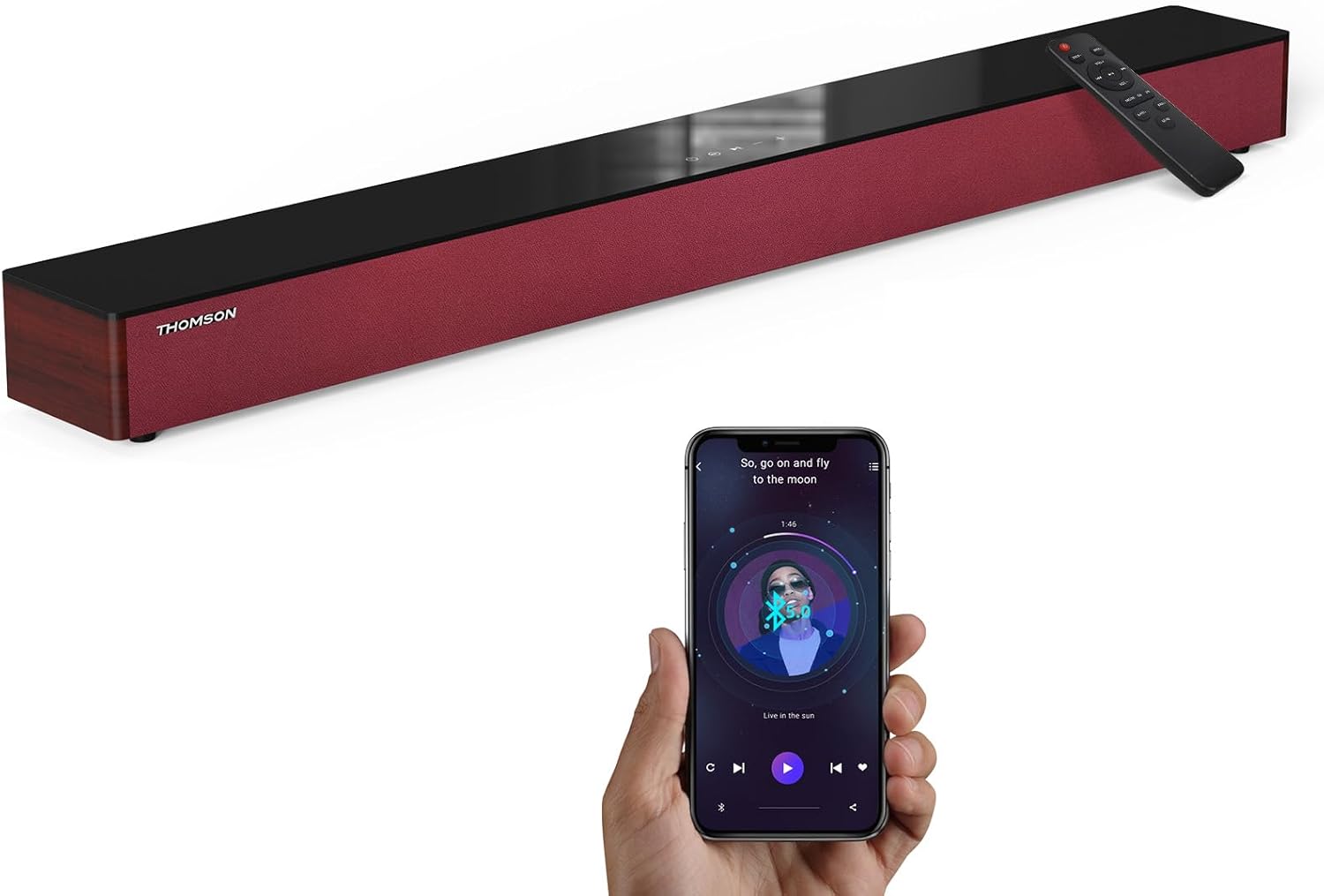
Image: The THOMSON B210 Soundbar, its remote control, and a smartphone demonstrating Bluetooth connectivity.
3. Proizvod je gotovview
3.1 Prednja i gornja ploča
The soundbar features intuitive controls on its top panel for easy access.
3.2 Veze na stražnjoj ploči
The rear panel provides various input ports for connecting to different audio sources.

Slika: Detaljna view of the soundbar's rear connection ports, including AUX IN, COAXIAL, OPTICAL, HDMI ARC, USB, and DC IN.
3.3 Daljinski upravljač
The included remote control allows for convenient operation of all soundbar functions.

Image: A hand operating the soundbar with its remote control, demonstrating wireless command over the device.
4. Postavljanje
4.1 Postavljanje
Place the soundbar on a stable, flat surface directly in front of your television for optimal sound dispersion. Ensure there is adequate space around the soundbar for ventilation.
4.2 Priključak za napajanje
- Connect the power adapter to the DC IN port on the rear of the soundbar.
- Uključite drugi kraj strujnog adaptera u zidnu utičnicu.
5. Upute za rad
5.1 Uključivanje/isključivanje
Press the Power button on the soundbar's top panel or the remote control to turn the unit on or off.
5.2 Kontrola glasnoće
Use the Volume Up (+) and Volume Down (-) buttons on the soundbar or remote control to adjust the audio level.
5.3 Odabir ulaza
Press the 'MODE' button on the soundbar or remote control to cycle through available input sources: ARC, Optical, AUX, USB, and Bluetooth.
5.4 Načini rada ekvilajzera
The soundbar offers three distinct equalizer modes to optimize audio for different content types:
- Glazbeni način rada: Poboljšava glazbenu jasnoću i bas.
- Način filma: Provides a more immersive cinematic experience.
- Mod vijesti: Optimizes dialogue for clear speech.
Press the corresponding EQ button on the remote control to select your desired mode.

Image: Visual representation of the soundbar's optimized audio modes for Music, Movie, and News content.
6. Veze
The THOMSON B210 Soundbar supports multiple connection types for versatility.

Image: The soundbar demonstrating its compatibility with multiple devices such as projectors, PCs, game consoles, and smartphones.
6.1 HDMI ARC Connection
For the best audio quality and control, connect your TV to the soundbar using an HDMI cable via the ARC port.
- Connect one end of an HDMI cable to the HDMI ARC port on your TV.
- Connect the other end to the HDMI ARC port on the soundbar.
- Select 'ARC' as the input source on the soundbar.
6.2 Optička veza
Use an optical cable for a high-quality digital audio connection.
- Connect one end of an optical cable to the Optical OUT port on your TV or audio device.
- Connect the other end to the OPTICAL port on the soundbar.
- Select 'Optical' as the input source on the soundbar.
6.3 AUX veza
For analog audio devices, use an AUX cable.
- Connect one end of a 3.5mm audio cable to the headphone jack or AUX OUT port on your device.
- Connect the other end to the AUX IN port on the soundbar.
- Select 'AUX' as the input source on the soundbar.
6.4 USB veza
Reproduciraj zvuk files izravno s USB uređaja za pohranu.
- Insert a USB drive into the USB port on the soundbar.
- Select 'USB' as the input source on the soundbar.
- Soundbar će automatski početi reproducirati kompatibilni zvuk files.
6.5 Bluetooth uparivanje
Bežično povežite svoj pametni telefon, tablet ili drugi uređaj s omogućenom Bluetooth vezom.
- Turn on the soundbar and select 'Bluetooth' mode using the 'MODE' button. The Bluetooth indicator will flash.
- Omogućite Bluetooth na svom uređaju i potražite dostupne uređaje.
- Select 'THOMSON B210' from the list.
- Once paired, the Bluetooth indicator will stop flashing and remain solid.

Image: A family enjoying entertainment with the soundbar, illustrating seamless Bluetooth connectivity from a smartphone.
7. Održavanje
Kako biste osigurali dugotrajnost i optimalne performanse vašeg soundbara, slijedite ove smjernice za održavanje:
- Čišćenje: Za čišćenje površine soundbara koristite meku, suhu krpu. Nemojte koristiti tekuća sredstva za čišćenje ili abrazivne materijale.
- Skladištenje: Ako skladištite soundbar dulje vrijeme, isključite ga iz utičnice i spremite na hladno i suho mjesto.
- Ventilacija: Pazite da ventilacijski otvori nisu začepljeni kako biste spriječili pregrijavanje.
8. Rješavanje problema
If you encounter issues with your THOMSON B210 Soundbar, refer to the following common problems and solutions:
| Problem | Mogući uzrok | Otopina |
|---|---|---|
| Nema struje | Kabel za napajanje nije spojen; Utičnica nije aktivna | Provjerite je li kabel za napajanje sigurno spojen; pokušajte s drugom utičnicom |
| Nema zvuka | Incorrect input source; Volume too low; Mute activated; Cable connection issue | Select correct input source; Increase volume; Deactivate mute; Check audio cable connections |
| Bluetooth uparivanje nije uspjelo | Soundbar not in pairing mode; Device Bluetooth off; Device too far | Ensure soundbar is in Bluetooth mode (flashing indicator); Enable Bluetooth on device; Move device closer to soundbar |
| Daljinski upravljač ne radi | Prazne baterije; Prepreka između daljinskog upravljača i soundbara | Zamijenite baterije daljinskog upravljača; Uklonite sve prepreke; Provjerite je li daljinski upravljač usmjeren prema senzoru soundbara |
9. Specifikacije
Detailed technical specifications for the THOMSON B210 Soundbar:
- Model: B210
- Marka: THOMSON
- Dimenzije proizvoda: 92.7 cm D x 11.8 cm Š x 7.3 cm V
- Težina artikla: 11 funte (otprilike 5 kg)
- Maksimalna izlazna snaga zvučnika: 50 vata
- Vrsta montaže: Stolni nosač
- Bluetooth verzija: 5.3
- Odnos signal / šum: 70 dB
- Govornici: 4 Full Range Speakers, 2 Woofers (Advanced Bass Diaphragms)
- Ulazni priključci: ARC (HDMI), Optical, AUX, USB, Bluetooth

Image: Physical dimensions of the soundbar, showing length, width, and height in centimeters, along with a view stražnjih otvora.

Image: Internal component diagram of the soundbar, detailing its 4 high-performance drivers and 2 advanced bass diaphragms for enhanced audio.
10. Jamstvo i podrška
THOMSON products are manufactured to high-quality standards. For warranty information and technical support, please refer to the warranty card included with your product or visit the official THOMSON support webmjesto.
For further assistance, please contact THOMSON customer service.
Ask a question about this manual
Ask about setup, troubleshooting, compatibility, parts, safety, or missing instructions. Manuals+ will review the question and use this page’s manual context to help answer it.