
1. Uvod
This manual provides essential information for setting up, operating, maintaining, and troubleshooting your GIGABYTE AORUS Elite 16 BWH gaming laptop. The AORUS Elite 16 BWH is designed for high-performance gaming and demanding applications, featuring an Intel Core Ultra 9 processor, NVIDIA GeForce RTX 5070 laptop GPU, a 16-inch WQXGA 165Hz display, and Windows 11 Pro.
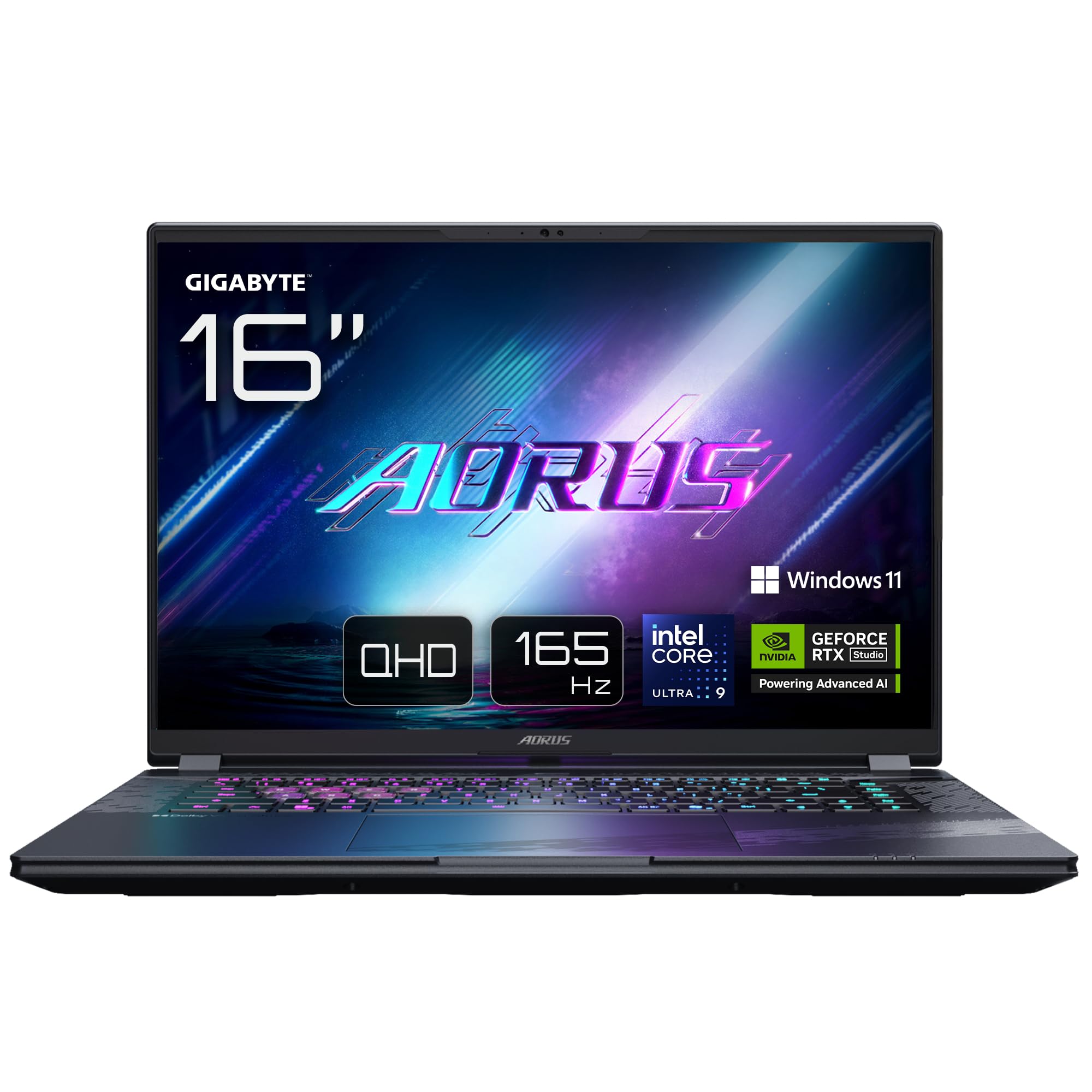
Image: The GIGABYTE AORUS Elite 16 BWH gaming laptop, showcasing its open display and keyboard.
2. Postavljanje
2.1 Raspakiranje i početni pregled
Pažljivo izvadite prijenosno računalo i svu dodatnu opremu iz pakiranja. Provjerite jesu li sve komponente navedene u odjeljku "Što se nalazi u kutiji" prisutne i neoštećene.
- GIGABYTE AORUS ELITE 16 BWHC3FRC65SP Laptop
- Strujni adapter i kabel
- Dokumentacija (ovaj priručnik, jamstveni list)
2.2 Povezivanje struje
Connect the power adapter to the laptop's power input port and then plug the power cable into an electrical outlet. It is recommended to fully charge the battery before initial use.
2.3 Prvo uključivanje
Press the power button to turn on the laptop. Follow the on-screen instructions to complete the Windows 11 Pro setup process, including language selection, network connection, and user account creation.
2.4 Connecting Peripherals and Network
The laptop features various ports for connecting external devices and networks.
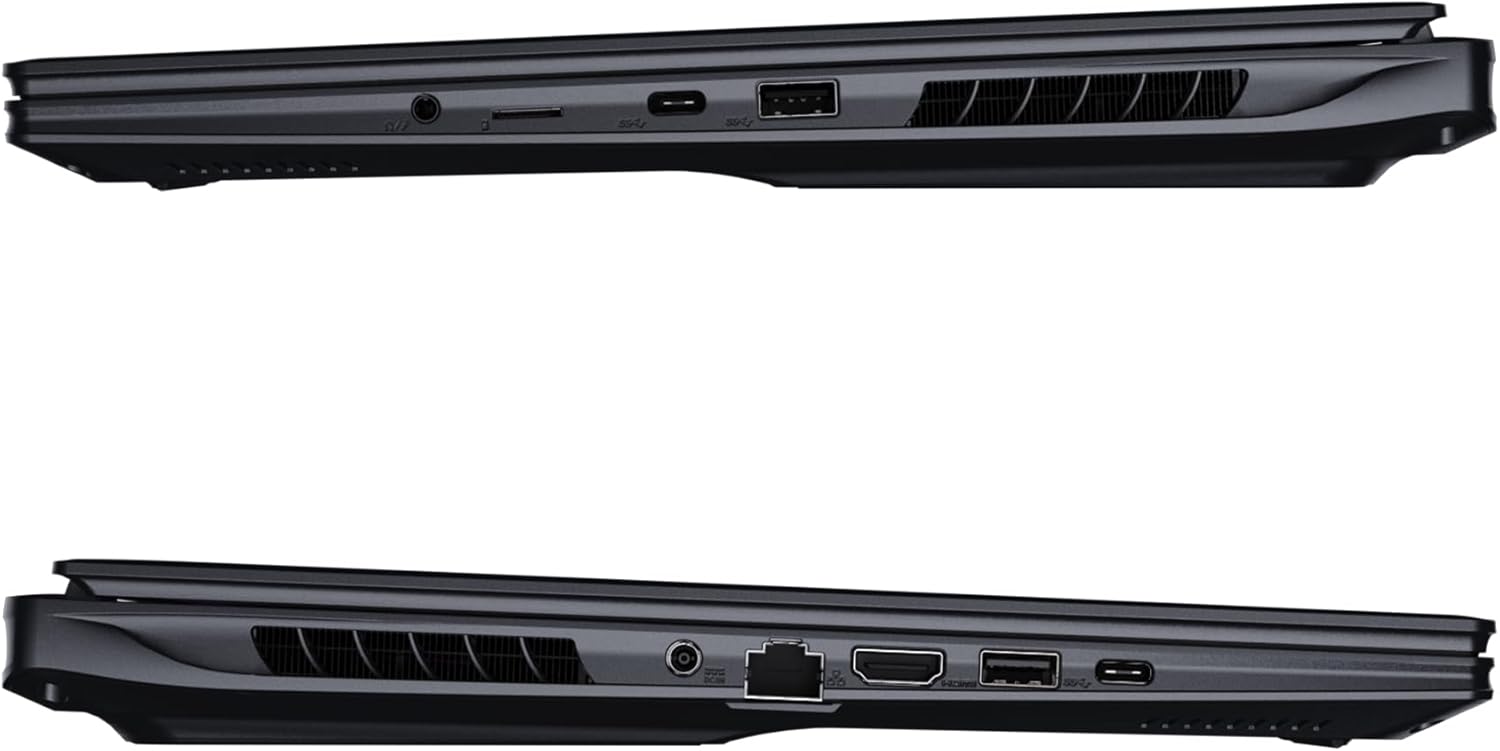
Slika: Bočno view prijenosnog računala koji ilustrira dostupne priključke za povezivanje.
- USB priključci: Connect USB devices such as mice, keyboards, or external storage.
- HDMI priključak: Connect to an external display or TV.
- Priključak Thunderbolt 4: Za brzi prijenos podataka i prikaz.
- Ethernet priključak: Za žičanu mrežnu vezu.
- Priključak za slušalice: Za audio izlaz na slušalice ili vanjske zvučnike.
- Wi-Fi 7: Connect to wireless networks via the integrated Wi-Fi 7 module.
- Bluetooth 5.4: Uparite se s uređajima koji podržavaju Bluetooth.
3. Upravljanje prijenosnim računalom
3.1 Značajke zaslona
Your AORUS Elite 16 BWH features a 16-inch WQXGA (2560x1600) IPS display with a 165Hz refresh rate and 16:10 aspect ratio, offering a wide viewing experience. It supports Dolby Vision for enhanced visual quality and is Pantone validated for color accuracy.

Image: The laptop's 16:10 aspect ratio display, highlighting its IPS panel and Pantone validation.
3.2 Tipkovnica i dodirna podloga
The laptop is equipped with a backlit keyboard for comfortable typing in various lighting conditions and a responsive touchpad for navigation.
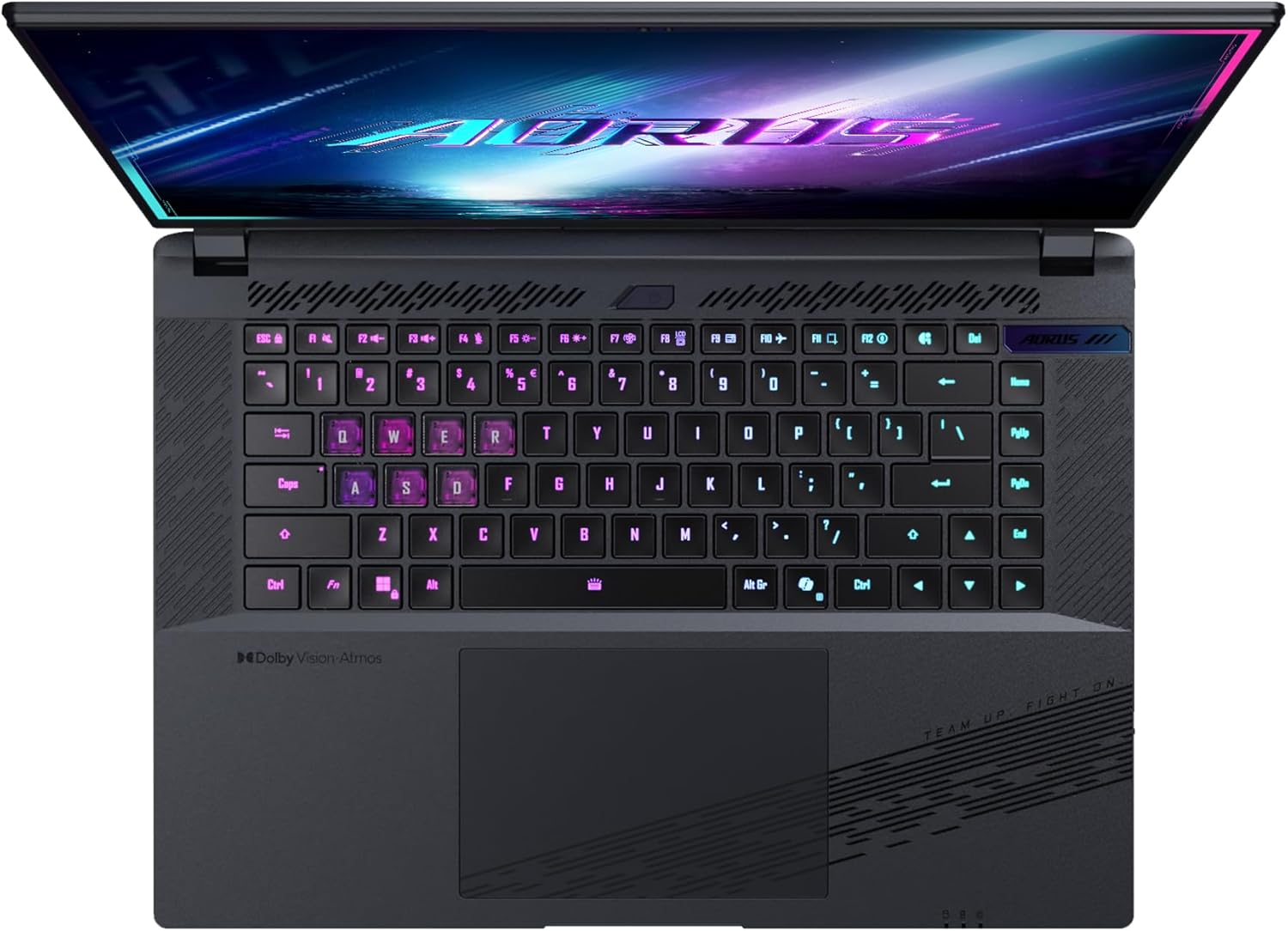
Slika: Od vrha prema dolje view tipkovnice prijenosnog računala, showcasing its backlit keys.
The keyboard also features a dedicated Copilot Key for quick access to AI functionalities in Windows 11.

Image: Close-up of the keyboard, highlighting the Copilot Key for AI features.
3.3 Audio sustav
Experience immersive audio with Dolby Atmos support and integrated 2W speakers. The laptop also includes a built-in microphone for communication.

Image: Visual representation of Dolby Atmos and Dolby Vision audio and visual enhancements.
3.4 Značajke izvedbe
The AORUS Elite 16 BWH is powered by an Intel Core Ultra 9 processor with an integrated NPU for AI acceleration and an NVIDIA GeForce RTX 5070 laptop GPU, ensuring high performance for gaming and demanding tasks. It also features Advanced Optimus with DDS Technology for optimized graphics performance.

Slika: Detaljna view of the Intel Core Ultra 9 processor chip.
Slika: Detaljna view of the NVIDIA GeForce RTX 50 Series laptop GPU chip.
3.5 GiMATE AI Agent
Utilize GiMATE, your personal AI agent, to optimize performance, manage smart cooling, enhance privacy, control power settings, and improve audio and voice functionalities.

Image: GiMATE AI Agent interface showing various optimization features.
4. Održavanje
4.1 Sustav hlađenja
The laptop features the WINDFORCE Infinity cooling system to maintain optimal temperatures during intensive use. Ensure the vents are clear of obstructions to allow proper airflow.

Image: Representation of the WINDFORCE Infinity cooling system.
4.2 Čišćenje
Use a soft, lint-free cloth to clean the screen and exterior surfaces. For stubborn marks, dampen the cloth slightly with water or a screen-cleaning solution. Avoid harsh chemicals.
4.3 Njega baterija
Kako biste produžili vijek trajanja baterije, izbjegavajte ekstremne temperature i ne ostavljajte prijenosno računalo potpuno napunjeno ili potpuno prazno dulje vrijeme.
4.4 Ažuriranja softvera
Regularly update your Windows operating system, drivers, and GIGABYTE software to ensure optimal performance and security.
5. Rješavanje problema
5.1 Problemi s napajanjem
- Laptop se ne uključuje: Ensure the power adapter is securely connected and the outlet is functional. Check the battery charge level.
- Baterija se ne puni: Provjerite jesu li adapter i kabel oštećeni. Pokušajte s drugom utičnicom.
5.2 Problemi s prikazom
- Nema prikaza: Connect an external monitor to check if the issue is with the laptop's screen. Ensure the laptop is powered on.
- Treperenje ili iskrivljeni prikaz: Ažurirajte upravljačke programe za grafičku karticu. Provjerite spojeve kabela zaslona ako koristite vanjski monitor.
5.3 Problemi s povezivanjem
- Wi-Fi se ne povezuje: Provjerite je li Wi-Fi omogućen u postavkama sustava Windows. Ponovno pokrenite usmjerivač i prijenosno računalo.
- Bluetooth uređaj se ne uparuje: Ensure the device is in pairing mode and within range. Update Bluetooth drivers.
5.4 Opći problemi s performansama
- Spore performanse: Zatvorite nepotrebne aplikacije. Provjerite ima li zlonamjernog softvera. Osigurajte dovoljno slobodnog prostora na disku.
- Pregrijavanje: Ensure cooling vents are clear. Use the laptop on a hard, flat surface.
Za složenije probleme obratite se GIGABYTE podršci. webstranicu ili se obratite službi za korisnike.
6. Specifikacije
| Značajka | Detalj |
|---|---|
| Marka | GIGABYTE |
| Naziv modela | AORUS ELITE 16 BWHC3FRC65SP |
| Veličina zaslona | 16 inča |
| Boja | Sivo |
| Veličina tvrdog diska | 2000 GB (2x 1TB SSD Gen4) |
| Model procesora | Intel Core Ultra 9 275HX |
| Veličina instalirane RAM memorije | 32 GB DDR5 |
| Operativni sustav | Windows 11 Pro |
| Posebna značajka | Backlit Keyboard, Memory Card Slot |
| Opis grafičke kartice | Posvećen |
| Grafički koprocesor | NVIDIA GeForce RTX 5070 |
| Hard Disk Technology | SSD |
| Težina artikla | 2300 gram |
| Webcam Capability | Yes (Frontal) |
| Veličina RAM-a grafičke kartice | 8 GB GDDR6 |
| Maksimalna podržana RAM memorija | 64 GB |
| Sadržaj energije baterije | 99 Watt-hours (Lithium-polymer, 4 cells) |
| Povezivost | Bluetooth 5.4, Ethernet (10/1000 Mbit/s), HDMI (1 port), Thunderbolt 4 (1 port), USB 3.2 Gen 2 (2 ports), Wi-Fi 7 (802.11.be) |
| Brzina procesora | 2.7 GHz (Max 5.4 GHz) |
| Broj procesora | 24 |
| Razlučivost zaslona | 2560 x 1600 piksela (WQXGA) |
| Vrsta zaslona | IPS LCD |
| Audio značajke | Dolby Atmos, 2x 2W Integrated Speakers, Integrated Microphone |
7. Informacije o jamstvu
Your GIGABYTE AORUS Elite 16 BWH laptop comes with a 2-godišnje ograničeno jamstvo. This warranty covers manufacturing defects and hardware malfunctions under normal use. Please retain your proof of purchase for warranty claims. For detailed terms and conditions, refer to the warranty card included with your product or visit the official GIGABYTE webmjesto.
8. Podrška
For technical assistance, driver downloads, and further product information, please visit the official GIGABYTE support webstranica. Tamo možete pronaći i često postavljana pitanja i forume zajednice.
- Službenik GIGABYTE-a Webstranica: www.gigabyte.com
- Služba za korisnike: Refer to your regional GIGABYTE webweb mjesto za lokalne kontakt informacije.