
TenHutt 20V 6.0Ah Battery and Multi-Functional Charger Kit
TenHutt 20V 6.0Ah Lithium-ion Battery and Multi-Functional Charger Kit for Craftsman V20 Tools Instruction Manual
1. Uvod
This manual provides essential instructions for the safe and efficient operation, maintenance, and troubleshooting of your TenHutt 20V 6.0Ah Lithium-ion Battery and Multi-Functional Charger Kit. Please read this manual thoroughly before using the product to ensure proper handling and to prevent damage or injury.
The kit includes one 20V 6.0Ah Lithium-ion battery and one multi-functional charger designed for compatibility with Craftsman V20 series power tools and original Craftsman V20 batteries and chargers.
2. Važne sigurnosne upute
UPOZORENJE: Pročitajte sva sigurnosna upozorenja i sve upute. Nepoštivanje upozorenja i uputa može dovesti do strujnog udara, požara i/ili ozbiljne ozljede.
- Always use the charger indoors in a dry location.
- Ne punite baterije u damp ili vlažnim okruženjima.
- Use only the charger provided with this kit or a compatible Craftsman V20 charger to charge the battery.
- Ne pokušavajte puniti baterije koje se ne mogu puniti.
- Keep the battery and charger away from heat sources, direct sunlight, and flammable materials.
- Nemojte kratko spajati terminale baterije.
- Do not disassemble, crush, or incinerate the battery.
- Ako se baterija casing je napuknut ili oštećen, nemojte ga koristiti.
- Baterije odložite odgovorno u skladu s lokalnim propisima.
- Isključite punjač iz utičnice kada ga ne koristite ili prije čišćenja.
- Do not allow liquid to enter the charger.
3. Proizvod je gotovview
The TenHutt 20V 6.0Ah Lithium-ion Battery and Multi-Functional Charger Kit is designed to provide reliable power for your Craftsman V20 tools and convenient charging for various USB-powered devices.
3.1 Komponente kompleta
- 1 x TenHutt 20V 6.0Ah Lithium-ion Battery
- 1 x TenHutt Multi-Functional Battery Charger
3.2 Ključne značajke
- Baterija visokog kapaciteta: 6.0Ah (6000mAh) Lithium-ion battery for extended runtime.
- LED indikator baterije: 3 LED lights on the battery to check charge status.
- Multi-Functional Charger: Features a standard battery charging port, a USB-A port, and a Type-C port for charging external devices.
- Široka kompatibilnost: Designed to be compatible with Craftsman V20 series tools and original Craftsman V20 batteries and chargers.
- Sigurnosne zaštite: Integrated intelligent chip provides protection against short circuits, overcharging, over-discharging, over-voltage, i pregrijavanje.
- Izdržljiva konstrukcija: Robust PC+ABS outer shell for impact and wear resistance.

Figure 1: TenHutt 20V 6.0Ah Lithium-ion Battery and Multi-Functional Charger Kit.
4. Tehničke specifikacije
| komponenta | Specifikacija |
|---|---|
| Vol. izlazne snage baterijetage | 20 V |
| Vrsta baterije | Litij-ionski |
| Kapacitet baterije | 6000 mAh (6.0 Ah) |
| Baterija Wattage | 120 Wh |
| AC ulaz punjača | 100V-240V/50-60Hz |
| DC izlaz punjača | 21V Max / 2.5A Max |
| Charger USB-A Output | 5V / 2.4A Maks |
| Charger Type-C Output | 5V / 2.4A Maks |
| Dimenzije proizvoda | 6.57 x 8.35 x 4.72 inča |
| Težina artikla | 2.88 funti |

Slika 2: Gotovoview of battery and charger specifications.
5. Postavljanje i prva upotreba
5.1 Početno punjenje baterije
- Unpack the battery and charger from the packaging.
- Plug the charger into a standard 100-240V AC power outlet. The charger's LED indicator will illuminate to show it is powered.
- Align the battery with the charging port on the charger and slide it in until it clicks securely into place.
- The charger's LED indicator will change to show that charging has begun. Allow the battery to fully charge before first use.
- Once fully charged, the charger's LED indicator will change again (e.g., solid green). Remove the battery by pressing the quick release button and sliding it out.

Figure 3: Charger with USB-A and Type-C ports for versatile charging.
6. Upute za rad
6.1 Punjenje baterije
To charge the battery, follow the steps outlined in Section 5.1. The charger is compatible with TenHutt 20V batteries and original Craftsman V20 batteries (e.g., CMCB201, CMCB202, CMCB204, CMCB205, CMCB206, CMCB209).
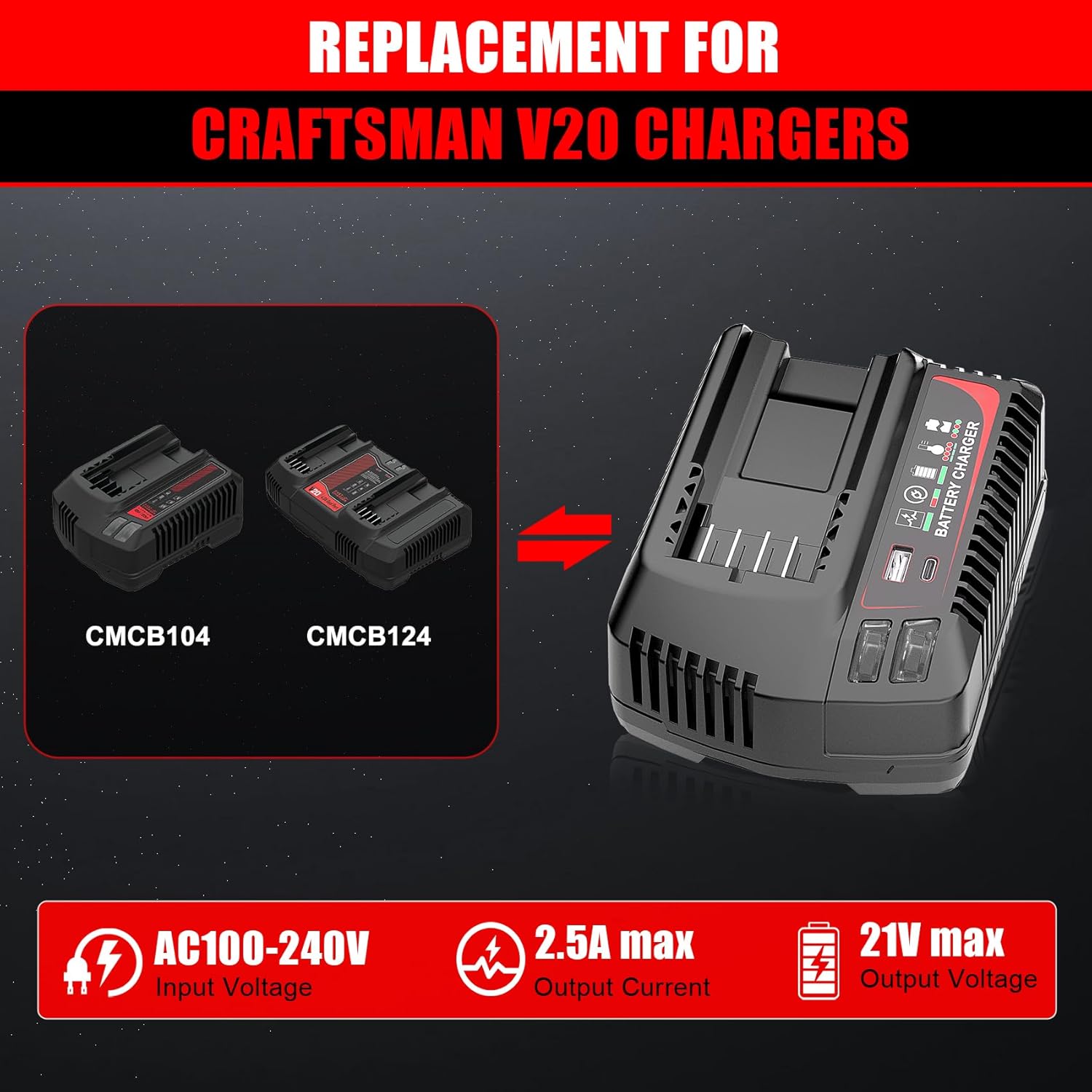
Figure 4: The TenHutt charger is a replacement for Craftsman V20 chargers like CMCB104 and CMCB124.

Figure 5: The TenHutt battery is compatible with various Craftsman V20 battery models.
6.2 Using the Battery with Power Tools
- Uvjerite se da je baterija potpuno napunjena.
- Align the battery with the battery port on your Craftsman V20 power tool.
- Umetnite bateriju u alat dok se sigurno ne učvrsti na mjestu.
- To remove the battery, press the quick release button on the battery and slide it out of the tool.

Figure 6: The TenHutt battery and charger are compatible with a wide range of Craftsman V20 tools.
6.3 Using the Charger's USB Ports
The charger features a USB-A port and a Type-C port, allowing you to charge smartphones, tablets, and other USB-powered devices simultaneously while charging a power tool battery or independently.
- Uključite punjač u standardnu utičnicu od 100-240 V AC.
- Connect your USB-powered device to either the USB-A or Type-C port on the charger using an appropriate USB cable.
- The charger will begin providing power to your device.
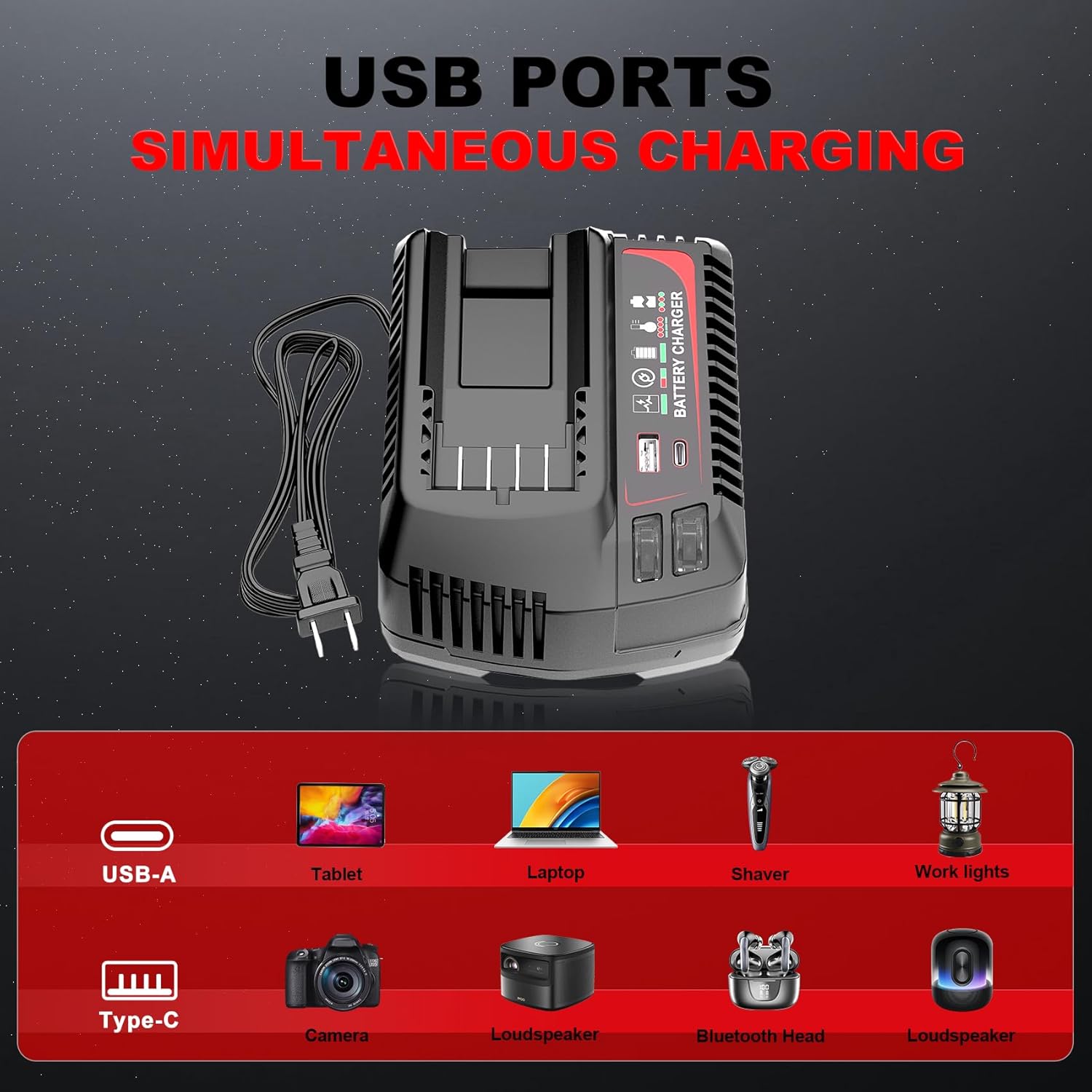
Figure 7: The charger's USB-A and Type-C ports allow for simultaneous charging of various electronic devices.
7. Održavanje i skladištenje
7.1 Općenito održavanje
- Keep the battery and charger clean and free from dust and debris. Use a dry cloth to wipe surfaces.
- Do not use cleaning agents or solvents that could damage plastic parts.
- Regularly inspect the battery and charger for any signs of damage, such as cracks, frayed cables, or loose connections. Do not use damaged components.
7.2 Skladištenje
- Bateriju i punjač čuvajte na hladnom i suhom mjestu, dalje od izravne sunčeve svjetlosti i ekstremnih temperatura.
- For long-term storage, charge the battery to approximately 50-70% capacity. Avoid storing fully charged or completely discharged batteries for extended periods.
- Čuvati izvan dohvata djece.
8. Rješavanje problema
If you encounter issues with your TenHutt battery or charger, refer to the following common problems and solutions:
| Problem | Mogući uzrok | Otopina |
|---|---|---|
| Baterija se ne puni | Punjač nije uključen; neispravna utičnica; baterija nije pravilno postavljena; oštećena baterija/punjač. | Ensure charger is securely plugged into a working outlet. Re-seat the battery. Inspect for damage. If damaged, discontinue use. |
| Charger LED not indicating charge status | Battery fully charged; charger malfunction. | Check battery LED indicator. If battery is full, remove it. If not, try another battery or contact support. |
| Baterija ne napaja alat | Battery discharged; battery not seated correctly in tool; tool malfunction. | Charge the battery. Ensure battery is fully inserted into the tool. Test with another battery if available. |
| USB priključci ne pune uređaje | Charger not powered; faulty USB cable; device not compatible. | Ensure charger is plugged in. Try a different USB cable. Verify device compatibility with 5V/2.4A output. |
9. Jamstvo i korisnička podrška
The product comes with a replacement warranty. Please refer to the product packaging or purchase documentation for specific warranty terms and duration. For technical assistance, troubleshooting beyond this manual, or warranty claims, please contact TenHutt customer support through your retailer or the official TenHutt webmjesto.
Bilješka: The product description mentions a "Free Refund for 1.5 YEAR New Replacement". Please verify this information with your purchase documentation.
Ask a question about this manual
Ask about setup, troubleshooting, compatibility, parts, safety, or missing instructions. Manuals+ will review the question and use this page’s manual context to help answer it.