
sofirn HS42
Sofirn HS42 Rechargeable Headlamp korisnički priručnik
Model: HS42
Uvod
Thank you for choosing the Sofirn HS42 Rechargeable Headlamp. This manual provides essential information for the safe and effective use of your new headlampMolimo vas da ga pažljivo pročitate prije upotrebe i sačuvate za buduću upotrebu.

Image: The Sofirn HS42 headlamp attached to its adjustable black headband, ready for use. The headlamp itself is black with a textured body for grip, featuring a clear lens over the main LED and smaller auxiliary LEDs.
Sadržaj paketa
Nakon otvaranja paketa, molimo provjerite jesu li sve komponente prisutne i u dobrom stanju:
- Sofirn HS42 Headlamp Jedinica
- Podesiva traka za glavu
- USB kabel za punjenje tipa C
- Džepna kopča
- Rezervni O-prstenovi (2)
- korisnički priručnik
Video: An unboxing and detailed display of the SOFIRN HS42 product, showing all included components and their initial presentation.
Postavljanje
1. Battery Preparation
The Sofirn HS42 headlamp uses a rechargeable 18650 Lithium-Ion battery. Before first use, ensure the battery's insulating paper disc is removed. Unscrew the tail cap, remove the disc, and re-tighten the tail cap securely.
2. Punjenje glaveamp
Headlamp features a convenient Type-C charging port. Connect the provided USB Type-C cable to the headlamp and a compatible USB power source (e.g., wall adapter, power bank, computer USB port).
- Indikatorska lampica će pokazati crvena tijekom punjenja.
- Indikatorska lampica će se upaliti zelena kada je punjenje završeno.

Slika: Krupni plan glaveamp showing the USB Type-C charging port and the indicator light, illustrating its red (charging) and green (fully charged) states.
3. Pričvršćivanje trake za glavu i kopče
The HS42 can be used as a headlamp or a handheld flashlight with a pocket clip. To use as a headlamp, slide the unit into the silicone mount on the adjustable headband. To use as a handheld flashlight, attach the included two-way pocket clip to the body of the headlamp. The magnetic tailcap allows for attachment to metal surfaces for hands-free work.
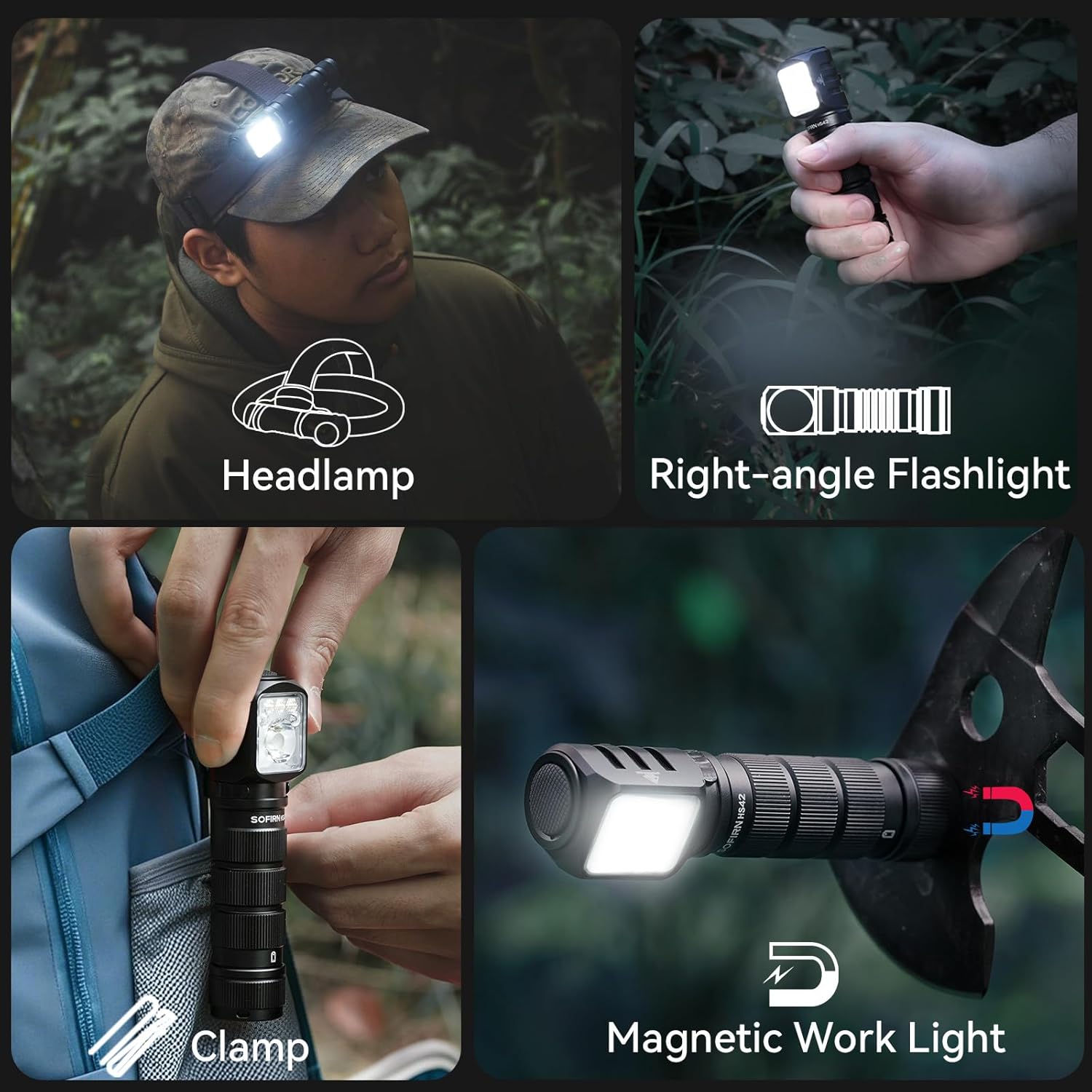
Image: A collage demonstrating the versatile uses of the headlamp: worn as a headlamp, held as a right-angle flashlight, clipped to clothing, and attached to a metal surface via its magnetic base for use as a work light.
Upute za rad
The Sofirn HS42 features a single button for all operations. Familiarize yourself with the following commands:
Opći rad:
- Uključivanje/isključivanje: Single click the button to turn the light on or off.
- Change Brightness (White Light): When the light is on, press and hold the button to cycle through Moon, Low, Medium, and High modes. Release the button to select the desired brightness.
- Turbo način rada: From any mode (except lock-out), double-click the button to activate Turbo mode. Double-click again to return to the previous mode.
- Strobe/SOS/Beacon: From any mode (except lock-out), triple-click the button to activate Strobe mode. Double-click to cycle through Strobe, SOS, and Beacon modes. Single click to turn off.
- Način rada crvenog svjetla: From off, triple-click the button to activate Red Light mode. Press and hold to cycle through red light brightness levels.
- Funkcija zaključavanja: From off, quadruple-click the button to activate lock-out. The light will flash once to indicate it's locked. To unlock, quadruple-click again.

Image: Visual representation of the various white light modes (Moon, Eco, Low, Medium, High, Turbo, Strobe, SOS, Beacon) and red light modes (Low, Medium, High, Strobe, SOS) available on the Sofirn HS42 headlamp.
Inteligentna kontrola temperature:
The HS42 is equipped with an intelligent temperature control system. When operating in extremely bright or high brightness modes, the headlamp will automatically reduce the output current if the internal temperature exceeds 55 degrees Celsius. This feature maintains an appropriate shell temperature, preventing overheating and ensuring a longer lifespan for the device and a safer user experience.
Održavanje
Proper maintenance ensures the longevity and optimal performance of your Sofirn HS42 headlamp.
- Čišćenje: Obrišite glavuamp with a clean, soft cloth. For stubborn dirt, use a slightly damp tkanina. Nemojte koristiti abrazivna sredstva za čišćenje ili otapala.
- Njega baterije: For best results, charge the battery regularly, even if the headlamp is not in frequent use. If storing for extended periods, charge the battery to approximately 50% and recharge every 3-6 months.
- O-prstenovi: Periodically inspect the O-rings for wear and tear. Replace them if damaged to maintain the IP66 waterproof rating. A light application of silicone grease can help maintain their integrity.
- Vodootpornost: Headlamp is IP66 waterproof, meaning it is protected against powerful water jets. While it can withstand rain and splashes, it is not designed for prolonged submersion. Ensure the Type-C port cover is securely closed when not charging to maintain water resistance.
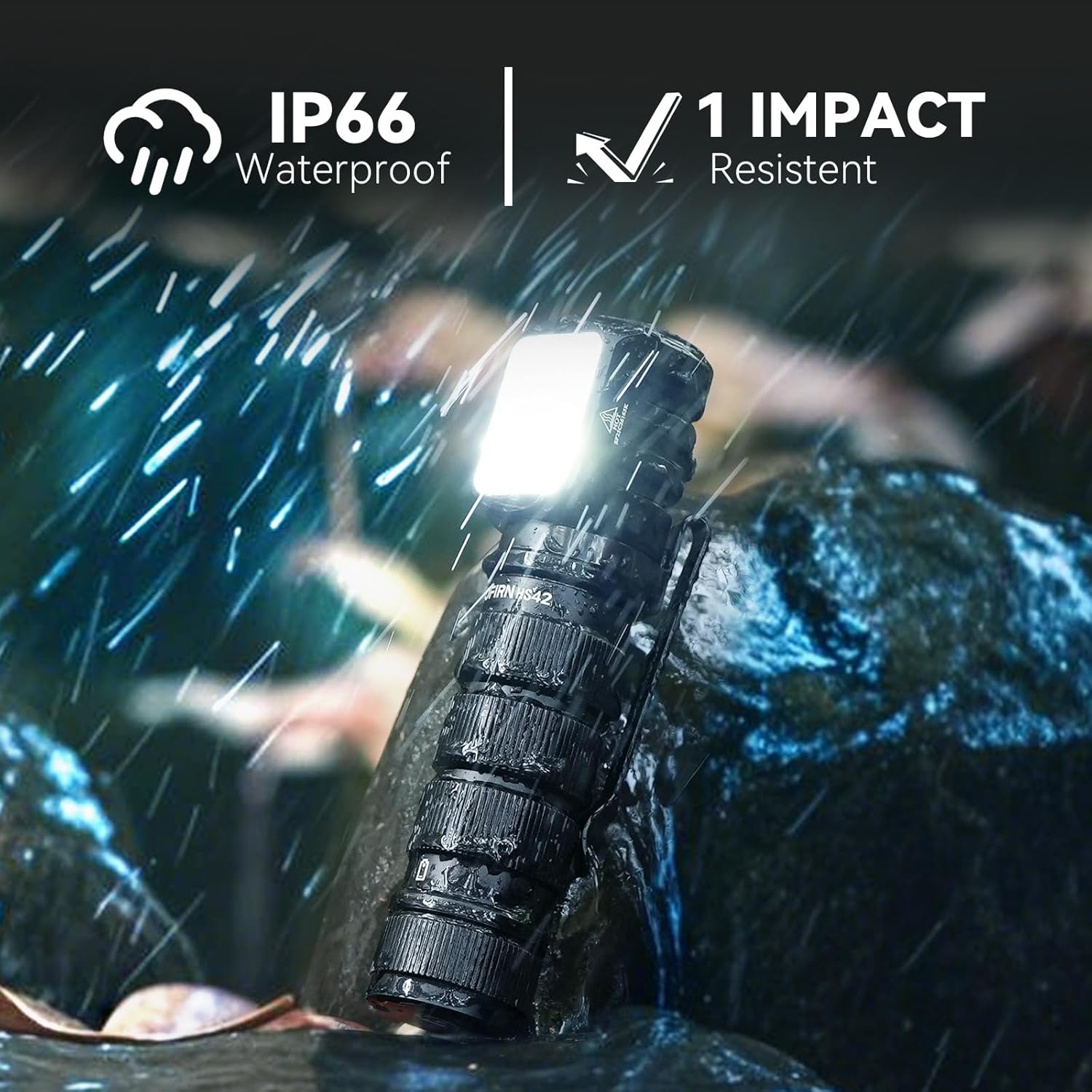
Image: The Sofirn HS42 headlamp shown in a rainy environment, highlighting its IP66 waterproof rating and 1-meter impact resistance, indicating its durability in harsh conditions.
Rješavanje problema
If you encounter issues with your Sofirn HS42 headlamp, molimo pogledajte sljedeće uobičajene probleme i rješenja:
| Problem | Mogući uzrok | Otopina |
|---|---|---|
| Svjetlo se ne pali. |
|
|
| Svjetlo neočekivano treperi ili se prigušuje. |
|
|
| Headlamp ne naplaćuje. |
|
|
If the problem persists after attempting these solutions, please contact Sofirn customer support for further assistance.
Tehnički podaci
| Model | HS42 |
| Izvor svjetlosti | LED |
| Svjetlina | Do 2100 lumena (bijelo svjetlo) |
| Udaljenost zraka | Do 215 metara (465 stopa) |
| Izvor napajanja | Rechargeable Lithium Polymer Battery (18650 type) |
| Priključak za punjenje | USB Type-C |
| Runtime | Do 32 sati (ovisno o načinu rada) |
| Materijal | Aluminijska legura |
| Vodootpornost | IP66 (Protected against powerful water jets) |
| Otpornost na udarce | 1 metar |
| Dimenzije | 3.15"D x 1.22"Š x 1.22"V |
| Težina | 10.5 unci |
| Posebne značajke | Red Light Mode, Intelligent Temperature Control, Magnetic Tailcap, 2-Way Clip |

Image: A visual comparison demonstrating the powerful 2100 lumen white light output and the 215-meter beam distance of the Sofirn HS42 headlamp in a dark outdoor setting.
Jamstvo
The Sofirn HS42 Rechargeable Headlamp dolazi s a Jamstvo 2 godine from the date of purchase. This warranty covers manufacturing defects and issues arising from normal use. It does not cover damage caused by misuse, unauthorized modification, accident, or neglect.
Zadržite svoj dokaz o kupnji za jamstvene zahtjeve.
podrška
For any questions, technical assistance, or warranty inquiries, please contact Sofirn customer support through the following channels:
- Internetska trgovina: Posjetite službenu osobu Sofirn Store on Amazon.
- Email: Refer to the contact information provided in your product packaging or on the official Sofirn webmjesto.
Our support team is dedicated to providing prompt and helpful solutions.
Ask a question about this manual
Ask about setup, troubleshooting, compatibility, parts, safety, or missing instructions. Manuals+ will review the question and use this page’s manual context to help answer it.