
AXA Fold Lite C100
AXA Fold Lite C100 Folding Lock User Manual
Model: Fold Lite C100 | Part Number: 59842095KB
Uvod
This manual provides essential information for the safe and effective use of your AXA Fold Lite C100 folding lock. Please read these instructions carefully before initial use and retain them for future reference. The AXA Fold Lite C100 is a lightweight, robust combination lock designed for securing bicycles, offering a high level of security and ease of use.
Sigurnosne upute
- Ensure the lock is properly engaged and the code scrambled after securing your bicycle.
- Ne pokušavajte silom otvoriti mehanizam zaključavanja.
- Keep the lock clean and free from debris to ensure smooth operation.
- Store the lock in a dry environment when not in use.
- This lock is designed to deter theft; no lock can guarantee absolute security.
Proizvod gotovview
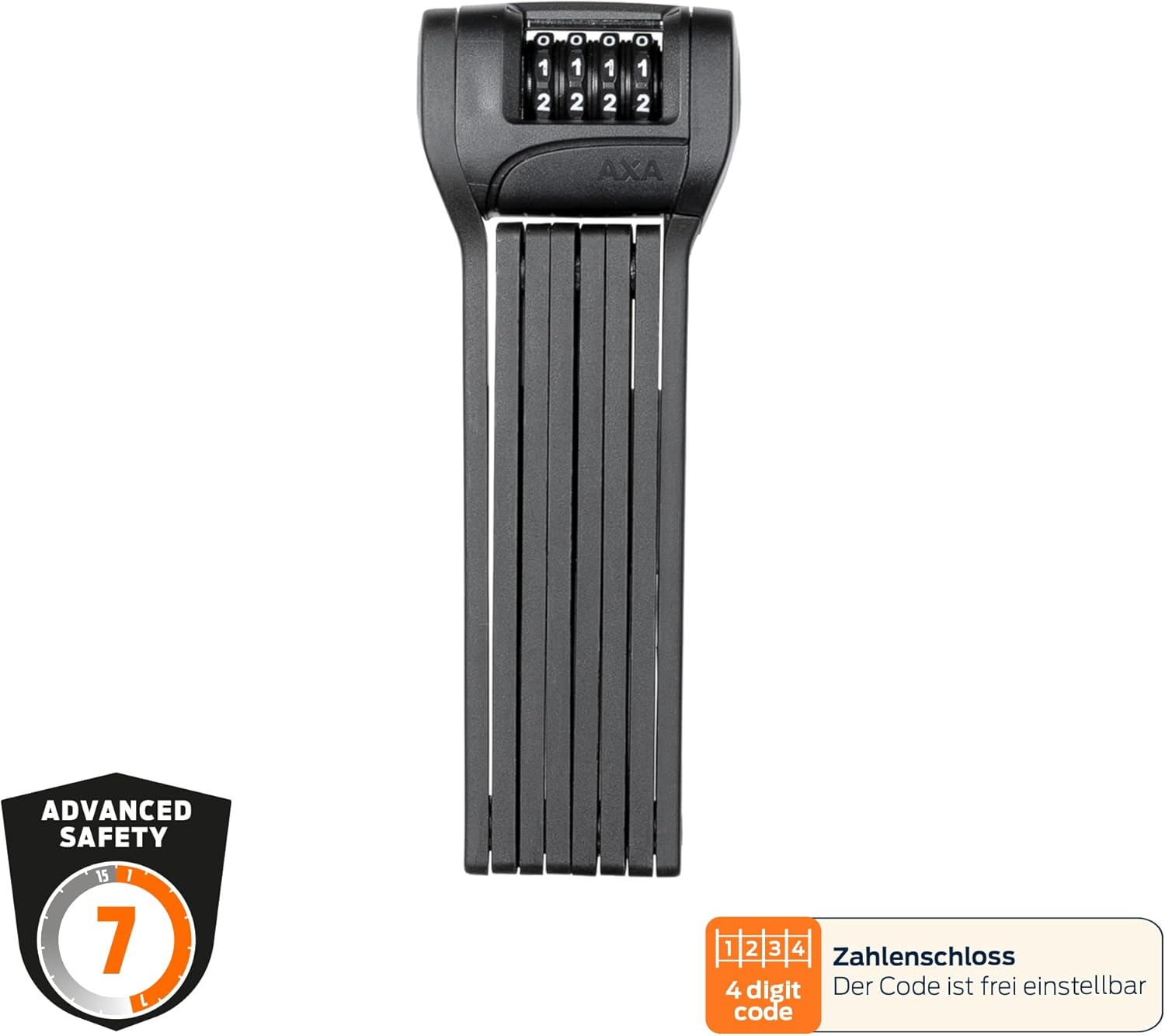
The AXA Fold Lite C100 is a compact and flexible folding lock. It consists of hardened steel links with a soft coating to protect your bicycle's frame. The lock features a 4-digit adjustable combination mechanism and comes with a convenient mounting bracket.

Postavljanje
Setting Your Personal Combination Code
The AXA Fold Lite C100 comes with a factory default code (usually 0000). To set your personal 4-digit combination:
- Align the dials to the current opening code (factory default is 0000).
- Open the lock by pulling the locking mechanism apart.
- Locate the reset button or lever on the side or back of the lock head.
- Using a small pointed object (like a pen tip), press and hold the reset button/lever.
- Dok držite pritisnutu tipku/ručicu za resetiranje, postavite željenu 4-znamenkastu kombinaciju okretanjem kotačića.
- Otpustite gumb/ručicu za resetiranje. Vaš novi kod je sada postavljen.
- Važno: Scramble the dials immediately after setting the code to ensure it is locked. Test your new code to confirm it opens the lock.
Montaža nosača
The included bracket allows for convenient transport of your AXA Fold Lite C100 lock on your bicycle. It can be mounted in two ways:
- Using Bottle Cage Mounts: If your bicycle frame has standard bottle cage mounting points, you can attach the bracket directly using the provided screws.
- Using Mounting Straps: For frames without bottle cage mounts, or if you prefer a different location, use the two included mounting straps to secure the bracket firmly to your frame. Ensure the straps are tightened securely to prevent rattling during rides.


Upute za rad
Zaključavanje bicikla
- Remove the lock from its bracket.
- Unfold the lock completely.
- Wrap the unfolded lock around your bicycle frame (and wheel, if desired) and a fixed object such as a lamppost or bike rack.
- Align the combination dials to your personal 4-digit code.
- Insert the locking bar into the lock head until it clicks securely into place.
- Scramble the combination dials to secure the lock.

Otključavanje bicikla
- Align the combination dials to your personal 4-digit code.
- Pull the locking bar out of the lock head.
- Unfold the lock from around your bicycle and the fixed object.
- Fold the lock back into its compact form and place it back into the mounting bracket on your bicycle.
Održavanje
- Čišćenje: Wipe the lock periodically with a damp krpom za uklanjanje prljavštine i nečistoća. Izbjegavajte jake kemikalije koje mogu oštetiti zaštitni premaz.
- Podmazivanje: For optimal performance, especially in dusty or wet conditions, apply a small amount of silicone-based lubricant to the combination dials and the locking mechanism once or twice a year.
- Skladištenje: When not in use for extended periods, store the lock in a dry, temperate environment.
Rješavanje problema
| Problem | Mogući uzrok | Otopina |
|---|---|---|
| Lock will not open with correct code. | Dials not perfectly aligned; internal mechanism dirty or stiff. | Ensure dials are precisely aligned. Apply lubricant to dials and mechanism. Gently wiggle the locking bar while entering the code. |
| Lock is difficult to close. | Debris in the locking mechanism; bent links. | Clean the locking mechanism. Check for any visible damage to the links. Do not force closure. |
| Bracket rattles or lock feels loose in bracket. | Mounting screws/straps are loose. | Tighten all mounting screws or straps securely. |
Tehnički podaci
| Naziv modela | AXA Fold Lite C100 |
| Broj dijela | 59842095 KB |
| Vrsta brave | 4-digit Combination Lock |
| Sigurnosna razina | 7 (AXA Security Index) |
| Duljina | 100 cm (39.4 inča) |
| Težina | 725 grama (1.6 kilograma) |
| Materijal | Hardened Steel with Soft Coating |
| Boja | Crna |
| Uključene komponente | Folding Lock, Mounting Bracket, Mounting Straps |
| Dimenzije (savijeno) | Otprilike 7.28 x 2.76 x 1.38 cm (D x Š x V) |
Jamstvo i podrška
For warranty information and customer support, please refer to the official AXA webweb-mjesto ili se obratite lokalnom prodavaču. Sačuvajte dokaz o kupnji za bilo kakve jamstvene zahtjeve.
Proizvođač: AXA
Webstranica: www.axa-bike.com
Ask a question about this manual
Ask about setup, troubleshooting, compatibility, parts, safety, or missing instructions. Manuals+ will review the question and use this page’s manual context to help answer it.