
1. Uvod
The ATTACK SHARK X11SE is a high-performance wireless gaming mouse designed for precision and comfort. It features a lightweight design, advanced sensor technology, and versatile connectivity options to enhance your gaming and productivity experience.

Slika: Prekoview of the ATTACK SHARK X11SE's key features including PAW3311 sensor, 63g lightweight design, 22000 DPI, HUANO switches, tri-mode switch, BK52820 chip, TTC encoders, and 65 hours of battery life.
Ključne karakteristike:
- PAW3311 Gaming Sensor: Equipped with the flagship PixArt PAW3311 sensor, offering up to 22,000 DPI with 6 adjustable levels, 400 IPS tracking speed, 35G acceleration, and a 1000Hz/1ms polling rate.
- Ultralight 63g Design: Weighing only 63 ± 3g, this mouse features a minimalist, full-casing design optimized for reduced weight without compromising build quality.
- Trostruka povezivost: Supports 2.4 GHz wireless, USB-C wired, and Bluetooth connections for versatile use across various devices.
- Durable Switches & Encoder: Features HUANO switches with a lifespan of 20 million clicks and an optimized TTC encoder for precise scroll wheel feedback.
- Ergonomski dizajn: Dimensions (128 x 64 x 40 mm) suitable for medium to large hands, accommodating palm, claw, and fingertip grip styles for extended comfort.
- Dual Driver Support: Kompatibilan sa Web Driver and proprietary ATTACK SHARK driver for advanced customization of buttons, DPI, polling rate, and macros.
2. Postavljanje
Sadržaj paketa:
- ATTACK SHARK X11SE Wireless Gaming Mouse
- USB-C kabel
- USB prijemnik (2.4 GHz)
- Traka za držanje
- korisnički priručnik
Punjenje miša:
Connect the mouse to your computer using the provided USB-C cable. The mouse has a 300mAh battery, providing up to 65 hours of uninterrupted use on a full charge (2-3 hours charging time).

Image: The ATTACK SHARK X11SE mouse illustrating its efficient battery management, offering up to 65 hours of use from a 300mAh battery, fully charged in 2-3 hours.
Načini povezivanja:
The X11SE mouse supports three connection modes: 2.4GHz Wireless, Bluetooth, and USB-C Wired.

Image: The ATTACK SHARK X11SE mouse highlighting its lightning-fast 2.4G wireless connection, wired mode via USB-C, and Bluetooth 5.2 capabilities.
- 2.4GHz bežični način rada:
- Pronađite USB prijemnik, koji se obično nalazi u odjeljku na donjoj strani miša.
- Priključite USB prijamnik u slobodni USB priključak na računalu.
- Turn on the mouse using the switch on the bottom. Select the 2.4G mode.
- Miš bi se trebao automatski povezati.
- Bluetooth način rada:
- Uključite miš i odaberite Bluetooth način rada pomoću prekidača na dnu.
- Press and hold the Bluetooth toggle button (often located near the mode switch) for 3 seconds to enter pairing mode. The indicator light will flash.
- Na računalu ili uređaju idite na postavke Bluetootha i potražite nove uređaje.
- Select "ATTACK SHARK X11SE" from the list to pair.
- Žičani način rada USB-C:
- Connect the USB-C cable to the front port of the mouse and the other end to a USB port on your computer.
- Miš će se automatski prebaciti u žičani način rada i početi puniti.
3. Operacija
Funkcije gumba:
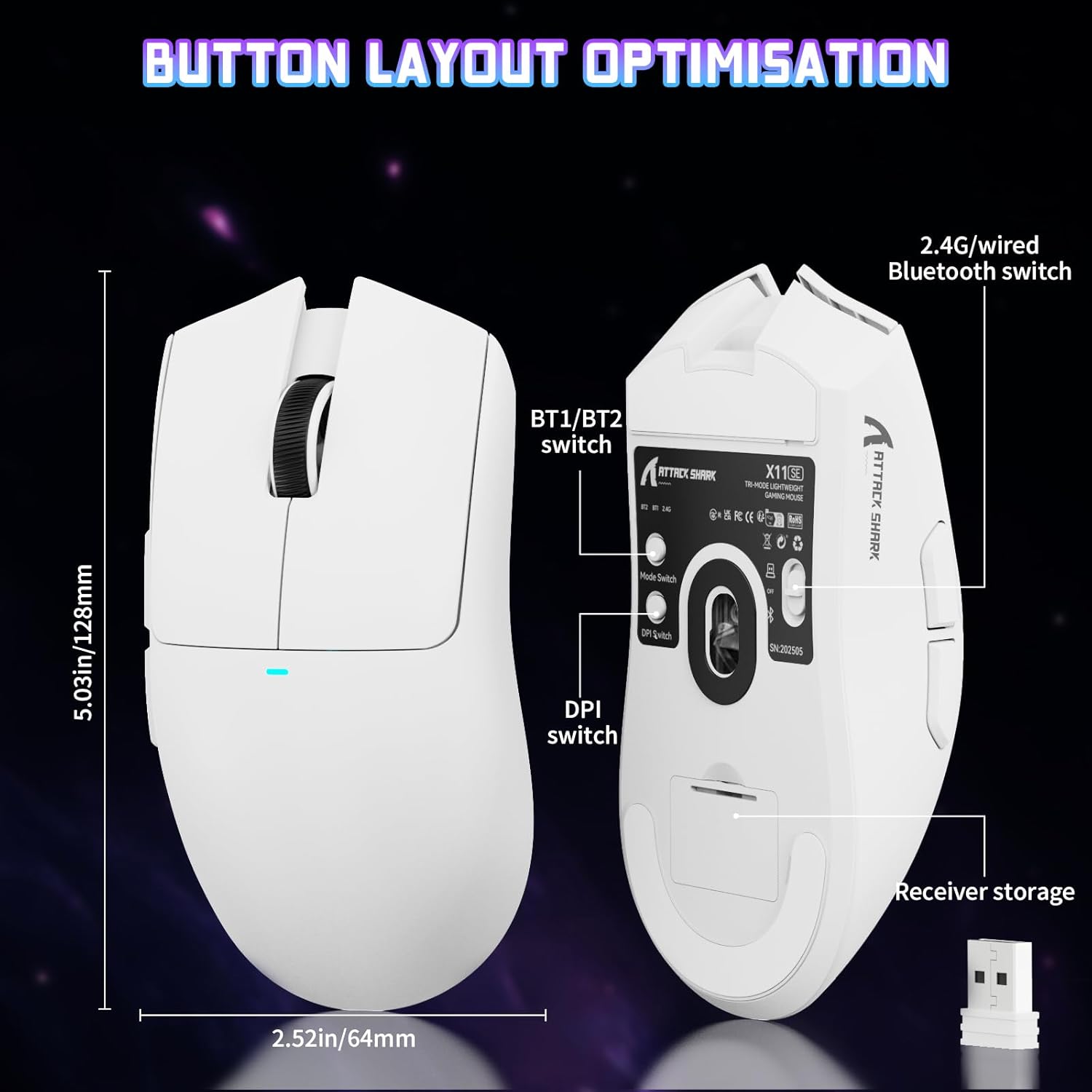
Image: The ATTACK SHARK X11SE mouse displaying its button layout, including the BT1/BT2 switch, DPI switch, and receiver storage, along with its dimensions (128mm length, 64mm width).
- Lijevi klik: Primarni gumb za radnju.
- Desni klik: Sekundarni gumb za radnju, obično za kontekstne izbornike.
- Kotačić za pomicanje: Pomiče se gore/dolje. Može se pritisnuti i za funkciju klika srednjom tipkom miša.
- Bočne tipke (naprijed/nazad): Used for navigation in web browsers or in-game actions.
- DPI prekidač: Located on the underside of the mouse, this button cycles through preset DPI levels.
- Prekidač načina rada: Located on the underside, this switch allows you to select between 2.4G wireless, Bluetooth, and Off modes.
Podešavanje DPI-ja:
The X11SE features a PixArt PAW3311 sensor with up to 22,000 DPI. You can adjust the DPI sensitivity using the dedicated DPI switch on the bottom of the mouse. For more precise control and custom DPI levels, use the official software.
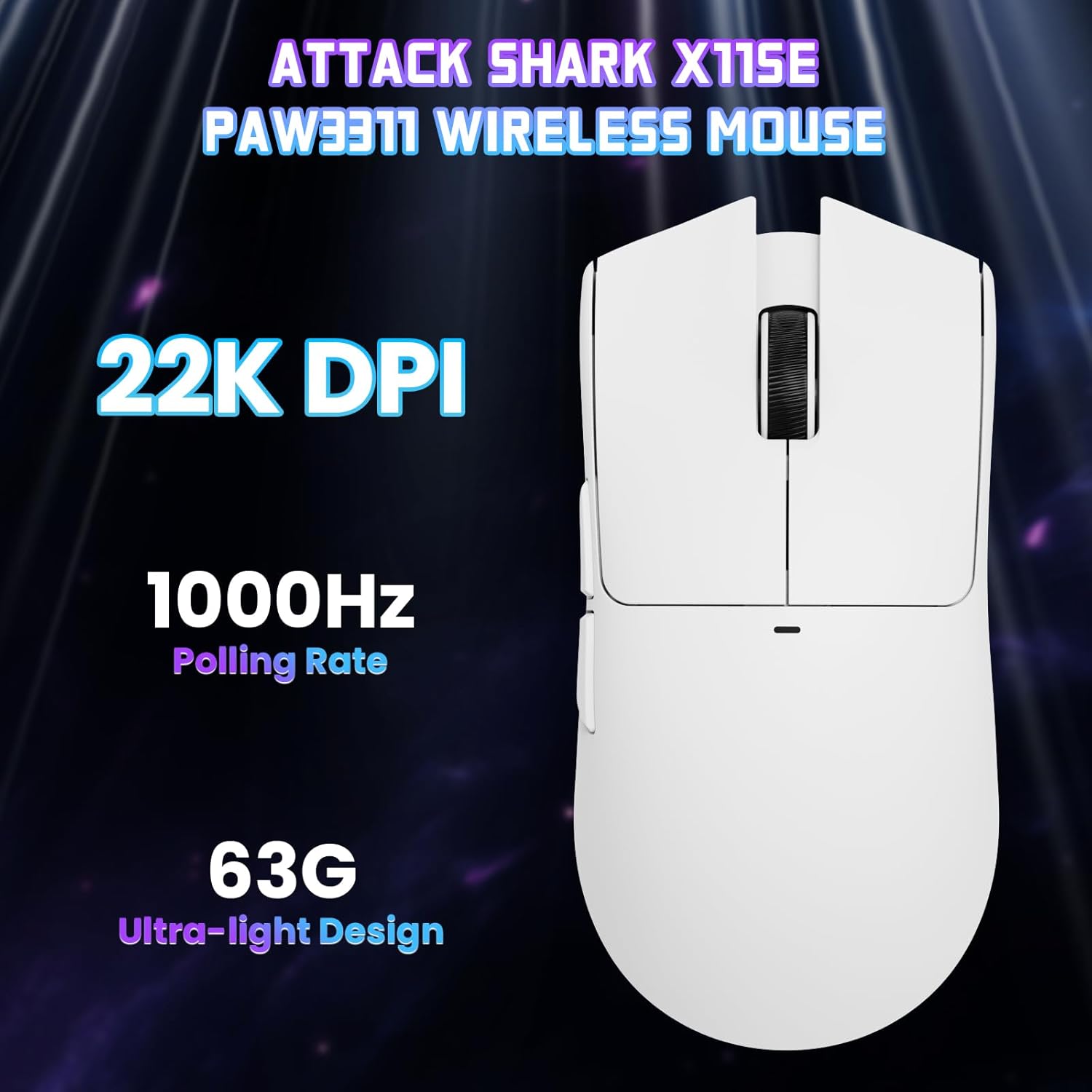
Slika: Pogled odozgo prema dolje view of the ATTACK SHARK X11SE mouse, emphasizing its 22,000 DPI capability and 1000Hz polling rate for high-performance gaming.
4. Prilagodba
The ATTACK SHARK X11SE mouse offers extensive customization options through its dedicated software. This allows you to personalize button assignments, DPI settings, polling rate, and create macros.
Instalacija upravljačkog programa:
The mouse supports two drivers:
- Web Vozač: Pristup putem http://szslxd-tech.com/#/
- ATTACK SHARK Proprietary Driver: Preuzmi s https://attackshark.com/pages/dirver-download
Download and install the preferred driver software on your Windows, macOS, or Linux system.
Značajke softvera:

Image: The ATTACK SHARK X11SE software interface, demonstrating options for mouse settings, DPI adjustments, parameter settings, macro editing, and personal profiles.
- Programiranje gumba: Dodijelite funkcije bilo kojoj od 5 tipki.
- DPI postavke: Izradi prilagođeni DPI profesionalacfiles and adjust sensitivity levels.
- Stopa glasanja: Adjust the polling rate for optimal responsiveness.
- Uređivač makronaredbi: Record and assign complex sequences of commands to a single button.
- profesionalacfile Upravljanje: Save and switch between different profileza razne igre ili aplikacije.
5. Održavanje
Čišćenje:
- Za brisanje površine miša koristite meku, suhu krpu.
- Za tvrdokornu prljavštinu, lagano dampkrpu obrišite vodom ili blagom otopinom za čišćenje. Izbjegavajte jake kemikalije.
- Očistite područje optičkog senzora na dnu miša pamučnim štapićem kako biste osigurali precizno praćenje.
Njega baterije:
- Izbjegavajte često potpuno pražnjenje baterije kako biste produžili njezin vijek trajanja.
- Miš čuvajte na hladnom i suhom mjestu kada ga ne koristite dulje vrijeme.
6. Rješavanje problema
Uobičajeni problemi i rješenja:
- Miš ne reagira:
- Provjerite je li miš napunjen.
- Check the mode switch on the bottom of the mouse to ensure it's in the correct mode (2.4G, BT, or Wired).
- For 2.4GHz mode, ensure the USB receiver is securely plugged in. Try a different USB port.
- For Bluetooth mode, ensure Bluetooth is enabled on your device and the mouse is paired correctly. Try re-pairing.
- For wired mode, ensure the USB-C cable is properly connected.
- DPI se ne mijenja:
- Press the DPI switch on the bottom of the mouse.
- If using custom DPI settings, ensure the driver software is running and the correct profile je aktivan.
- Kašnjenje ili povremena veza:
- Ensure the mouse is close to the USB receiver (for 2.4GHz) or your device (for Bluetooth).
- Izbjegavajte smetnje od drugih bežičnih uređaja.
- Provjerite je li baterija miša dovoljno napunjena.
- Ažurirajte upravljačke programe za miš ako su dostupni.
7. Specifikacije
| Značajka | Specifikacija |
|---|---|
| Marka | NAPADAJ MORSKI PAS |
| Naziv modela | X11SE |
| Boja | Bijela |
| Tehnologija povezivanja | 2.4 GHz Wireless/USB-C Wired/Bluetooth |
| Posebne značajke | 63g ultralight, BK52820 Chip, TTC Encoder, Dual Driver |
| Tehnologija detekcije pokreta | Optički (PixArt PAW3311) |
| Broj gumba | 5 |
| Orijentacija ruke | Dvoličan |
| Preporučena upotreba proizvoda | Računalne igre |
| Kompatibilni uređaji | Desktop Computer, MAC |
| Operativni sustav | Windows, macOS, Linux |
| Broj baterija | 1 litij polimer (uključen) |
| Izvor napajanja | Napajanje na baterije |
| Maximum Mouse Sensitivity | 22000 DPI |
| Raspon | 300 centimetara |
| Stil | Ergonomski |
| Materijal | Plastični |
| Zemlja podrijetla | Kina |
| Uključene komponente | USB-C Cable, Manual, Grip Tape |
| UPC | 752010613663 |
8. Jamstvo i podrška
Informacije o jamstvu:
The ATTACK SHARK X11SE Wireless Gaming Mouse comes with a six-month warranty from the date of purchase. Please retain your proof of purchase for warranty claims.
Preuzimanja upravljačkih programa:
For the latest drivers and software updates, please visit:
- Web Vozač: http://szslxd-tech.com/#/
- ATTACK SHARK Driver: https://attackshark.com/pages/dirver-download
Related Product Video:
Video: Službeni video prikaz prodavačaasing the ATTACK SHARK X11 Mouse, demonstrating its features and functionality. While specifically for the X11, it provides relevant insights into the X11SE's design and operation.