
1. Uvod
This manual provides detailed instructions for the installation, operation, and maintenance of your EKIY EC17 Wireless CarPlay & Android Auto Adapter. Please read this manual thoroughly before using the device to ensure optimal performance and safety. The EKIY EC17 converts your existing wired CarPlay or Android Auto system into a wireless connection, offering enhanced convenience and a clutter-free driving experience.
2. Sadržaj paketa
Provjerite jesu li svi artikli prisutni u vašem paketu:
- EKIY EC17 Wireless CarPlay & Android Auto Adapter
- USB Female A to C cable
- korisnički priručnik
3. Vodič za postavljanje
Follow these steps to set up your EKIY EC17 adapter:
- Uključite adapter: Connect the EKIY EC17 adapter to your car's USB port using the provided USB Female A to C cable. Ensure the port supports data transfer for CarPlay/Android Auto.
- Omogući Bluetooth: On your smartphone (iPhone or Android), go to your device's Bluetooth settings and ensure Bluetooth is turned on.
- Uparivanje s adapterom: On your car's infotainment screen, navigate to the CarPlay or Android Auto interface. The adapter should appear as a Bluetooth device. Select it to initiate pairing.
- Potvrdite vezu: Follow any on-screen prompts on your car's display and your smartphone to confirm the connection. Once paired, your wired CarPlay or Android Auto system will now function wirelessly.
The initial setup typically takes about 30 seconds. For future drives, the adapter will automatically reconnect to your phone within approximately 5 seconds after the car engine is turned on.
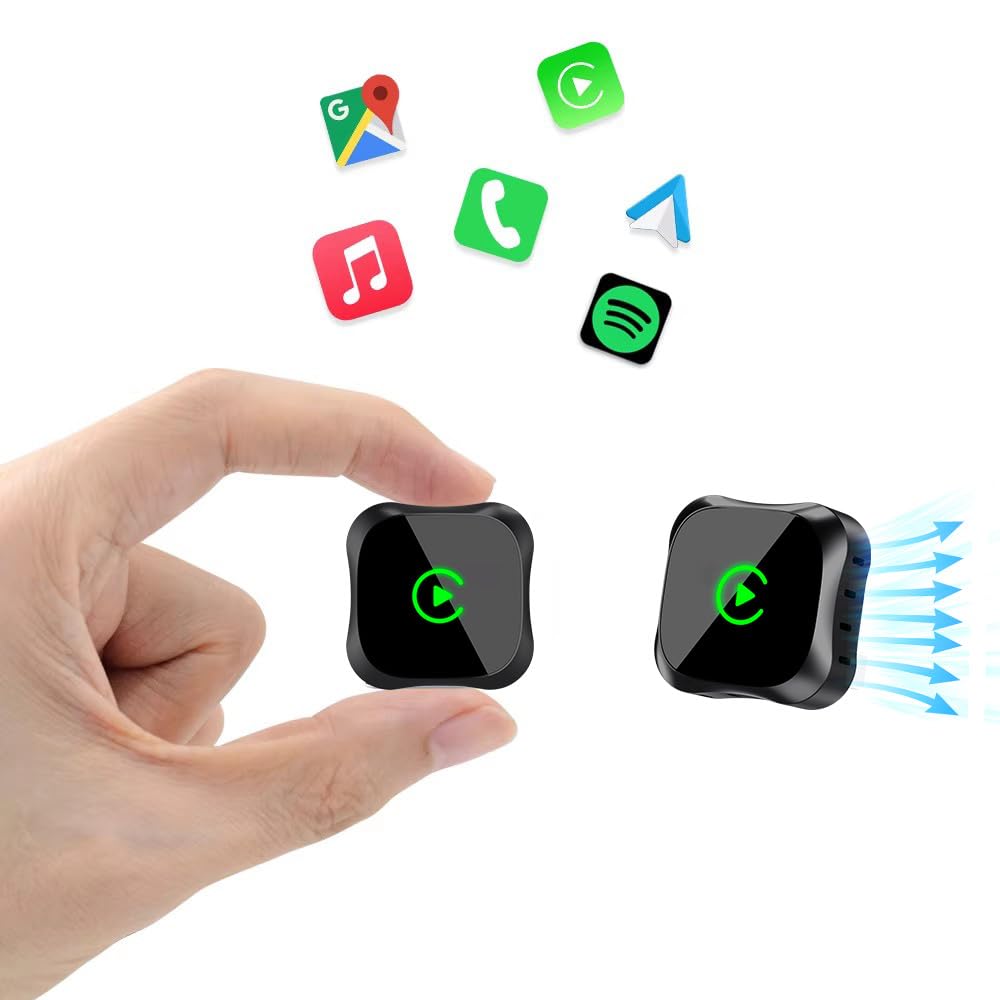
Image: The EKIY EC17 adapter, a compact device, shown connected to a car's USB port, ready for wireless operation.
4. Upute za rad
Once set up, the EKIY EC17 adapter provides a seamless wireless experience:
- Automatsko ponovno povezivanje: The adapter automatically connects to your paired smartphone when the car starts, utilizing its built-in 5.8GHz WiFi module for quick detection.
- Potpuna funkcionalnost: Enjoy all standard CarPlay and Android Auto features wirelessly, including hands-free calling, navigation, music streaming, and messaging.
- Metode kontrole: The adapter supports various control inputs from your car's system, such as voice control, steering wheel buttons, touchscreen, and knob operations.
- Stabilna veza: Advanced Bluetooth 5.3 and 5.8GHz WiFi technology ensure a stable and fast wireless connection for uninterrupted performance.
Važna napomena: The adapter connects to only one phone at a time. If you need to switch to a different phone, ensure you disconnect the Bluetooth and Wi-Fi connection of the previously connected phone first.
5. Kompatibilnost
The EKIY EC17 Wireless CarPlay & Android Auto Adapter is designed for broad compatibility:
- Kompatibilnost vozila: Works with approximately 98% of cars manufactured from 2016 onwards that come with factory-installed wired CarPlay and Android Auto.
- Smartphone Operating System: Requires iOS 10 or later for iPhones, and Android 11.0 or later for Android smartphones.
- Izuzeci: Ovaj adapter radi ne support BMW, Tesla, certain other specific car models, and some aftermarket stereos.
For specific compatibility verification, please refer to the official CarPlay & Android Auto websites or contact EKIY support.
6. Održavanje
To ensure the longevity and optimal performance of your EKIY EC17 adapter:
- Držati čistim: Redovito brišite adapter mekom, suhom krpom kako biste uklonili prašinu i nečistoće. Izbjegavajte korištenje tekućih sredstava za čišćenje.
- Uvjeti okoliša: Store and operate the adapter within recommended temperature ranges. Avoid exposure to extreme heat, cold, or moisture.
- Firmware Updates (OTA): The adapter supports Over-The-Air (OTA) updates. Periodically check for and install updates to ensure you have the latest features and performance enhancements. Instructions for OTA updates will be provided through the adapter's interface or support channels.
7. Rješavanje problema
If you encounter issues with your EKIY EC17 adapter, refer to the following common solutions:
- Adapter Not Connecting:
- Ensure the adapter is securely plugged into a functional USB port in your car.
- Provjerite jesu li Bluetooth i Wi-Fi omogućeni na vašem pametnom telefonu.
- Ponovno pokrenite infotainment sustav automobila i pametni telefon.
- Zaboravite adapter iz Bluetooth postavki telefona i ponovno ga uparite.
- Česti prekidi veze ili kašnjenja:
- Ensure no other devices are interfering with the Bluetooth or Wi-Fi signal.
- Try plugging the adapter into a different USB port if available.
- Check for and install any available OTA firmware updates for the adapter.
- Provjerite je li operativni sustav vašeg telefona ažuriran.
- Cannot Switch Between Phones:
- Remember to disconnect the Bluetooth and Wi-Fi of the previously connected phone before attempting to connect a new one.
- Nema zvuka ili je zvuk iskrivljen:
- Check your car's audio settings and ensure the correct input source is selected.
- Adjust volume levels on both your phone and car's system.
If problems persist, please contact EKIY customer support for further assistance.
8. Specifikacije
| Marka | EKIY |
| Model | EC17 |
| Proizvođač | EKIY |
| Dimenzije proizvoda | 50 x 70 x 30 mm (D x Š x V) |
| Težina artikla | 50 g |
| Materijal | Aluminium, Tempered Glass |
| Kompatibilni uređaji | Smartphone (with iOS 10+ or Android 11+) |
| Vrsta konektora | USB tipa C |
| Bežične tehnologije | Bluetooth 5.3, 5.8GHz WiFi |
| Rasipanje topline | 4-Way Heat Dissipation Design |
9. Jamstvo i podrška
EKIY is committed to providing excellent customer service and product reliability:
- Jamstvo: The EKIY EC17 adapter comes with a 12-month global support warranty.
- Tehnička podrška: Enjoy lifetime professional technical support through a dedicated Customer Care Portal.
For any inquiries, technical assistance, or warranty claims, please visit our official webstranici ili se obratite našem timu za korisničku podršku.