
Uvod
This manual provides comprehensive instructions for the setup, operation, and maintenance of your V7 Dual Bay Docking Station USB 3.0. This device is designed to provide convenient access to 2.5-inch and 3.5-inch SATA hard disk drives (HDDs) and solid-state drives (SSDs), offering high-speed data transfer and a standalone cloning function.
Please read this manual thoroughly before using the product to ensure proper functionality and to prevent damage.
Sadržaj paketa

Image: The side of the V7 Dual Bay Docking Station packaging, detailing the included items.
Provjerite jesu li sve dolje navedene stavke prisutne u vašem paketu:
- 1x V7 Dual Bay Docking Station
- 1x USB 3.0 A to B Cable
- 1x DC 12V/3A Power Adapter
- 1x Korisnički priručnik (ovaj dokument)
Proizvod gotovview
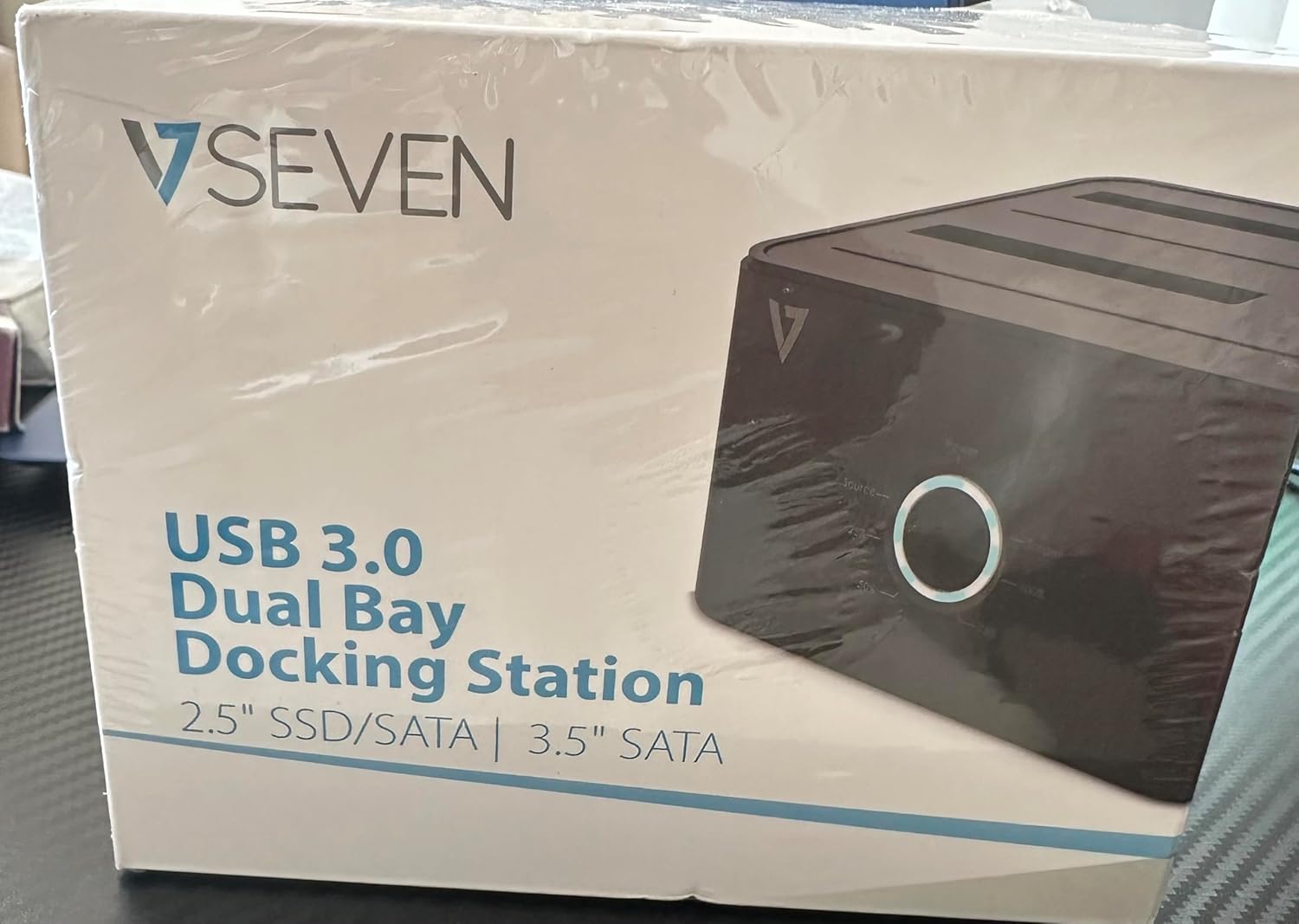
Image: The front of the V7 Dual Bay Docking Station packaging, displaying the product and its name.
The V7 Dual Bay Docking Station provides a versatile solution for managing your 2.5-inch and 3.5-inch SATA drives. Key features include:
- USB 3.0 Super-Speed Data Transfer: Achieves speeds up to 5 Gbps, significantly faster than USB 2.0.
- Dizajn s dva odjeljka: Supports two SATA I/II/III HDDs or SSDs simultaneously.
- Standalone Clone Function: Allows direct cloning of one drive to another without requiring a computer.
- LED zaslon: Provides status indication during operation, especially for cloning.
- Reciklirani materijali: Constructed with recycled materials, contributing to environmental sustainability.

Image: The back of the V7 Dual Bay Docking Station packaging, illustrating key features and benefits, including the use of recycled materials.
Priključci i indikatori:
- USB-B Port (1x): Connects the docking station to your computer.
- SATA Drive Bays (2x): For inserting 2.5-inch or 3.5-inch SATA HDDs/SSDs.
- DC Power Input (1x): For connecting the 12V/3A power adapter.
- Power Button/LED: Controls power and indicates operational status.
- Clone Button/LEDs: Initiates the cloning process and indicates progress.
Postavljanje
- Priključite napajanje: Insert the DC 12V/3A power adapter into the "DC Power Input" port on the docking station, then plug the adapter into a wall outlet.
- Umetnite pogone:
- Gently slide your 2.5-inch or 3.5-inch SATA HDD/SSD into the drive bay(s) until it is securely seated. Ensure the SATA connector aligns correctly.
- For cloning, insert the source drive into Bay 1 (Source) and the target drive into Bay 2 (Target). The target drive must be equal to or larger in capacity than the source drive.
- Connect to Computer (for data transfer): If you intend to use the docking station for data transfer with a computer, connect one end of the USB 3.0 A to B cable to the USB-B port on the docking station and the other end to an available USB 3.0 port on your computer.
- Uključivanje: Press the power button on the docking station. The power LED should illuminate.
Upute za rad
A. Data Transfer Mode (Connected to Computer)
- Ensure the docking station is powered on and connected to your computer via the USB 3.0 cable.
- Insert one or two SATA drives into the bays.
- Your operating system should detect the drives as external storage. You may need to initialize and format new drives through Disk Management (Windows) or Disk Utility (macOS) before use.
- You can now access, read, and write data to the inserted drives as you would with any external storage device.
- Uvijek sigurno izbacite pogone iz operativnog sustava prije isključivanja priključne stanice ili uklanjanja pogona.
B. Standalone Clone Function (Without Computer)
The clone function allows you to duplicate a source drive to a target drive without a computer connection. The target drive must have a capacity equal to or greater than the source drive.
- priprema:
- Ensure the docking station is disconnected from any computer.
- Umetnite Izvorni pogon (the drive you want to copy FROM) into zaljev 1.
- Umetnite Ciljni pogon (the drive you want to copy TO) into zaljev 2.
- Warning: All data on the target drive will be erased during the cloning process. Back up any important data on the target drive before proceeding.
- Pokreni klon:
- Uključite priključnu stanicu.
- Press and hold the "Clone" button for approximately 3-5 seconds until the clone progress LEDs begin to flash.
- Confirm Clone:
- Release the "Clone" button. The 25% progress LED should start blinking.
- Press the "Clone" button again briefly to confirm and start the cloning process.
- Pratite napredak: The progress LEDs (25%, 50%, 75%, 100%) will illuminate sequentially to indicate the cloning status.
- Završetak: When the 100% LED remains solid, the cloning process is complete.
- Isključite i uklonite: Power off the docking station before removing the drives.
Održavanje
- Održavajte priključnu stanicu čistom i bez prašine. Za čišćenje koristite meku, suhu krpu.
- Izbjegavajte izlaganje uređaja ekstremnim temperaturama, vlazi ili izravnoj sunčevoj svjetlosti.
- Ne pokušavajte sami rastavljati ili popravljati uređaj. Time ćete poništiti jamstvo.
- Osigurajte odgovarajuću ventilaciju oko uređaja tijekom rada.
Rješavanje problema
| Problem | Mogući uzrok | Otopina |
|---|---|---|
| Uređaj se ne uključuje. | Adapter za napajanje nije spojen ili je neispravan. | Ensure the power adapter is securely connected to both the docking station and a working power outlet. Try a different outlet. |
| Drives not detected by computer. | USB cable not connected properly; drive not seated correctly; drive uninitialized/unformatted. | Check USB cable connection. Re-seat the drive(s). For new drives, initialize and format them via Disk Management (Windows) or Disk Utility (macOS). Try a different USB port on your computer. |
| Clone function not starting. | Incorrect drive placement; target drive too small; clone button not held long enough. | Ensure source drive is in Bay 1 and target drive in Bay 2. Verify target drive capacity is equal to or larger than source. Hold the clone button for 3-5 seconds until LEDs flash. |
| Spore brzine prijenosa podataka. | Connected to USB 2.0 port; faulty USB cable. | Ensure the docking station is connected to a USB 3.0 port on your computer. Try a different USB 3.0 cable. |
Tehnički podaci
- Model: 9UDBBS-BLK
- Hardversko sučelje: USB 3.0 (unatrag kompatibilan s USB 2.0)
- Brzina prijenosa podataka: Up to 5 Gbps (USB 3.0 Super-Speed)
- Kompatibilnost pogona: 2.5" and 3.5" SATA I/II/III HDDs and SSDs
- Pogonski zaljevi: 2
- Priključci: 1x USB-B (Host), 2x SATA (Internal), 1x DC Power Input
- Ulazna snaga: DC 12V/3A (12 Watts)
- UPC: 662919116557
- Proizvođač: Ingram Micro Inc.
- Materijal: Made from Recycled Materials
Jamstvo i podrška
For warranty information and technical support, please refer to the official V7 webweb-mjesto ili se obratite prodavaču. Sačuvajte dokaz o kupnji za slučaj zahtjeva za jamstvo.
Za dodatnu pomoć posjetite: www.v7world.com/support (Pramppoveznica, stvarna poveznica može se razlikovati)